

.svg)


.svg)
.svg)





Claude Integration for your Introw PRM

Manage your partner program
by just talking to Claude
Wie funktioniert's?
1. Connect Claude to Introw
Inside Introw, go to Settings → Integrations, open the Claude integration, and copy the MCP connector URL. Introw provides the connection layer Claude uses to access your authorised partner data.
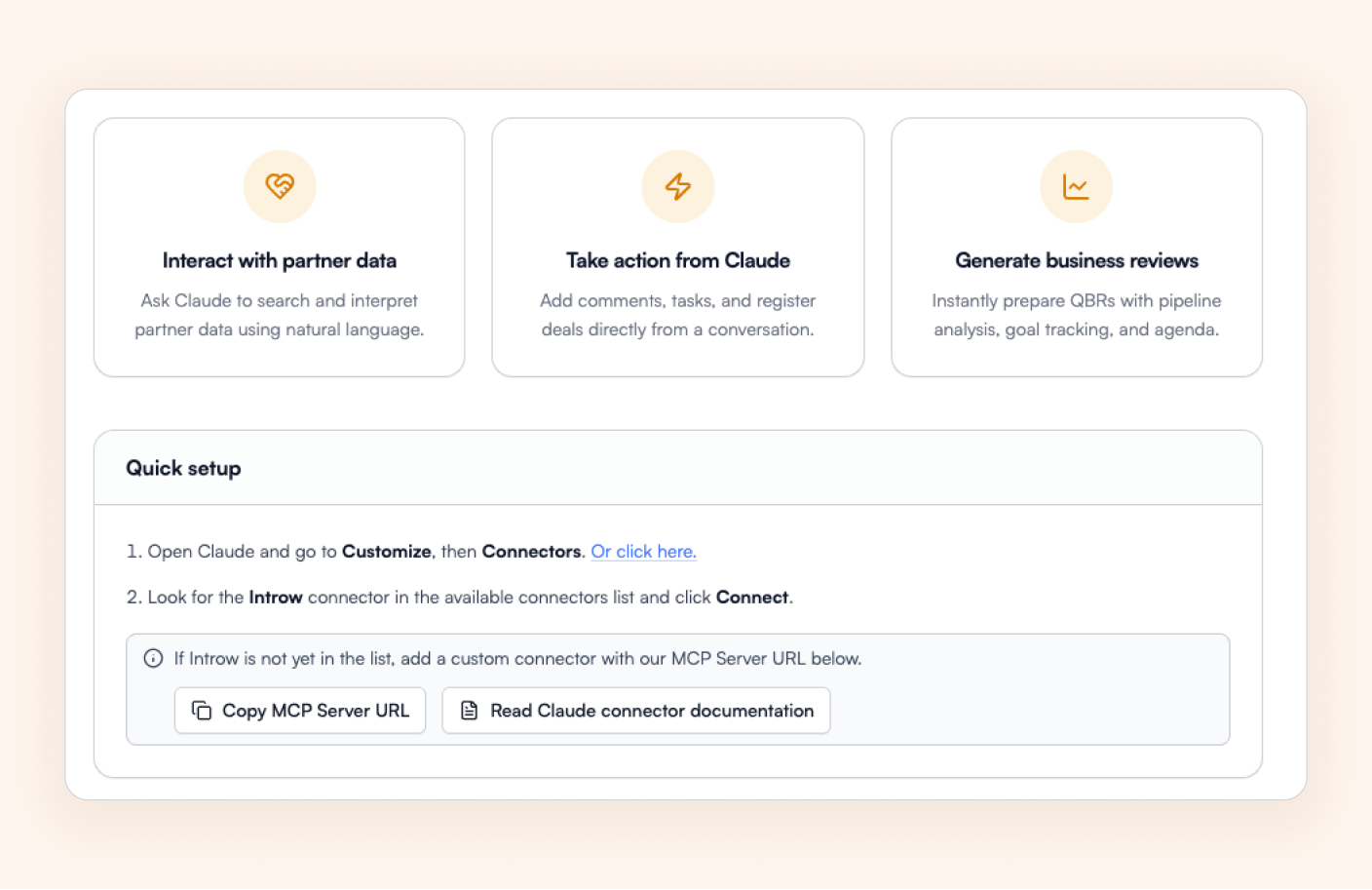
2. Add Introw inside Claude
In Claude, add Introw as a custom connector and choose your permissions. Read-only for insights like business reviews, goals, and commissions. Write access to add comments, tasks, register deals and update CRM objects.
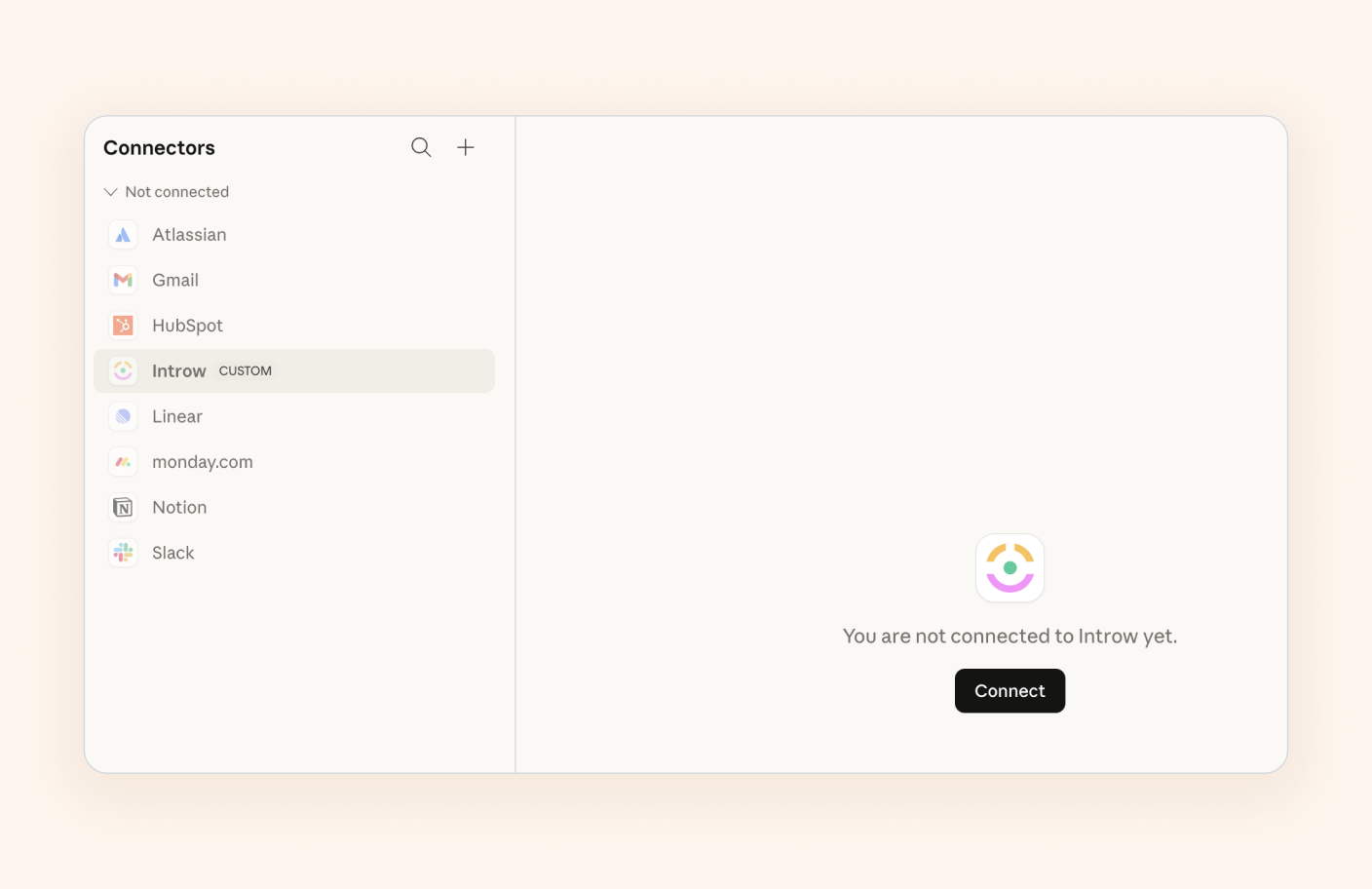
3. Start asking and acting
Once connected, each user authorises their own Introw account and can immediately start generating reviews, analysing partner performance, and taking action from the conversation using the data they already have access to.
Ihre Schmerzen


Wie Introw sie löst

Why do you need Introw <> Claude today
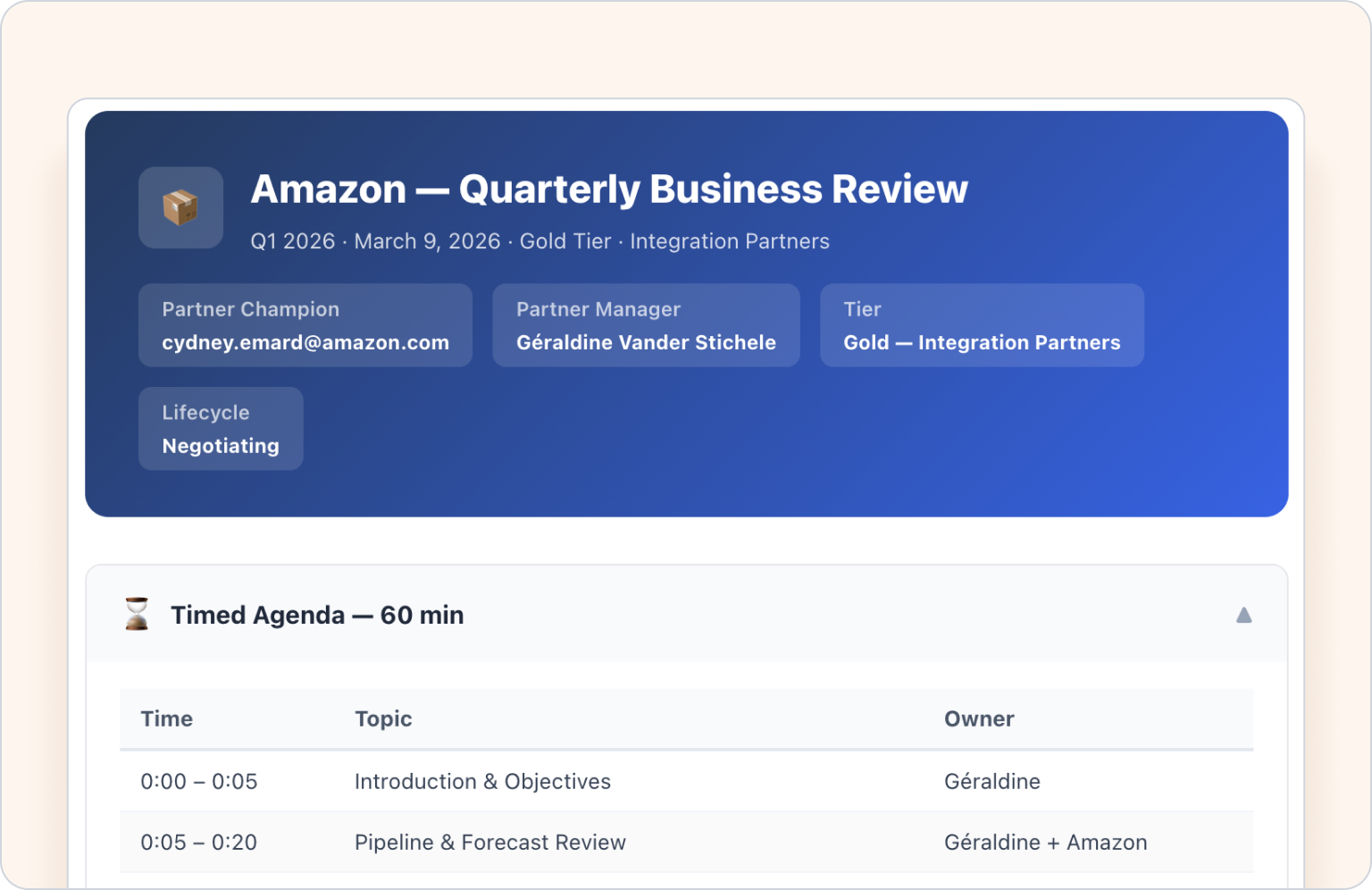
Generate partner reviews in seconds
One of the most powerful parts of the Introw + Claude integration is business review generation. Claude can pull live pipeline data, goal progress, and deal activity into a structured QBR or MBR, so partner managers spend less time preparing reviews manually and more time having better partner conversations.

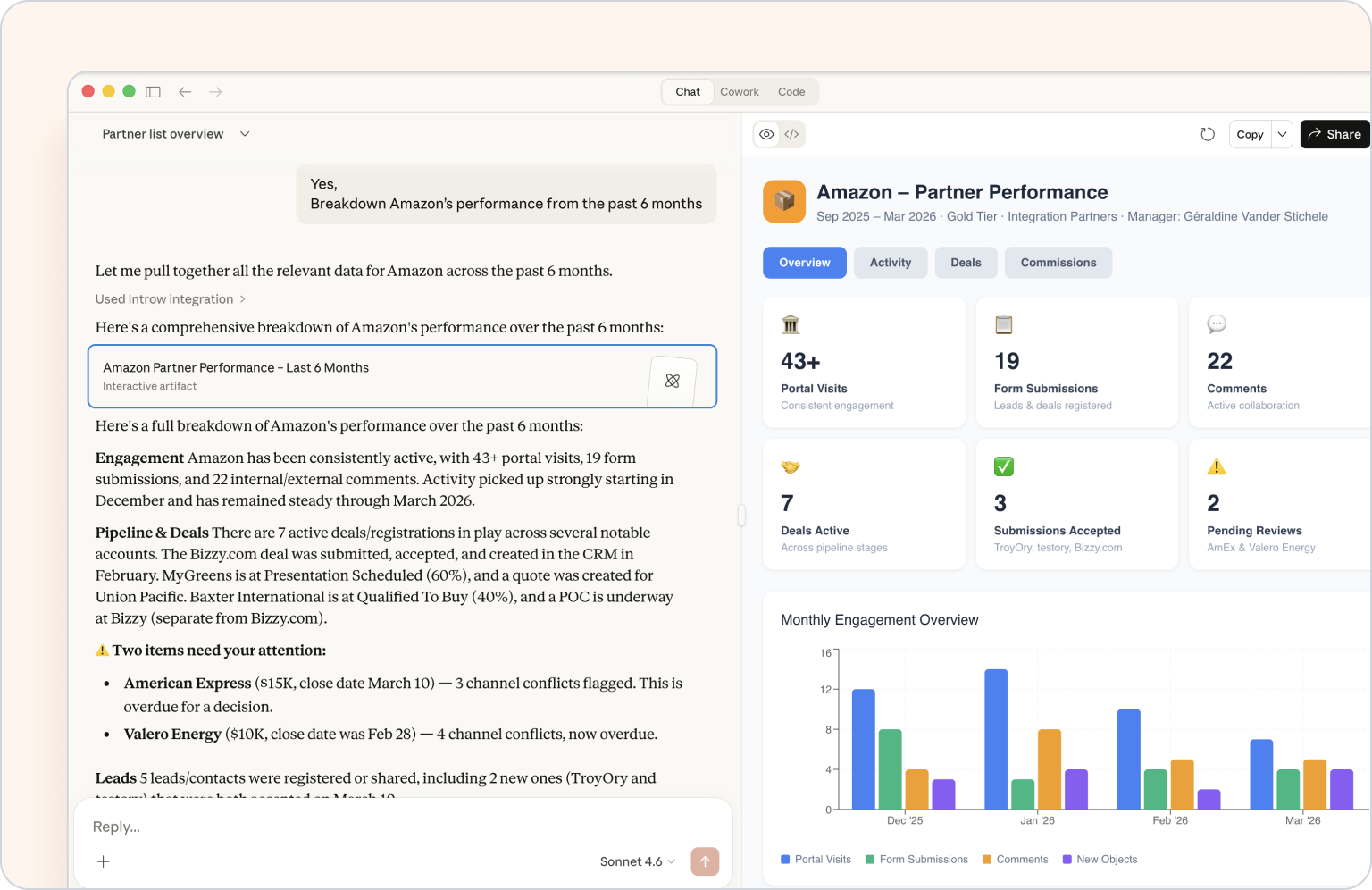
Analyse partner performance without building another report
Claude gives partnership teams a faster way to understand partner performance across any timeframe. Ask for a breakdown of a single partner, review goal progress across a tier, or surface which partners are at risk of missing targets, all without digging through records or building a new dashboard first.
Take action directly from the conversation
Claude does not stop at answers. Inside Introw, it can help update deals, add comments, create or complete tasks, and support operational follow-up directly from chat. That turns Claude into more than a reporting layer, it becomes an execution layer for day-to-day partner management.
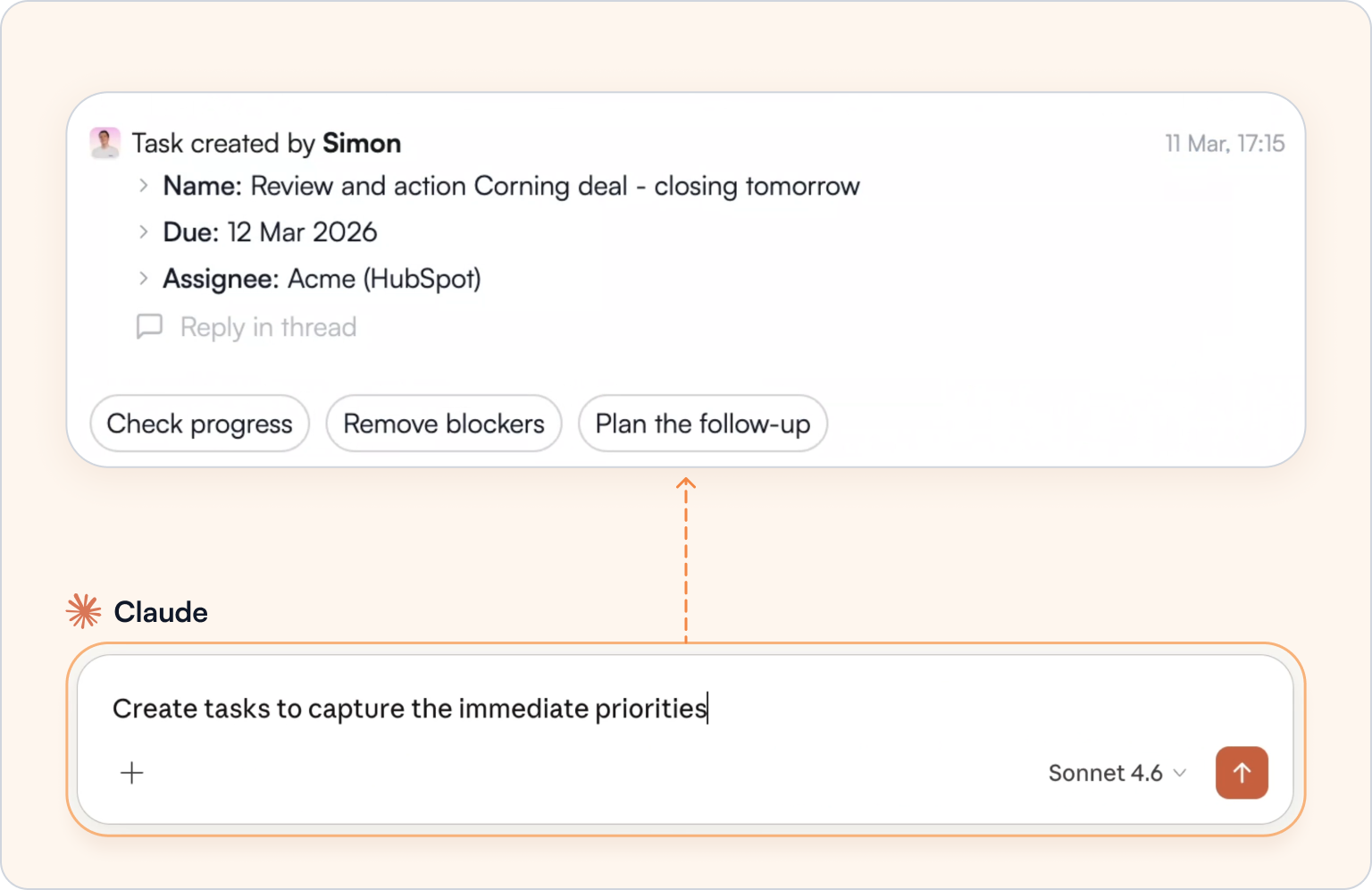
Example prompts to get started
Manage your partner program by just talking to Claude

What can Claude do inside Introw?
Claude can answer questions across live partner data, generate business reviews and summaries, analyse performance, track goals, and take actions like updating deals, adding comments, and creating tasks.
Does Claude respect Introw permissions?
Yes. Claude only sees and acts on the data the current user is authorised to read-only, write/delete, or access, and each query is scoped to the same permissions used inside Introw.
Can Claude take actions or is it read-only?
It can take actions. Introw’s Claude documentation includes actions like comments, tasks, and deal updates, and Anthropic’s MCP documentation says custom connectors can read data and take actions on a user’s behalf.
What do I need to use the Claude integration?
You need an Introw account and a Claude account that supports custom connectors. The feature is available on all Introw plans and on all Claude plans (free as well)
How long does setup take?
If you don't have an Introw account, you can set it up in a few minutes. If you already have an Introw account, you can set up the connector under a minute. In Claude you can set up the connection and permissions in a minute. So you can already use prompts after 2 minutes.
Can teams control what Claude is allowed to do?
Yes. Introw lets you configure capabilities as Read-only, Write/Delete, Allowed, Approval Required, or Blocked, so teams can decide which actions Claude can perform automatically and which should require confirmation first.