

.svg)


.svg)
.svg)








Articles by Wouter
16 Best CPQ Software Platforms to Configure, Price, and Quote Faster in 2026
This guide compares 16 of the best CPQ software platforms across five categories: partner and channel CPQ, CRM-native CPQ, standalone CPQ, proposal-focused CPQ, and manufacturing CPQ. Whether you’re looking for enterprise CPQ software, AI-powered pricing tools, or a CPQ software solution for partner sales, you’ll find the right fit here.
What is CPQ software?
CPQ stands for configure, price, quote. A CPQ system helps sales teams configure products, apply pricing rules, and generate accurate quotes without spreadsheets or manual pricing calculations.
So what is CPQ software?
A CPQ solution automates the quoting process and helps teams:
- Reduce pricing errors
- Speed up the sales cycle
- Keep pricing consistent across sales channels
- Generate accurate quotes faster
- Connect quoting with CRM, billing, and ERP systems
.png)
Traditional CPQ tools started in manufacturing, where sales reps needed help managing complex product configurations and complex pricing structures. Today, CPQ software solutions support SaaS subscriptions, usage-based pricing, recurring revenue models, approval workflows, and dynamic pricing.
For companies that sell through partners, a CPQ platform is built into a partner portal, allowing partners to create accurate quotes without direct CRM access.
Some platforms also support co-selling, helping internal teams and partners collaborate on complex deals and close business faster.
Types of CPQ software (and why it matters for your buying decision)
Not every CPQ platform solves the same problem. The best CPQ software for a manufacturing company will look very different from the best CPQ software for B2B sales or channel programs.
Before comparing tools, identify which category fits your sales process.
CRM-native CPQ
Built directly into platforms like Salesforce and HubSpot. Best for sales teams that want a CPQ solution inside their existing CRM with minimal setup.
Standalone CPQ
Independent platforms that integrate with multiple CRM systems. Best for businesses with complex pricing models, custom pricing, approval workflows, or multi-CRM environments.
Proposal and document CPQ
Focused on proposals, e-signatures, and document automation. Best for teams where the quote is the primary sales document.
Manufacturing CPQ
Built for manufacturers managing complex product configurations, CAD requirements, BOM generation, and intricate pricing structures.
Partner and channel CPQ
Built for companies that sell through partners, distributors, and resellers. Partners can configure products and generate quotes through portals connected to platforms like Salesforce or HubSpot without direct CRM access.
Most CPQ guides stop at the first four categories. But partner and channel CPQ is becoming increasingly important because it helps external sellers create accurate quotes faster and improve sales efficiency.
Best CPQ software at a glance
The best CPQ software depends on how you sell. Some tools are built for CRM users, others focus on complex product configuration, and a growing category supports partner and channel sales.
Now, we'll break down where each platform excels, where it falls short, and which type of business it fits best.
16 Best CPQ Software Platforms in 2026
We’ve compiled 16 of the best CPQ software platforms to help you find the right fit for your sales process, pricing complexity, and go-to-market model.
Category 1: Partner and channel CPQ
#1 Introw - Best CPQ for partner and channel sales teams
What it does
Most CPQ software is built for internal sales teams. Introw is one of the few CPQ software platforms designed for partner and channel sales.
Built directly into the partner portal, Introw allows resellers and channel partners to create accurate quotes without CRM access. Product catalogs sync automatically from HubSpot and Salesforce, eliminating manual uploads, spreadsheets, and duplicate data entry.
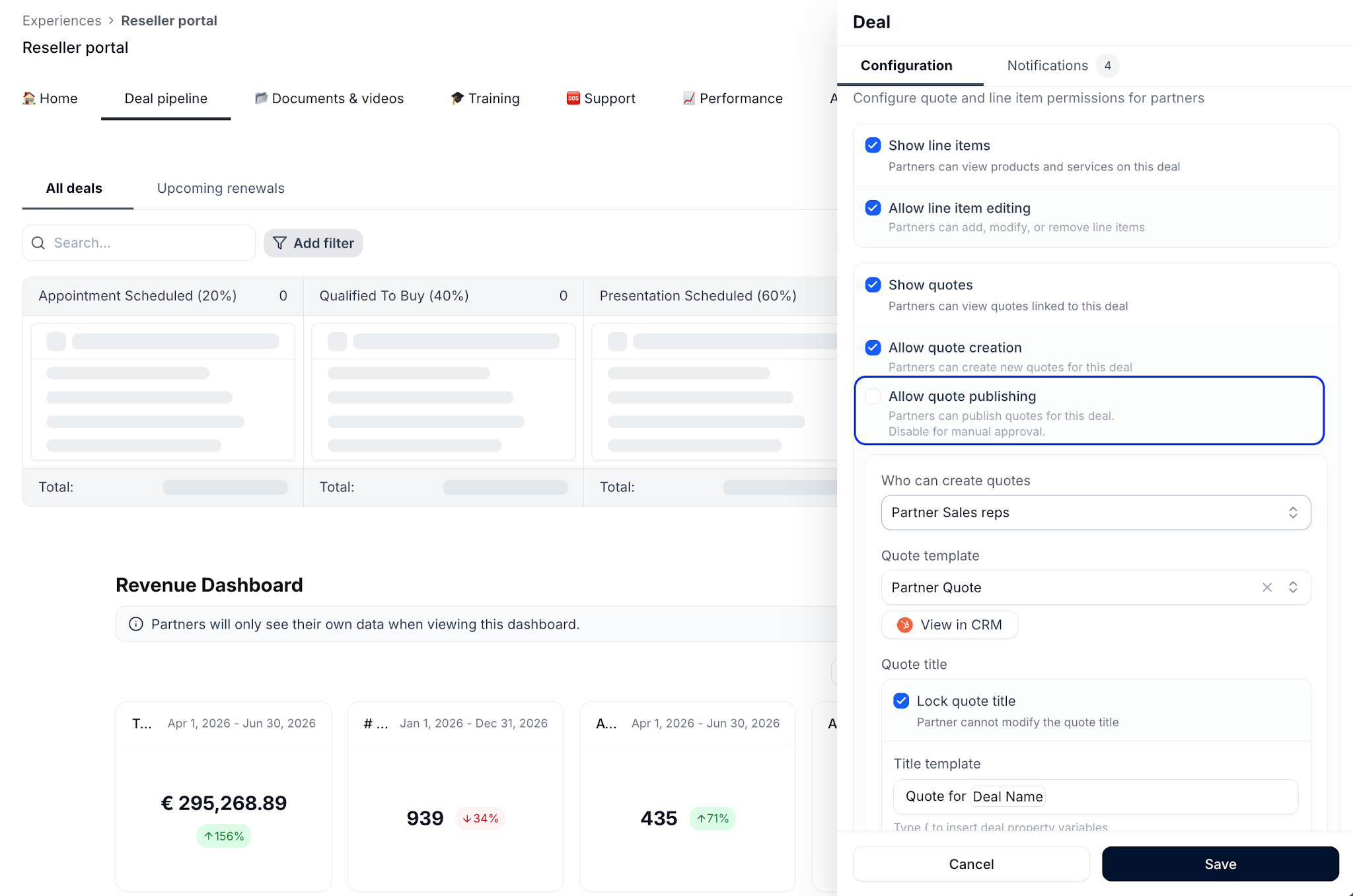
Partners only see the products they’re eligible to sell. For example, a Gold reseller can access different products, pricing, and discount levels than a Silver partner. Pricing rules are applied automatically, so approved discounts are enforced across every quote without manual reviews.
Partners can:
- View existing quotes synced from the CRM
- Create new quotes from the partner portal
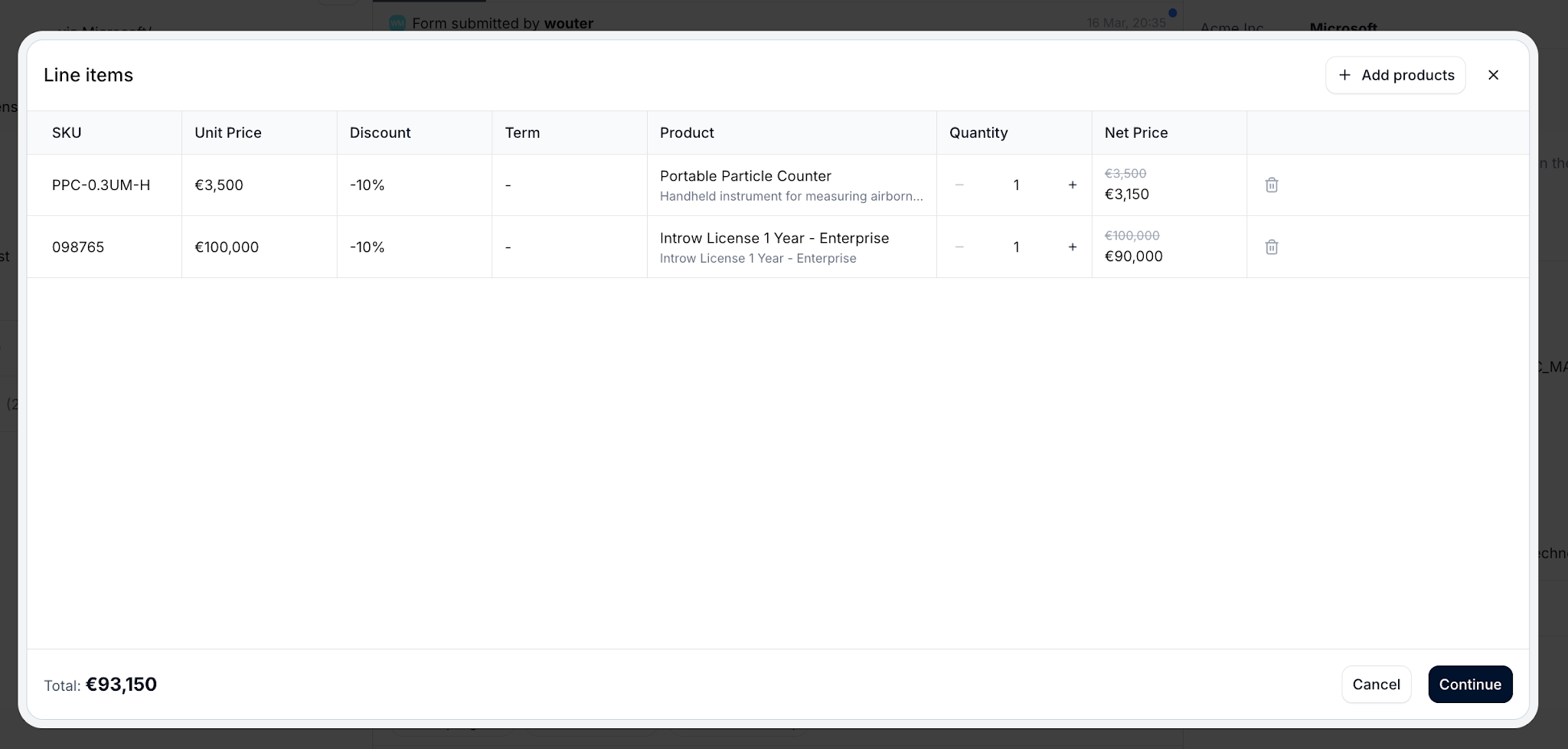
- Add products and line items
- Adjust quantities
- Generate proposals
- Collect e-signatures
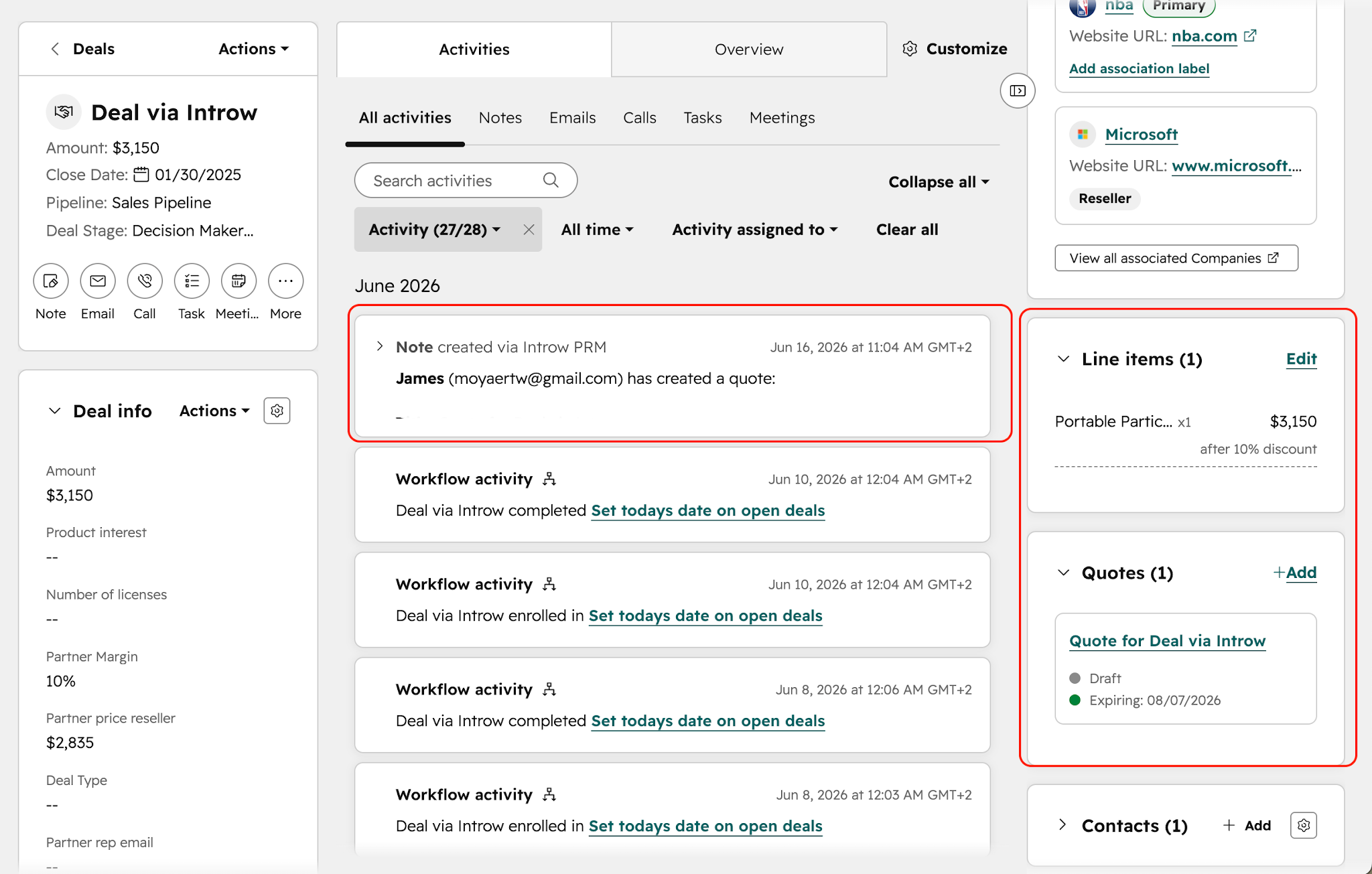
- Publish quotes back to the CRM
Everything stays connected to the CRM, creating a seamless CRM integration between partner activity and your sales process.
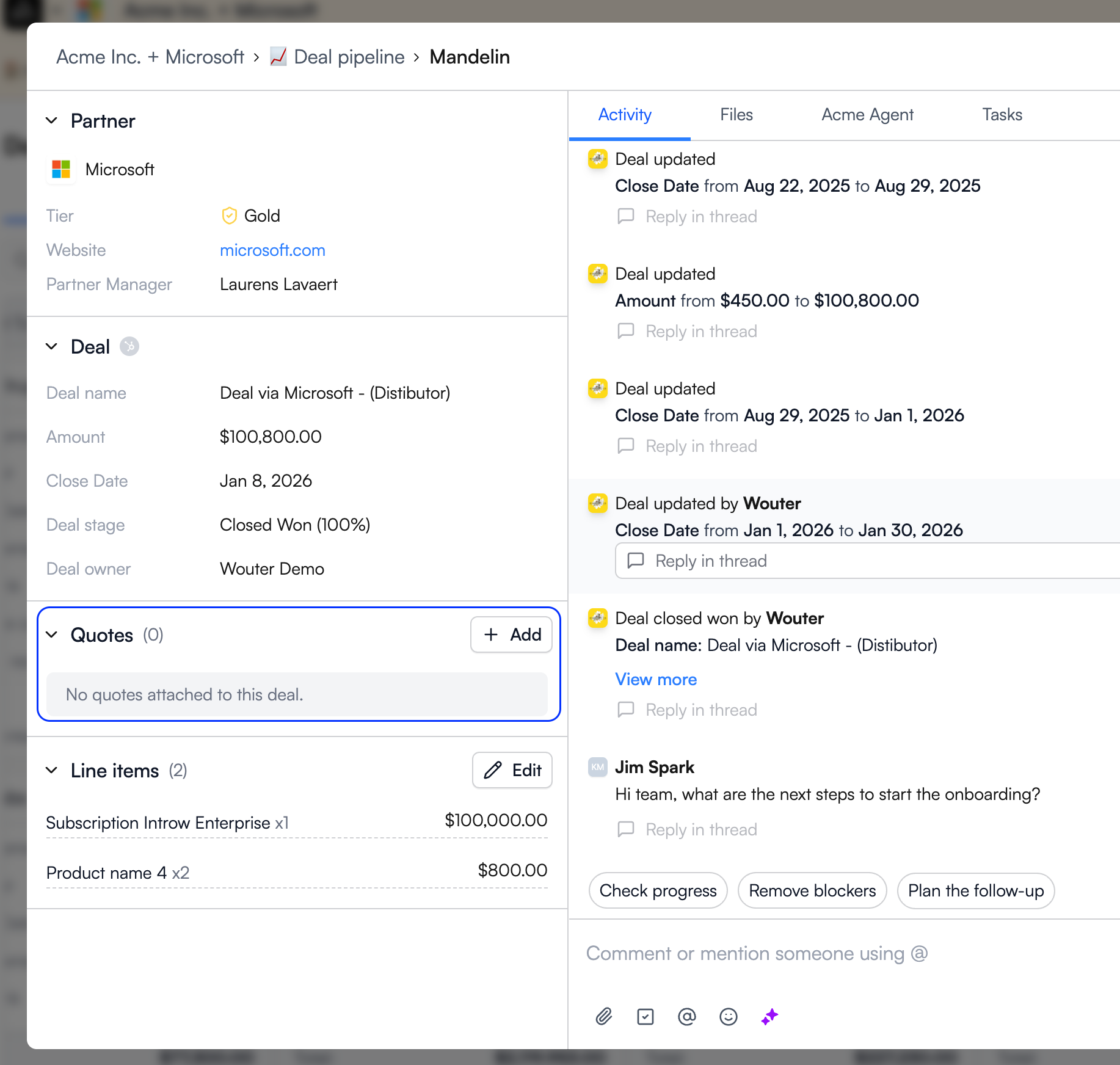
Unlike traditional CPQ tools that stop at quote generation, Introw combines CPQ with partner collaboration, deal and lead registration, partner enablement, and AI-powered workflows in a single platform.
Why someone might choose it
The biggest challenge in channel sales isn’t creating quotes. It’s eliminating the back-and-forth.
Without partner CPQ, partners typically email sales teams, request pricing, wait for a quote, then send revisions through another round of emails.
Introw removes that delay by enabling customers and partners to generate approved quotes themselves while keeping Salesforce or HubSpot as the system of record.
Here is a walkthrough of how easy it is to create quotes in Introw:
For companies running reseller, VAR, distributor, or channel programs, this can improve sales efficiency, shorten the sales cycle, and help partners move complex deals forward faster.
Key features
- Automatic product catalog sync from CRM
- Tier-based product visibility and access controls
- Automatic discount and pricing rules by partner segment
- Partner-created quotes synced back to CRM instantly
- Locked quote title templates with dynamic variables
- E-signature support and payment collection
- Configurable expiration dates
- Segment-based quoting permissions
- Full quote and line item visibility for partners
- Built-in AI-powered deal coaching for partner opportunities
CRM integrations
Pricing
Included in Introw plans.
Best for
Channel and partner teams that want to eliminate the “partner requests a quote, sales builds it, then emails it back” workflow while maintaining accurate pricing, approval workflows, and CRM visibility.
Category 2: CRM-native CPQ
These tools are built directly into CRM platforms, making them a strong fit for sales teams that want a native quoting process without adding a separate CPQ platform.
#2 Salesforce CPQ (Revenue Cloud) - Best CRM-native CPQ for Salesforce enterprises
.png)
What it does
Salesforce CPQ is Salesforce’s native configure price quote solution, now part of Revenue Cloud. It allows sales reps to configure products, apply pricing rules, generate accurate quotes, manage approval workflows, and support subscription management without leaving Salesforce CRM.
Why it’s strong
- Deepest integration available within the Salesforce ecosystem
- Strong support for complex pricing models and complex pricing rules
- Advanced approval workflows and recurring revenue management
- AI-powered quoting capabilities through Revenue Cloud and Agentforce
Where it falls short
- High total cost of ownership
- Requires significant CPQ software implementation effort
- Often needs a dedicated Salesforce administrator or developer
- Not designed for partner self-service quoting without additional Salesforce products
CRM integrations
- Salesforce (native)
Pricing
Starts at $150/user/month.
Best for
Enterprise sales teams already invested in Salesforce that need a powerful CPQ system for complex deals and advanced pricing strategies.
#3 HubSpot Quotes - Best basic CPQ for HubSpot users
.png)
What it does
HubSpot Quotes is HubSpot’s built-in quoting tool. It pulls products directly from your CRM, supports product configuration, applies discounts, collects e-signatures, and helps sales teams generate accurate quotes from deal records.
Why it’s strong
- Included with HubSpot Sales Hub
- Fast setup and strong CPQ software adoption
- Seamless integration with existing CRM data
- Simple quoting process for small and mid-sized teams
Where it falls short
- Limited support for complex configurations
- Basic approval workflows
- No visual configurator
- Can struggle with complex pricing structures and custom pricing requirements
CRM integrations
- HubSpot (native)
Pricing
Included in HubSpot Sales Hub plans.
Best for
Businesses looking for CPQ software for small business environments or straightforward sales quoting inside HubSpot.
#4 Microsoft Dynamics 365 Sales CPQ - Best native CPQ for Dynamics users
.png)
What it does
Microsoft Dynamics 365 Sales includes native CPQ capabilities for product configuration, quote generation, pricing calculations, order management, and sales automation. The platform also connects closely with Dynamics Finance and Supply Chain applications.
Why it’s strong
- Native Microsoft Dynamics integration
- Supports ERP systems and existing business systems
- Good fit for organizations standardizing on Microsoft’s ecosystem
- Helps eliminate pricing errors through centralized pricing models
Where it falls short
- Less capable than standalone CPQ software for complex product configurations
- Requires commitment to the Microsoft Dynamics ecosystem
- Limited support for dynamic pricing optimization and advanced CPQ use cases
CRM integrations
- Microsoft Dynamics 365 (native)
Pricing
Included in Dynamics 365 Sales licenses.
Best for
Companies already using Microsoft Dynamics that want a CPQ solution built directly into their existing CRM.
Category 3: Standalone CPQ platforms
Standalone CPQ platforms offer more flexibility than CRM-native tools. They’re a strong fit for sales teams that need advanced product configuration, complex pricing, subscription management, or support for multiple CRM systems.
#5 DealHub - Best standalone CPQ for sales engagement and revenue workflows
.png)
What it does
DealHub CPQ combines CPQ, contract lifecycle management (CLM), subscription billing, and digital sales rooms in a single platform. Its guided selling workflows help sales reps create accurate quotes while managing approvals, renewals, amendments, and recurring revenue from one system.
Why it’s strong
- Guided selling simplifies complex deals
- Supports subscription management and recurring revenue models
- Built-in DealRoom for buyer collaboration
- Strong sales automation capabilities
- Integrates with multiple CRM systems
Where it falls short
- Custom pricing
- More functionality than many businesses need
- Can increase total cost of ownership compared to CRM-native tools
CRM integrations
- Salesforce
- HubSpot
- Microsoft Dynamics
- Freshworks
Pricing
Custom.
Best for
B2B SaaS companies that want CPQ, billing, contracts, and sales engagement in a single platform.
#6 Conga CPQ - Best for complex enterprise configurations and approvals
.png)
What it does
Conga CPQ is an enterprise CPQ platform that helps sales teams configure products, manage complex pricing structures, generate quotes, and automate approvals. As part of the Conga Advantage Platform, it connects CPQ, document generation, e-signature, billing, and contract lifecycle management across the revenue lifecycle.
In 2026, Conga expanded its pricing and revenue management capabilities through its acquisition of the former PROS B2B business, bringing AI-powered pricing optimization and CPQ together under a single platform.
Why it’s strong
- Handles complex product configurations and complex product rules
- Strong document automation, e-signature, and contract workflows
- Supports subscriptions and usage-based pricing
- Deep Salesforce CRM integration
- Expanded pricing optimization capabilities following the PROS B2B acquisition
Where it falls short
- Significant CPQ software implementation effort
- Primarily designed for the Salesforce ecosystem
- Can be too complex for mid-market organizations
CRM integrations
- Salesforce
Pricing
Custom.
Best for
Large Salesforce organizations managing complex sales processes, intricate pricing structures, and enterprise approval requirements.
#7 Vendavo - Best for B2B pricing optimization and margin management
.png)
What it does
Vendavo is a B2B CPQ software platform focused on pricing optimization, quoting, rebates, and margin management. The platform uses AI-powered pricing optimization, analytics, and deal guidance to help businesses improve profitability across the entire quoting process.
Why it’s strong
- Strong dynamic pricing optimization capabilities
- AI-powered pricing recommendations
- Margin intelligence and deal scoring
- Helps sales leaders improve pricing decisions and revenue growth
- Supports advanced pricing models and custom pricing strategies
Where it falls short
- More focused on pricing than quote generation
- Better suited to pricing teams than frontline sales reps
- Not as comprehensive for document generation as some CPQ software solutions
CRM integrations
- Salesforce
- SAP
Pricing
No pricing information available.
Best for
Large B2B companies focused on pricing optimization, margin management, and improving profitability across complex sales environments.
Category 4: Proposal and document CPQ
These tools focus less on complex product configuration and more on creating professional proposals, collecting signatures, and helping sales teams close deals faster. They’re often considered the best CPQ software for sales quoting when presentation, speed, and buyer experience matter more than advanced configuration logic.
#8 PandaDoc - Best for proposal-focused quoting with e-signature
.png)
What it does
PandaDoc CPQ combines proposals, quotes, contracts, e-signatures, payment collection, and document automation in a single platform. Its CPQ capabilities include guided selling, product bundles, approval workflows, and CRM-connected quote generation.
Why it’s strong
- Fast setup and ease of use across sales roles
- Strong e-signature and payment collection
- Real-time document tracking and analytics
- Guided selling and approval workflows
- One of the best-rated CPQ software for sales teams focused on proposals
Where it falls short
- Limited support for complex product configurations
- Basic pricing rules compared to enterprise CPQ platforms
- Less suitable for complex sales CPQ software requirements
CRM integrations
- Salesforce
- HubSpot
- Pipedrive
- Zoho
Pricing
Starts at $49/user/month.
Best for
Teams that want CPQ software for sales quoting, proposal automation, and e-signatures in a single tool.
#9 Proposify - Best for sales proposal design and brand control
.png)
What it does
Proposify helps businesses create branded proposals, quotes, contracts, and interactive pricing tables. The platform focuses on buyer experience, document design, and proposal analytics rather than traditional CPQ functionality.
Why it’s strong
- Excellent design control and branding options
- Interactive pricing tables support upsell and cross-sell opportunities
- Proposal analytics and engagement tracking
- Easy for sales teams to adopt
Where it falls short
- Limited product configuration capabilities
- Basic CRM integrations
- Not designed for advanced pricing models or complex configurations
CRM integrations
- Salesforce
- HubSpot
Pricing
Starts at $19/user/month.
Best for
Businesses that want professional proposals and one of the top CPQ software options for client-facing sales documents.
#10 Qwilr - Best for interactive, web-based proposals
.png)
What it does
Qwilr creates interactive, web-based proposals and quotes that buyers view online instead of as PDFs. Teams can embed video, collect e-signatures, accept payments, and create a self service buying experience directly inside the proposal.
Why it’s strong
- Modern web-based proposal experience
- Interactive pricing and buyer engagement
- Strong analytics and document tracking
- Supports e-signatures and payments
- One of the top CPQ software for streamlining sales processes in service-based sales environments
Where it falls short
- Not a traditional CPQ solution
- Limited product configuration features
- Better suited to agencies and services than complex product sales
CRM integrations
- Salesforce
- HubSpot
- Zoho
- Pipedrive
Pricing
Starts at $35/user/month.
Best for
Agencies, consultancies, and service businesses that want a modern alternative to static proposals and traditional CPQ software.
Category 5: Manufacturing and industrial CPQ
These platforms are built for companies selling highly configurable physical products. If your sales process involves engineering constraints, CAD drawings, bills of materials, or thousands of product options, these are some of the best CPQ software solutions on the market.
#11 Epicor CPQ - Best visual CPQ for manufacturing
.png)
What it does
Epicor CPQ combines visual product configuration, CAD automation, BOM generation, and guided selling into a single CPQ platform. Users can configure products in 2D, 3D, and augmented reality while automatically generating manufacturing-ready outputs.
Why it’s strong
- Industry-leading visual configurator
- CAD automation and BOM generation
- Handles complex product configurations
- Strong ERP and CRM integrations
Where it falls short
- Designed primarily for manufacturers
- Not a fit for SaaS or service-based sales teams
- Can be excessive for simpler quoting requirements
CRM integrations
- Salesforce
- Microsoft Dynamics
- ERP systems
Pricing
Custom.
Best for
Manufacturers selling configurable products that require visual product configuration and engineering outputs.
#12 Tacton CPQ - Best for industrial and heavy manufacturing CPQ
.png)
What it does
Tacton CPQ helps manufacturers manage complex configurations through guided selling, constraint-based configuration, and automated engineering outputs. It is widely considered one of the top CPQ software platforms for highly customized industrial products.
Why it’s strong
- Handles extreme product complexity
- Constraint-based rules engine
- Strong manufacturing and engineering workflows
- Supports complex product rules and dependencies
Where it falls short
- Enterprise-focused
- Significant implementation effort
- Not practical outside manufacturing environments
CRM integrations
- Salesforce
- SAP
- Microsoft Dynamics
Pricing
Custom.
Best for
Large manufacturers managing thousands of product options and dependencies.
#13 Experlogix CPQ - Best for Dynamics 365 and manufacturing environments
.png)
What it does
Experlogix CPQ provides product configuration, document generation, guided selling, approval workflows, and ERP connectivity for manufacturing and distribution businesses. The platform is particularly strong for organizations already invested in Microsoft Dynamics.
Why it’s strong
- Deep Microsoft Dynamics integration
- Strong manufacturing and distribution capabilities
- Supports complex configurations and pricing models
- Good balance between CPQ and operational workflows
Where it falls short
- User interface feels less modern than newer competitors
- Implementation can be complex
- Primarily geared toward manufacturing use cases
CRM integrations
- Microsoft Dynamics 365
- Salesforce
Pricing
Custom.
Best for
Manufacturers and distributors already running Microsoft Dynamics 365.
#14 ConnectWise CPQ - Best CPQ for MSPs and IT service providers
.png)
What it does
ConnectWise CPQ helps MSPs and IT providers automate quoting, proposal generation, distributor pricing lookups, procurement workflows, and recurring revenue quoting.
Why it’s strong
- Built specifically for IT service providers
- Distributor pricing integrations
- Supports hardware, software, and service quoting
- Helps streamline sales processes and procurement workflows
Where it falls short
- Niche industry focus
- Limited appeal outside IT services
- Not designed for manufacturing or enterprise product configuration
CRM integrations
- ConnectWise PSA
- Distributor integrations
Pricing
Custom.
Best for
MSPs and IT providers looking for the best software for automating sales in CPQ workflows.
#15 Oracle CPQ - Best for enterprise Oracle ecosystem CPQ
.png)
What it does
Oracle CPQ is Oracle’s enterprise configure price quote platform. It combines product configuration, subscription management, pricing, quoting, approval workflows, and AI-powered recommendations within Oracle’s revenue applications suite.
Why it’s strong
- Supports complex pricing models and complex pricing rules
- Strong subscription management capabilities
- AI-powered recommendations and deal guidance
- Deep Oracle ecosystem integration
Where it falls short
- Premium enterprise pricing
- Oracle ecosystem commitment
- Complex implementation and administration
CRM integrations
- Oracle (native)
- ERP integrations
- Third-party integrations available
Pricing
Custom.
Best for
Enterprises already running Oracle applications that want a unified CPQ system.
#16 SAP CPQ - Best for SAP ecosystem quoting
.png)
What it does
SAP CPQ connects product configuration, pricing, quote generation, and approval workflows directly to SAP’s ERP, commerce, and billing systems. It helps sales teams create accurate quotes while keeping manufacturing, supply chain, and pricing data aligned.
Why it’s strong
- Native SAP integration
- Strong support for complex pricing and quoting
- Connects quoting to manufacturing and fulfillment
- Supports large product catalogs and enterprise workflows
Where it falls short
- Enterprise-focused
- Significant implementation effort
- Best suited to organizations already invested in SAP
CRM integrations
- SAP (native)
- Salesforce integration
Pricing
Starts at $100/user/month with a 50-user minimum.
Best for
SAP customers that want end-to-end quote-to-cash workflows connected to manufacturing, supply chain, and billing systems.
A quick rule of thumb: the more complex your products, pricing, and sales process, the more value you’ll get from a dedicated CPQ platform instead of basic quoting tools.
The bottom line
The best CPQ software depends on how you sell.
If you need simple quoting inside your CRM, HubSpot Quotes or Salesforce CPQ may be enough. If you sell highly configurable products, Epicor, Tacton, or Experlogix are stronger fits. If pricing optimization is your priority, Vendavo and Conga stand out.
If you sell through partners and resellers, Introw is in a category of its own. It lets partners configure, price, and quote directly from the portal with tier-based discounts, automated pricing, and CRM sync built in. No CRM licenses. No email chains. No manual quote requests.
See how Introw’s CPQ solution helps partners quote independently, or book a demo to see it in action.
Why teams choose Introw for partner CPQ
Introw’s CPQ software is built for channel sales teams that want partners creating accurate quotes without CRM access. Combined with Introw’s AI agent and partner collaboration workflows, it helps remove friction from the entire partner sales process.
.png)
Zero manual product uploads
Introw syncs your full product catalog from HubSpot or Salesforce automatically. Every line item, every price, always current. No CSV uploads, no data duplication, and no drift between your CRM and partner portal.
Tier-based pricing that runs itself
Configure discount rules once per partner tier and segment. Gold resellers can receive one discount level, while Silver and Bronze partners receive different pricing automatically. Partners only see the pricing they’re eligible for, helping maintain consistent pricing across your partner sales program.
Partners quote without CRM access
Partners create quotes directly from the portal deal view. They select products, add quantities, review pricing, and generate accurate quotes that sync back to HubSpot or Salesforce automatically. No CRM licenses. No email chains. No manual quote creation by your internal sales reps.
Quoting permissions by segment
Not every partner should create quotes. Introw lets you control who can view line items, edit products, create quotes, and publish them. This gives channel teams complete control while still enabling partner self-service.
Keep partner sales and CRM data aligned
Every quote, line item, and pricing update flows back into your CRM automatically. Your team gets complete visibility into partner activity, while partners get a faster quoting experience that supports scalable partner sales.
Ready to see partner CPQ in action? Watch the walkthrough:
[Embed: https://www.loom.com/share/7cb766dd73fc4d758ec19dd68482ac3f]
Give partners the ability to create, price, and publish quotes on their own, while keeping every product, discount, and deal synced to your CRM. Request a demo today.
8 LMS Partner Certification Strategies That Drive Revenue Growth
Partner certification programs look great on paper. But if completion data stays trapped in your LMS while Sales and RevOps work from a CRM that knows nothing about partner competency, you’re running training theater — not a revenue program.
The difference between certification as a checkbox and certification as a growth lever comes down to one thing: whether the data connects to pipeline. Below are practical LMS partner certification strategies that tie training directly to deal registration, CRM visibility, and measurable revenue outcomes.
Why partner certification programs drive revenue growth
A partner certification program is a structured training and credentialing system, typically delivered through a learning management system, that validates whether partners actually understand your product, positioning, and sales process.
The moment certification data is visible in your CRM, it stops being “learning data” and becomes go-to-market signal: who’s qualified to sell, who should get leads, and which partners are likely to close.
In practice, certified partners tend to outperform non-certified ones because they:
- Represent your product accurately, keeping messaging consistent across channels.
- Handle objections independently, reducing escalations to your internal team.
- Move deals forward faster, because they know the process and the pitfalls.
That shows up in a few common revenue levers:
- Consistent messaging: Certified partners position your product the way you intend, protecting brand integrity across channels.
- Faster sales cycles: Partners who understand the product don’t slow deals down asking for help mid-cycle.
- Reduced channel conflict: Certification status can serve as a tiebreaker when two partners claim the same account.
- Scalable enablement: An LMS lets you train hundreds of partners without adding headcount or running live sessions for every cohort.
The trap: many teams stop at completion rates. If you can’t connect certification outcomes to pipeline and revenue, it’s hard to justify investment — and impossible to know which certifications actually matter.
8 LMS partner certification strategies that make training measurable
If you’re building a partner motion inside a startup, you don’t have time for programs that “feel” helpful. You need a system that changes partner behavior and shows up in pipeline. These strategies are designed to do exactly that.
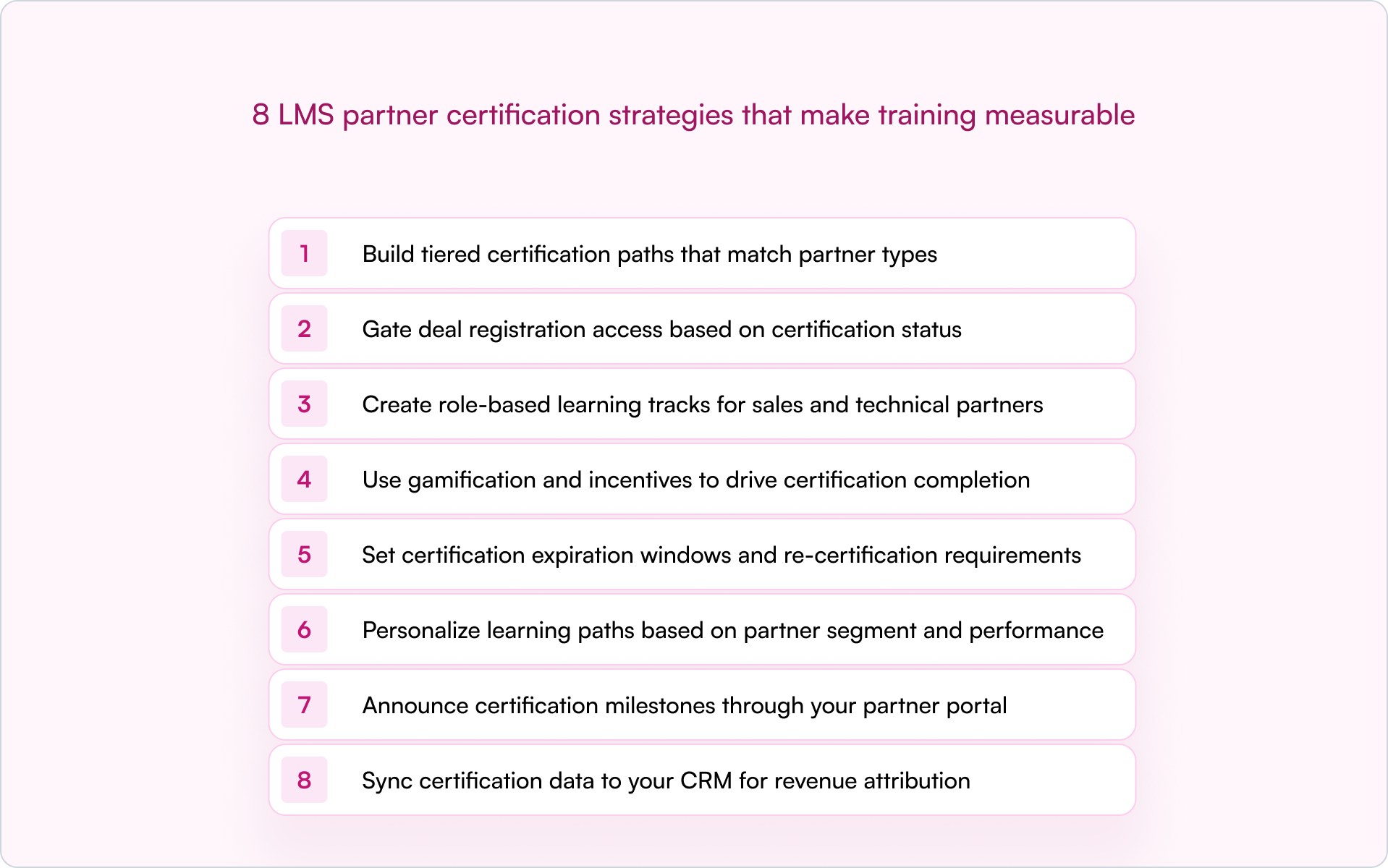
1. Build tiered certification paths that match partner types
Not every partner needs the same training. A referral partner introducing leads needs positioning basics. A reseller closing deals needs pricing, objection handling, and competitive differentiation. An implementation partner deploying your product needs technical depth.
Your certification tiers typically map to your partner program tiers, like Bronze, Silver, Gold or Authorized, Premier, Elite, with escalating requirements at each level.
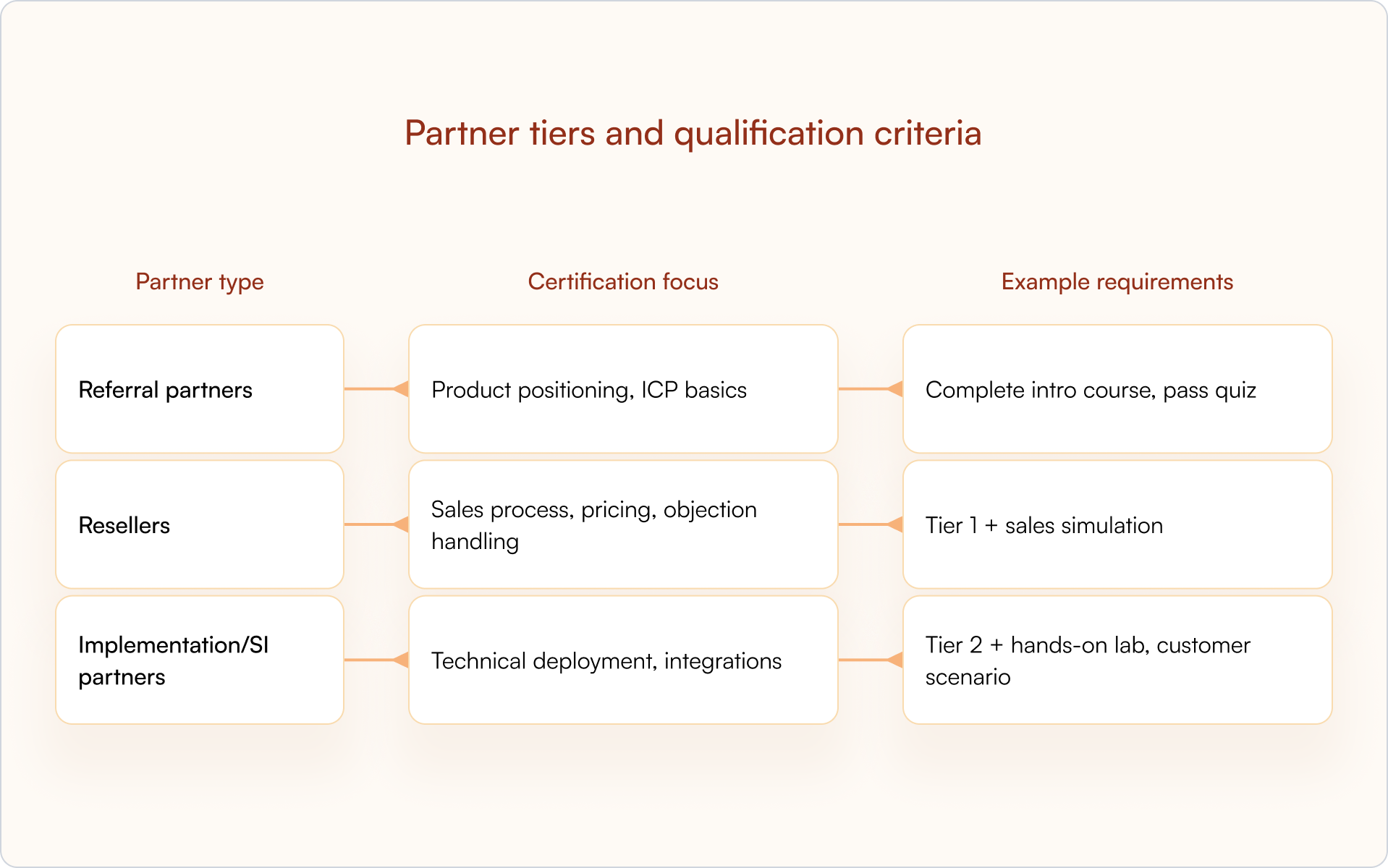
This structure keeps training relevant (which protects completion rates) and gives you a clean framework for gating access to deals, leads, or exclusive benefits based on demonstrated competency.
2. Gate deal registration access based on certification status
This is where certification becomes operational. Partners who haven’t completed the required training can’t register deals in your system, which protects deal quality and ensures only qualified partners are submitting pipeline.
The concept of “sell rights” is common in mature programs for a reason: it prevents untrained partners from creating friction in your sales process or misrepresenting your product to prospects.
A CRM-first PRM like Introw can enforce sell rights automatically by checking certification status before allowing deal registration — keeping the workflow aligned across your partner portal without manual verification.
3. Create role-based learning tracks for sales and technical partners
Within a single partner organization, different roles need different training. A partner’s sales rep needs competitive positioning and demo basics. Their solutions architect needs API documentation and implementation methodology. Their executive sponsor needs the business case for co-selling.
Role-based tracks keep training focused:
- Sales track: Product positioning, competitive differentiation, demo basics, pricing and packaging
- Technical track: Implementation methodology, API/integration training, troubleshooting
- Executive track: Partnership value prop, co-selling motions, business case development
If you want higher completion and better outcomes, this is one of the highest-ROI LMS partner certification strategies you can implement. Relevance is what keeps partners moving.
4. Use gamification and incentives to drive certification completion
Partners are busy. They’re juggling multiple vendors, their own customers, and internal priorities. Without motivation, certification often drops to the bottom of the list — even if the content is genuinely good.
Gamification, which includes digital badges, leaderboards, points, and rewards, creates visible progress and recognition that keeps partners engaged:
- Digital badges: Shareable credentials partners can display on LinkedIn
- SPIFFs: Cash or gift card bonuses for completing certifications
- Tiered benefits: Higher margins or exclusive leads for certified partners
- Leaderboards: Public recognition in the partner portal
The goal is simple: make certification feel like an investment that pays off, not compliance work.
5. Set certification expiration windows and re-certification requirements
Products evolve. Messaging changes. Compliance requirements shift. A certification earned two years ago may no longer reflect current reality — and your customers will feel that gap quickly.
Expiration windows (often 12 months, shorter for fast-moving categories) prevent competency drift. Automated reminders before expiration give partners time to re-certify without losing access to deal registration or other benefits.
Tip: Announce re-certification deadlines through your partner portal and email or Slack notifications so partners aren’t surprised when access changes.
6. Personalize learning paths based on partner segment and performance
Not all partners start from the same place. A high-performing partner who’s been selling your product for two years doesn’t need the same onboarding content as a new partner getting started.
Personalization — serving different content based on region, vertical, role, or performance — keeps training relevant. High performers can skip basics. Struggling partners get targeted reinforcement. Everyone’s time is respected.
This is also how certification becomes more than “completion.” You can track whether partners improve and which interventions correlate with higher-quality pipeline.
7. Announce certification milestones through your partner portal
Recognition reinforces behavior. When a partner earns certification, celebrate it publicly (when appropriate). It signals that certification matters and creates social proof inside the ecosystem.
Partner portal announcements, email notifications, or Slack messages highlighting achievements can motivate other partners to complete training — without you adding more meetings to your calendar.
A CRM-first partner portal can automate announcements when certification status updates, so you’re not manually tracking who earned what and when.
8. Sync certification data to your CRM for revenue attribution
This is the strategy that makes everything else measurable. Certification status belongs in HubSpot or Salesforce as a partner property — not trapped in a separate LMS where Sales, RevOps, and leadership can’t see it.
When certification data lives in your CRM, you unlock:
- Attribution: See whether certified partners close more revenue than non-certified partners
- Deal routing: Auto-assign leads to certified partners only
- Forecasting: Include certification status in pipeline reports
- Conflict resolution: Use certification as a tiebreaker when two partners claim the same deal
Introw syncs partner data directly to the CRM, so certification status is always visible to Sales, Partnerships, and RevOps — making certification ROI measurable instead of assumed.
LMS features that support partner certification programs
Not every LMS is built for external partner enablement. Internal employee training platforms often lack the controls you need to manage certifications across dozens (or hundreds) of partner organizations.
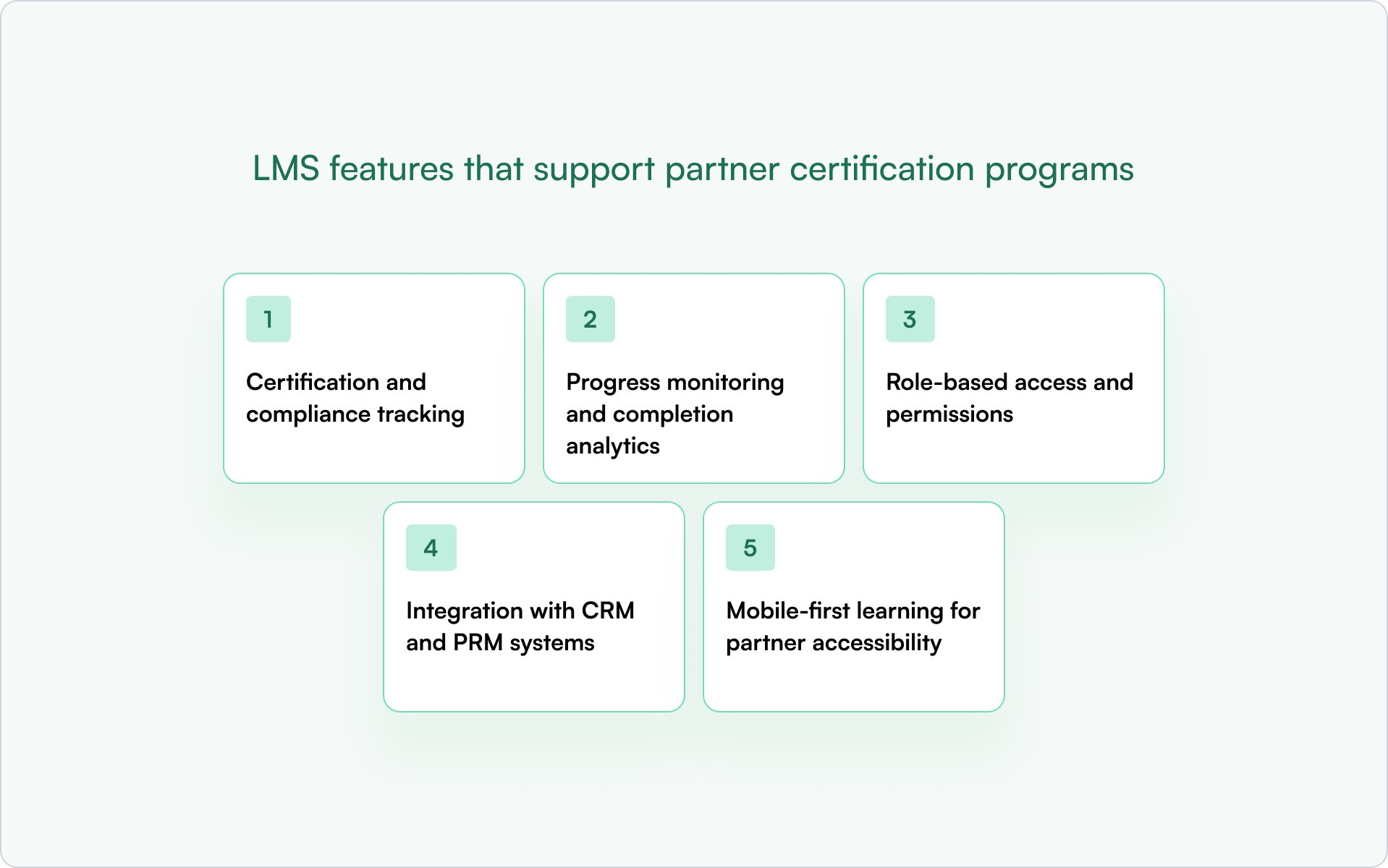
Certification and compliance tracking
Your LMS should track who completed what, when, and whether they passed. That audit trail supports compliance requirements and enables expiration and re-certification workflows.
Progress monitoring and completion analytics
Partner managers need visibility into where partners are stuck, who’s falling behind, and which courses have low completion rates — especially at scale.
Role-based access and permissions
Different partner organizations should only see content relevant to them. Admins need full access; partner users should see only their assigned tracks.
Integration with CRM and PRM systems
If certification data doesn’t sync to HubSpot or Salesforce, it’s invisible to the rest of the business. A CRM-first PRM like Introw connects partner data — including certification status — directly to your CRM.
Mobile-first learning for partner accessibility
Partners are often in the field or between meetings. Mobile-friendly delivery makes it easier to complete certification without being tied to a desk.
How to measure ROI for LMS partner certification strategies
Certification programs require investment in content creation, LMS licensing, and partner manager time. To keep momentum — and budget — you need proof.
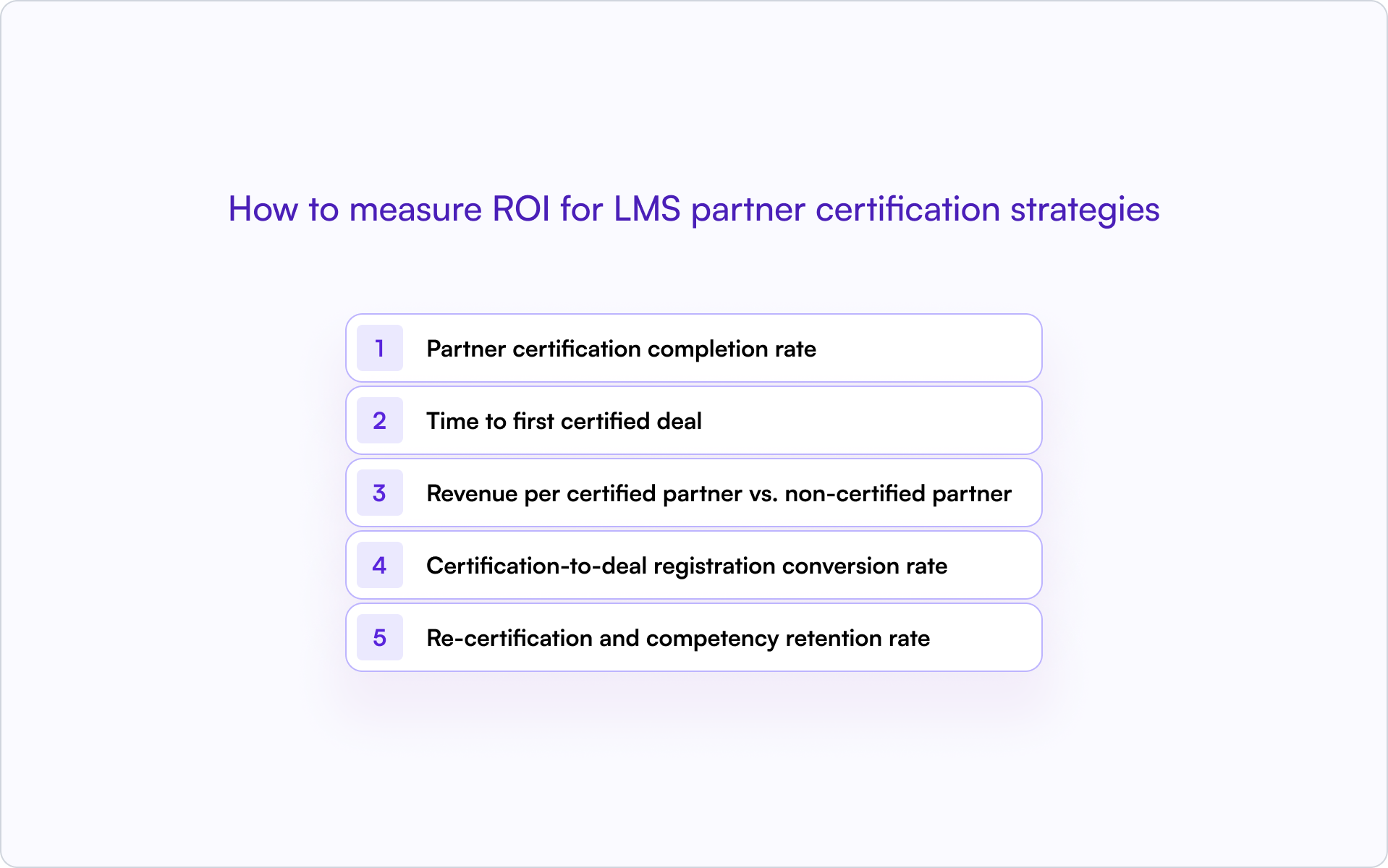
Partner certification completion rate
What percentage of onboarded partners complete certification? Low rates usually mean friction (too long, too generic, too hard) or unclear incentives.
Time to first certified deal
How long after certification does a partner register their first deal? Shorter is better — it shows certification accelerates activation, not just learning.
Revenue per certified partner vs. non-certified partner
Compare average revenue contribution. This is the core ROI proof point most founders and operators care about.
Certification-to-deal registration conversion rate
What percentage of certified partners actually register deals? Certification without activation is wasted effort — and a signal your program may be rewarding “learning” more than “selling.”
Re-certification and competency retention rate
Are partners staying current? High lapse rates suggest the re-certification experience is too burdensome or the value is not clear enough.
How to connect LMS certification data to your CRM
The mechanics of syncing LMS data to HubSpot or Salesforce determine whether certification status becomes actionable or stays siloed.
- Custom properties: Create a “Certification Status” field on the Partner or Contact object with values like Certified, Expired, In Progress, Not Started.
- Certification date fields: Track when certification was earned and when it expires.
- Automation triggers: Use certification status changes to trigger workflows — for example, notifying partner managers when a partner becomes certified or alerting when certification is expiring.
- Reporting: Build dashboards that segment partner pipeline by certification status.
Introw’s Salesforce and HubSpot integrations enable this without custom development work. Certification status flows into the CRM automatically.
Scale partner certification with a CRM-first approach
Partner certification programs only drive revenue when the data is visible and actionable in your CRM. Otherwise, you’re running a training program with no connection to pipeline, attribution, or forecasting.
A CRM-first approach delivers:
- Visibility: Sales, partnerships, and RevOps see certification status on every partner record.
- Attribution: You can prove which certifications correlate with closed revenue.
- Automation: Deal registration, lead routing, and conflict resolution can factor in certification status.
Teams that get this right spend less time chasing training completion and more time closing partner-sourced revenue.
If you’re ready to treat certification like a revenue system (not a content library), see how Introw connects partner certification data to your CRM — book a demo.
12 Best Partner Portal Software Platforms: Features, Fit, and Gaps
What is a partner portal, and why and when do you need one
A partner portal is a secure space where your partners access the tools, data, training, and marketing materials they need to sell with you.
Modern partner portal software connects deal registration, partner onboarding, partner marketing, and CRM visibility in one platform so your team can manage relationships and revenue without spreadsheets.
Why and when you need one
You need a partner portal when your partner program starts influencing real sales. If your team is manually updating deals, your resellers need controlled access to pipeline data, or you cannot clearly tie partner engagement to revenue, manual processes will slow your business down.
The right partner portal software gives your partners access to relevant deals and support while keeping Salesforce or HubSpot as the single source of truth. That balance is what drives adoption, visibility, and scalable channel growth.
So what separates average partner portal software from the best partner portal software for your business?
It comes down to adoption, CRM alignment, and how well the portal supports your partners in real selling situations.
The Shortlist: Best Partner Portal Software (2026)
Here's our shortlist of partner portal software platforms worth comparing in 2026, starting with the option built specifically for SaaS channel programs.
1. Introw partner portal
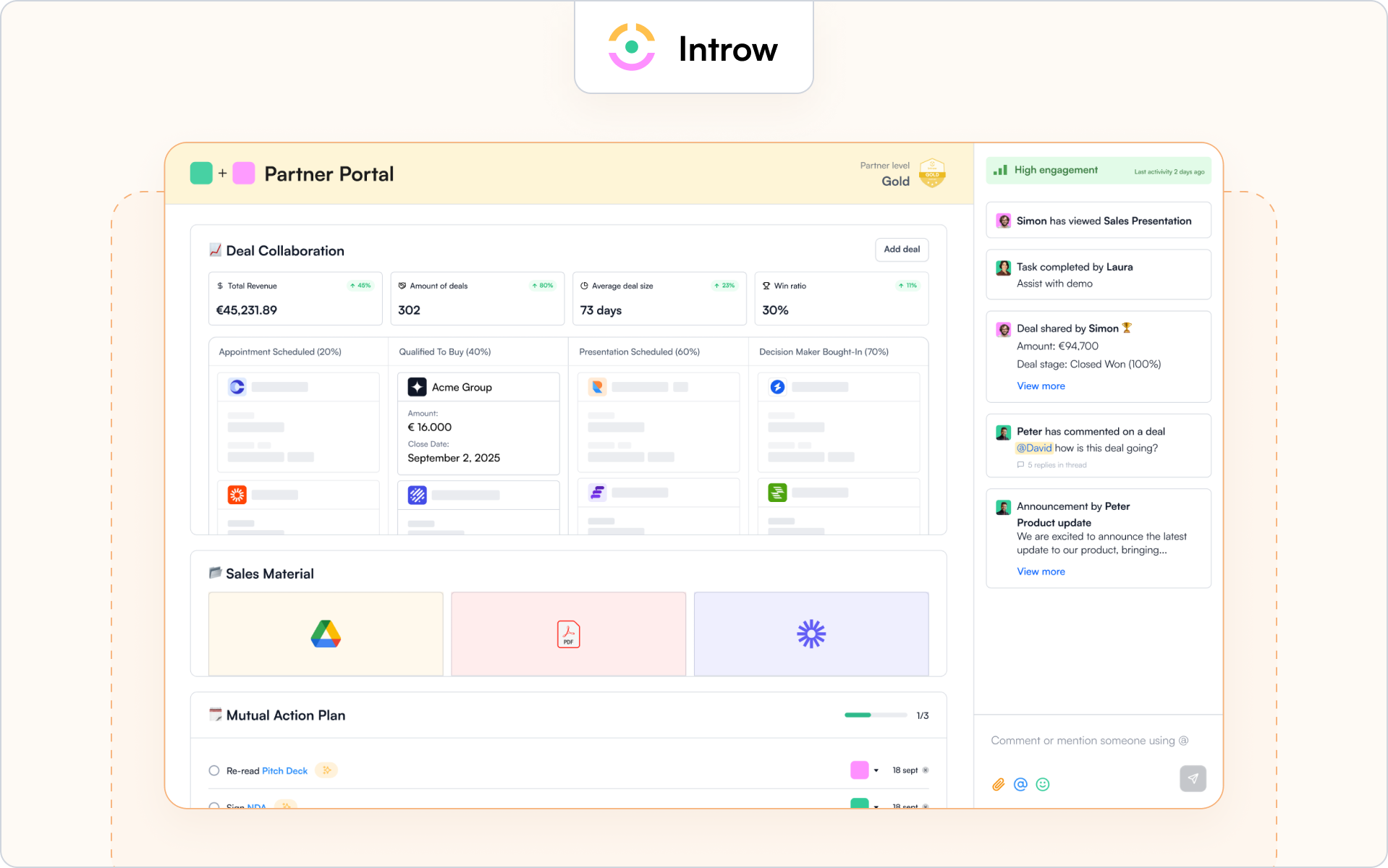
Best for
SaaS partner programs that care about adoption, CRM trust, and measurable revenue impact.
Why it’s a fit for portals
The Introw partner portal is built specifically for external partner use. It gives your partners controlled access to deals, leads, marketing materials, and training while keeping your CRM as the single source of truth.
Unlike traditional partner relationship management software that operates beside your CRM, Introw works inside it. Your partner portal reflects real Salesforce or HubSpot data with permission-based visibility. Your business data stays protected, and your partners see only what is relevant to them.
If adoption is your priority, this matters. Partners can engage through email and Slack without constantly logging in. When they reply by email, activity is logged automatically, so your team sees partner activities without chasing updates.
You can explore the full experience on Introw’s partner portal.
Highlights
Introw focuses on the practical elements that drive partner experience and revenue clarity. The portal connects your partner program directly to your CRM so you can manage deals, engagement, and performance in one platform.
- White-label branding and SSO so the portal reflects your brand
- Granular access controls for channel partners, resellers, and distributors
- Real-time deal registration and partner-safe pipeline views via our Salesforce integration or HubSpot integration
- Embedded Partner LMS for partner onboarding, certifications, recert windows, and AI-powered course creation
Because the portal is CRM-native, your sales team and internal teams do not need to reconcile data across disconnected tools. You get better reporting, clearer attribution, and visibility into how partners sell and influence deals.
If you want the broader category view, this guide to the best PRM software is a helpful companion.
Considerations
Introw is not designed as a heavy enterprise suite with complex incentive engines or layered distributor rebate structures. It focuses on adoption, clean CRM alignment, co-selling workflows, and partner enablement for SaaS channel programs.
If your channel programs rely heavily on advanced incentive modeling or carrier-style rule complexity, you should validate fit carefully.
Pricing note
Introw is structured to support external partner access without charging for casual logins. If you want to see how it works inside your CRM, you can request a demo.
2. Impartner
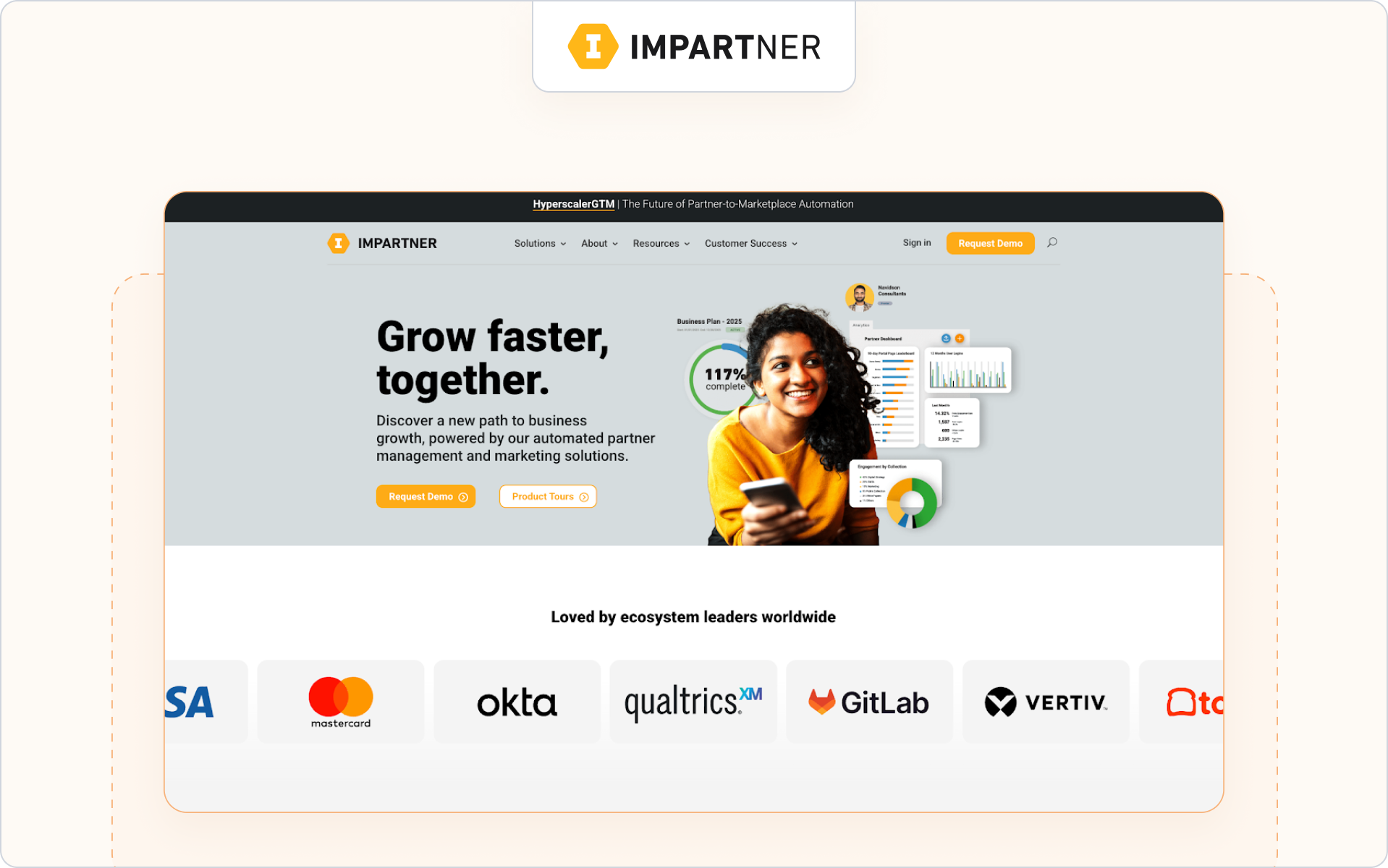
Best for
Enterprise companies running large, multi-tier channel programs across regions and partner types.
Why it’s a fit for portals
Impartner is a long-standing partner relationship management software provider with a robust portal module. Its partner portal is designed to support complex channel programs, including distributors, resellers, and global alliances.
The platform emphasizes structured governance, automation, and scale. If your portal sits inside a broader enterprise PRM strategy, Impartner is often on the shortlist.
Highlights
- Configurable portal with role-based access and SSO
- Built-in deal registration workflows and approval routing
- Program management tools for tiers, incentives, and partner performance
Considerations
Impartner’s depth can mean a heavier setup and ongoing administration. If fast partner adoption and lightweight workflows are your priority, validate how complex the experience feels for your partners.
Pricing note
Enterprise pricing. Typically requires direct consultation.
3. Channeltivity
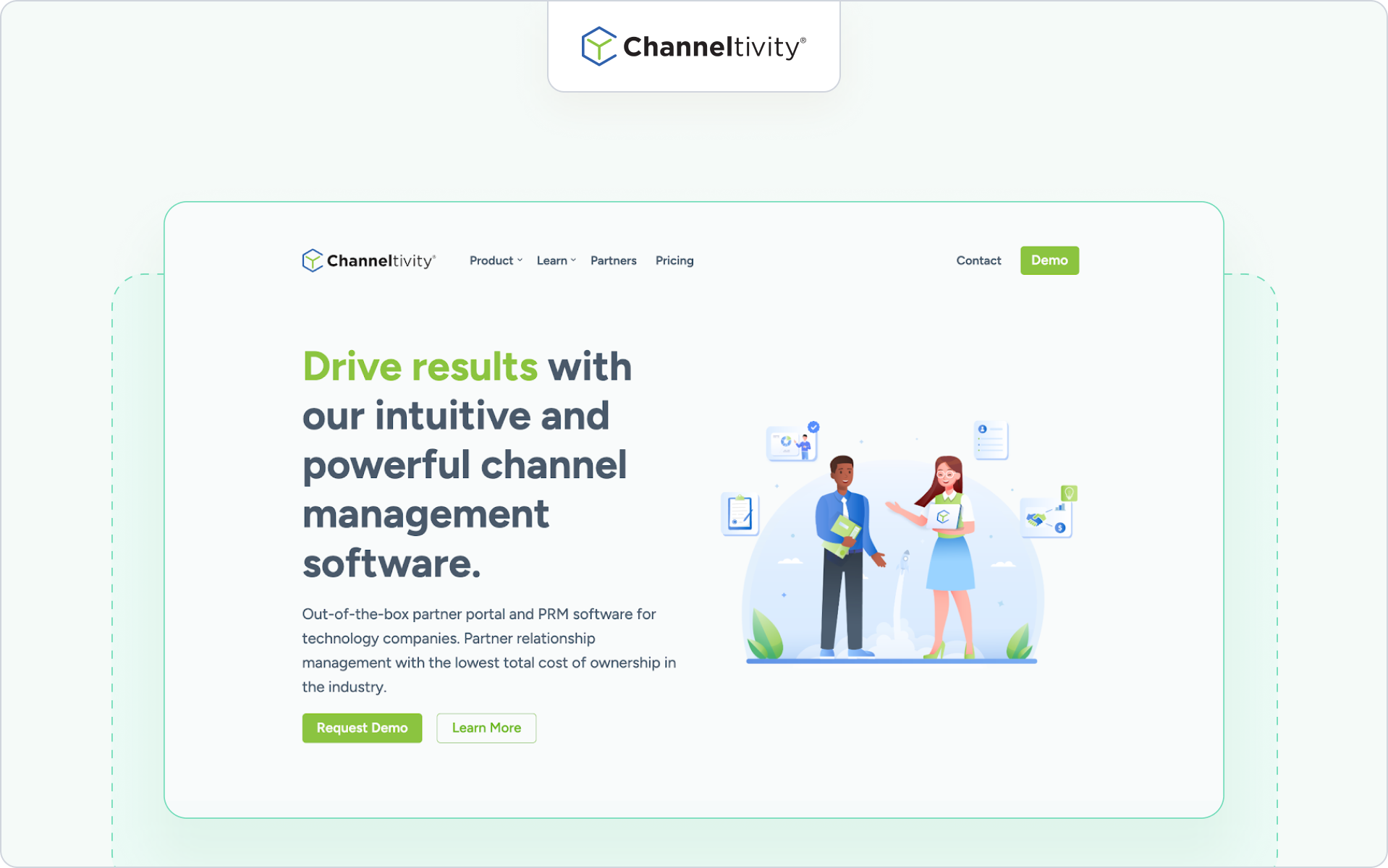
Best for
Mid-market companies that want a clean partner portal combined with core PRM functionality.
Why it’s a fit for portals
Channeltivity positions its portal as a structured, self-service environment for channel partners. It supports deal registration, content access, training, and partner communication within a straightforward interface.
If you want partner portal software that balances functionality and usability without heavy enterprise overhead, this is a practical option.
Highlights
- Branded partner portal with permission-based access
- Deal registration and lead distribution workflows
- Resource libraries and training modules
Considerations
If your business relies heavily on advanced partner marketing automation or distributor-level complexity, validate how far the portal can scale with your channel strategy.
Pricing note
Public tiered pricing is available on their website.
4. Magentrix
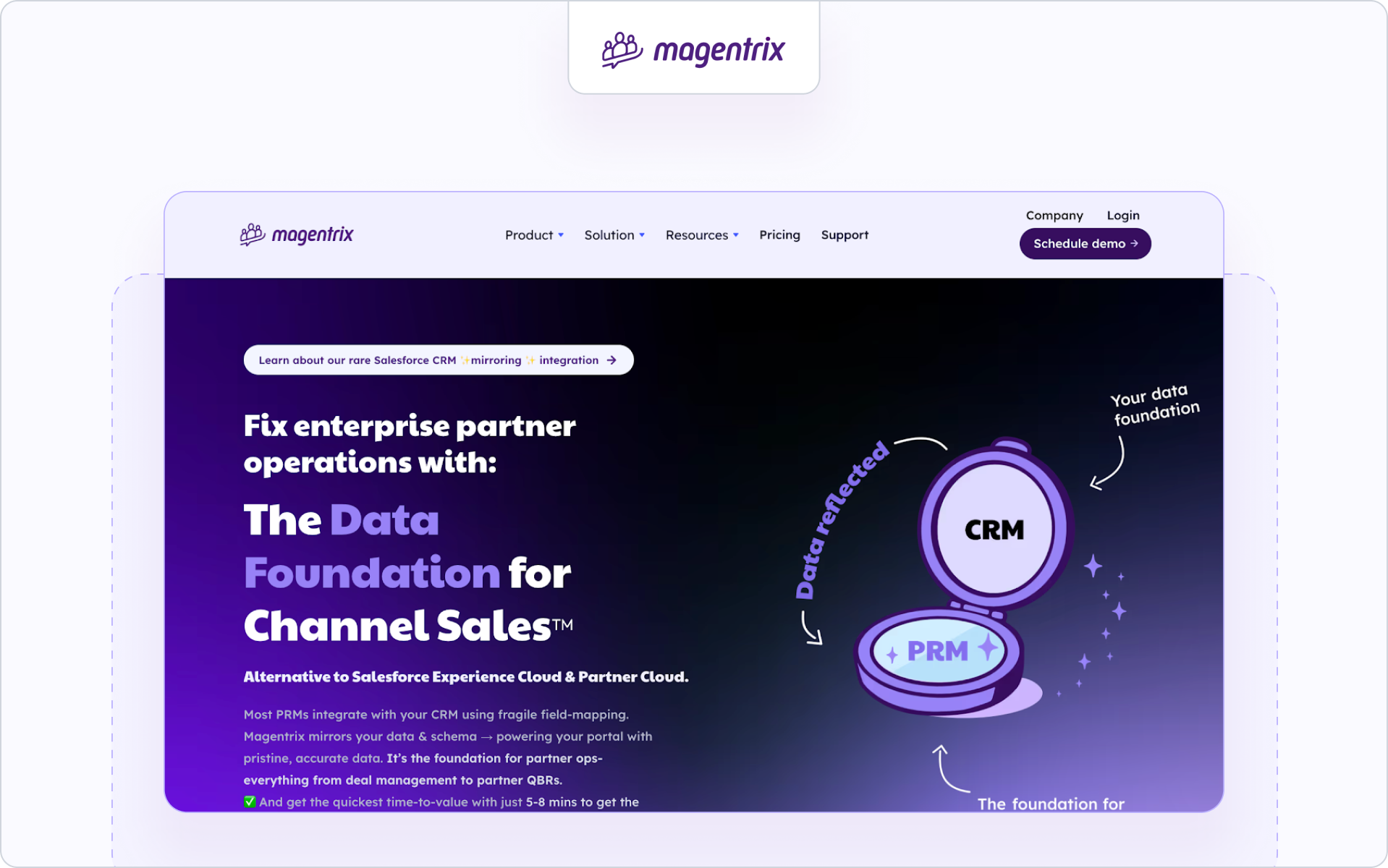
Best for
Salesforce-centric teams that want a flexible, community-style partner portal.
Why it’s a fit for portals
Magentrix offers partner portal software that integrates closely with Salesforce and can leverage Experience Cloud foundations. It combines portal capabilities with structured partner relationship management features.
If your business is deeply invested in Salesforce and you want strong layout customization, Magentrix can be a strong fit.
Highlights
- Salesforce-integrated deal and account visibility
- Customizable portal layouts and dashboards
- Training and onboarding modules
Considerations
Portal experience and reporting depth may depend on your internal Salesforce configuration capacity. Admin resources matter here.
Pricing note
Pricing is structured in tiers and typically requires consultation.
5. Salesforce PRM (Experience Cloud)
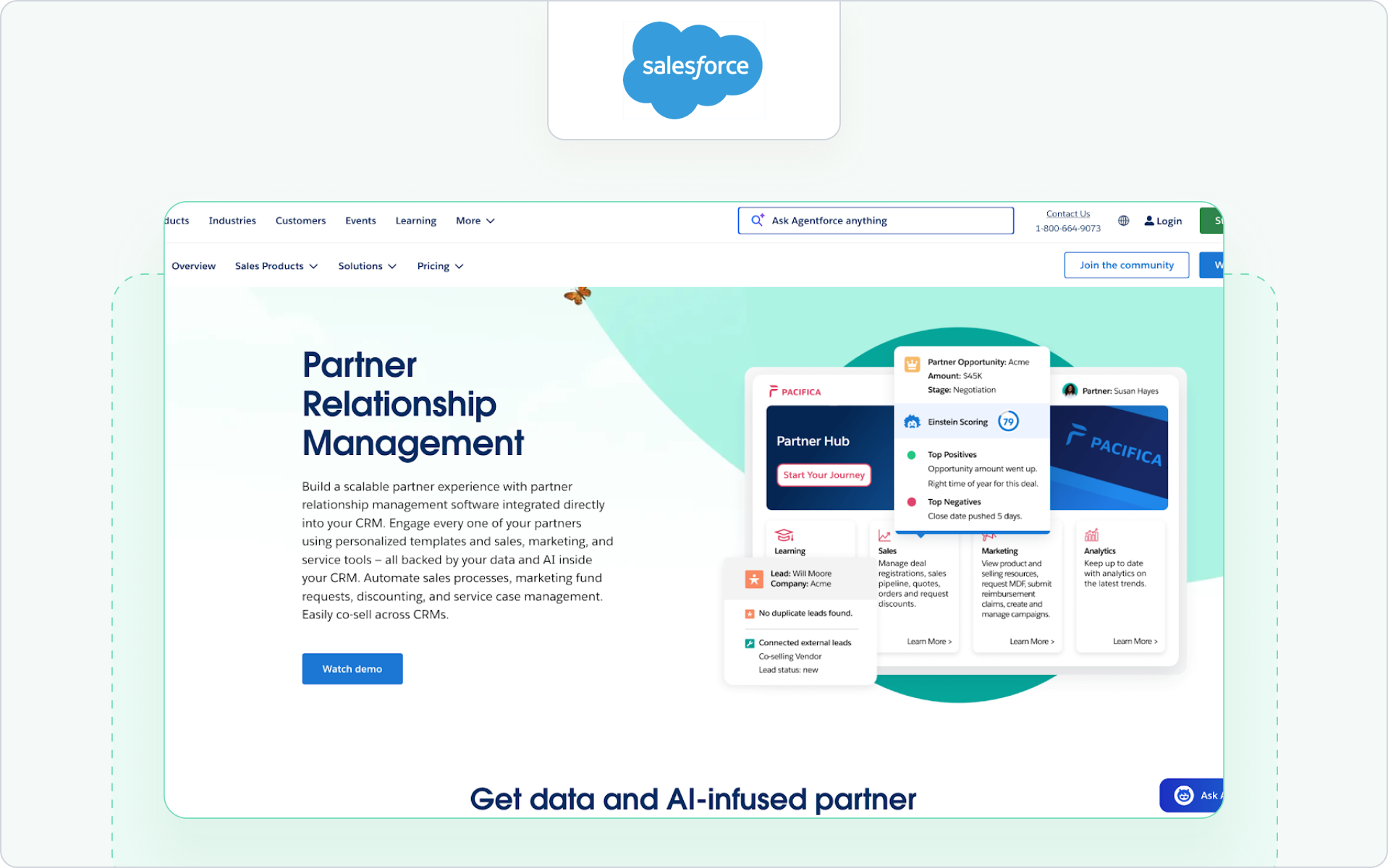
Best for
Organizations that want their partner portal fully embedded in the Salesforce infrastructure.
Why it’s a fit for portals
Salesforce PRM is built on Experience Cloud and allows you to create a partner portal directly inside your CRM environment. For Salesforce-first companies, this offers deep control over data access, workflows, and reporting.
This approach works well if your internal teams are comfortable managing Salesforce configurations and you want your partner portal tightly aligned with sales operations.
Highlights
- Direct CRM data access with granular role-based permissions
- Native deal registration and lead sharing
- Custom dashboards and reporting tied to sales performance
Considerations
Implementation and maintenance can be resource-intensive. If you want a fast-to-launch partner portal with minimal configuration, this route may require more internal support.
Pricing note
Pricing is typically per partner user license and varies by edition. Consultation with Salesforce is required for exact figures.
6. ZINFI
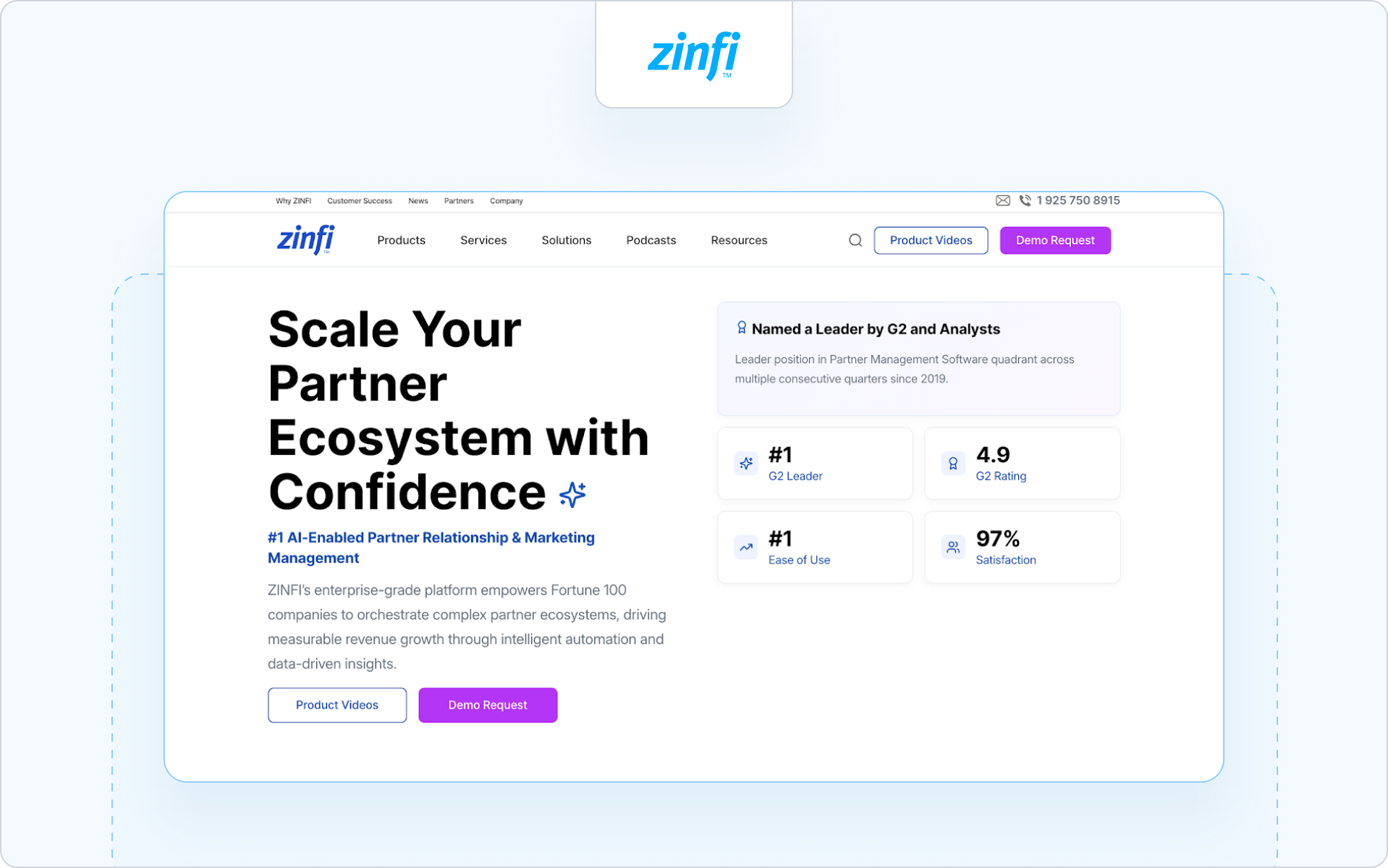
Best for
Organizations that want a full PRM suite with structured partner lifecycle management and global channel programs.
Why it’s a fit for portals
ZINFI positions its Unified Channel Management platform as an end-to-end partner relationship management solution. Its partner portal sits inside a broader system that supports complex channel programs across regions and industries.
If your partner portal is one layer inside a larger partner tech stack, ZINFI is often evaluated.
Highlights
- Structured deal registration and partner onboarding workflows
- Built-in learning management and certification modules
- Channel marketing automation with analytics for partner performance
Considerations
Because ZINFI is a comprehensive platform, portal experience and speed of rollout may depend on how much configuration your internal team can support.
Pricing note
Pricing is typically customized based on modules and scale.
7. Unifyr
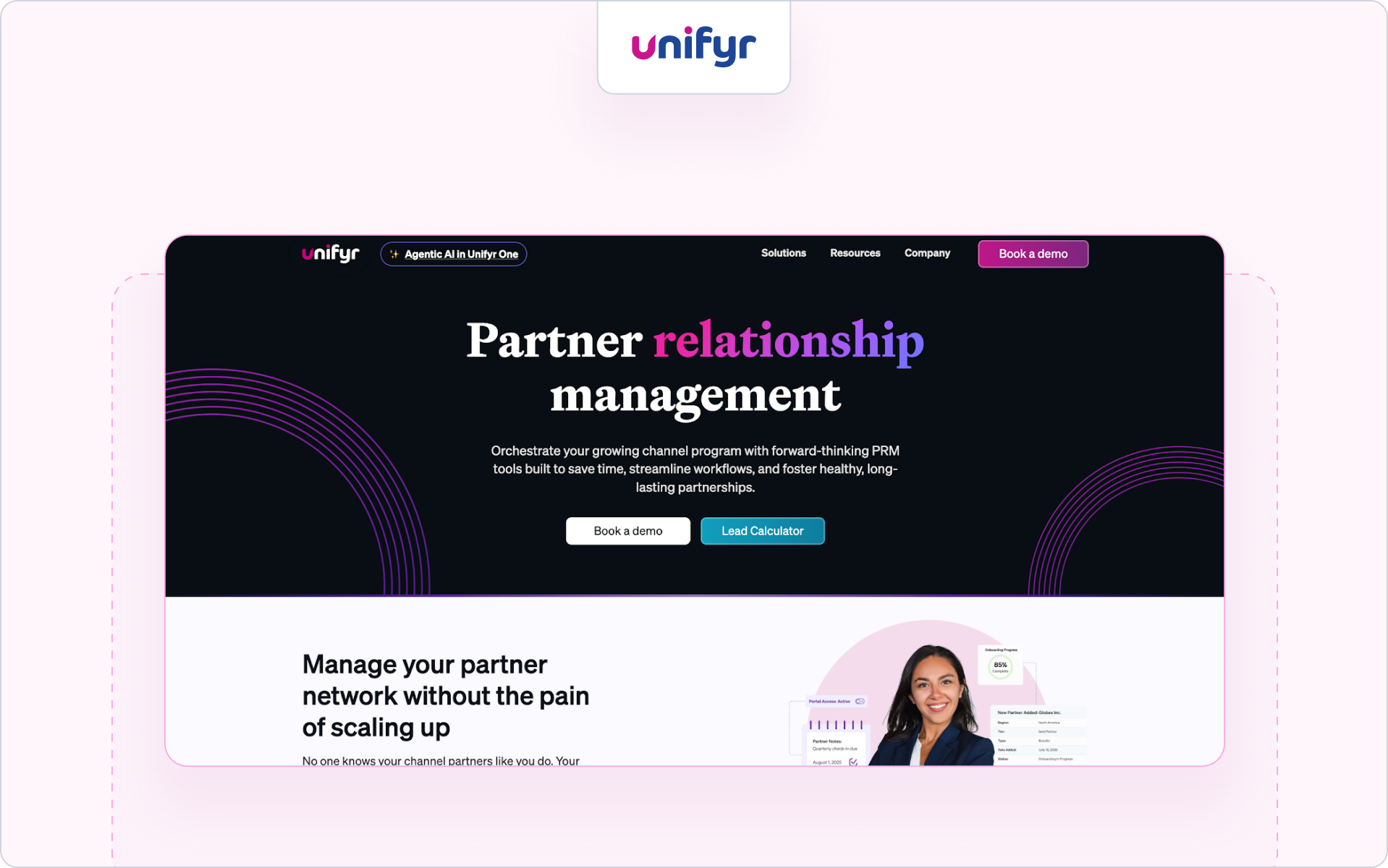
Best for
Vendors and distributors that prioritize through-channel marketing automation alongside their partner portal.
Why it’s a fit for portals
Unifyr combines PRM functionality with through-channel marketing automation. The partner portal is designed to support structured partner communication, campaign distribution, and co-branded marketing assets across large distributor networks.
This makes it a frequent contender for the best partner portal software for technology distributors that need marketing reach across multiple partners.
Highlights
- Integrated portal with deal registration and partner marketing workflows
- Campaign distribution and co-branded marketing assets
- Built-in learning and enablement features
Considerations
If your priority is CRM-native pipeline visibility and streamlined co-selling, validate how tightly reporting and attribution connect to your CRM.
Pricing note
Pricing is typically available upon request.
8. Mindmatrix (Bridge)
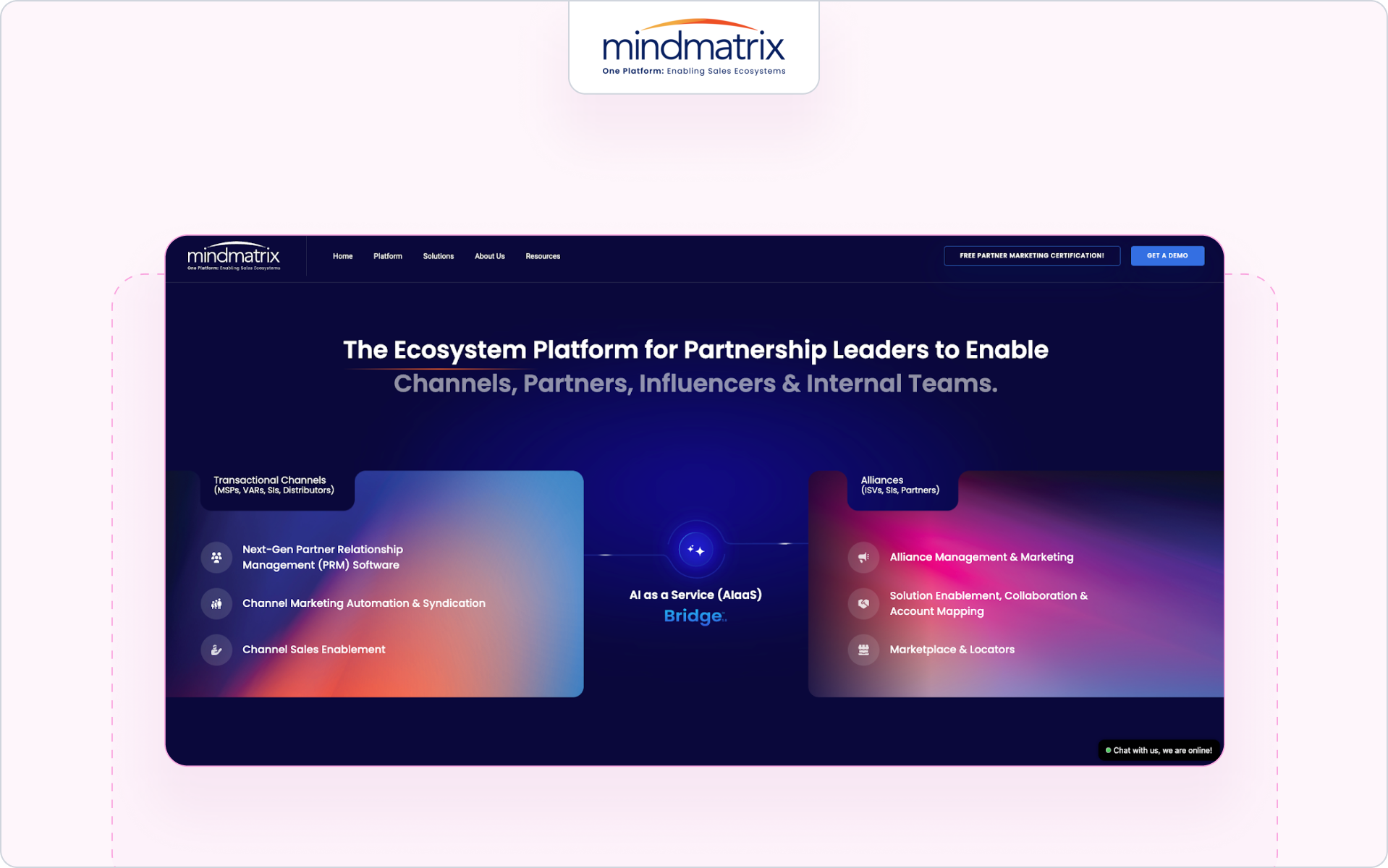
Best for
Companies that want a portal focused on sales enablement and partner marketing activation.
Why it’s a fit for portals
Mindmatrix blends partner portal functionality with marketing automation and enablement tools. The portal becomes a structured hub where partners access marketing materials, training, and sales content in one platform.
If your focus is driving partner engagement through marketing tools and guided selling workflows, this approach can fit well.
Highlights
- Resource hubs with trackable marketing materials
- Training and coaching modules
- Campaign and content distribution to help partners sell
Considerations
If your business requires deep CRM alignment for deal visibility and better reporting tied directly to revenue, confirm how data sync is handled.
Pricing note
Pricing varies by configuration and partner scale.
9. PartnerStack
Best for
Companies running partner-led growth programs across affiliates, agencies, and SaaS resellers.
Why it’s a fit for portals
PartnerStack is less a traditional reseller portal and more a partner ecosystem platform focused on acquisition and performance tracking. It supports programs where incentives, referrals, and partner performance measurement drive growth.
If your channel programs revolve around partner recruitment and performance marketing rather than structured reseller co-selling, this model may align.
Highlights
- Marketplace-style partner recruitment and onboarding
- Automated tracking of referrals and conversions
- Incentive and payout management
Considerations
If you need structured deal registration, CRM-aligned pipeline access, and deep collaboration between partners and your sales team, validate fit carefully.
Pricing note
Pricing is typically customized based on program structure.
10. Channext
Best for
Vendors that prioritize partner marketing and campaign distribution across resellers and distributors.
Why it’s a fit for portals
Channext focuses heavily on partner marketing automation. Its portal-like environment enables partners to quickly find and activate marketing materials, campaigns, and co-branded marketing assets.
If your channel strategy is built around helping partners sell through ready-to-use marketing tools, Channext can act as a partner portal automation software layer focused on activation rather than deep CRM workflows.
Highlights
- Campaign distribution across resellers and distributors
- Central hub where partners access marketing materials
- Analytics tied to engagement and marketing performance
Considerations
If your business needs advanced deal registration, structured co-selling, or deep CRM-based collaboration, confirm how well Channext connects to your broader partner tech stack.
Pricing note
Pricing is typically provided upon request.
11. Kiflo
Best for
SMB SaaS companies launching or formalizing their first structured partner program.
Why it’s a fit for portals
Kiflo positions itself as a lightweight partner relationship management platform with built-in portal capabilities. It is designed to help smaller companies manage partnerships, track leads, and support partner onboarding without heavy enterprise overhead.
If you are building your first formal partner portal software solution and want a simpler approach to register deals and manage relationships, Kiflo may fit.
Highlights
- Straightforward deal registration and lead tracking
- Basic partner onboarding and training tools
- Dashboard views to help your team manage partner activities
Considerations
As your partner ecosystem grows, you may need more advanced CRM-native controls, partner communication automation, and deeper reporting to scale revenue across a larger industry footprint.
Pricing note
Tiered pricing is available, typically aligned to partner count and feature depth.
Main takeaways
The best partner portal software depends on your business model and how your partners sell.
- If you run complex channel programs with layered incentives, enterprise platforms may fit.
- If your focus is partner marketing activation, choose a portal built around campaigns and content distribution.
- If adoption, CRM alignment, and clean deal visibility matter most, prioritize software that keeps your CRM as the single source of truth.
Above all, choose a partner portal your partners will actually use. Adoption drives engagement. Engagement drives revenue.
Choosing your partner portal software is step one; getting partners to use it is step two.
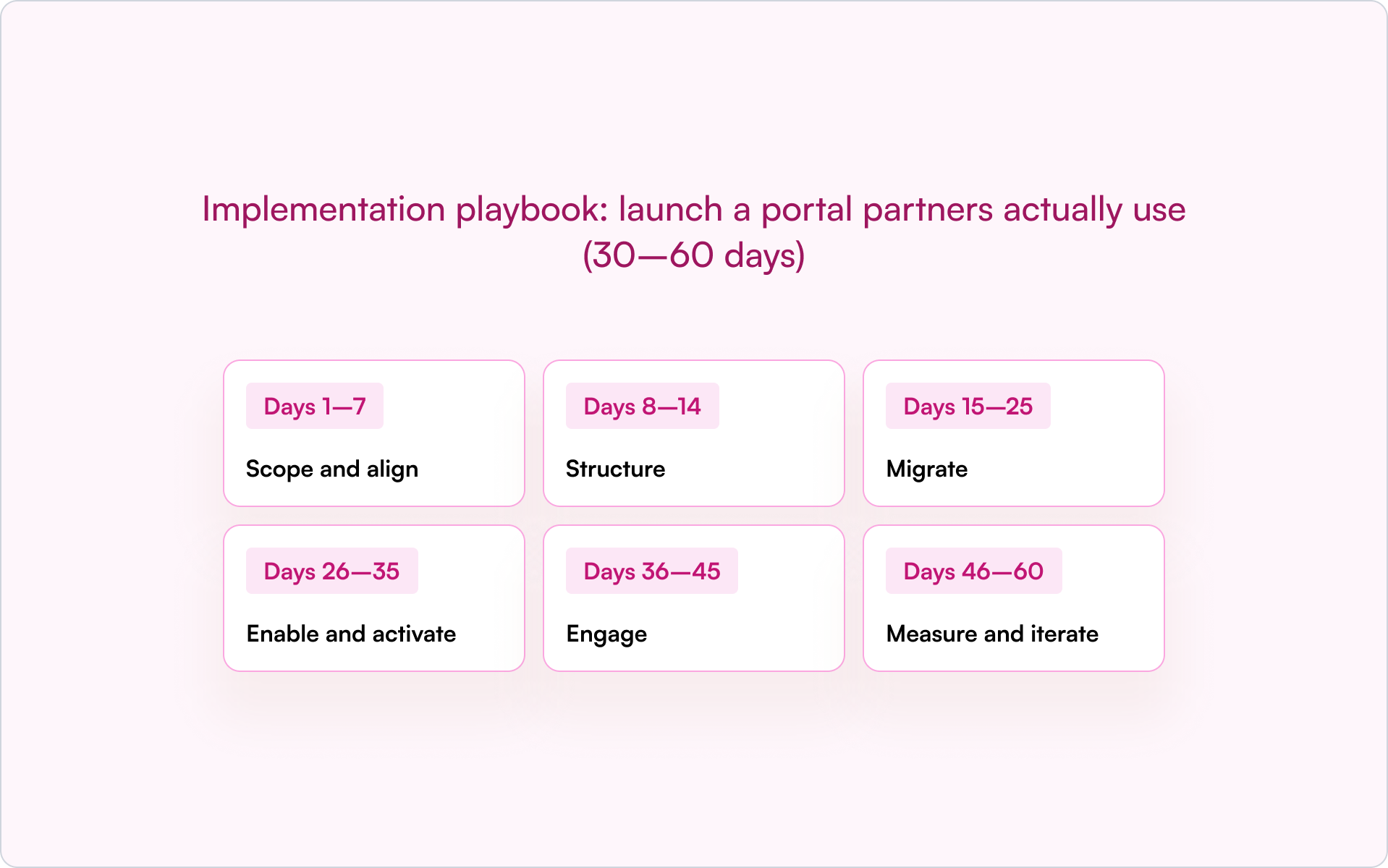
A structured rollout is what turns a portal into real adoption, deal registration, and measurable revenue impact. Here is our practical 30–60 day implementation playbook you can execute.
Implementation playbook: launch a portal partners actually use (30–60 days)
Treat your partner portal software rollout like a structured launch. Here is a practical 30–60-day framework you can follow.
If you want to validate your CRM setup before launch, this guide to the top partner management CRM can help you align reporting, deal visibility, and revenue tracking.
A structured rollout increases adoption. Adoption drives engagement. Engagement drives revenue.
If this framework feels heavy, it usually means your portal and your CRM are not aligned.
The right partner portal software reduces complexity instead of adding to it. It makes deal registration, partner onboarding, and CRM visibility part of one connected workflow.
Here’s how Introw approaches that model in practice.
Why Introw is a top pick for partner portals (quick proof)
You’ve seen the landscape. Now here’s the difference. Introw is built around one idea: adoption drives revenue.
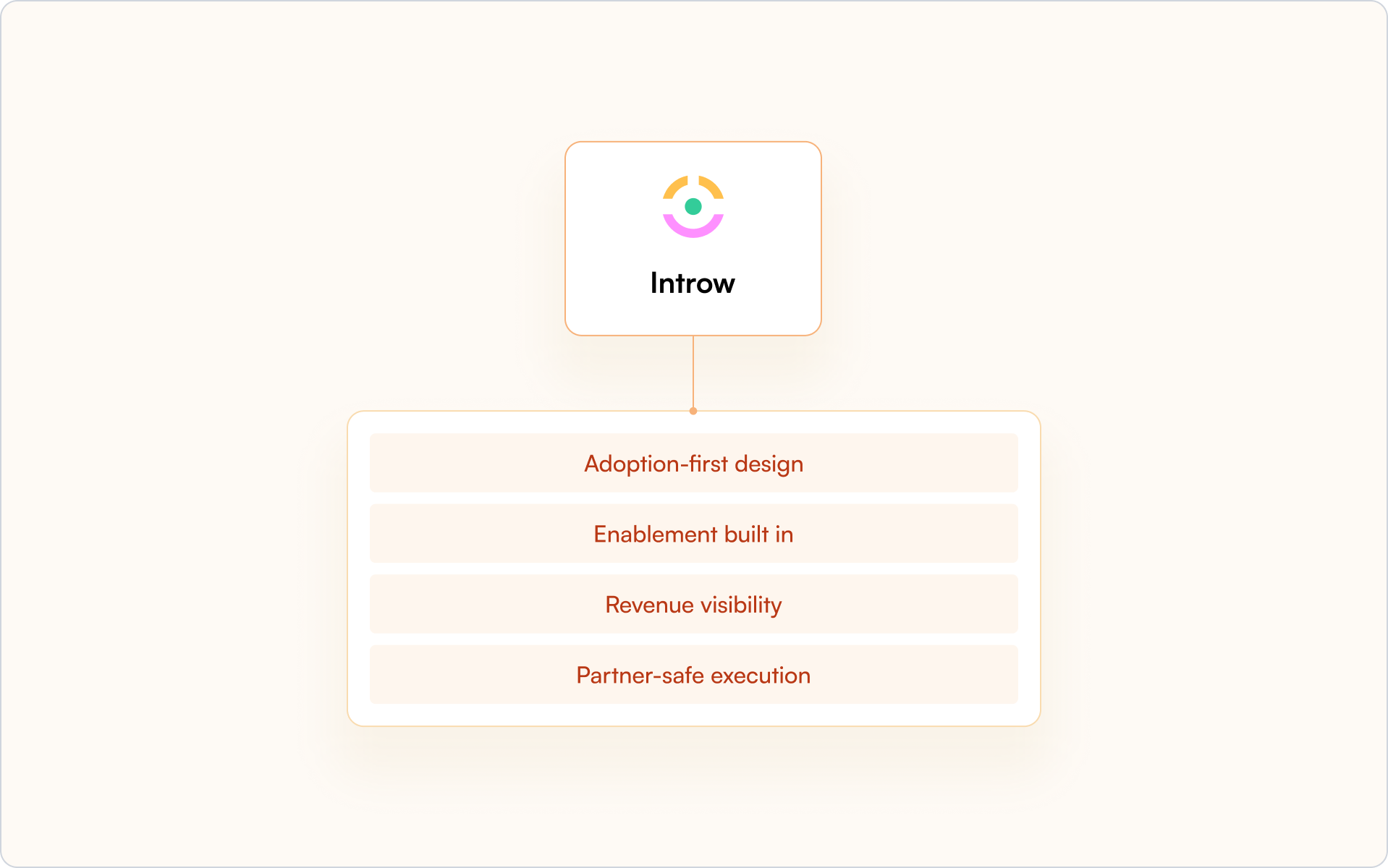
Adoption-first design
Your partners do not need another login. Announcements go out via email or Slack. Partners can reply by email, and their activity is logged automatically. Engagement happens where they already work.
Enablement built in
Create training in minutes with the AI course builder. Issue one-click certificates. Bulk enroll cohorts. Set recert windows. Partner onboarding and partner enablement live inside the portal, not in disconnected tools.
Revenue visibility
Completions, certifications, and content influence write back into Salesforce or HubSpot. Your CRM stays the single source of truth. Your sales team and internal teams see real partner impact.
Partner-safe execution
Surface deal registration clearly. Let partners register deals and collaborate through shared pipeline views with field-level safelists and SSO controls.
What you can do next
- Audit your current portal against the 30–60 day playbook
- Identify where adoption breaks down
- Decide whether your current partner portal software supports CRM-native visibility
If you want to learn how to enable your partners, request a demo today.
Because in the end, the best partner portal software is the one your partners actually use.
How to Build a Predictable Channel Partner Revenue Engine
Most partner programs generate revenue. Fewer can predict it.
The difference isn’t luck or partner quality — it’s whether your systems make channel partner revenue visible, attributable, and repeatable. When deals appear without context, ownership gets disputed, or pipeline hides in spreadsheets, forecasting turns into guesswork.
This guide breaks down the business models, metrics, partner engagement practices, and CRM architecture that turn partners into a reliable revenue engine you can actually plan around.
What makes channel partner revenue predictable
Channel partner revenue is income generated through third-party intermediaries — resellers, distributors, referral partners, or implementation partners — rather than your direct sales team. Partners increase market reach and drive sales through commissions, margins, and co-selling initiatives. For many technology vendors, indirect revenue accounts for a significant share of total revenue, yet it often remains the hardest to forecast.
The difference between predictable and unpredictable partner revenue usually comes down to three things:
- Clear attribution: You know which partner brought the deal, and you can prove it in reporting.
- Documented processes: Deal registration, pricing rules, and territory assignments follow consistent, enforced workflows.
- Real-time visibility: Pipeline data lives in your CRM, not in partner inboxes or disconnected spreadsheets.
When attribution is unclear, deals appear without context. When processes are informal, ownership gets disputed. When pipeline is hidden in portals or email threads, forecasts miss.
Put those three foundations in place and partner revenue becomes something you can plan around — not just hope for.
Channel partner business models that drive growth
Different partner types generate revenue differently. The mix you choose shapes how predictable your channel partner revenue can become — and which systems you need to support it.
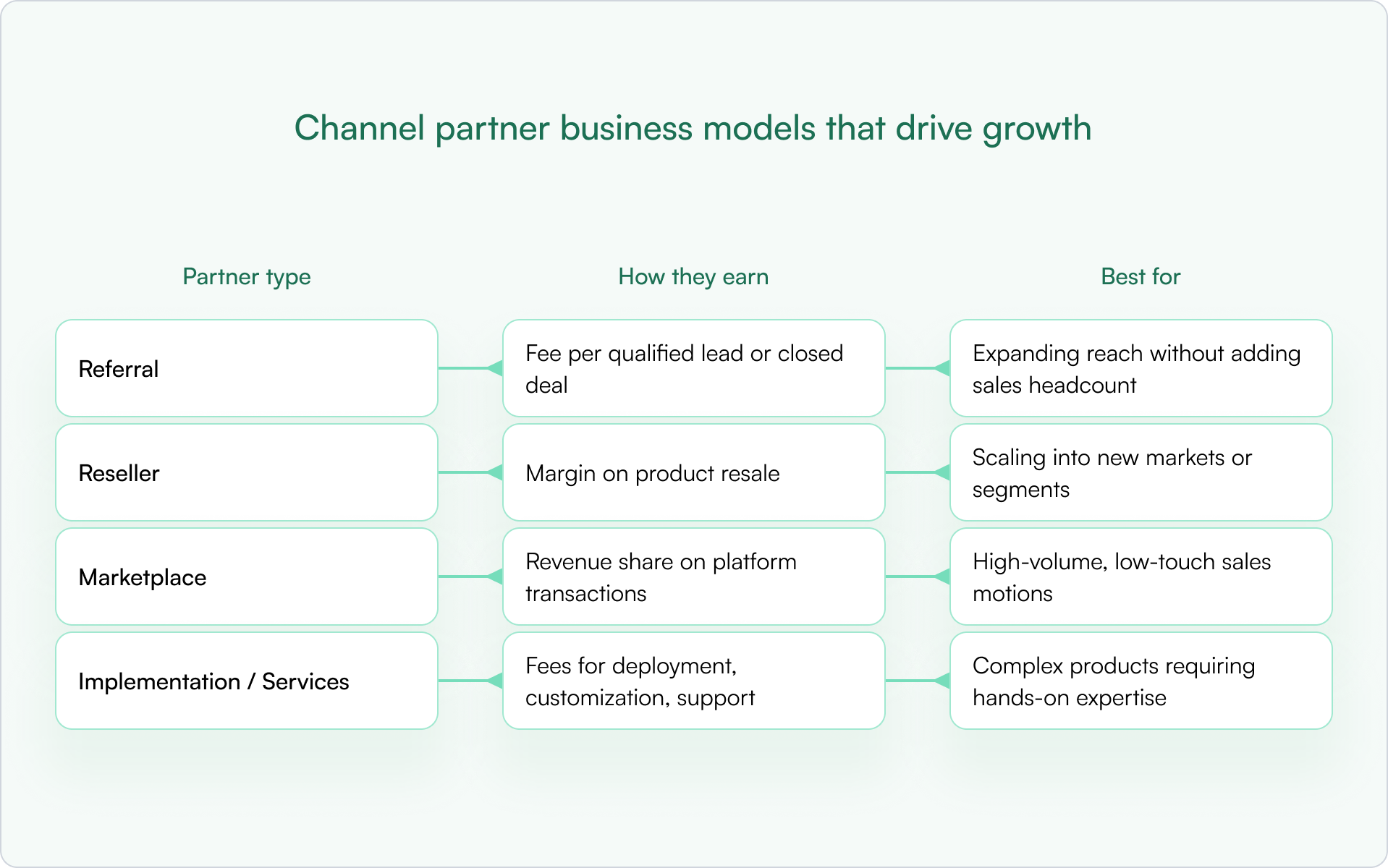
Most companies end up with a blend. The key is to match the model to the segment and build rules that prevent overlap, confusion, and channel conflict.
Referral partners
Referral partners send qualified leads in exchange for a fee. They don’t own the customer relationship or handle the sale. Referral programs are a strong entry point because commitment is low on both sides, and the operational overhead is minimal.
Reseller partners
Resellers purchase and resell your product at a margin. They own the customer relationship and handle the sales process. This motion can scale quickly into new markets, but it only stays predictable if you have clear pricing guardrails and a clean ownership model.
Marketplace partners
Marketplace partners sell through platforms like AWS, Azure, or app marketplaces. Revenue is shared based on platform terms. Marketplace motions work best for high-volume, low-touch sales where buyers expect self-serve discovery, purchase, and provisioning.
Implementation and services partners
System integrators, consultants, and MSPs earn from services around your product — deployment, customization, and ongoing support. These partners often influence deals even when they don’t close them directly, which makes attribution and forecasting more nuanced. If you don’t model “influence” in your CRM, you’ll systematically undercount their impact.
Key metrics for channel partner revenue analytics
If you’re trying to make channel partner revenue predictable, you need metrics that support decisions, not vanity dashboards. You can’t build a predictable revenue engine without knowing what to measure. The right metrics give you the analytics to make decisions, spot problems early, and improve forecast accuracy over time.
Partner-sourced revenue and attribution
Partner-sourced revenue is the primary measure of channel success: revenue directly generated by partners. The distinction between “sourced” and “influenced” matters here.
- Sourced: The partner originated the deal and brought it to you.
- Influenced: The partner materially helped progress or close a deal they didn’t originate.
Both are real value, but they require different rules, reporting, and incentives. If you mix them, you’ll misread performance and misallocate enablement effort.
Deal registration volume and conversion
Deal registration volume tracks how many deals partners register. Conversion rate tracks what percentage of registered deals become closed-won.
- Low registration volume usually signals an engagement or incentives problem — partners don’t see value in registering.
- Low conversion typically points to enablement gaps, weak qualification, or slow internal follow-up.
Partner engagement and enablement rates
Engagement metrics include portal logins, training completions, content downloads, and deal activity. High engagement correlates with higher revenue contribution. Low engagement is often an early warning sign that shows up before your pipeline starts slipping.
Sales cycle length by partner type
Compare how long partner-sourced deals take versus direct deals. Some partner types close faster because they bring existing relationships. Others take longer due to handoffs and multi-party coordination. Knowing these differences is what makes forecasting credible.
Customer retention from partner deals
Retention reveals partner quality and fit. If partner-sourced customers churn faster than direct customers, you may need tighter qualification, better handoffs, or different partner incentives. If they churn less, your best move may be to double down on the partners (and segments) producing that outcome.
How to improve partner engagement to grow channel partner revenue
Predictability isn’t just systems and policy. It’s also behavior. Engagement drives revenue. Partners who are active, enabled, and informed close more deals. Partners who feel ignored or confused go quiet — and so does their pipeline.
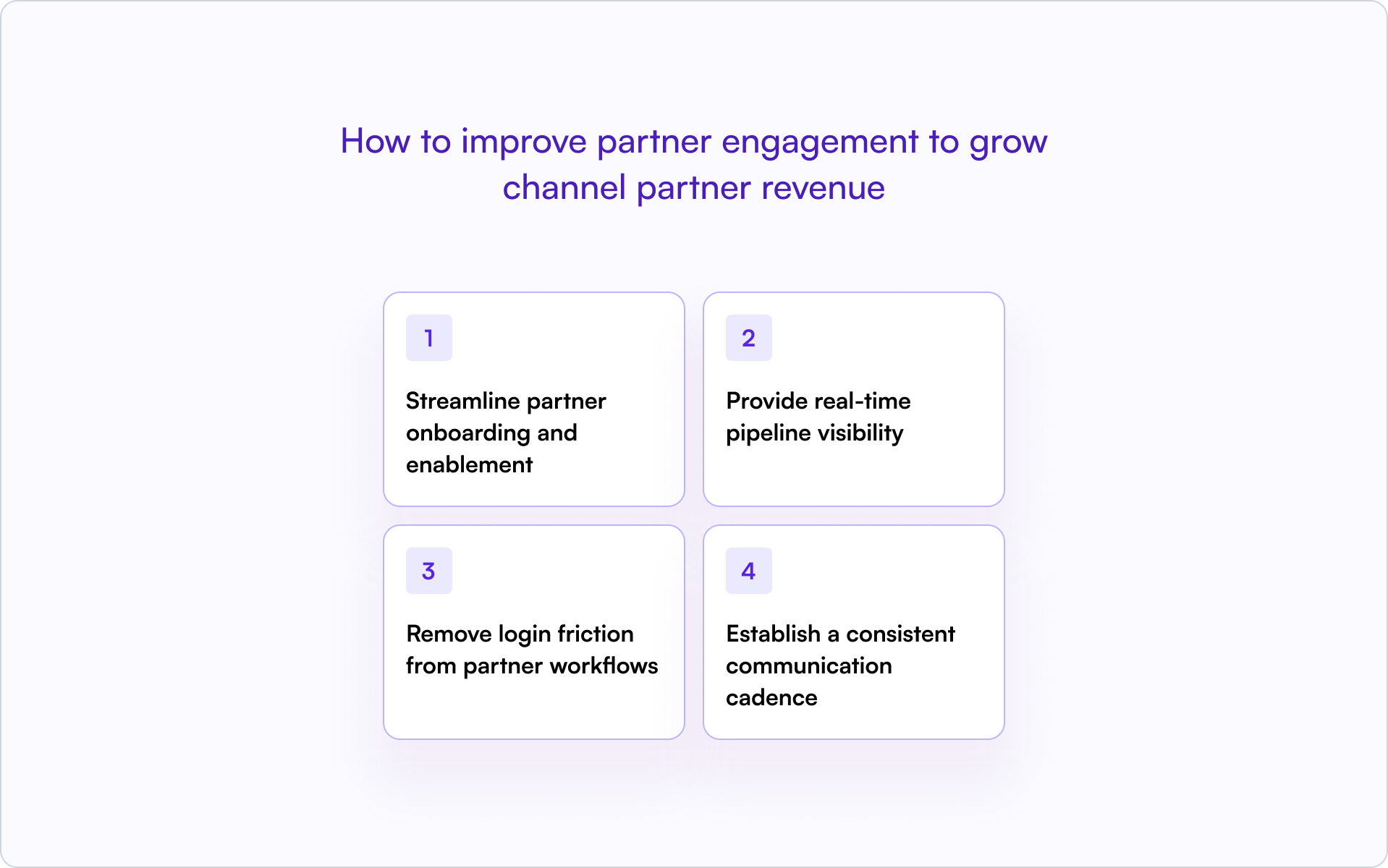
1) Streamline partner onboarding and enablement
Fast onboarding means faster revenue. Partners who know how to sell and position your product within their first week are far more likely to register deals early.
Provide self-serve training, clear playbooks, and certification paths. Define what “activated” means for your program — first registration, first co-sell meeting, first closed-won — and track it like a core funnel stage.
2) Provide real-time pipeline visibility
Partners want to see deal status without chasing your team for updates. Shared pipeline views — with limited, safe fields — keep them engaged and accountable.
When partners can see stage, next step, and protection expiry, they stay involved. When they can’t, they disengage or escalate.
3) Remove login friction from partner workflows
Every login wall kills engagement. The moment partners hit a portal login, many stop — especially for “quick” actions like registering a lead or sharing an update.
Allow partners to register deals, submit updates, and respond via email without forcing portal access. Off-portal collaboration keeps deals moving without adding friction.
4) Establish a consistent communication cadence
Regular updates prevent surprises. Weekly pipeline reviews for active partners, biweekly announcements, and monthly policy updates keep everyone aligned on pricing, program changes, and expectations.
Silence breeds confusion. Consistent communication builds trust — and trust is what keeps partners registering deals instead of “just trying it” and hoping you notice later.
CRM data model for channel partner revenue attribution
Your CRM is the foundation for tracking and forecasting channel partner revenue. Without the right fields and governance, attribution becomes a guessing game — and the quarter-end scramble becomes normal.
Required fields on opportunities and deals
The following fields make partner revenue visible and attributable:
- Partner Type: Referral, Reseller, Marketplace, SI/MSP
- Partner Organization: The specific partner company
- Sourced vs. Influenced: Who found the deal versus who helped
- Deal Registration ID: Links back to the registration record
- Protection Start / End Date: When exclusivity expires
- Incumbent Partner: For renewals, who currently owns the relationship
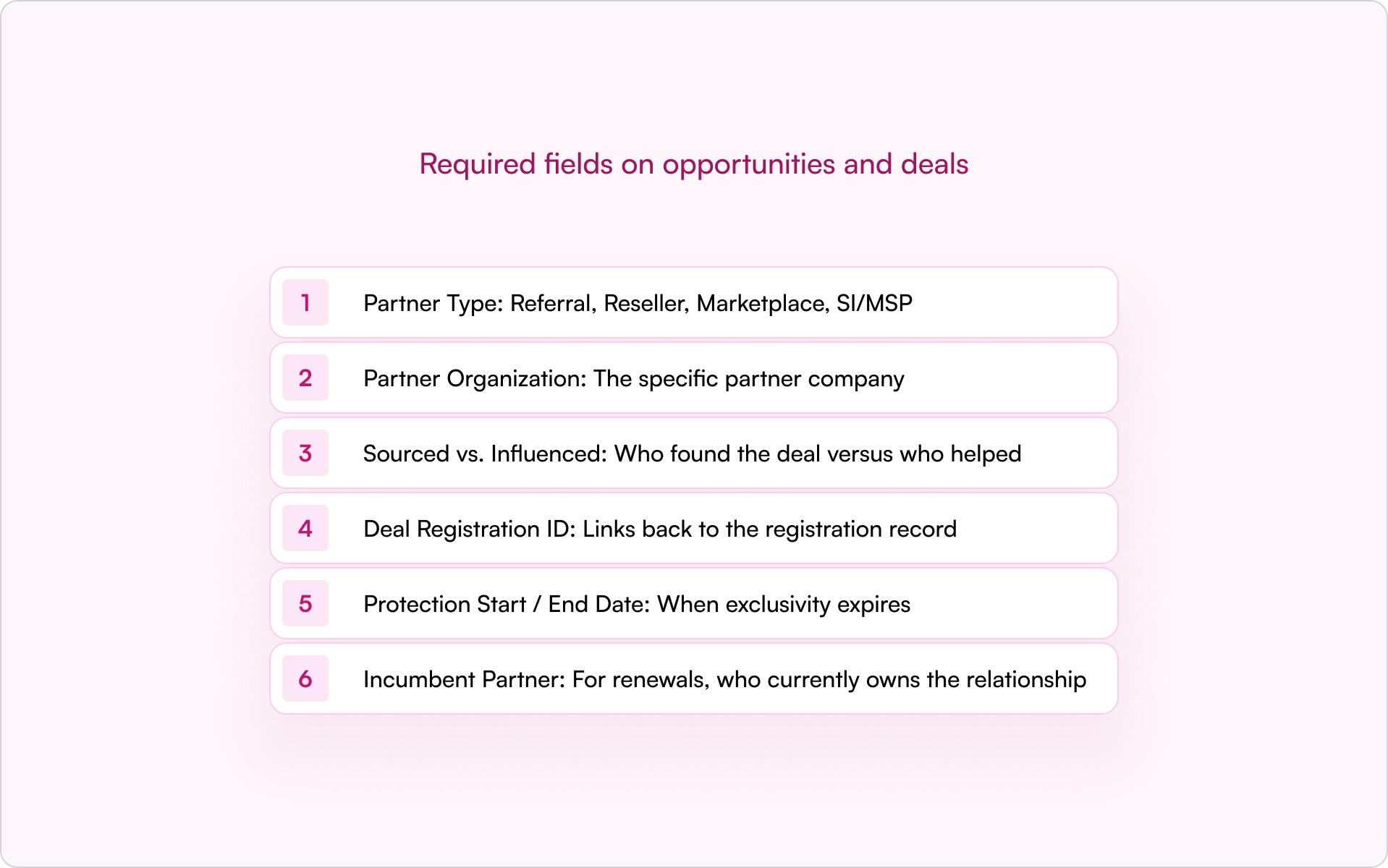
Without partner fields on opportunities, you can’t answer basic questions about partner contribution — and disputes become inevitable because everyone is relying on memory and screenshots.
Sourced vs. influenced attribution models
Sourced means the partner originated the opportunity. Influenced means the partner participated but didn’t originate it.
Some companies split credit. Others use primary attribution. There’s no single right answer — but you need a clear rule, applied consistently, before deals close. Otherwise you’ll end up negotiating credit in the most emotional moment of the cycle.
Governance rules to keep partner data clean
Fields only work if they’re enforced. A practical governance layer usually includes:
- Stage-change validations: Require partner fields before deals advance
- Duplicate rules: Catch overlap on accounts and opportunities early
- Renewal ownership logic: Prevent conflict between partners and direct sales
- Dashboards: Segment by motion and conflict status for fast visibility
Clean data means accurate forecasting. Messy data means surprises at quarter-end — and surprises are expensive.
How deal registration drives channel partner revenue
Deal registration is where ownership gets established early — and where most channel conflicts can be prevented instead of debated later.
Deal registration policy essentials
A clear policy removes ambiguity across partners, direct sales, and other channels. Your policy should define:
- Eligibility criteria, required fields, and proof of engagement
- Customer uniqueness rules to prevent multiple partners pursuing the same account
- A protection window — typically 60–90 days — with explicit extension rules
- Renewal and expansion ownership rules
- A conflict hierarchy: registered beats unregistered, incumbent beats net-new, certification status breaks ties
Without a clear policy, ownership disputes slow deals and strain partner relationships. Worse, partners learn that registration doesn’t protect them, so they stop registering.
Protection windows and SLAs
The protection window is the period a partner has exclusive rights to a registered deal. Most teams set protection windows between 60 and 90 days, depending on sales cycle length.
Approval SLAs matter too. Partners expect a decision quickly — 48 hours is a common benchmark. Slow approvals signal that registration isn’t valued, which reduces adoption and makes your channel harder to forecast.
Conflict resolution hierarchy
When two partners claim the same deal, speed and consistency matter more than debate.
Establish rules such as: registered beats unregistered, incumbent beats net-new, certification status as a tiebreaker. Document escalation paths and evidence requirements. When the rules are clear upfront, resolution is faster and fairer — and your internal teams spend less time litigating deals.
Building your channel partner revenue tech stack
The right tools make predictable channel partner revenue possible. The wrong tools — or too many tools — create friction and hide data.
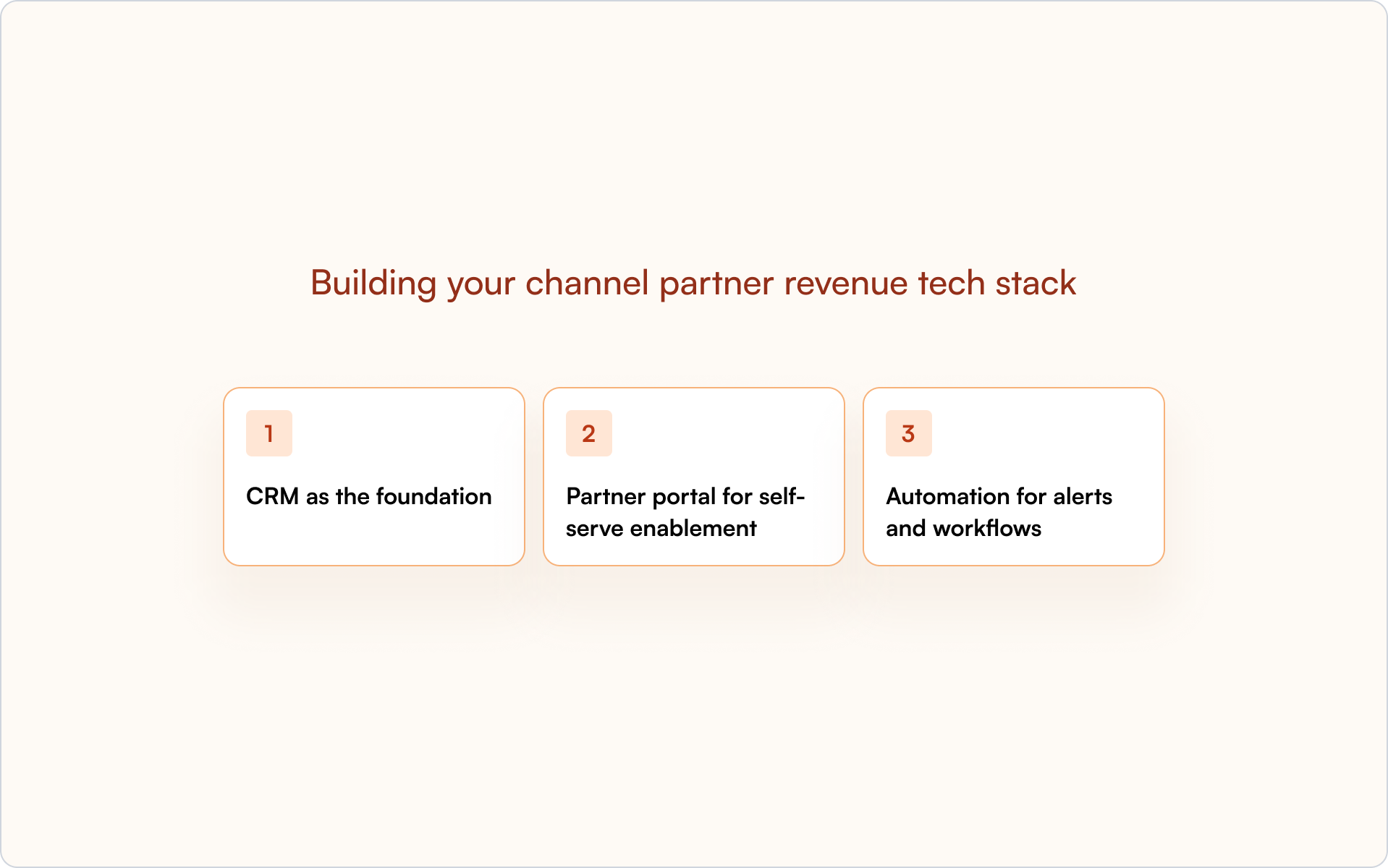
CRM as the foundation
HubSpot or Salesforce should be the single source of truth. Partner data belongs in the CRM, not a disconnected system.
A CRM-first architecture enables forecasting, attribution, and alignment between Sales, Partnerships, and RevOps. When partner activity is visible in the CRM, everyone works from the same reality.
Partner portal for self-serve enablement
A portal gives partners access to training, content, deal registration, and pipeline status. The best portals are CRM-connected, so data stays in sync without manual updates.
Partners get what they need without chasing your team. Your team gets clean data without chasing partners.
Automation for alerts and workflows
Automate deal registration approvals, expiration reminders, stage-change notifications, and partner announcements. Automation reduces manual work and prevents deals from slipping through cracks.
Most importantly, automation enforces consistency. Your program stops relying on tribal knowledge and “who happens to see the email.”
Build a partner revenue engine inside your CRM
Predictable channel partner revenue comes from CRM-first systems, not disconnected tools.
When partner activity lives inside your CRM, you get visibility, attribution, and forecasting in one place. Sales, Partnerships, and RevOps see the same pipeline. Disputes decrease because ownership is clear. Forecasts improve because data isn’t trapped in portals or spreadsheets.
A real partner revenue engine looks like consistent processes, clean data, and real-time visibility — all inside the system your team already uses.
If you want to see how a CRM-first approach works in practice, get a demo and walk through how Introw supports it across your partner program.
How to Structure Partners Commission Without Creating Headaches
Commission is the fuel that keeps channel partners engaged, but it can also be the fire that burns time and trust if the plan is unclear. The goal is not to create the most clever plan. The goal is to create the plan that partners understand instantly, finance can audit easily, and RevOps can scale without heroic effort. What follows is a practical blueprint to get there.
Why commissions break (and how to avoid the classic pitfalls)
If you have ever rebuilt a commission plan after a quarter of disputes, you know the pattern. Ambiguous rules. Manual exports. “My spreadsheet says…” debates. Partners lose confidence, partner engagement dips, and your team wastes time adjudicating edge cases. The fix is fewer, clearer rules and a commission plan that your partner ecosystem can see, understand, and verify in real time.
The aim is a commission structure that rewards partners based on outcomes you can measure, pays reliably, and scales as channel partners grow. That starts with picking the right model for each motion, then wiring payouts to the same CRM properties that drive your partner program dashboards. With a CRM-first PRM like Introw, plans, calculations, and partner-visible payouts run off live data. That cuts disputes and accelerates commission payments.
The three commission models that cover most partner programs
Different motions need different incentives. Keep it to the three that match how partners sell your company’s offerings.
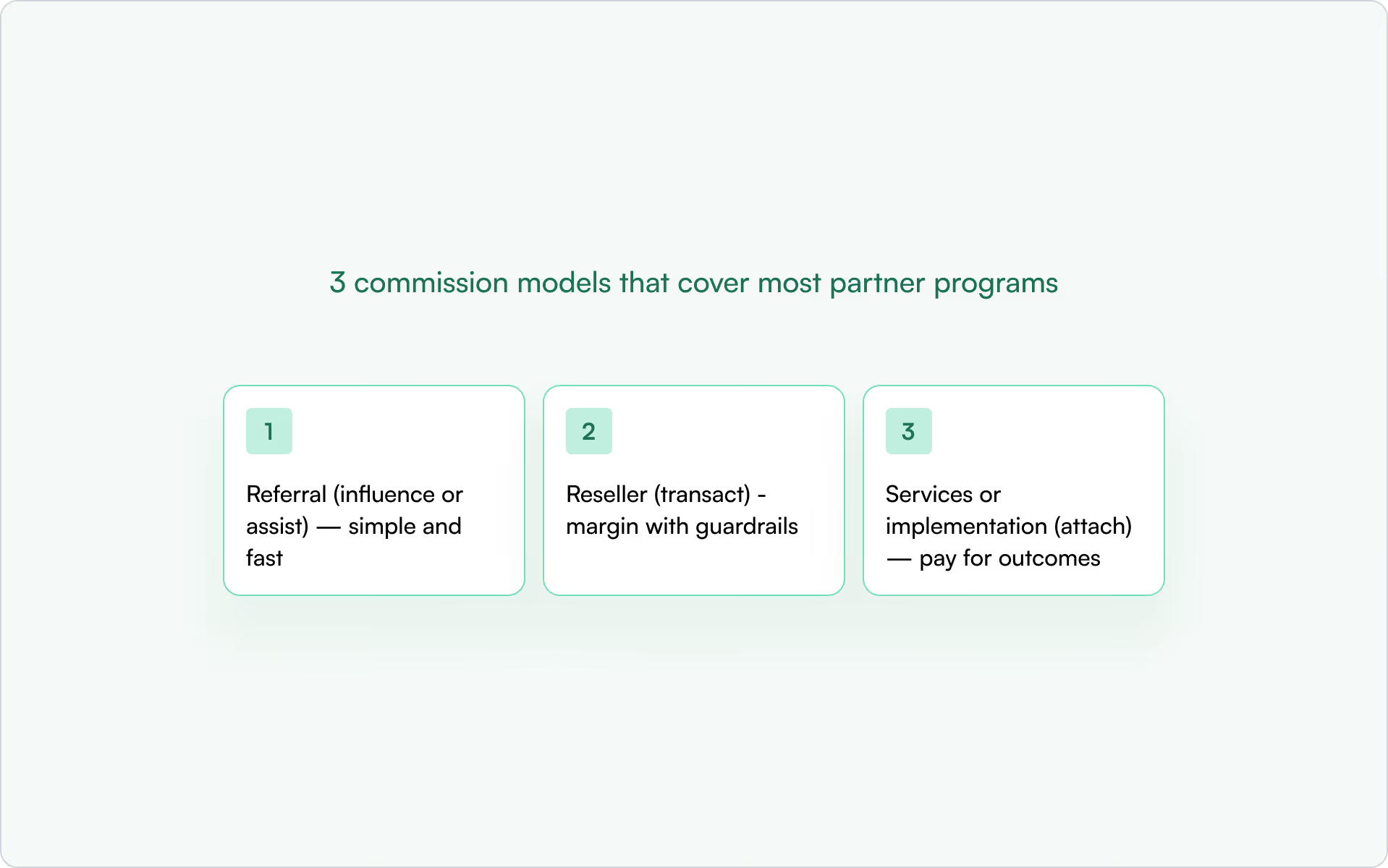
1) Referral (influence or assist) — simple and fast
When to use: the partner introduces qualified opportunities and your team closes.
Commission plan: percentage based commissions on first-year ARR, commonly 10 to 20 percent, paid on collected revenue. Exclude services and one-off fees if margins are tight. For low ACV, offer a flat fee to keep admin light.
Why it works: easy to explain and verify. In Introw, define the plan, attach it to partner-sourced deals, and show expected commission inside the shared pipeline so partners stay engaged.
2) Reseller (transact) — margin with guardrails
When to use: the partner transacts, invoices, or bundles your product.
Commission plan: a tiered commission structure tied to sales volume and product mix. Offer higher rates on high margin products. Add accelerators for hitting quarterly sales targets, and set caps to protect unit economics.
Why it works: rewards effort and risk, and aligns with how resellers forecast revenue. When rules reference CRM fields you already track, calculations are accurate and auditable.
3) Services or implementation (attach) — pay for outcomes
When to use: the partner delivers onboarding, integration, or managed services around your product.
Commission plan: milestone-based payouts, for example a percent at go live and another percent after CSAT hits a threshold. For expansions, add a small recurring kicker to reward partner performance that improves retention.
Why it works: focuses behavior on value delivery, not just signatures. It also keeps commission programs aligned with customer success.
5 Design principles that keep partnerships and finance happy
A strong commission plan balances motivation, operational efficiency, and trust. Use these principles as the spine of your strategy.
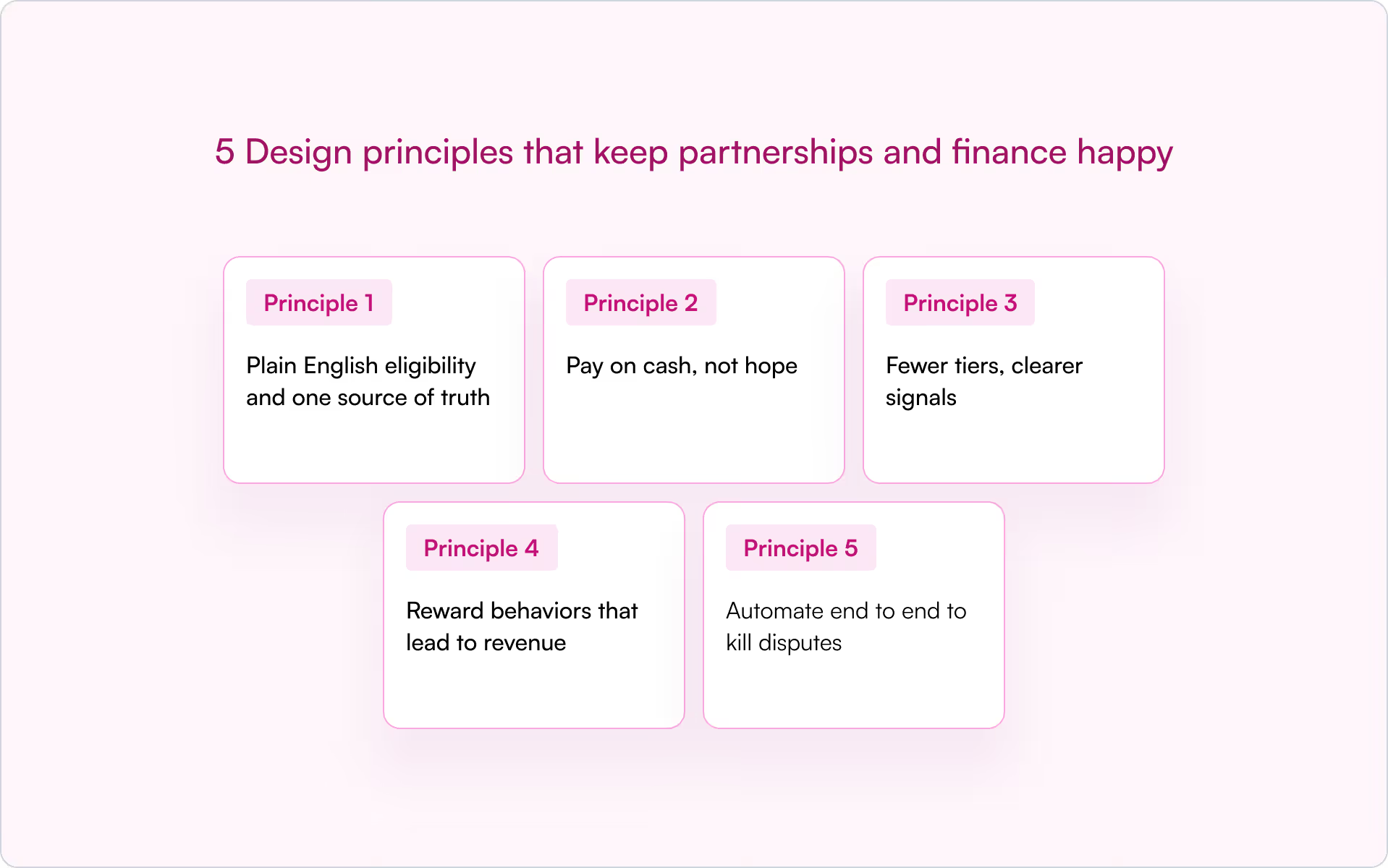
Principle 1: Plain English eligibility and one source of truth
Publish who gets paid, for what, and when, in a single page inside your partner portal. Define a referred customer, accepted registration, qualified status, and the exact event that triggers commission payments. Calculate from CRM fields only. With Introw, expected commissions are visible on the deal card, so partners have real time dashboards without exports.
Principle 2: Pay on cash, not hope
Cash collection milestones prevent overpayment and clawbacks. Pay the first tranche after the initial invoice is paid. Pay the next tranche on renewals or usage thresholds. Introw supports fixed amounts, deal percentages, and recurring commissions, and shows the same values in partner views to foster trust.
Principle 3: Fewer tiers, clearer signals
If you use partner tier levels, let tiers amplify, not replace, your core plan. For example, Registered 10 percent, Select 15 percent, Elite 20 percent. Tie tier changes to performance based incentives such as a rolling four quarter sourced revenue plus CSAT, not subjective judgments. Manage tier data in your PRM so commission rates are applied consistently and calculated accurately.
Principle 4: Reward behaviors that lead to revenue
Not everything needs cash. Use small percentage bumps or one time flat fee bonuses for actions that reliably lead to wins, such as the first qualified meeting, completion of enablement, or co marketing that generates opportunities. Save larger percentages for booked and collected revenue to protect commission payouts and margin.
Principle 5: Automate end to end to kill disputes
Manual commission management is where errors creep in. Automate property mapping, calculations, partner visible statements, and approvals. Introw turns the workflow from partner invoices to finance into one path, with visibility for partners and RevOps.
A simple, scalable commission framework you can launch in 30 days
You do not need a giant spreadsheet or a six month project. Use this four step plan.
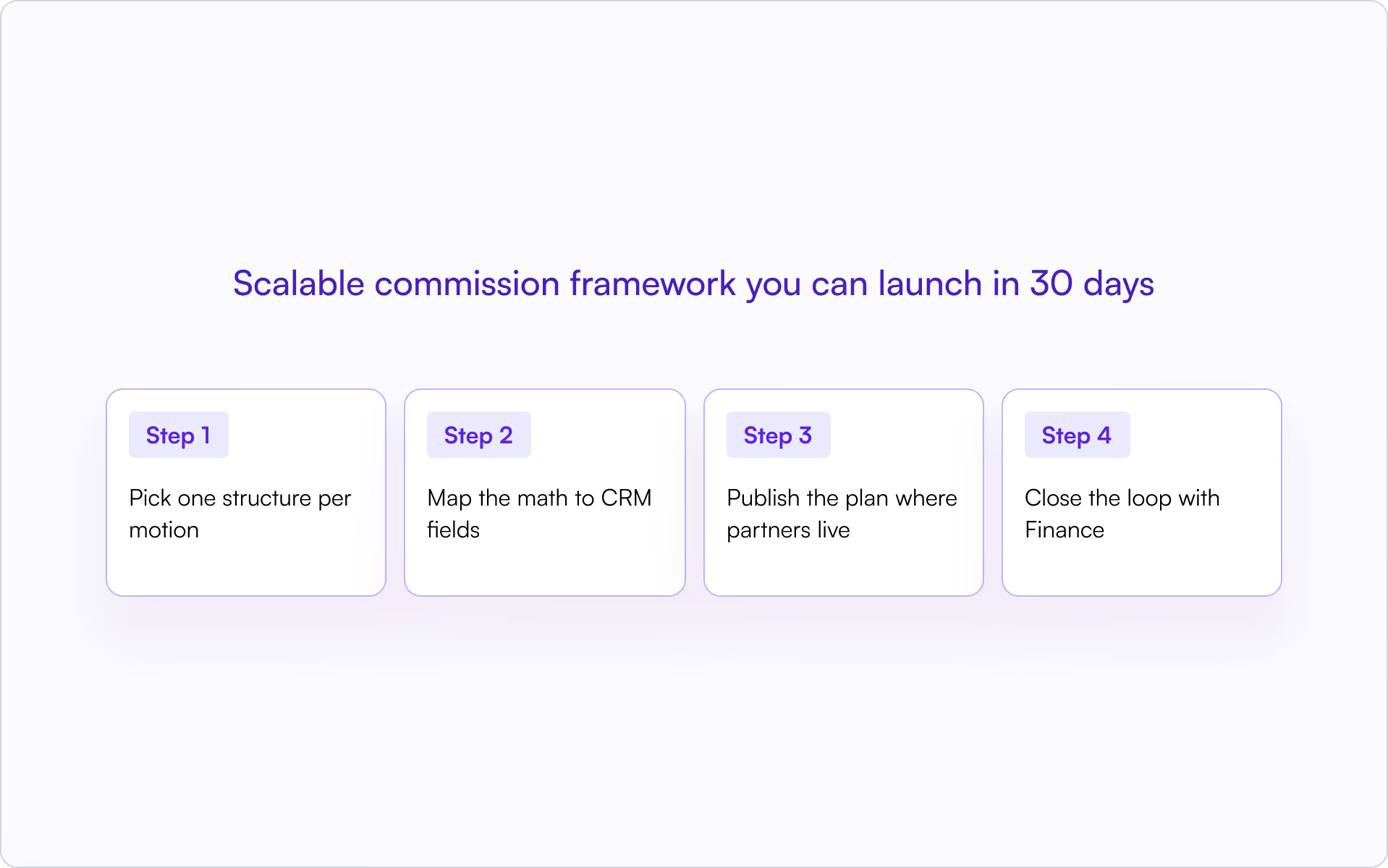
Step 1: Pick one structure per motion
- Referral: 15 percent of first year ARR on collected cash
- Resell: margin bands, for example 15, 20, 25 percent, based on quarterly volume
- Services: milestones, for example 40 percent at go live and 60 percent after CSAT reaches a set value
Keep exceptions rare and time boxed.
Step 2: Map the math to CRM fields
Define the properties that drive the calculation: ACV, term, SKU, partner type, deal source, collected revenue to date. In Introw, attach these to a commission plan. The module calculates per deal and shows partners the expected commission in the same shared pipeline they use for collaboration.
Step 3: Publish the plan where partners live
Put the full commission plan and FAQ in your portal. Include screenshots of the partner visible commission widget so there is no mystery. If you enable the Introw AI Agent, it can answer partner questions about their tier, commission plan, or eligibility at any time, which reduces back and forth.
Step 4: Close the loop with Finance
Align payout cadence, set a dispute window, and ship a standard commission statement export for Finance. Introw streamlines statements so your operational efficiency stays high and commission payments are predictable.
How Introw’s commission module works
If you want partners to trust your plan, the experience of creating, calculating, and paying commissions has to feel obvious. In the demo, Introw shows exactly how that looks in practice, end to end, without spreadsheets.
You start by defining a commission plan on top of your CRM data. Pick the motion and trigger (for example, “Closed Won” in your sales pipeline, or earlier milestones like “Demo Completed”). Choose the payout type: a fixed amount per event, a percentage of sale (calculated from deal amount, MRR, or total contract value), or recurring schedules that taper over years. Save the plan and attach it to partners so every eligible deal calculates automatically.
When it is time to pay, you generate a commission statement like a credit-card statement. Introw pulls in all deals that met the plan criteria for the period, shows the calculated commission per deal, and lets you add details such as a PO number and finance contacts. One click creates a PDF statement you can send to the partner’s finance team and your own. Status flows are built in: Pending Partner Invoice, Pending Approval, Approved, and Paid. Once paid, those deals will not appear in the next statement, so you avoid double counting.
Partners see the same truth you do. Inside their room, a commission dashboard breaks down Expected commissions on open deals, Scheduled amounts you have acknowledged, Pending items waiting on their invoice, Approved amounts ready to invoice, and Paid history by period. Partners can upload invoices directly against a statement and track progress without asking your team for updates.
The net effect is clarity. Plans run off CRM fields, statements are auditable, and both sides see the math on every deal. That is the kind of experience that turns commissions from a monthly debate into a predictable, trusted workflow.
Want a commission engine partners actually trust?
If you are ready to ditch spreadsheets and make commissions a growth lever, see how Introw’s commission module configures plans, displays earnings to partners, and automates payouts from your CRM. Request a demo and ship a commission plan your partners and Finance will love.
The 3 ways to manage your partners in HubSpot and attribute revenue
We’ve seen that there are 3 potential ways to manage your partners within HubSpot: custom properties, company association & custom object association. Before implementing a partner portal like Introw we advise to map your partners in your HubSpot.
In this blogpost we’re going to focus on revenue attribution so we’re looking at the object “Deal” in HubSpot. If you also want to attribute contacts, leads, companies,… to partners, you can use the same approach.
Custom properties
How does it work?
- Create a custom deal property
- Step 1: Go to settings —> data management —> properties
- Step 2: Create property:
- Object type: Deal
- Group: Deal information
- Label: This is up to you to decide, we've gone for "Partner". Click "Next"
- Field type: If you’re sometimes working with multiple partners on a deal, we advise going for “Multiple checkboxes.” If there is always a maximum of one partner per deal, go for “Dropdown select.”
- Add your custom property to your view or your teams view (this will allow you to easily select the right partners from the left side panel)
- Attribute the right partner(s) to the right deals
What are the pros?
✅ Easy and fast set-up
✅ Possible with all HubSpot plans
✅ Easy to create revenue reports
What are the cons?
❌ Every sales person should have this custom property in their view
❌ Not possible to navigate directly to the partner company
Company association (with association label)
How does it work?
- Create a custom association label between deal and company
- Step 1: Go to settings —> data management —> objects —> deals —> associations
- Step 2: Create association label:
- Objects you’re associating: Deals-to-companies
- How many labels do you need? A single label
- Create one called: partner sourced (for deals that partners have sourced)
- 💡 Optional: You can create another label called: partner influenced (for deals that partners have influenced)
- Associate the partner company to a deal and select the label “partner sourced” (or partner influenced)
- You can do this by associating an (additional) company to the deal; add company
What are the pros?
✅ Easy and fast set-up
✅ Scalable
What are the cons?
❌ Not possible with all HubSpot plans
❌ Not easy to report on in HubSpot
Custom object association
How does it work?
- Create a custom object
- Step 1: Go to settings —> data management —> objects —> custom objects
- Step 2: Create custom object:
- Object name - singular: “Partner”
- Object name - plural: “Partner”
- Primary display property: “Partner Name”
- Property type: Single-line text
- Associate the right company object to the partner object in order to have all the right data connected
- Associate the partner object to a deal
💡 Optional: Create association labels on this custom object to differentiate between for example partner influenced and partner sourced
What are the pros?
✅ Good for organisations with larger amounts of partners
✅ Scalable
What are the cons?
❌ Not possible with all HubSpot plans
❌ Not so easy
Conclusion
To wrap up, there are 3 ways to manage your partners in HubSpot: via custom properties, via company association and via a custom object.
Introw supports all methods :).
What is Introw?
Working with resellers, referral partners, distributors,...? Keep on reading! Introw is a partner relationship management (PRM) platform allowing you to collaborate with your B2B partners in shared spaces integrated with HubSpot.
One space to be aligned on pipeline, enable partners with content and track engagement.
Partnership data lives in the CRM, so we’re leveraging that to the fullest with our native and 1-click HubSpot and Salesforce integration.
With that, we’re not only elevating your B2B partnership experience, we’re elevating the experience of your entire partnership team.

