

.svg)


.svg)
.svg)







Blog

SPIFF Programs: What They Are, How to Design Them, and Examples That Drive Partner Sales
A well-designed SPIFF program can turn a slow quarter, product launch, or stalled partner pipeline into a surge of sales activity. Used well, SPIFFs can change behavior fast. Used poorly, they can create expensive distractions. If you’ve heard the term before but never really knew what it meant, you’re not alone.
What is a SPIFF program?
A SPIFF program is a short-term sales incentive used to reward a specific action. SPIFF stands for sales performance incentive fund, though you may also see it written as “spiff” or “spiv.”
The SPIFF program's meaning is simple: you offer an extra reward when someone does the thing you want more of.
.png)
That could mean a direct cash bonus for closing deals above a set value, selling a new product, registering qualified leads, or reaching specific sales targets during a promotion period.
Unlike standard sales commissions, a sales SPIFF is temporary and focused. Commission usually runs in the background as part of your long-term compensation plans. A SPIFF is used when you want immediate motivation around one goal.
A well-structured SPIFF program usually has five traits:
- Short-term: It runs for a month, a quarter, or a campaign window.
- Targeted: It focuses on one product, region, deal size, or behavior.
- Simple: The program rules are easy to understand.
- Stackable: It can run alongside regular commission.
- Trackable: Every qualifying sale is tied to clear eligibility criteria.
.png)
SPIFFs can motivate sales teams, individual salesperson performance, and external channel partners. This guide focuses on partner SPIFFs because they’re harder to manage. Your channel partners don’t live in your CRM, and they can’t always see what they’ve earned.
That’s why a strong channel partner incentive program needs more than a good reward. It also requires clear tracking, fast communication, and a simple way for partners to see progress.
If your goal is to improve partner sales, a SPIFF can help. But only when the reward, rules, and payout process are easy to trust.
Why companies run SPIFF programs
The best SPIFF programs don’t just offer extra money. They encourage specific sales behaviors when they matter most.
Here’s why they work.
.png)
#1 Urgency creates action
Most sales commissions become part of the background. Sales reps and channel partners expect them, so they rarely change behavior on their own.
A short-term incentive creates a reason to act now.
For example, a channel SPIFF program might offer:
- $500 for every new logo deal closed this quarter
- A bonus for selling a newly launched product
- Extra rewards for deals above a specific value
The deadline matters as much as the reward. When partners know the opportunity disappears after a promotion period, they’re more likely to prioritize that deal over competing opportunities.
This is why SPIFFs are often used during product launches, pipeline pushes, and other strategic initiatives where timing matters. Teams running incentives alongside their existing HubSpot integration can track participation and revenue generated without creating separate workflows.
#2 Clarity drives participation
A successful SPIFF program should be easy to explain.
If partners need a spreadsheet and three meetings to understand the reward, participation drops. If the rules fit in one sentence, participation rises.
For example:
“Close a new logo deal above $10,000 this quarter and earn $500.”
That’s clear. Partners know the sales goals, the reward, and the eligibility criteria immediately.
The most effective SPIFF program ideas focus on simplicity. Partners should spend time selling, not interpreting program rules.
#3 Visibility keeps partners engaged
A sales SPIFF only works when people can see it.
Many sales SPIFF programs fail because the incentive is announced once and then forgotten. The reward lives in an email or PDF while partners focus on daily sales activity.
Visibility creates immediate motivation.
For example, when incentives appear directly inside a partner portal, partners can see pending and confirmed SPIFF rewards alongside active deals. Seeing the reward attached to a live opportunity keeps the incentive top of mind.
This is especially important for channel partners who may be managing opportunities across multiple sales channels at the same time.
#4 Low friction means more claims
Even strong cash SPIFFs lose impact when the payout process is complicated.
If partners have to chase approvals, fill out forms, or wait months for reward distribution, participation drops. Friction creates doubt, and doubt reduces engagement.
The best incentive program experiences make claiming rewards almost automatic.
With tools such as deal and lead registration, partner activity can be tracked from the original opportunity through payout. Add automation, notifications, and approval workflows, and salespeople spend less time on admin and more time closing deals.
When earning a reward feels easy, more partners participate. When rewards are visible, simple, and easy to claim, SPIFFs consistently boost sales and increase sales activity.
How to design a SPIFF program that actually changes behavior
A successful SPIFF program starts with a clear goal. The reward matters, but the behavior matters more.
.png)
Step 1: Define the behavior you want to change
Start with the outcome, not the incentive.
Ask yourself:
- Do you want more deals registered?
- Do you want to shorten the sales cycle?
- Do you want bigger deals?
- Do you want more certified partners?
- Do you want to increase sales in a specific market?
Pick one.
The best sales incentive programs focus on a single objective. If you try to change too many sales behaviors at once, partners won’t know what matters most.
Step 2: Set clear, simple rules
Partners should understand the SPIFF in seconds.
Every SPIFF program should answer four questions:
- What triggers the bonus?
- How much is the reward?
- Who is eligible?
- When does it expire?
For example:
“Register and close a new logo deal above $10,000 before September 30 and earn a $500 bonus.”
Simple rules lead to more participation. Complex rules lead to salespeople guessing.
Step 3: Make the incentive meaningful
A bigger reward isn’t always a better reward.
The goal is to offer meaningful rewards that justify the extra effort. For many SaaS programs, cash bonuses between $250 and $1,000 are enough to change behavior. Enterprise-focused SPIFF campaigns may require larger payouts.
You can also experiment with:
- Cash SPIFFs
- Non-cash rewards
- Non-cash SPIFFs
- Tech gadgets
- Prepaid debit cards
The best reward is the one that motivates channel partners to take action.
Step 4: Use CRM-based conditions
Manual tracking breaks quickly.
The most effective SPIFF programs use CRM data as the source of truth.
For example:
- Deal stage = Closed Won
- Deal value > $10,000
- Close date falls within Q3
When all conditions are met, the reward is triggered automatically.
In Introw, SPIFFs are configured using CRM filters, so qualifying deals are identified automatically based on your existing CRM data.
Here's an example of Introw’s commission plan builder showing CRM-based SPIFF conditions and a live preview of qualifying deals:
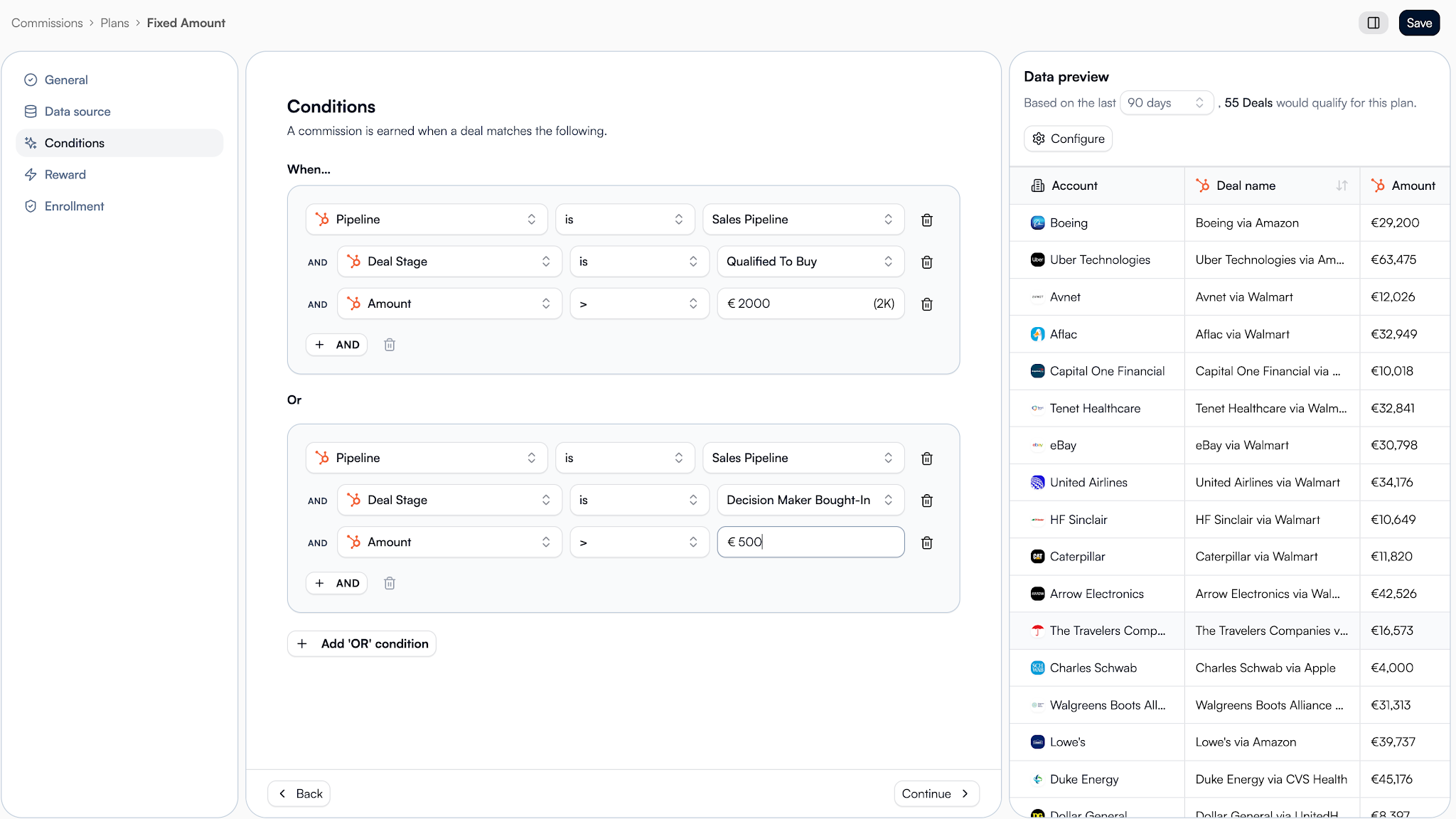
Good SPIFF program management starts with reliable data.
Step 5: Make the reward visible
Partners shouldn’t have to remember a SPIFF.
They should see it where they already work.
For example, Introw displays expected earnings directly on deal cards and inside the partner experience. Partners can see whether rewards are pending or confirmed without digging through old emails.
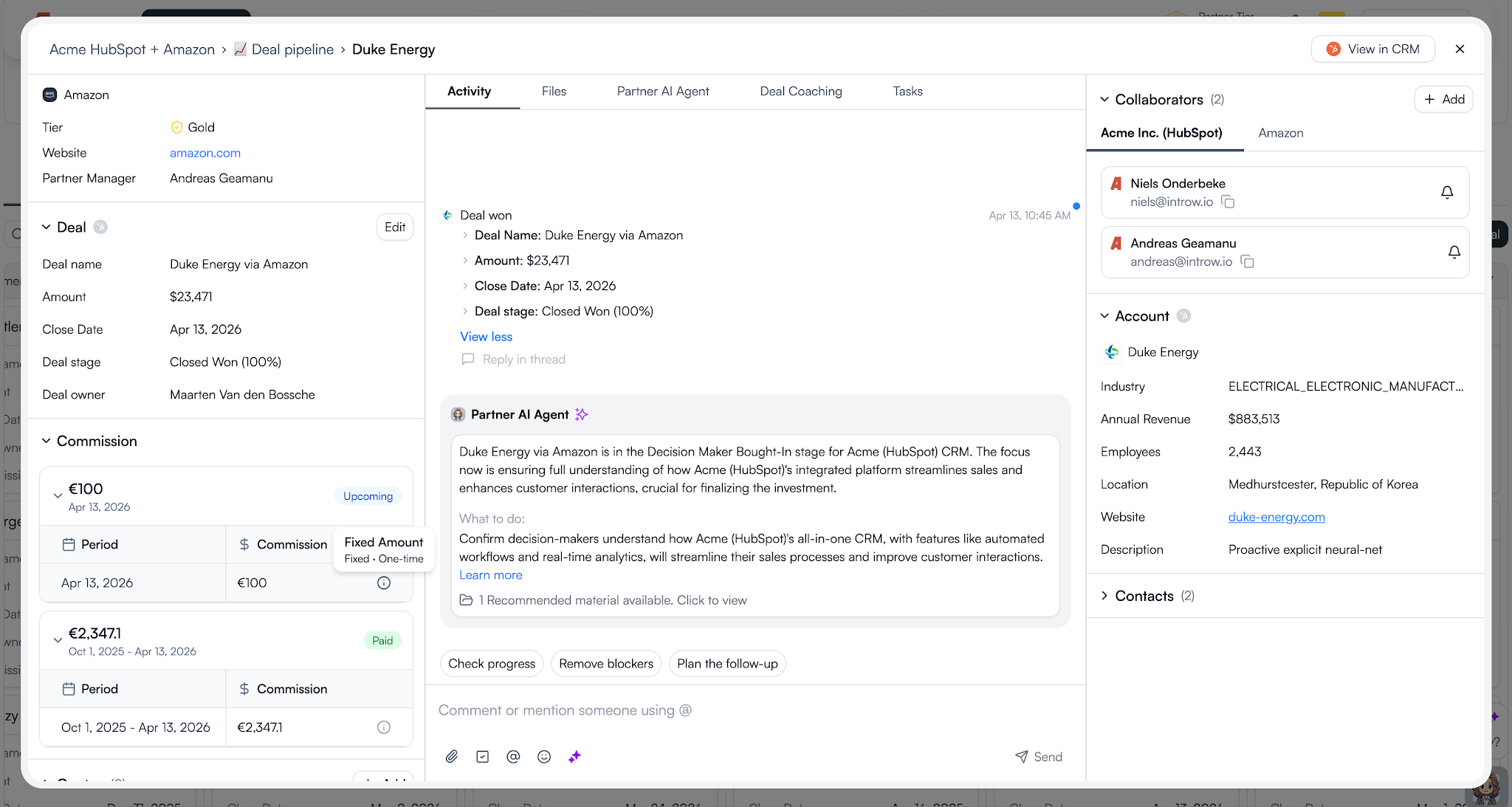
Visibility keeps sales teams driven and helps motivate channel partners throughout the entire campaign.
Step 6: Automate the payout process
A reward loses power when the payout process becomes a project.
A simple flow looks like this:
- The deal closes.
- The SPIFF calculates automatically.
- Eligible rewards are added to a statement.
- The partner uploads an invoice.
- Finance approves the payment.
- The reward is marked as paid.
Introw’s AI Agent can also help surface information and reduce admin work, making it easier to manage larger incentive programs without creating extra overhead.
The easier the process, the more likely partners are to participate.
Here's what this all looks like in action:
Step 7: Review and improve
Every SPIFF should teach you something.
After the campaign ends, review:
- How many partners earned the reward?
- How much sales revenue was generated?
- Which partner segments responded best?
- Did sales activity increase?
- Did you achieve the original sales goals?
Use those insights to improve future iterations.
The best partner programs don’t rely on one successful SPIFF. They run targeted incentives throughout the year as part of a broader incentive strategy.
A few well-designed SPIFFs will usually outperform one giant annual campaign.
The best way to see these principles in action is through real SPIFF program examples.
7 SPIFF program examples you can steal
Not every SPIFF needs to be complicated. Here are seven proven SPIFF program examples you can adapt for your partner program.
1. The activation accelerator
Use this SPIFF when you want new partners to take action quickly instead of waiting months to engage.
Rule: Earn $750 on your first closed-won deal as a new partner.
Trigger: First deal where deal stage = Closed Won.
Bonus: $750 flat fee.
Best for: New partners in their first 90 days.
Why it works: Early sales success builds confidence. Partners who close their first deal quickly are more likely to stay active and become a team motivated by results.
2. The Q3 pipeline push
This is one of the simplest sales SPIFF programs for accelerating pipeline movement before a deadline.
Rule: Earn $500 for every deal above $25,000 closed this quarter.
Trigger: Deal amount > $25K AND deal stage = Closed Won.
Bonus: $500 flat fee.
Best for: Active reseller partners.
Why it works: Short-term incentives and cash SPIFFs create urgency. Partners focus on closing deals before the deadline instead of letting opportunities sit in the pipeline.
3. The EMEA expansion bonus
Geographic incentives work well when you’re trying to grow partner activity in a specific market.
Rule: Earn an extra 5% on every DACH deal closed this quarter.
Trigger: Deal country = Germany, Austria, or Switzerland AND deal stage = Closed Won.
Bonus: 5% of deal value.
Best for: Reseller and referral partners expanding into new markets.
Why it works: Supports broader sales strategies without changing existing sales compensation plans. The bonus stacks on top of normal sales commissions.
4. The product launch SPIFF
When product launches need momentum, a targeted SPIFF can help direct attention where you want it.
Rule: Earn $300 for every deal that includes the new product.
Trigger: Deal contains the new product SKU AND deal stage = Closed Won.
Bonus: $300 flat fee.
Best for: New product launches.
Why it works: Partners sell what they’re rewarded to sell. This type of sales incentive helps boost sales of new offerings and improves product adoption.
5. The speed-to-close SPIFF
If deals are moving slowly through the pipeline, this type of SPIFF encourages faster action.
Rule: Earn $400 for any deal closed within 45 days of registration.
Trigger: Deal registration date to close date < 45 days.
Bonus: $400 flat fee.
Best for: Programs with a slow sales cycle.
Why it works: It encourages faster sales activity and helps prevent deals from becoming stale. The goal is to stop partners from letting opportunities delay closing deals.
6. The certification reward
Not every incentive program needs to be tied directly to revenue.
Rule: Earn $200 for completing an advanced certification.
Trigger: Certification completed with a passing score.
Bonus: $200 flat fee.
Best for: Individual salesperson development.
Why it works: Better-trained sales professionals often deliver stronger sales performance. It can also boost morale, improve job satisfaction, and increase long-term sales performance.
7. The stacked deal bonus
This example shows how SPIFFs and recurring commissions can work together.
Rule: Earn your standard commission plus a $1,000 bonus on deals above $100,000.
Trigger: Deal amount > $100K AND deal stage = Closed Won.
Bonus: $1,000 flat fee plus existing commission.
Best for: Gold and Platinum partners.
Why it works: SPIFFs don’t replace long-term compensation plans. They complement them. In Introw, partners can be enrolled in multiple plans at the same time, including recurring commissions, tiered SPIFFs, and one-time bonuses. Both rewards are calculated independently and rolled into the same statement.
Notice the pattern
Every example focuses on one behavior, one reward, and one clear trigger. That’s usually all you need to create a successful sales performance incentive fund that partners actually remember and act on.
So, what are things you should watch out for to make things go smoothly?
Common SPIFF mistakes to avoid
Even a good SPIFF program can fail if the execution is poor. Here are the most common mistakes to avoid.
.png)
Making the rules too complicated
If sales reps, channel partners, or an individual salesperson need a guide to understand the reward, participation drops.
Keep the program rules simple. A well structured SPIFF program should be easy to explain in one sentence.
Trying to reward too many behaviors
Some sales SPIFF programs try to influence multiple sales behaviors at once.
For example:
- Sell a new product
- Increase deal size
- Enter a new market
- Complete training
Pick one goal per campaign. The most effective SPIFF programs focus on a single outcome.
Offering rewards that don’t motivate action
A $25 reward on a six-month deal won’t motivate salespeople.
The reward should match the effort required. Whether you use cash SPIFFs, non cash rewards, prepaid debit cards, annual bonuses, or instant rewards, the incentive needs to feel worthwhile.
Making rewards hard to track
Partners should never wonder whether they’ve earned a reward.
Poor visibility hurts a program’s effectiveness and can damage team morale. Clear tracking helps motivate channel partners and supports healthy competition.
Ignoring payouts and compliance
Rewarding participants is only half the process.
You also need clear reward distribution, payment records, and tax compliance processes. This becomes even more important when managing channel partners across different regions.
Forgetting to measure results
After every SPIFF campaign, ask:
- Did sales targets improve?
- Was more sales activity generated?
- Did revenue increase?
- Did the SPIFF help move old inventory?
- Was the behavior change worth the cost?
The answers will help improve future SPIFF campaigns and strengthen your overall sales performance management approach.
Here is how partner teams run SPIFFs with Introw
Designing a SPIFF is only half the job. You also need a reliable way to track earnings, manage payouts, and keep channel partners informed.
Here’s what that looks like in Introw.
.png)
1. Create a SPIFF plan from CRM conditions
SPIFFs are created as commission plans using CRM data.
Set your date range, define the qualifying conditions, and choose the reward amount. Introw supports flat-fee and percentage-based rewards, and you can preview matching deals before the plan goes live.
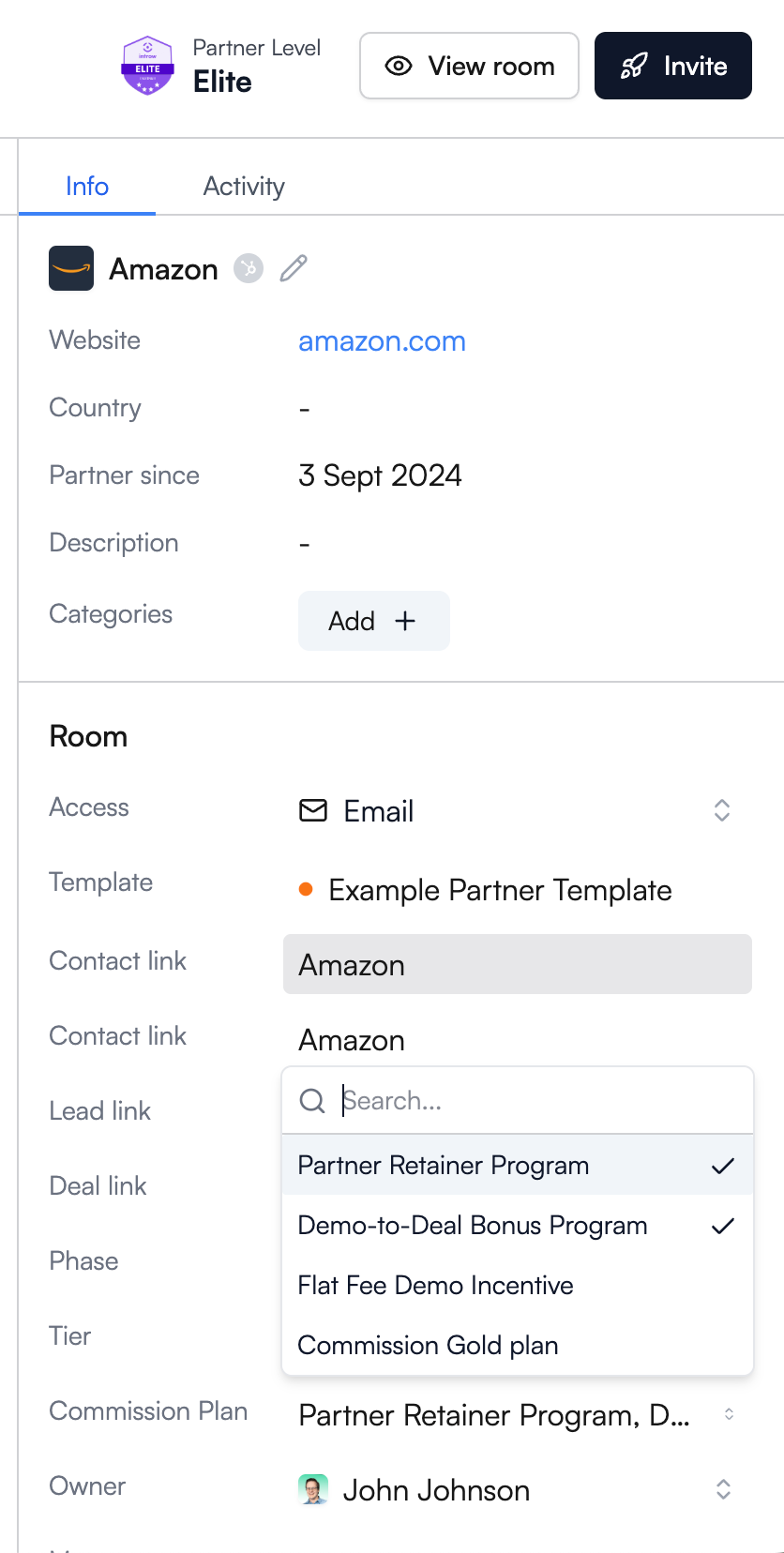
2. Assign the plan to partners
Assign the SPIFF to individual partners or entire partner groups.
Partners can participate in multiple plans at the same time, including recurring commissions, certification rewards, and short-term incentive programs.
3. Partners see earnings in real time
Once the plan is active, partners can see expected earnings directly inside Introw.
Pending and confirmed rewards appear alongside deal information, helping partners stay focused on the opportunities that matter most.
4. Generate statements and collect invoices
When it’s time to pay, generate a statement with a few clicks.
Introw bundles eligible SPIFF rewards, sales commissions, and other payouts into a single statement. Partners can then upload invoices through the portal or simply reply to the notification email.
5. Approve payments and track everything
Every action is logged.
Partner managers and finance teams can review invoices, approve payments, and trace every reward back to the original CRM record. This creates a clear audit trail and simplifies reward distribution.
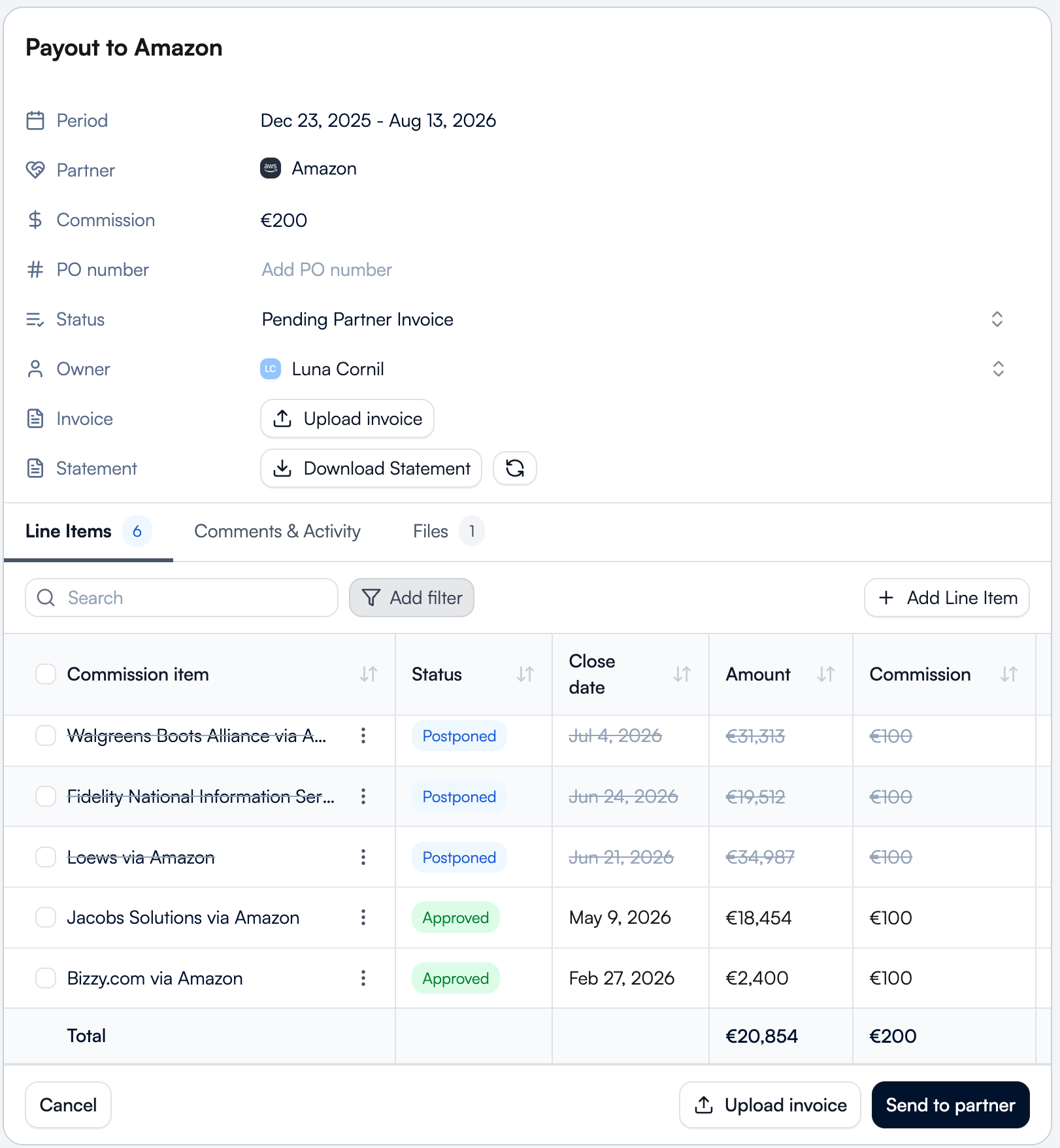
The commission overview ties it all together
The commission overview gives you one place to track SPIFF rewards, upcoming payments, and payout history.
Instead of managing spreadsheets, email chains, and separate systems, partner teams get a single source of truth for commissions, incentives, and partner earnings.
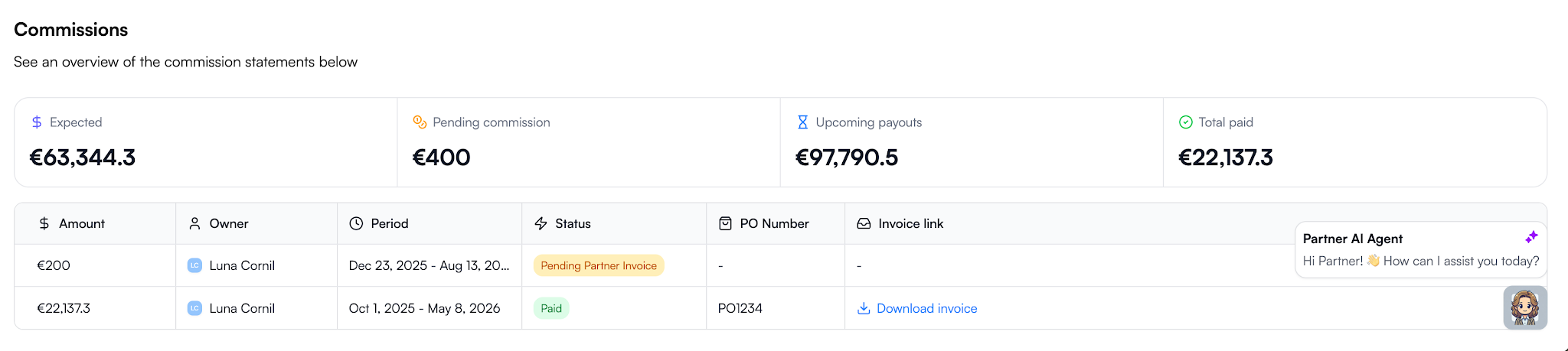
The result is a SPIFF program that’s visible to partners, tied directly to CRM data, and easy for finance teams to manage. Instead of tracking rewards across spreadsheets, email threads, and disconnected systems, everything lives in one workflow from deal registration to payout.
Ready to stop managing SPIFFs in spreadsheets? Request a demo and see how Introw automates partner incentives, commission tracking, invoicing, approvals, and payouts in one place.
15 MDF Best Practices for High-Impact Partner Programs
Why most MDF programs underperform
Most MDF programs don’t fail because the strategy is wrong. They fail because the operations around them are unclear, slow, or invisible to partners. Aligning early on expectations, ownership, and even the definition of MDF helps teams avoid the most common execution gaps.
The budget exists, but partners often don’t use it. In fact, roughly 60% of market development funds go unclaimed each year, not because partners aren’t interested, but because the process makes participation difficult.
.png)
Across many partner ecosystems, the same issues show up repeatedly:
- Channel partners don’t know funds are available
- The approval process takes too long
- Requests get lost in email or spreadsheets
- Marketing activities run without measurable outcomes
- Finance teams can’t track how marketing dollars were used
- Partner marketing teams can’t connect MDF investments to pipeline
Without structure, market development funds rarely support partner engagement or revenue growth. When MDF programs are tied to clear execution plans and measurable partner marketing campaigns, they become a predictable lever for demand generation instead of unused budget.
15 MDF best practices for SaaS partner programs
If you want market development funds to drive pipeline instead of sitting unused, you need a repeatable system. The following market development funds best practices are the framework strong SaaS teams use to make MDF programs predictable, measurable, and aligned with revenue.
.png)
1. Design your fund structure before you launch
Start with the question most teams skip: how should we allocate MDF in the first place?
Decide early whether MDF allocation is:
- Fixed per partner tier
- Performance-based
- Motion-based across reseller, referral, or integration channel partners
Also define:
- Eligible marketing activities
- Fiscal period (quarterly vs. annual)
- Whether unused MDF funds expire or roll over
Without this structure, approvals become inconsistent, and partners lose confidence in the program.
This is the foundation of strong MDF program management and best practices.
2. Make budget visibility self-service
Ask yourself this: can partners see their available budget without emailing you?
If not, adoption drops immediately.
Partners should always see:
- Total MDF allocation
- Pending requests
- Approved spend
- Remaining marketing budget
Real-time visibility improves partner engagement and increases participation in MDF campaigns faster than almost any other change you can make.
3. Build a standardized request form, not email
Inbox-driven requests slow everything down.
Instead, create a structured marketing development funds template partners complete before submitting requests. At minimum, capture:
- Campaign type
- Target audience
- Expected pipeline or qualified leads
- Timeline
- Budget requested
- Success metrics
When requests attach directly to CRM records, your MDF process becomes measurable from day one. Platforms designed for managing marketing development funds handle this automatically.
4. Set approval SLAs and default statuses
Partners don’t stop submitting requests because budgets are small. They stop because responses are slow.
Set a clear approval process, such as:
Submitted → Under review → Approved or declined
Then define an internal SLA, for example, five business days.
Predictability increases participation and improves demand generation activities across your partner ecosystem. It is one of the simplest MDF program best practices to implement.
5. Require a campaign brief, not just a budget ask
If a partner asks for marketing budget without a plan, pause.
Strong MDF programs require a short campaign brief that explains:
- What they want to run
- Who they want to reach
- What results they expect
- How the activity supports your strategic objectives
This improves strategic alignment and makes it easier to compare performance across MDF campaigns later.
6. Enable collaboration, not just approval
Approval is not execution.
After funding is approved, partners still need shared visibility into assets, timelines, and next steps. Otherwise, marketing initiatives disappear into email threads.
A structured collaboration environment improves partner marketing outcomes and keeps joint marketing initiatives visible across teams. It also strengthens ongoing partner engagement during campaign execution.
7. Link campaigns to deals and leads
Here’s the question leadership eventually asks: what did this spend actually generate?
If MDF campaigns are not connected to deals or sales leads, you cannot answer it.
Linking MDF-funded activities directly to pipeline turns market development funds into a measurable growth lever. It also helps channel managers understand which partners consistently generate qualified leads.
This is where many MDF programs break, and where the biggest gains usually happen. Make sure to use modern PRM that links all these activities directly in you CRM.
8. Track ROI automatically, not manually
If ROI lives in spreadsheets, you’re always reacting too late.
Modern MDF programs are being tracked directly in your CRM where you can connect spend directly to pipeline contribution so you can see which partners, campaigns, and marketing efforts drive revenue growth in real time.
That visibility helps you shift marketing investment toward activities that expand market reach and improve sales performance.
9. Gate future funds on proof of performance
A simple rule improves accountability quickly: show results before requesting more budget.
Ask partners to demonstrate:
- Campaign reach
- Lead generation
- Pipeline contribution
before approving additional MDF funds.
This ensures MDF investments support partners who execute and helps drive partner success across co-op programs and co-op funds.
10. Review and iterate quarterly
Treat MDF like a planning lever, not a reimbursement process.
Each quarter, review:
- Which partners used their allocation
- Which MDF campaigns generated pipeline
- Which marketing activities underperformed
These reviews strengthen your channel partner marketing strategy and make future MDF allocation easier to justify.
11. Segment MDF by partner motion, not just partner tier
Many teams allocate development funds by partner tier alone. That’s rarely enough.
Referral partners, resellers, and integration partners contribute differently to market development. Segmenting MDF allocation by motion improves market presence and ensures shared marketing resources support the right expected outcomes.
This is one of the most overlooked market development fund best practices.
12. Pre-approve high-performing campaign templates
Instead of reviewing every request from scratch, give partners a shortlist of proven campaign options.
Examples include:
- Co-branded campaigns
- Digital ads
- Local events
- Vertical webinars
Pre-approved templates reduce approval time and increase the likelihood of generating qualified leads.
They also help partners understand how to obtain marketing development funds faster because expectations are clear.
13. Tie MDF allocation to pipeline coverage targets
Not every region needs the same level of funding.
If pipeline coverage is weak in a segment or geography, allocate MDF funds there first. If another area already performs well, shift marketing investment elsewhere.
This ensures MDF allocation supports strategic priorities instead of spreading budget evenly across the partner program.
14. Combine MDF with incentive programs to change partner behavior
Funding alone doesn’t change behavior. Incentives do.
Pair MDF campaigns with structured channel partner incentive programs to encourage participation in demand generation campaigns and improve execution quality across channel partners.
This combination helps generate leads faster and strengthens overall partner performance.
15. Reserve budget for strategic initiatives, not reactive requests
Leave part of your development funds unallocated at the start of the quarter.
Use that reserve to support:
- New product launches
- Expansion into new regions
- Demand generation for priority segments
- Initiatives that increase brand visibility
This ensures MDF investments stay aligned with long-term strategic priorities instead of being consumed by opportunistic requests.
MDF request form template and checklist
A strong MDF request form does two things at once.
It makes approvals faster for your team, and it makes it easier for partners to submit campaigns that actually generate pipeline.
Without a structured request format, MDF campaigns become hard to evaluate, hard to compare, and almost impossible to attribute later.
A standardized marketing development funds template fixes that by ensuring every request captures the information needed to support demand generation, track sales performance metrics, and align spend with strategic objectives.
Use the template below as a default structure inside your partner program.
.png)
MDF request form checklist
Use this checklist to confirm your MDF process captures everything required for attribution and execution:
.png)
In a CRM-connected workflow, this structure also gives both you and your partners real-time visibility into MDF campaigns from request through execution and attribution, which is what makes modern MDF programs scalable.
Where Introw comes in
If you follow the framework above, your MDF program becomes structured. What most teams still struggle with is proving what that structure actually produces.
Introw closes that gap by connecting MDF requests directly to the partners, campaigns, and deals they are meant to influence inside your CRM. Instead of tracking approvals separately from pipeline, everything lives in one workflow.
That changes how MDF programs operate day to day:
- Partners submit structured requests without email back-and-forth
- Every request attaches automatically to the right partner and campaign
- Approvals follow a consistent approval process instead of ad-hoc routing
- Both you and your channel partners see available MDF funds in real time
- Marketing campaigns link directly to qualified leads and influenced deals
- ROI updates automatically as pipeline moves
This is what makes market development funds (MDF) measurable.
When a deal is generated or closed, you can see whether MDF supported it. When planning next quarter’s MDF allocation, you can see which partners generated pipeline and which marketing initiatives did not.
It also changes adoption. Because partners can see their allocation, submit requests quickly, and stay aligned on campaign execution, MDF funds get used instead of sitting unused across the partner ecosystem.
For a partner marketing manager managing Market Development Funds, that means fewer spreadsheets, clearer attribution, and better conversations with leadership about where marketing investment should go next.
If you want to see how structured MDF programs work when requests, approvals, campaigns, and pipeline all stay connected in one place, request a demo today.
Latest articles
15 MDF Best Practices for High-Impact Partner Programs
Why most MDF programs underperform
Most MDF programs don’t fail because the strategy is wrong. They fail because the operations around them are unclear, slow, or invisible to partners. Aligning early on expectations, ownership, and even the definition of MDF helps teams avoid the most common execution gaps.
The budget exists, but partners often don’t use it. In fact, roughly 60% of market development funds go unclaimed each year, not because partners aren’t interested, but because the process makes participation difficult.
Across many partner ecosystems, the same issues show up repeatedly:
- Channel partners don’t know funds are available
- The approval process takes too long
- Requests get lost in email or spreadsheets
- Marketing activities run without measurable outcomes
- Finance teams can’t track how marketing dollars were used
- Partner marketing teams can’t connect MDF investments to pipeline
Without structure, market development funds rarely support partner engagement or revenue growth. When MDF programs are tied to clear execution plans and measurable partner marketing campaigns, they become a predictable lever for demand generation instead of unused budget.
15 MDF best practices for SaaS partner programs
If you want market development funds to drive pipeline instead of sitting unused, you need a repeatable system. The following market development funds best practices are the framework strong SaaS teams use to make MDF programs predictable, measurable, and aligned with revenue.
1. Design your fund structure before you launch
Start with the question most teams skip: how should we allocate MDF in the first place?
Decide early whether MDF allocation is:
- Fixed per partner tier
- Performance-based
- Motion-based across reseller, referral, or integration channel partners
Also define:
- Eligible marketing activities
- Fiscal period (quarterly vs. annual)
- Whether unused MDF funds expire or roll over
Without this structure, approvals become inconsistent, and partners lose confidence in the program.
This is the foundation of strong MDF program management and best practices.
2. Make budget visibility self-service
Ask yourself this: can partners see their available budget without emailing you?
If not, adoption drops immediately.
Partners should always see:
- Total MDF allocation
- Pending requests
- Approved spend
- Remaining marketing budget
Real-time visibility improves partner engagement and increases participation in MDF campaigns faster than almost any other change you can make.
3. Build a standardized request form, not email
Inbox-driven requests slow everything down.
Instead, create a structured marketing development funds template partners complete before submitting requests. At minimum, capture:
- Campaign type
- Target audience
- Expected pipeline or qualified leads
- Timeline
- Budget requested
- Success metrics
When requests attach directly to CRM records, your MDF process becomes measurable from day one. Platforms designed for managing marketing development funds handle this automatically.
4. Set approval SLAs and default statuses
Partners don’t stop submitting requests because budgets are small. They stop because responses are slow.
Set a clear approval process, such as:
Submitted → Under review → Approved or declined
Then define an internal SLA, for example, five business days.
Predictability increases participation and improves demand generation activities across your partner ecosystem. It is one of the simplest MDF program best practices to implement.
5. Require a campaign brief, not just a budget ask
If a partner asks for marketing budget without a plan, pause.
Strong MDF programs require a short campaign brief that explains:
- What they want to run
- Who they want to reach
- What results they expect
- How the activity supports your strategic objectives
This improves strategic alignment and makes it easier to compare performance across MDF campaigns later.
6. Enable collaboration, not just approval
Approval is not execution.
After funding is approved, partners still need shared visibility into assets, timelines, and next steps. Otherwise, marketing initiatives disappear into email threads.
A structured collaboration environment improves partner marketing outcomes and keeps joint marketing initiatives visible across teams. It also strengthens ongoing partner engagement during campaign execution.
7. Link campaigns to deals and leads
Here’s the question leadership eventually asks: what did this spend actually generate?
If MDF campaigns are not connected to deals or sales leads, you cannot answer it.
Linking MDF-funded activities directly to pipeline turns market development funds into a measurable growth lever. It also helps channel managers understand which partners consistently generate qualified leads.
This is where many MDF programs break, and where the biggest gains usually happen. Make sure to use modern PRM that links all these activities directly in you CRM.
8. Track ROI automatically, not manually
If ROI lives in spreadsheets, you’re always reacting too late.
Modern MDF programs are being tracked directly in your CRM where you can connect spend directly to pipeline contribution so you can see which partners, campaigns, and marketing efforts drive revenue growth in real time.
That visibility helps you shift marketing investment toward activities that expand market reach and improve sales performance.
9. Gate future funds on proof of performance
A simple rule improves accountability quickly: show results before requesting more budget.
Ask partners to demonstrate:
- Campaign reach
- Lead generation
- Pipeline contribution
before approving additional MDF funds.
This ensures MDF investments support partners who execute and helps drive partner success across co-op programs and co-op funds.
10. Review and iterate quarterly
Treat MDF like a planning lever, not a reimbursement process.
Each quarter, review:
- Which partners used their allocation
- Which MDF campaigns generated pipeline
- Which marketing activities underperformed
These reviews strengthen your channel partner marketing strategy and make future MDF allocation easier to justify.
11. Segment MDF by partner motion, not just partner tier
Many teams allocate development funds by partner tier alone. That’s rarely enough.
Referral partners, resellers, and integration partners contribute differently to market development. Segmenting MDF allocation by motion improves market presence and ensures shared marketing resources support the right expected outcomes.
This is one of the most overlooked market development fund best practices.
12. Pre-approve high-performing campaign templates
Instead of reviewing every request from scratch, give partners a shortlist of proven campaign options.
Examples include:
- Co-branded campaigns
- Digital ads
- Local events
- Vertical webinars
Pre-approved templates reduce approval time and increase the likelihood of generating qualified leads.
They also help partners understand how to obtain marketing development funds faster because expectations are clear.
13. Tie MDF allocation to pipeline coverage targets
Not every region needs the same level of funding.
If pipeline coverage is weak in a segment or geography, allocate MDF funds there first. If another area already performs well, shift marketing investment elsewhere.
This ensures MDF allocation supports strategic priorities instead of spreading budget evenly across the partner program.
14. Combine MDF with incentive programs to change partner behavior
Funding alone doesn’t change behavior. Incentives do.
Pair MDF campaigns with structured channel partner incentive programs to encourage participation in demand generation campaigns and improve execution quality across channel partners.
This combination helps generate leads faster and strengthens overall partner performance.
15. Reserve budget for strategic initiatives, not reactive requests
Leave part of your development funds unallocated at the start of the quarter.
Use that reserve to support:
- New product launches
- Expansion into new regions
- Demand generation for priority segments
- Initiatives that increase brand visibility
This ensures MDF investments stay aligned with long-term strategic priorities instead of being consumed by opportunistic requests.
MDF request form template and checklist
A strong MDF request form does two things at once.
It makes approvals faster for your team, and it makes it easier for partners to submit campaigns that actually generate pipeline.
Without a structured request format, MDF campaigns become hard to evaluate, hard to compare, and almost impossible to attribute later.
A standardized marketing development funds template fixes that by ensuring every request captures the information needed to support demand generation, track sales performance metrics, and align spend with strategic objectives.
Use the template below as a default structure inside your partner program.
MDF request form checklist
Use this checklist to confirm your MDF process captures everything required for attribution and execution:
In a CRM-connected workflow, this structure also gives both you and your partners real-time visibility into MDF campaigns from request through execution and attribution, which is what makes modern MDF programs scalable.
Where Introw comes in
If you follow the framework above, your MDF program becomes structured. What most teams still struggle with is proving what that structure actually produces.
Introw closes that gap by connecting MDF requests directly to the partners, campaigns, and deals they are meant to influence inside your CRM. Instead of tracking approvals separately from pipeline, everything lives in one workflow.
That changes how MDF programs operate day to day:
- Partners submit structured requests without email back-and-forth
- Every request attaches automatically to the right partner and campaign
- Approvals follow a consistent approval process instead of ad-hoc routing
- Both you and your channel partners see available MDF funds in real time
- Marketing campaigns link directly to qualified leads and influenced deals
- ROI updates automatically as pipeline moves
This is what makes market development funds (MDF) measurable.
When a deal is generated or closed, you can see whether MDF supported it. When planning next quarter’s MDF allocation, you can see which partners generated pipeline and which marketing initiatives did not.
It also changes adoption. Because partners can see their allocation, submit requests quickly, and stay aligned on campaign execution, MDF funds get used instead of sitting unused across the partner ecosystem.
For a partner marketing manager managing Market Development Funds, that means fewer spreadsheets, clearer attribution, and better conversations with leadership about where marketing investment should go next.
If you want to see how structured MDF programs work when requests, approvals, campaigns, and pipeline all stay connected in one place, request a demo today.
How to Enable Distributors to Win Deals with Distributor Sales Training
Why distributor sales training is different from standard partner training
Distributor sales training is different because distributors do not sell the same way referral partners do. They support resellers, coordinate pipeline, and help move deals forward across multiple layers of the channel.
That changes what your training needs to cover.
Here’s where they differ:
Software distributors need visibility into reseller activity without full CRM access. Training should explain attribution, pipeline flow, and where distributors support deals.
Hardware distributors work across longer deal cycles with technical contacts and quotes. Their training should cover specs, territory rules, and installation readiness early.
Once training reflects how distributors actually support deals, it becomes easier to define what they need to perform effectively across software and hardware motions.
What software and hardware distributors actually need to win deals
Most distributors are not closing deals themselves. They help resellers move opportunities forward. So distributor sales training should focus on coordination, visibility, and readiness, not just product knowledge.
Here’s how software and hardware distributor needs compare:
Many teams support these workflows through structured partner environments built for software distributors and hardware distributors, where visibility stays clear without opening the full CRM.
Across both motions, strong distributor sales training programs still rely on the same foundations:
- current assets distributors can trust and reuse
- clear rules for deal registration and ownership
- onboarding tailored to the distribution sales team
- visibility into downstream reseller activity
- confidence that attribution supports revenue growth
When distributors understand how they support deals inside your distribution sales process, they engage earlier and help create more pipeline.
With those needs clear, the structure of an effective distributor sales training program becomes much easier to design.
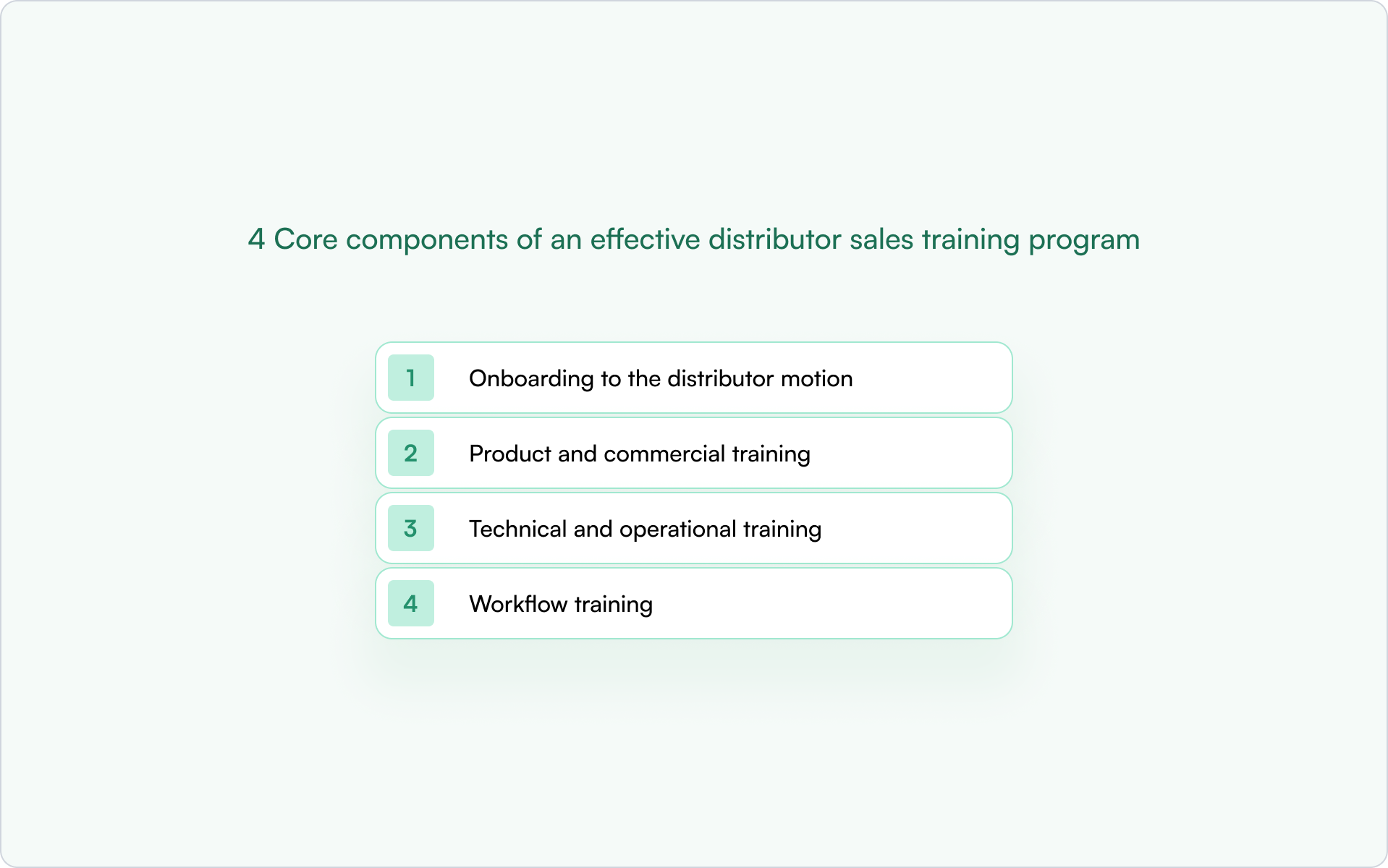
4 Core components of an effective distributor sales training program
Strong training works when it supports real deals, not just theory. Your goal is to help distributors understand how to act inside your motion and support resellers across indirect sales channels.
This applies whether you are running IT distributor sales training, building structured sales training for distributors, or improving how you are training the distributors sales team across regions.
Here are the components that make distribution sales training improve sales performance.
1. Onboarding to the distributor motion
Start by explaining how distributors fit into your distribution processes.
Your team should cover:
- how distributors support external partners and resellers
- how attribution works across the sales force
- where distributors influence pipeline and follow-ups
- what ownership rules affect daily operations
This helps sales reps and sales managers understand how they support customers earlier in the sales process.
Clear onboarding closes skill gaps fast and improves distributor performance. Next comes positioning and commercial readiness.
2. Product and commercial training
Generic sales training is not enough for distributors. They need positioning that fits your ecosystem and market.
Focus on:
- buyer pain points and market trends
- objection handling and consultative selling
- competitor positioning
- pricing context and sales conversation readiness
- modern sales foundations that help distributors sell smarter
This strengthens customer relationships and helps distributors increase sales without adding friction to reseller coordination.
Commercial clarity improves selling confidence. Technical readiness comes next.
3. Technical and operational training
Distributors often support installation, implementation, quoting, or inventory management depending on your industry.
Training should include:
- technical details needed during pre sales coordination
- specs and documentation access
- territory rules and stock levels awareness
- onboarding tasks tied to training completion
- short training videos that reinforce new skills
Structured training modules like these support stronger relationship building across multi-contact deal teams and create strong relationships with customers over time.
Operational readiness keeps deals moving. Workflow readiness makes them easier to close.
4. Workflow training
This is where many distributor training programs fall short.
Distributors need to know:
- how deal registration works
- how pipeline visibility supports more deals
- how to collaborate without CRM access
- how to support product launches
- how to manage follow ups across partner layers
When training connects directly to workflows, your teams see better sales results and clearer performance tracking tied to business goals.
If you want certification paths that reinforce these workflows, structured guidance like LMS partner certification strategies and practical frameworks explaining the LMS benefits for channel partner certification can help you design programs that scale across markets.
But even well-designed programs can underperform if they introduce friction too early, which is where many teams run into avoidable mistakes.
Common mistakes in distributor sales training
Distributor sales training fails when it looks like generic partner enablement instead of support for real channel work.
Here are six mistakes to avoid.
.png)
1. Starting with too much training before showing value
Many teams launch long certification tracks before distributors support real opportunities. Start with positioning, deal registration basics, and early workflows. Add deeper skills later.
Structured paths help once partners are active. Guidance on how certification programs improve partner engagement shows how training supports pipeline instead of passive learning.
2. Using one training path for every role
Sales and technical contacts need different training. Commercial teams need positioning and sales techniques. Technical teams need specs and installation readiness.
Role-based training improves adoption and customer loyalty.
3. Treating distributors like referral partners
Distributors coordinate resellers, attribution, and shared pipeline visibility. Training should reflect these responsibilities, not generic partner programs.
4. Ignoring workflows like deal registration and quoting
If distributors cannot support quoting, territory rules, or reseller coordination, they cannot influence deal outcomes.
Training must match real distribution processes.
5. Overloading distributors with content instead of relevant content
Large learning libraries create friction. Start with the skills needed to support active deals, then expand later.
Resources comparing the best partner certification program software help structure certification without slowing adoption.
6. Not connecting training to pipeline visibility or performance
Distributor training should support measurable activity across resellers and deals. When it does, adoption improves quickly.
Avoiding these issues makes it much easier to build role-specific learning paths that distributors can actually use in active opportunities.
How to structure distributor sales training by role
Start by separating distributor training into role-based tracks. Most programs fail because they treat the entire distributor team the same, even though commercial, technical, and manager roles support different parts of the motion.
.png)
Step 1: Define the commercial track for distributor sales reps
Sales reps need to support resellers and move deals forward early. Focus training on positioning, ownership rules, territory clarity, and handling sales conversations during active opportunities.
The goal is simple: help reps contribute quickly instead of waiting for full certification paths.
Step 2: Build a technical track for pre-sales and implementation contacts
Technical contacts support evaluations, quoting, and delivery readiness. Their training should focus on specs, solution structure, and implementation coordination so they can answer questions without slowing deals.
Short certification paths work best here. Many teams structure these using systems like the best partner LMS software.
Step 3: Create a coordination track for distributor managers
Distributor managers oversee reseller alignment and pipeline visibility. They do not need deep product detail. They need clarity on partner progress, attribution, and shared dashboards.
A simple structure works well:
- track reseller activity across regions
- monitor partner goals and engagement
- support opportunities as they move forward
Once roles are defined, the priority shifts to delivering training in a way that scales across partners and regions without adding overhead.
How to deliver distributor sales training at scale
Once your role tracks are clear, focus on delivery. Distributor sales training should be easy to launch, easy to update, and tied to real partner activity.
Start with short learning paths, not long programs. Distributors engage faster when training supports active opportunities.
.png)
Use modular learning paths
Break training into small modules by role. Commercial contacts need positioning first. Technical contacts need specs and implementation readiness. Managers need pipeline visibility and coordination guidance.
Short modules make training easier to adopt and apply immediately.
Add certifications at the right moment
Certifications work best after distributors begin supporting deals. At that stage, training reinforces confidence instead of creating friction.
Track completion by role so you know who is ready to support resellers.
Keep assets and updates in one place
Distributors should not search across emails, portals, and documents. A single workspace for materials and announcements keeps teams aligned as opportunities move forward.
Connect training to pipeline activity
Training should support deal registration, reseller coordination, and shared progress tracking. When learning connects to real channel workflows, adoption improves and programs scale naturally.
With delivery in place, the focus moves to understanding whether training is improving coordination, pipeline activity, and deal outcomes.
What to measure in distributor sales training
Distributor sales training should improve how partners support real opportunities. If your program is working, you should see changes in readiness, pipeline activity, deal quality, and revenue contribution.
Here are the metrics that matter most:
When these signals improve, your distributor sales training is supporting real-deal execution instead of passive learning.
Next, let’s look at how Introw helps teams run distributor training more effectively.
How Introw helps teams train distributors more effectively
Distributor sales training works best when it supports what your partners are already doing inside active deals. Introw connects training to pipeline activity so distributors learn in context, not in isolation.
In daily work, that changes a few important things.
- Sales contacts can see where they support opportunities without needing full CRM access.
- Technical teams get specs and coordination steps in one place.
- Distributor managers gain visibility into reseller progress and attribution across regions.
With Salesforce and HubSpot integrations, training milestones appear alongside pipeline activity instead of in a separate portal. That makes it clear who is ready to support deals and where enablement is still needed.
If you want to connect distributor training to pipeline visibility, attribution, and partner collaboration, you can request a demo.
With the right structure and tools in place, rolling out distributor training can start delivering results within weeks rather than months.
A 30-day distributor training rollout plan
You do not need a full academy to start distributor sales training. A simple four-week rollout is enough to give your distributors clarity, confidence, and early pipeline impact.
.png)
Week 1: Define your motion and partner roles
Start by mapping how your distributors support deals.
Identify:
- whether you work with software or hardware distributors
- which contacts are commercial vs technical
- how distributors interact with resellers
- where deal registration and attribution happen
This ensures your training reflects real channel workflows from the beginning.
Week 2: Build the first training modules
Focus only on the training that helps distributors support opportunities early.
Create:
- a short onboarding module explaining the distributor role
- positioning guidance for commercial contacts
- technical readiness content where needed
- a simple workflow guide for deal registration and coordination
Keep this phase light so distributors can apply what they learn immediately.
Week 3: Launch with a small distributor group
Start with a pilot instead of rolling training out to everyone at once.
Enroll:
- Distributor sales contacts
- technical contacts supporting evaluations
- distributor managers coordinating reseller activity
Collect feedback quickly and adjust modules before expanding further.
Week 4: Connect training to real partner activity
Now measure whether training supports execution.
Track:
- onboarding completion by role
- first deal registrations
- early reseller coordination activity
- participation in technical collaboration
At this point, you should already see distributors engaging earlier in opportunities. From here, you can expand certifications and scale the program across the broader distributor team.
How to Evaluate Partner Training Programs: KPIs, Benchmarks, and a Scorecard
Why most teams struggle to evaluate partner training programs
Most teams track what’s easy to measure:
- course completions
- certification progress
- attendance in training courses
- usage of training materials
.png)
These signals show activity. They don’t show partner performance or real business outcomes.
Partner training is harder to measure than internal training. Different channel partners have different partner roles, partner needs, and business goals. One KPI set rarely fits an entire partner ecosystem.
Visibility is another problem. Training data often stays inside a learning platform. Pipeline data sits somewhere else.
Without connecting training initiatives to CRM outcomes, teams struggle with measuring channel partner training ROI or understanding whether their partner training is creating knowledgeable partners.
As a result, many teams can’t tell if training efforts are creating knowledgeable partners or just more course completions.
So, before choosing the right key performance indicators, you first need a clear definition of what good partner training success actually looks like.
What “good” looks like in a partner training program (and why it depends on partner type)
A strong partner training program does more than help partners finish training courses. It helps them ramp faster, understand your positioning, and contribute to pipeline with confidence.
In practice, partner training success usually looks like this:
- partners gain essential product knowledge early
- new partner activation happens faster
- certified partners start registering opportunities sooner
- partner performance improves across the partner ecosystem
- training supports measurable business outcomes, not just activity
But “good” depends on the type of partner you’re working with. Different channel partners need different training content and different success signals.
Here are some examples:
.png)
Referral partners
Need light initial training and clear positioning so they can introduce opportunities quickly.
Resellers
Need deeper partner certification and structured enablement to support full sales cycles.
Services partners
Need technical training modules and delivery guidance to improve customer satisfaction after handoff.
Technology partners
Need integration readiness and shared learning objectives across both teams.
That’s why many organizations are moving toward role-based training inside dedicated partner LMS software instead of relying on a generic learning management system. This helps align training with partner roles and real business goals across the partner network.
Clear expectations also make it easier to design structured certification paths. Teams using modern LMS partner certification strategies can better connect training efforts to partner readiness and long-term partner success.
Once you define what success looks like for each partner type, the next step is identifying the metrics that show whether training is working.
The 3 metrics that actually prove partner training is working
Most partner training programs track activity. Leadership cares about impact.
If you want to understand whether training efforts support real business objectives, focus on three signals that connect learning to pipeline and revenue.
.png)
Partner-sourced pipeline and deal registration
The clearest sign of partner training effectiveness is simple: trained partners start bringing opportunities.
Look for:
- more deal registrations from trained cohorts
- higher partner participation across the partner network
- stronger contribution from channel partner training initiatives
When partners apply essential product knowledge in real conversations, they create pipeline. That’s when training starts supporting measurable business outcomes instead of just course completions.
Teams that follow structured partner training frameworks often see faster movement from learning to opportunity creation across their partner ecosystem.
This metric answers one question clearly: are trained partners actually selling?
Time to first deal after training
Speed matters more than most teams expect.
A strong partner training program helps a new partner move from initial training to their first opportunity quickly. Shorter ramp time usually means fewer knowledge gaps and stronger alignment with partner roles.
Track:
- time between training completion and first deal registration
- activation speed across different partner roles
- differences between trained and untrained channel partners
Faster activation is one of the most reliable indicators of training success across a partner ecosystem.
It also shows whether your training modules match real partner needs.
Win rate of certified vs. non-certified partners
Certification only matters if it improves partner performance.
Compare trained and certified partners with those who are not properly trained. Look for differences in:
- win rate
- deal progression
- customer satisfaction after handoff
When certification improves conversion, it proves your certification program supports partner success and helps empower partners to represent your solution confidently.
Programs that follow modern approaches to improve partner engagement with certification programs often see clearer links between readiness and revenue contribution.
Once you track these three metrics consistently, the next step is understanding which supporting indicators explain why those results improve.
Leading indicators vs. revenue metrics: What you should track (and what leadership cares about)
Not all metrics carry the same weight.
Some show whether partners are learning. Others show whether they are selling. Strong partner training strategies track both, but they don’t treat them the same.
Think of your metrics in three layers.
Learning engagement metrics
These metrics show whether partners are interacting with your training content.
Common examples:
- enrollment in training courses
- progress through training modules
- certification program participation
- completion of role-based training paths
These signals help you spot knowledge gaps early. They also show whether your delivery methods match different learning styles across your partner ecosystem.
Most teams track these inside a learning platform or a dedicated partner LMS. They are useful, but they don’t prove partner training effectiveness on their own.
Partner readiness and activation metrics
This layer shows whether partners are becoming usable in real situations.
Look for:
- time from initial training to first opportunity
- number of properly trained contacts per partner account
- activation rate across your partner network
- adoption of channel partner training paths
These indicators show whether training initiatives help empower partners and support ongoing development instead of staying theoretical.
They are often the missing link between learning activity and revenue contribution.
Business impact metrics
This is the layer leadership cares about most.
Focus on signals like:
- pipeline from trained partners
- conversion differences after certification
- contribution to customer satisfaction across shared deals
These metrics connect training efforts directly to business objectives and company-wide performance.
Teams that connect learning activity with CRM data through systems like a native Salesforce integration or HubSpot integration can track these outcomes far more reliably than teams relying on LMS reporting alone.
Once you separate engagement signals from revenue indicators, it becomes easier to compare results across partner types and choose the right KPIs for each program.
Which KPIs matter most by partner type
One mistake many organizations make is using the same scorecard for every partner. But different partner roles support different business goals. So the KPIs that signal progress should change too.
Here’s what to focus on for each group.
.png)
Referral partners
Referral partners don’t need deep training courses. They need clarity and speed.
What you should track:
- time from onboarding to first referral
- number of referrals submitted
- whether partners stay informed about positioning and use cases
Short, practical enablement usually drives better tangible results than comprehensive training here.
Resellers and channel partners
Resellers carry pipeline responsibility. Their KPIs should reflect that.
What you should track:
- certified reps per partner
- deal registrations
- win rate and average deal size
For this group, certification depth is often a key driver of revenue contribution. Teams using structured systems similar to those compared in our guide on best partner relationship management software typically get clearer visibility into these signals.
Services and implementation partners
Services partners influence delivery quality after the deal closes.
What you should track:
- technical onboarding completion
- implementation success indicators
- expansion opportunities after rollout
Here, strong training materials and ongoing training help ensure partners represent your solution consistently.
Technology and ISV partners
Technology partners succeed through alignment, not volume.
What you should track:
- integration readiness
- joint opportunities created
- shared adoption of key concepts across teams
These partners benefit most from structured collaboration supported by flexible learning environments like those discussed in top 360Learning alternatives.
Once KPIs match partner type, benchmarking results become far more useful and easier to trust.
Benchmarks that actually help you evaluate partner training effectiveness
Industry benchmarks sound helpful, but they rarely reflect your reality. The most useful comparisons come from your own partner ecosystem and the systems you already use to manage training.
Comparing trained vs. untrained partners
This is the fastest way to see whether training changes behavior.
Many teams start building these comparisons after moving away from siloed LMS reporting toward more connected setups like those discussed in top LearnUpon LMS alternatives.
Comparing certification cohorts over time
Track partners before and after certification.
Look for:
- faster opportunity creation
- stronger deal progression
- higher conversion rates
This helps confirm whether certification improves readiness or just adds another step in the process.
Benchmarking by tier, role, and region
Not all partners should perform the same way.
Compare results across:
- partner tier (for example: bronze vs. gold)
- role type (sales vs. technical)
- region or market maturity
Teams reviewing learning visibility across segments often explore options similar to those outlined in our overview of the best Talent LMS alternatives to support clearer benchmarking across partner groups.
Up next, we’ll turn these signals into a simple scorecard you can use internally.
A simple scorecard for evaluating partner training programs
Once your metrics are clear, the next step is putting them into one place. A scorecard helps you see quickly whether your partner training program supports partner success or just produces course completions.
Here’s a practical version you can copy into a spreadsheet.
.png)
Scorecard categories to include
Use five core areas:
- engagement
- certification and readiness
- activation
- pipeline contribution
- coverage across your partner network
Together, these reflect both learning progress and real business impact.
Example partner training scorecard
You don’t need perfect benchmarks at first. What matters is consistency over time.
Score key
Use a simple traffic-light model:
- 🔴 below baseline or declining
- 🟡 stable but needs improvement
- 🟢 improving and supporting business goals
This keeps reporting simple for both partner teams and leadership.
How to use the scorecard in practice
Review the scorecard monthly or quarterly. Compare trained vs untrained partners and adjust training content where activation slows down or pipeline impact drops.
Over time, this helps you continuously improve training coverage, strengthen readiness across your partner network, and make better decisions about where to invest next.
But what are some things you should be watching out for?
Common mistakes teams make when measuring partner training success
We often see teams struggle with partner training measurement not because they lack data, but because they track the wrong signals.
Here are the most common mistakes:
- treating completion rate as proof of training success
- using the same KPIs for every partner type
- measuring learning activity instead of partner contribution
- not comparing trained vs. untrained partners
- keeping training data separate from CRM pipeline data
- tracking too many metrics without a clear decision framework
Businesses rely regularly on LMS completion data as their main success signal. The problem is that course completion doesn’t show whether partners influence deals, support customers, or stay active in your ecosystem.
That’s why many partner teams move toward tracking training alongside CRM activity. When certification, engagement, and pipeline live in the same workflow, it becomes much easier to see what training actually changes.
With those signals in place, you can evaluate your partner training program much more systematically.
A 90-day plan to evaluate your current partner training program
Improving partner training measurement doesn’t require a full rebuild. You can get a clear picture of training impact in about 90 days with a simple structure like this.
.png)
Month 1: Define success and establish baselines
Start by agreeing on what partner training is supposed to change.
We typically see teams begin with three baseline comparisons:
- trained vs. untrained partners
- certified vs. non-certified partners
- active vs. inactive partners after onboarding
Capture where things stand today. Completion rates, certification numbers, deal registration activity, and influenced pipeline are enough to start.
This gives you a reference point for everything that follows.
Month 2: Segment partners and build your scorecard
Training rarely works the same way across your entire partner ecosystem.
Segment partners by:
- tier
- role (sales, technical, services)
- region or market focus
Then apply the scorecard you defined earlier across these segments to see where training is driving engagement and pipeline activity, and where it isn’t. This helps you prioritize where enablement investment will have the biggest impact.
Month 3: Connect training to pipeline and revenue impact
By month three, the goal is clarity, not perfection.
Compare:
- certification status and deal registration activity
- trained partners and pipeline contribution
- enablement participation and partner retention
Teams that discover that their most consistently enabled partners are also the ones influencing pipeline most reliably.
Once those patterns are visible, the next step is straightforward: expand the training paths that support real-deal activity and connect enablement data more directly to CRM workflows so partner contribution stays measurable over time.
This is where connecting training data to revenue outcomes becomes critical.
How to connect partner training data to revenue outcomes
Most partner training programs are measured inside the LMS. But completion data alone doesn’t explain whether training improves partner contribution to pipeline.
To understand revenue impact, partner teams need to connect learning activity directly to CRM behavior.
Start with one simple comparison: certified vs. non-certified partners.
If certification matters, you should see differences in deal registration, opportunity participation, or influenced pipeline.
Many teams discover the gap is larger than expected once they look at the numbers side by side, especially when certification tracking is structured inside systems like partner certification program software.
Then look at what happens inside the pipeline after training and ask these questions:
- Do trained partners show up earlier in opportunities?
- Do they stay involved longer?
- Do they participate more often in technical validation or expansion deals?
These signals show whether training changes execution, not just knowledge.
From there, identify which courses actually correlate with partner activity.
Most ecosystems follow the same pattern. A small number of certifications drive most pipeline contribution.
Connecting certification milestones to pipeline visibility makes those patterns easier to see, as explained in LMS benefits for channel partner certification.
The challenge is that this analysis is difficult when training data stays inside the LMS.
When certification and engagement signals are visible in Salesforce or HubSpot alongside deal activity, it becomes much easier to see which partners are ready, active, and influencing revenue.
That visibility is what turns partner training into a measurable growth lever. If you want that level of visibility, the next step is using a platform that connects training activity directly to partner contribution.
How Introw helps you evaluate partner training programs end to end
Many teams can deliver partner training. The harder part is understanding whether it changes partner behavior and pipeline outcomes.
Introw is designed to make that connection visible without adding extra systems or reporting layers.
Here’s how that works in practice:
- AI-built courses make it faster to launch training and update content as partner needs change
- one-click certifications make partner readiness easy to track across roles and tiers
- bulk enrollment helps structure programs by region, partner type, or ecosystem segment
- training activity stays visible inside Salesforce and HubSpot instead of staying trapped in an LMS
- RevOps teams can compare certification progress with deal activity and pipeline contribution
- engagement insights highlight partners who completed training but are not yet active
- training, certification, activation, and revenue signals appear together in one workflow
This makes it easier to see which programs support real partner contribution and where enablement needs adjustment.
Over to you
If you want a clearer view of how training influences partner activity and revenue, request a demo today to explore how this model works inside your CRM.
How to Evaluate PRM Platforms for Security and Scalability: Buyer’s Checklist
Before choosing a vendor, compare how each partner platform handles real-world complexity across the entire partner lifecycle, not just what the partner portal looks like in a demo.
Why security and scalability now define PRM success
A PRM used to be mostly a partner portal. Today, it exposes deal registration, lead distribution, certifications, content, and partner-facing collaboration across your entire partner lifecycle.
That creates more value. It also creates more risk.
More external users now interact with partner data, customer data, and revenue workflows. Your PRM may support multiple partner programs, regions, and channel sales motions at once. That adds real complexity your team has to manage.
What this changes for security
Security is no longer just infrastructure. It’s about role-based visibility, field-level permissions, secure data sharing, and protecting sensitive data across partner relationships.
What this changes for scalability
Scalability is not user count. It’s whether your system can support multiple partner ecosystems, automated workflows, and structured deal and lead registration without creating manual work for internal teams.
Many platforms look strong in a demo but struggle once real partner management begins at scale. That’s why security and scalability directly shape partner trust, adoption, and revenue operations.
Next, let’s look at what security actually means when evaluating a PRM platform.
How to evaluate PRM security (beyond certifications)
Security certifications matter. They confirm a vendor follows strong security protocols and supports regulatory compliance.
But real PRM security shows up in daily partner management.
It affects how partner data is shared, how access works across partner programs, and how your team handles direct customer interactions inside connected systems. Strong controls help reduce vendor risks, support third-party risk management, and improve risk mitigation across your entire vendor ecosystem.
Here’s what to evaluate first.
.png)
Identity and access controls
Access control is where most security gaps start.
You should be able to control who enters the platform, what they see, and how quickly access can be removed across partner onboarding and channel programs involving multiple partner types.
Look for:
- SSO and SAML support
- MFA for internal teams and partners
- role-based access by partner tier or region
- fast provisioning and removal of users
- secure authentication without manual passwords
These controls reduce cyber risk and strengthen your organization’s security across the vendor lifecycle while supporting consistent third-party risk assessments.
Strong identity controls only work if visibility inside the platform is equally precise.
Granular permissions and data visibility
Most PRM security issues come from oversharing partner data, not infrastructure failures.
A strong permission model lets you control field-level visibility, object-level access, and partner-safe CRM views across different partner journeys. Referral partners rarely need pipeline access, while resellers often do.
You should be able to:
- segment access by partner type, role, or region
- control visibility across deals, contacts, and marketing funds
- protect sensitive data across partner ecosystems
- support structured revenue tracking without exposing unnecessary fields
These controls support vendor risk management and help mitigate risks across the entire supply chain as partners interact with shared workflows.
Platforms built for structured partner management make these controls easier to apply consistently across partner relationships.
Security visibility also depends on whether activity is traceable across the system.
Auditability and governance
If something changes in your partner ecosystem, you should be able to see who did it and when.
Auditability supports risk assessment, compliance risk monitoring, and stronger third-party risk management across the entire partner lifecycle. It also helps teams respond faster to security questionnaires and internal reviews.
Look for:
- activity logs across deals and approvals
- change tracking for shared records
- visibility into deal registration approvals
- traceable partner onboarding updates
- reporting capabilities for compliance reviews
These controls improve risk posture and support ongoing monitoring across your vendor lifecycle, especially when working with high-risk vendors or regulated industries such as a healthcare provider environment.
Content sharing is another place where security gaps often appear.
Content and asset access controls
Modern partner ecosystems depend on shared marketing assets, certifications, and training. That makes content governance part of everyday risk management.
You should be able to control who can access resources, limit visibility by role or region, and track engagement across partner programs. This matters even more when running through channel marketing automation, co-branded email campaigns, or social media syndication.
Platforms with a built-in partner LMS and tools to enable partners with content make it easier to manage content securely without adding manual approval steps.
Strong content controls reduce compliance risks and support consistent security across your entire partner ecosystem.
From here, the focus shifts to whether your PRM can handle growing complexity across partner programs, workflows, and systems.
What “scalable” really means in a PRM platform
PRM scalability isn’t about user limits. It’s about supporting more partner programs, partner types, and workflows without adding manual work for your team.
As your ecosystem grows, complexity increases across partner onboarding, approvals, and reporting.
A scalable platform keeps partner engagement steady, supports partner adoption, and maintains revenue visibility across the entire vendor ecosystem.
Here’s what scalability should look like in practice.
Scaling across partner programs and ecosystems
Many PRMs work well with one partner motion. Problems appear when programs expand.
As your ecosystem grows, distributors, resellers, and referral partners often need different pipelines, permissions, and incentive management structures. A scalable platform supports multiple partner journeys inside one unified platform without duplicating setup.
This reduces vendor risks and makes managing risks across the entire supply chain easier across the vendor lifecycle.
Scaling deal registration and engagement workflows
Deal workflows are often the first place scalability breaks.
As your ecosystem grows, distributors, resellers, and referral partners need different pipelines, permissions, and incentive management structures. A scalable platform supports multiple partner journeys in one unified platform without duplication.
Platforms designed for structured partner engagement make it easier to scale collaboration without adding operational risk factors.
Supporting cross-functional internal teams
A scalable PRM should support more than channel managers.
As programs mature, RevOps, marketing, enablement, and leadership rely on the same partner data. Without shared access and real-time visibility, coordination breaks across existing systems.
A dedicated system to manage contacts, track partner onboarding, and support direct customer interactions becomes the central nervous system of your ecosystem.
This improves performance metrics and strengthens the partner experience across programs.
CRM integration and systems scale
CRM integration defines whether a PRM can scale long term.
Your PRM should support deep synchronization with existing systems so partners can collaborate across pipelines, objects, and workflows without creating data handling risks or exposure to data breaches.
Comparing vendors across modern PRM software helps teams maintain data security while scaling workflows across critical phases of partner management.
With that foundation in place, the checklist below helps you evaluate whether a PRM can support both security and complexity as your partner programs grow.
PRM security and scalability checklist for buyers
Use this checklist during vendor selection, demos, and internal risk assessment reviews. It helps your team compare platforms based on real security controls, scalability limits, and how well each system supports long-term partner management.
.png)
1. Identity and access controls
Identity controls determine who can enter your partner portal and what they can see once inside. Weak access rules increase third-party risk quickly, especially as partner programs expand across regions and partner types.
Strong identity controls protect the rest of your partner management environment from avoidable access risks.
2. Permission model and data governance
Permissions decide how safely partner data moves across your ecosystem. Without granular controls, even well-designed partner programs can introduce channel conflict, compliance gaps, and vendor risks.
Flexible permissions help maintain secure collaboration as partner relationships evolve.
3. CRM integration and data visibility controls
CRM integration affects how safely your PRM connects with existing systems and how reliably partner data flows between teams. Weak integrations often create hidden exposure across pipelines and reporting workflows.
Reliable CRM governance supports both scalability and secure long-term partner management.
4. Secure deal registration and approval workflows
Deal workflows directly affect revenue tracking, attribution, and partner trust. If approvals are unclear or inconsistent, they increase financial risk and create friction across partner programs.
Structured deal workflows support predictable collaboration across the entire partner lifecycle.
5. Secure partner collaboration and communication
Partners interact with your systems daily. Those interactions should remain visible, traceable, and controlled across the ongoing process of partner engagement.
Secure collaboration controls protect both partner relationships and internal workflows.
6. Content and enablement access controls
Content sharing is part of everyday partner engagement. Without structure, marketing assets and certifications can become a source of compliance risks across partner programs.
Controlled enablement ensures partners access the right resources without increasing exposure.
7. Scaling across partner types and motions
Most ecosystems include multiple partner motions. A scalable platform should support distributors, resellers, and referral partners without duplicating workflows or creating structural limits.
Support for multiple partner motions keeps programs flexible as ecosystems grow.
8. Admin and reporting at scale
Reporting determines whether teams can actually manage risks across large partner ecosystems. Without structured analytics, partner management quickly becomes manual and fragmented.
Strong reporting capabilities make it easier to compare vendors and choose a platform that scales with your partner programs.
Taken together, these checks help you evaluate how well a PRM supports security, scalability, and day-to-day partner management across your entire vendor ecosystem.
They also make it easier to compare vendors objectively during vendor selection instead of relying on surface-level demos.
If a platform cannot meet these criteria, the limitations usually appear later as channel conflict, reporting gaps, or manual approval work that slows partner engagement and reduces partner adoption.
Before moving forward with a shortlist, it helps to recognize the warning signs teams often overlook during evaluation.
PRM evaluation red flags most buyers miss
Some PRM platforms look strong in a demo but show limits once partner programs expand. These gaps often appear during partner onboarding, reporting, or deal collaboration across multiple partner types.
Watch for these common red flags during vendor selection:
- Permissions are role-based but not field-level, which increases exposure to sensitive data
- CRM sync is one-way, creating gaps across revenue tracking and partner data handling
- Deal registration approvals cannot adapt across regions or partner tiers
- The partner portal supports access, but not partner-safe visibility into shared records
- Reporting lacks comprehensive analytics across partner segments
- Collaboration happens outside the system without audit visibility
- Scaling requires services work instead of configuration inside a unified platform
These limitations increase vendor risks over time and weaken your ability to manage risks across the entire supply chain.
Spotting these issues early helps you ask sharper questions during vendor evaluation meetings.
How to evaluate PRM vendors in demos and internal reviews
You’re probably thinking, 'This might be helpful, but what should I actually ask during a demo?'
This is the stage where vendor selection becomes practical.
Security and scalability claims sound convincing on slides, but what matters is how a platform behaves across your CRM, your partner workflows, and your ongoing process for managing partner programs.
The questions and scorecard below help you evaluate whether a third-party vendor can support automated deal registration, reduce channel conflict, and scale without introducing financial risk later.
16 Questions to ask during a PRM vendor demo
Security and scalability rarely appear in feature lists. They show up in how a platform handles partner visibility, approvals, reporting, and collaboration across real workflows.
Use these questions with every vendor on your shortlist, including Introw.
CRM and data control
- How does partner activity write back to the CRM in real time?
- Can we control which fields partners see at record level?
- How do you prevent duplicate pipelines across partner programs?
- What visibility controls exist beyond a standard partner portal?
Deal registration and conflict prevention
- Does the platform support automated deal registration workflows?
- How are approvals adapted by region, role, or partner tier?
- How does the system detect or reduce channel conflict?
- Can we track deal ownership changes across lifecycle stages?
Security and regulatory requirements
- How does the platform support GDPR and regional regulatory requirements?
- What permissions exist for restricting access to sensitive records?
- How are external partner actions logged for audit visibility?
- Can access be revoked instantly across partner environments?
Reporting and scalability
- What comprehensive analytics exist across partner segments?
- Can reporting track performance across multiple partner tiers?
- How does the system scale across regions and partner types?
- What workflows require services support instead of configuration?
Strong vendors demonstrate these answers directly inside the product instead of describing them in theory.
These responses also make internal comparisons much easier once evaluation moves beyond the demo stage.
A simple internal scorecard for comparing PRM platforms
After vendor demos, most teams rely on notes and impressions. A structured scorecard turns those observations into a consistent vendor selection process.
Score each area from 1 to 5:
- 1 = missing or high risk
- 3 = partially supported with limitations
- 5 = strong native capability
.png)
Platforms that score consistently high across these areas are more likely to support partner programs as they expand across regions, partner types, and revenue motions.
Using a structured scorecard also helps align partnerships, RevOps, and leadership teams around a shared evaluation framework instead of feature-by-feature comparisons alone.
With that foundation in place, it becomes easier to see how a CRM-native platform like Introw approaches security, visibility, and scalable partner collaboration differently from traditional partner portal systems.
How Introw supports security and scalability in PRM
Security and scalability become much clearer when you look at how a platform supports real partner workflows, not just permission settings.
Introw focuses on structured collaboration inside Salesforce and HubSpot while supporting controlled external partner experiences through a partner portal.
This helps SaaS teams scale partner programs without losing visibility across deals, approvals, and enablement activity.
.png)
CRM-native visibility without duplicate partner data
Introw connects directly to Salesforce and HubSpot so partner collaboration stays inside your existing revenue workflows.
Teams can:
- control partner-safe record visibility
- track partner engagement alongside pipeline activity
- maintain audit-friendly interaction history
- avoid syncing partner data across separate systems
This makes it easier to expand partner programs without creating parallel infrastructure.
Deal registration and governance across partner tiers
As ecosystems grow, manual approvals increase channel conflict and operational risk.
Introw supports automated deal registration and lead routing workflows that adapt across regions, lifecycle stages, and partner roles. This keeps ownership clearer while maintaining structured governance across partner-submitted opportunities.
Enablement, certifications, and partner content in one environment
Partner readiness depends on timely access to training and sales resources.
Introw includes partner LMS capabilities, certification paths, and partner-facing asset hubs within the same environment. Access can be segmented by role, region, or partner tier so enablement stays aligned with how partners support active opportunities.
This reduces the need for separate training systems or disconnected content portals.
Built to support multiple partner motions as programs grow
Most SaaS ecosystems combine referrals, co-selling, and reseller collaboration.
Introw supports these partner motions inside one shared system while keeping visibility structured across teams and lifecycle stages. Programs can launch quickly using existing CRM data and expand over time without over-engineering early setup.
Integrations also play a role here. For example, teams using the Claude integration can extend partner workflows with AI-assisted coordination and content support without moving collaboration outside their existing environment.
That makes it easier to introduce structure early and scale partner engagement as ecosystems mature.
Over to you
If you're evaluating tools in this category, here are some useful next steps:
- review your current partner workflows and note where visibility or approvals break down
- shortlist the vendors that best match your CRM, partner motions, and governance needs
- bring your checklist into the demo so you can test real workflows, not just UI
If you want to see how Introw fits with your business and teams inside a CRM-native partner environment, request a demo today.
Best Partner Relationship Management (PRM) Software for B2B Teams in 2026
If you’re comparing PRM software, this guide shows what actually works and how to choose the right fit.
Most PRM platforms still rely on a partner portal, which can slow down partner onboarding, partner activities, and adoption. Newer platforms focus on real-time collaboration, cleaner partner data, and better partner communication.
That makes it easier to manage partner relationships across the entire partner lifecycle, support channel partners, and improve partner performance.
If you’re looking for a faster, CRM-first approach to partner relationship management, Introw is built to help your sales team move quicker and stay aligned.
The best partner relationship management software (shortlist)
If you’re comparing PRM software, you don’t need a long list. You need tools that help you manage partner relationships, support co-selling, and drive partner revenue without slowing your team down. If you’re still deciding what matters, reviewing PRM best practices and learning how to choose a PRM will help you make a better call.
1. Introw
Introw is an AI-first partner relationship management software built for SaaS teams that want a modern partner experience directly inside their customer relationship management system.
It replaces the partner portal with real collaboration across email and Slack, so your sales team and channel partners stay aligned on deal registration, deal progression, and partner activities.
For co-selling and indirect sales channels, it gives you clear visibility into partner performance, partner revenue, and the sales pipeline without duplicating partner data.
Introw also combines execution with AI, helping you automate partner onboarding, track partner activities in real time, and keep deals moving across the sales cycle with built-in insights and communication support.
Best for
- SaaS teams scaling partner programs and partner networks
- Teams that want to manage partner relationships without a partner portal
- Businesses focused on co-selling and partner growth
How Introw approaches partner relationship management differently
Most partner relationship management tools are built around structure. They rely on partner portals, manual updates, and separate workflows for partners and sales teams.
That works for some channel programs. But it can slow things down, especially if your team is focused on co-selling and real collaboration across the partner journey.
Introw takes a different approach.
Built inside your CRM, not around it
Introw works directly inside your customer relationship management system, including native integrations with Salesforce and HubSpot.
Your partner relationship manager, sales team, internal teams, and channel partners all stay aligned on deal registration, deal progression, and partner activities in one place.
This makes it easier to manage partner relationships without duplicating data or switching between systems.
Collaboration without the portal friction
Instead of forcing partners into a portal, Introw supports collaboration through email, Slack, and shared workflows.
That means business partners can stay engaged without changing how they already work.
It also reduces delays. Conversations, updates, and deal progress all happen in real time, which is critical for co-selling and keeping momentum across your partnership strategy.
Visibility into what partners are actually doing
Because everything happens inside your CRM, you get a clearer view of partner performance, partner revenue, and pipeline.
You can see which partners are active, where deals are progressing, and where support is needed without chasing updates.
This level of visibility helps teams reduce channel conflict and balance partner motions with direct sales.
AI support that fits into your workflow
Introw combines execution with AI to reduce manual work.
With the Introw + Claude integration, your team can generate summaries, surface insights, and keep partner communication moving without extra tools.
If you want to get started, you can install the Claude connector directly into your workflow.
If your team is building toward world class partner programs with faster execution and stronger visibility, this approach can feel much simpler than traditional partner management software.
In the end, the difference comes down to how your team actually works with partners.
If you’re looking for a simpler way to manage partner relationships and improve partner engagement across the entire partner lifecycle, Introw is a strong option to consider.
2. Salesforce PRM

Salesforce PRM is a partner relationship management software built into the broader customer relationship management platform, so it’s a natural fit if your business already runs on Salesforce. It helps you manage partner relationships, track deal registration, monitor partner activities, and support channel partners within a single system.
It works well for large partner ecosystems with complex partner programs, but it often depends on partner portals and custom setup across the partner lifecycle. That can slow partner onboarding and make partner experience harder to manage without strong partner operations and clear relationship management processes.
Best for
- Enterprise teams already using Salesforce
- Complex partner programs and channel sales
- Businesses with strong internal ops resources
When it may not be the right fit
If your team needs fast setup, flexible collaboration, or wants to avoid heavy customization and portal-based workflows, this approach can feel limiting
If you’re exploring alternatives, many teams compare Salesforce PRM alternatives to see how modern PRM software supports co-selling and partner experience.
3. Impartner
Impartner is a well-known partner relationship management software designed to support structured partner programs across large partner networks. It focuses on partner onboarding, partner portals, and managing the partner lifecycle at scale.
It’s often used by companies with established reseller programs and formal partner operations. That said, it can feel heavy if your team wants faster setup or more flexible co selling workflows.
Best for
- Mid-market to enterprise partner programs
- Teams running structured reseller partners and referral partners
- Businesses focused on long-term partner lifecycle management
When it may not be the right fit
If your team prioritizes speed, simplicity, or real-time collaboration over structured partner programs, this setup can feel heavy and slow to adapt.
If you’re comparing tools in this category, reviewing the best Impartner competitors can help you see how newer PRM platforms approach partner management.
4. ZINFI
ZINFI is a partner relationship management software focused on channel partners, partner recruitment, and managing global partner ecosystems. It combines partner management, marketing activities, and sales enablement into one platform designed for indirect sales.
It’s a solid option for companies that need to manage reseller programs across regions, but the experience often centers around partner portals and structured workflows across the partner lifecycle.
Best for
- Global partner ecosystems and channel sales teams
- Businesses managing reseller programs at scale
- Teams focused on partner recruitment and partner performance
When it may not be the right fit
If your team needs flexible collaboration, faster execution, or wants to reduce reliance on partner portals, this approach may feel too rigid.
5. Magentrix
Magentrix is a partner relationship management software focused on customizable partner portals and controlled access to partner resources. It helps teams manage partner relationships, share marketing materials, and track deal registration and partner activities across the partner lifecycle.
It’s often chosen by teams that want flexibility without building a system from scratch, though most workflows still run through the partner portal.
Best for
- Teams that want customizable partner portals
- Businesses managing partner networks with structured access
- Companies sharing marketing materials and partner resources
When it may not be the right fit
If your team prioritizes real-time collaboration, faster execution, or wants to reduce reliance on a partner portal, this setup may feel limiting.
6. Mindmatrix
Mindmatrix is a partner relationship management software that combines partner management, marketing automation, and partner enablement into one platform. It helps teams onboard partners, manage partner activities, and run marketing activities across the partner lifecycle.
It’s often used by companies that want to support partners beyond deal registration, especially with content, campaigns, and ongoing engagement.
Best for
- Teams focused on partner onboarding and partner enablement
- Businesses running content-driven partner programs
- Companies supporting partners across the entire partner lifecycle
When it may not be the right fit
If your team wants a lightweight tool or primarily needs CRM-native collaboration, this platform may feel too complex.
7. PartnerStack

PartnerStack is partner relationship management software built for SaaS companies running affiliate, referral, and reseller partner programs. It focuses on partner recruitment, incentive programs, and scaling partner networks.
It’s widely used for SaaS growth through partnerships, especially in marketing-led and indirect sales models.
Best for
- SaaS companies running affiliate or referral partner programs
- Teams focused on partner recruitment and partner growth
- Businesses scaling partner ecosystems quickly
When it may not be the right fit
If your focus is on complex sales processes, co-selling, or managing enterprise channel partners, this platform may not provide enough depth.
8. Crossbeam
Crossbeam is a partner ecosystem platform focused on account mapping, partner data sharing, and identifying opportunities across your partner network. It helps teams uncover overlap, support co-selling, and improve partner collaboration through shared insights.
It’s often used alongside partner relationship management software rather than as a full partner management solution.
Best for
- Teams focused on co-selling and account mapping
- Businesses running ecosystem-led growth strategies
- Sales teams identifying shared opportunities with channel partners
When it may not be the right fit
If you need complete partner relationship management software to manage the entire partner lifecycle, this platform will need to be paired with other tools.
9. Kiflo PRM
Kiflo PRM is a lightweight partner relationship management software designed for small to mid-sized SaaS companies. It focuses on simplicity, helping teams manage partner onboarding, deal registration, and partner activities without heavy setup.
It’s positioned as an accessible option for teams building or scaling partner programs.
Best for
- Small to mid-sized SaaS companies
- Teams starting or growing partner programs
- Businesses looking for simple partner management tools
10. Channeltivity
Channeltivity is a partner relationship management software focused on deal registration, partner communication, and performance tracking. It provides structured workflows through a partner portal to manage partner relationships and partner activities.
It’s often used by mid-market companies that want clear processes and visibility without enterprise-level complexity.
Best for
- Mid-market B2B companies
- Teams focused on deal registration and partner performance
- Businesses managing structured partner programs
When it may not be the right fit
If your team wants flexible collaboration or to move away from partner portal workflows, this setup may feel restrictive.
11. ChannelScaler
ChannelScaler is a partner relationship management software designed to help SaaS companies scale indirect sales and improve partner performance through better visibility and performance tracking.
It focuses on helping teams understand partner contribution to channel revenue, prioritize high-performing partners, and improve decision-making across their partner network.
Best for
- SaaS companies scaling indirect sales channels
- Teams focused on partner performance and channel revenue
- Businesses needing better visibility into partner data
When it may not be the right fit
If your team needs strong partner onboarding, enablement, or day-to-day collaboration features, this platform may not cover all needs.
PRM software: A side-by-side comparison
We know there were plenty of options. And of course they don’t all solve the same problem.
Some are built for structured partner programs. Others focus on co-selling, partner engagement, or ecosystem visibility.
The right choice depends on how your team works today and where you want to take your partner strategy next.
Let’s look at how to evaluate these tools in a way that actually supports your goals.
How to evaluate partner engagement tools: 5 key questions
Choosing partner engagement tools isn’t about features. It’s about how well the platform supports your partner program and how your sales team works with partners day to day.
A quick way to assess this is to pressure-test how the tool supports the partner lifecycle. Many teams start by reviewing a broader partner lifecycle management strategy to see where tools need to support execution.
Here are five key questions to ask:
1. Does it match how your partners actually sell?
Start with your partner model.
If you’re running structured channel partner programs alongside direct sales, you may need tighter workflows. If you’re focused on co-selling, flexibility matters more.
Many teams choose partner relationship management software that looks powerful but doesn’t match how their sales team actually works.
2. Where does collaboration actually happen?
Some tools rely on a partner portal. Others support collaboration through email, Slack, and shared workflows.
Portals can create structure, but they also add friction. If partners don’t log in regularly, deal registration slows down.
The easier it is to work together, the easier it is to keep partners engaged.
3. Can you clearly see partner performance?
You should be able to track partner performance, pipeline, and revenue without digging through reports.
Strong visibility helps you understand what’s working and where deals are stuck. It also makes it easier to manage both partner and direct sales motions.
4. Does it help you enable partners or just track them?
There’s a big difference between managing partners and enabling them.
Strong tools support partner onboarding, share the right resources, and help partners move deals forward.
If your tool only tracks activity, it’s not doing enough.
5. How quickly will it deliver value?
Some tools take months to implement. Others start working in weeks.
If setup is slow, adoption drops. The best tools reduce manual work and help your team start supporting partners quickly.
This is where the gap between traditional PRM software and newer approaches starts to show. But how can you close that gap?
Final thoughts
The best partner relationship management tools don’t just help you manage partners. They help you build active partners, improve partner satisfaction, and drive consistent partner revenue.
Some platforms prioritize structure and control. Others focus on speed, collaboration, and visibility across your partner ecosystem.
The right software solution comes down to how your team works and what your partnership strategy needs to support.
Next steps
- Review your current setup and identify where partner engagement slows down
- Look at how easily your team can register deals and manage lead management across partners
- Prioritize platforms that help you enable partners, not just manage them
If you’re exploring a more flexible, CRM-native approach to partner management, book a demo to see how Introw works in practice.
Partner Integration Strategy: A Complete Guide for B2B Teams
For most B2B startups, “we integrate with your stack” isn’t a nice-to-have — it’s table stakes. A lack of integrations between your product and the rest of a buyer’s tooling can be a dealbreaker, even when your core product is strong.
That’s where a partner integration strategy earns its keep. It’s not just building connectors — it’s creating the business and operating model that makes integrations sustainable, adoptable, and measurable over time.
This guide breaks down what a partner integration strategy actually includes, the major types of integration partnerships, and a practical playbook for building, managing, and tracking integrations in your CRM so you can double down on what’s working.
What is a partner integration strategy?
A partner integration strategy is a planned approach to aligning systems, data, and operations with external partners to create seamless, mutually beneficial workflows. In practice, it means leveraging APIs, cloud platforms, and shared data models to reduce manual work and improve the customer experience.
It’s also important to separate “integrations” from “partnerships.” You can build a connector unilaterally — but it won’t compound unless there’s a shared commitment to keeping it working, promoting it, supporting customers, and measuring results.
- Partner integration strategy: How you identify, build, launch, and manage technical partnerships with other software providers.
- Integration partnership: A formal collaboration where two companies connect products through APIs or shared data, backed by a business agreement.
- Why it matters for B2B SaaS: Buyers expect tools to work together. Integrations help you fit into an existing workflow instead of forcing process change.
When you get this right, the practical outcome is simple: your product becomes easier to adopt, harder to replace, and more expandable across accounts.
Three types of integration partnerships
Not all integration partnerships are the same. The type you pursue should be driven by your product’s role in the stack, your ideal customer profile (ICP), and where you want distribution to come from over the next 6–18 months.
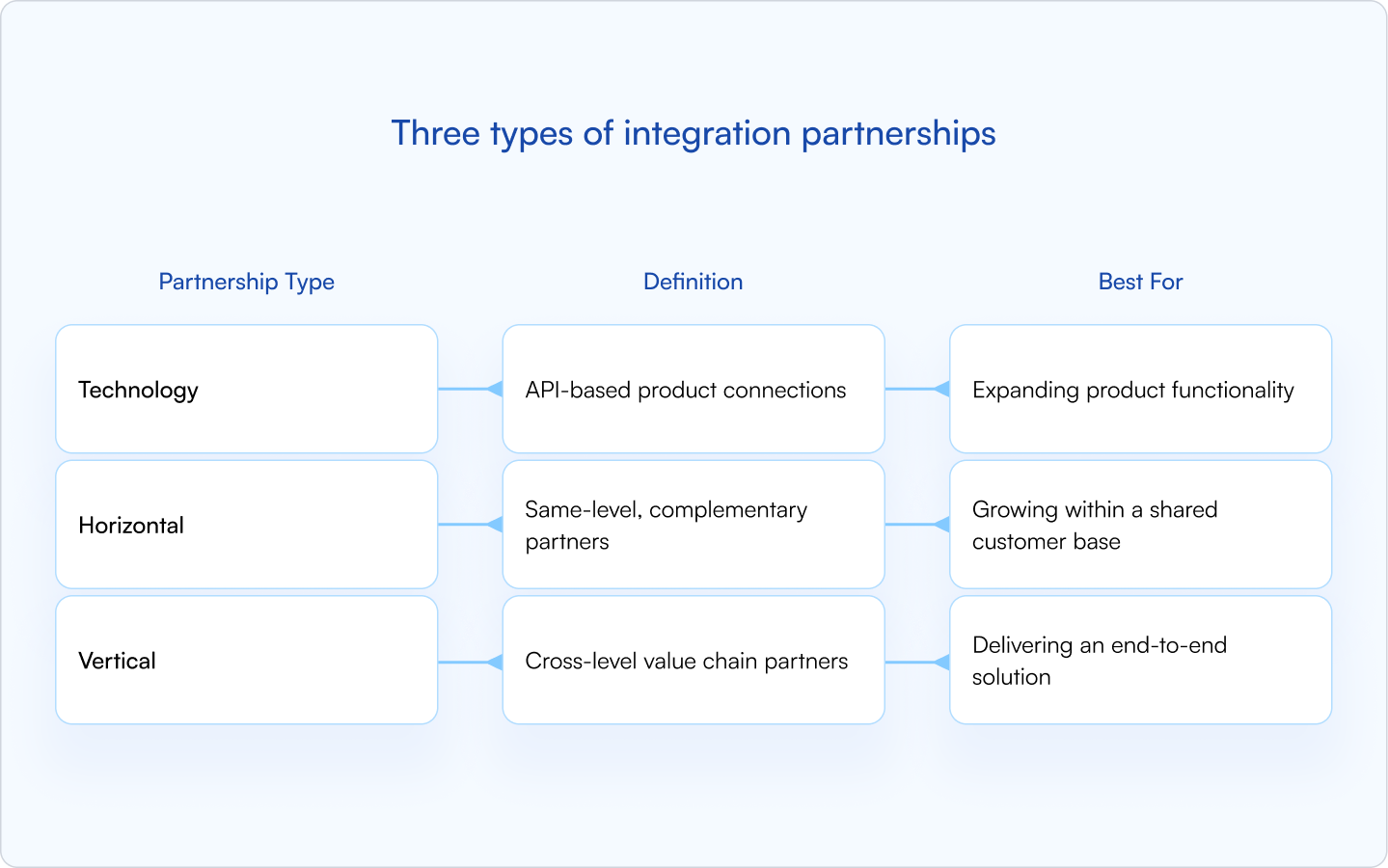
Technology integration partnerships
Technology integration partnerships connect two software products via API to share data or functionality — for example, a CRM syncing to a marketing automation platform. Here, the integration is effectively a product feature that becomes more valuable as adoption grows.
Horizontal integration partnerships
Horizontal integration partnerships happen between companies serving a similar ICP at the same “layer” of the value chain, but solving different jobs. If there’s strong customer overlap and clear complementarity, the integration tends to be an easy “yes” for both teams.
Vertical integration partnerships
Vertical integration partnerships span different levels of delivery — think implementation partners, data providers, infrastructure tools, or platforms that sit upstream/downstream of your product. These partnerships can unlock end-to-end solutions for shared customers with fewer handoffs.
Why integration partnerships matter for B2B SaaS teams
A good partner integration strategy shows up in the metrics founders care about — pipeline, retention, and positioning. Here’s how.
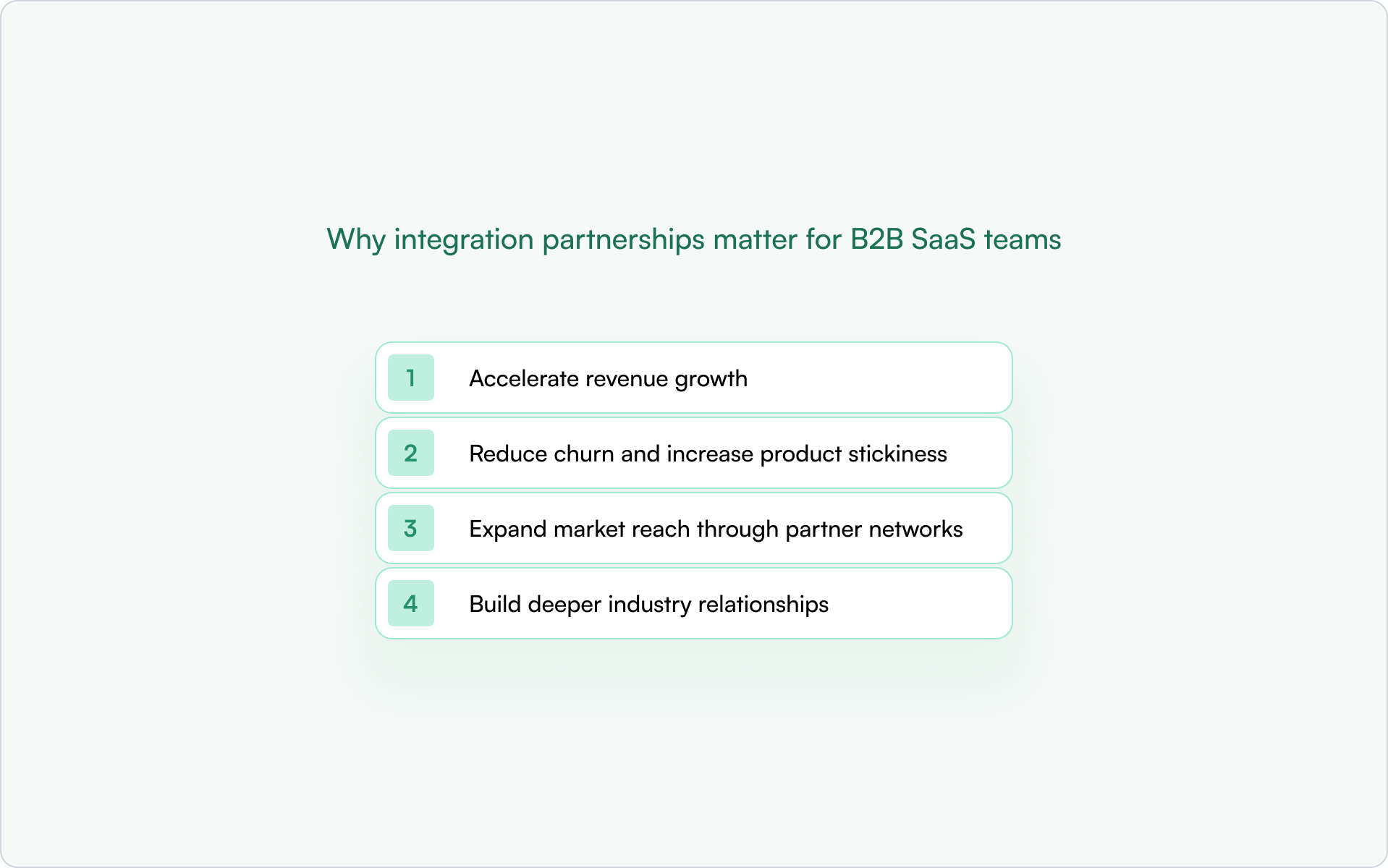
Accelerate revenue growth
Integration partners can open new distribution channels and co-selling opportunities. When your product “just works” with tools prospects already rely on, you reduce perceived switching risk and shorten the path to internal buy-in.
Marketplace listings, co-marketing campaigns, and referral programs with integration partners can all drive pipeline without increasing your direct sales headcount.
Reduce churn and increase product stickiness
Customers using integrations are harder to rip out. Once you become part of a connected workflow, you’re no longer competing purely on features — you’re embedded in how the customer operates day to day.
Expand market reach through partner networks
Integrations can put you in front of an audience already searching for compatible tools. This is especially powerful when you’re entering a new vertical or ecosystem and need borrowed credibility.
Build deeper industry relationships
Being “in the ecosystem” matters. When you’re listed alongside established players, prospects assume you belong there — and partners are more likely to introduce you to adjacent vendors and joint opportunities.
When to consider an integration partnership
Integration partnerships require investment — engineering time, support, relationship management, and ongoing maintenance. The following signals are a good indication you’re ready to pursue (or prioritize) an integration partnership.
- Your customers keep asking for a specific integration: Repeated requests are the clearest demand signal.
- You’re losing deals to competitors with more integrations: If integrations are cited in win/loss, this is no longer optional.
- You want to enter a new market or vertical: Partners can provide credibility and distribution where you lack brand presence.
- Your product has a clear API or data-sharing capability: If data exchange is painful, everything else becomes harder.
- You have bandwidth for long-term maintenance: Integrations aren’t one-time projects — they require monitoring, updates, and support.
How to build an integration partnership step by step
The process for building integration partnerships is usually predictable. The teams that win treat it as a repeatable system — not a one-off “integration project.”
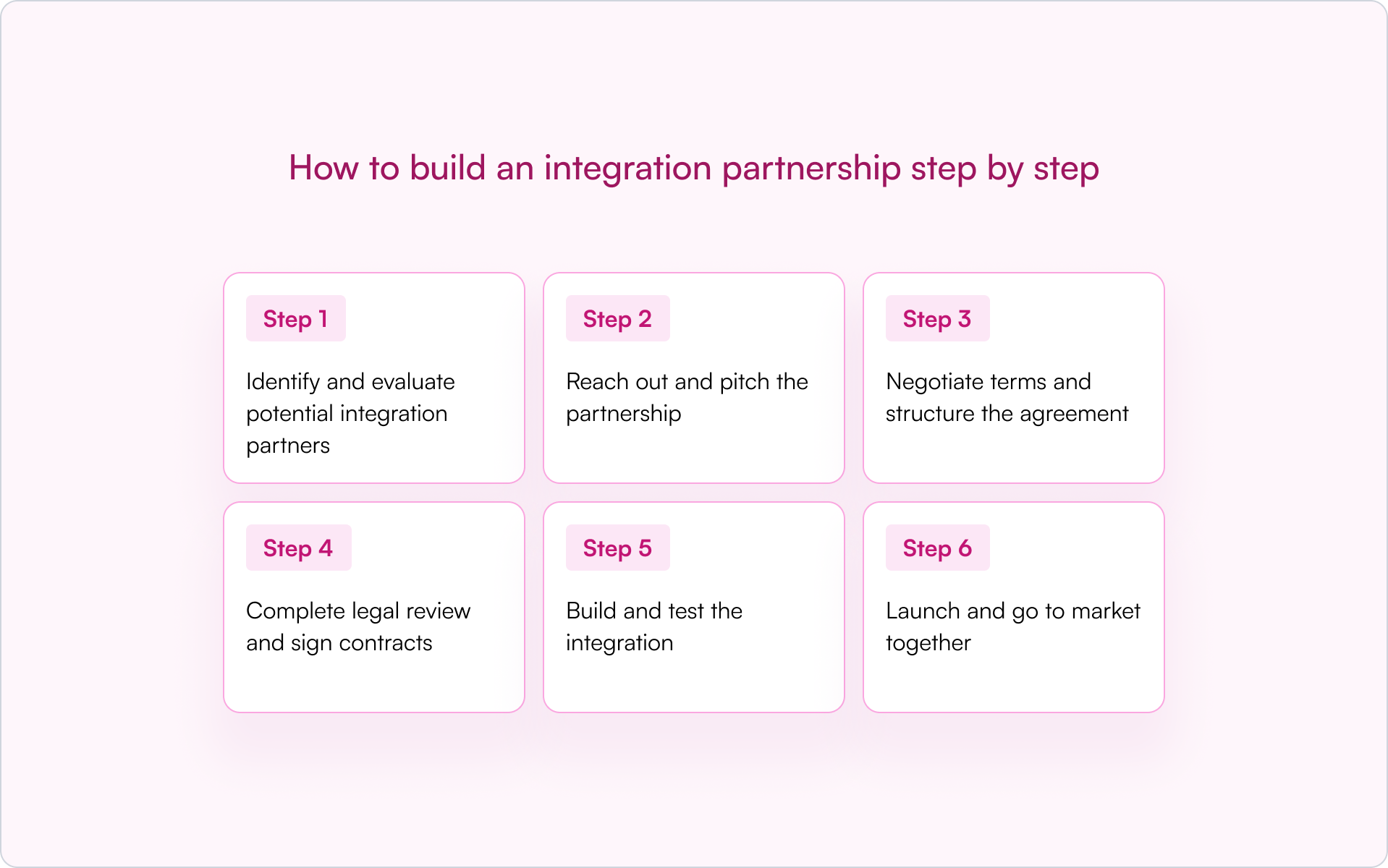
Step 1: Identify and evaluate potential integration partners
Start where the signal is strongest: customer requests, competitor ecosystems, and the tools your best-fit accounts already use. Your best partners typically share your ICP but solve a different job.
- Technical fit: API availability, data compatibility, documentation quality, security posture
- Business alignment: ICP overlap, GTM synergy, a clear “why now” on both sides
- Partner commitment: Dedicated resources, responsiveness, a named owner, and a plan for launch
Step 2: Reach out and pitch the partnership
Some vendors have an established partner program with an intake form; others require direct outreach to partnerships leaders or executives. Your pitch should be concrete: customer demand, proposed scope, and what each side stands to gain.
Step 3: Negotiate terms and structure the agreement
Align on support responsibilities, any revenue share, co-marketing expectations, data handling, and whether exclusivity is on the table. Most avoidable integration drama comes from fuzzy responsibilities — define them now.
Step 4: Complete legal review and sign contracts
Expect NDAs, licensing terms, privacy and security clauses, and liability language. This step can drag. If appropriate, a lightweight pilot or sandbox integration can help you validate value while legal catches up.
Step 5: Build and test the integration
Involve both engineering teams early. The most common delays come from unclear requirements, mismatched assumptions, and late-stage security surprises. Get sandbox access, define edge cases, and agree on ownership for failures and logging.
Step 6: Launch and go to market together
The technical release is the beginning, not the finish line. Many partner integrations succeed or fail based on GTM follow-through, not just the build.
- Marketplace listing and listing optimization
- Joint announcement and co-marketing assets
- Sales enablement (demo scripts, talk tracks, objection handling)
- Customer comms and in-app prompts to drive adoption
Best practices for managing integration partners at scale
One integration is manageable. A portfolio of integrations becomes a program — and programs need operating rhythm.
Appoint a dedicated partner owner
Someone needs to own the relationship end-to-end: roadmap alignment, escalation paths, joint planning, and performance tracking. On smaller teams, this might be a founder or BD lead. As the program grows, dedicated partner managers become a forcing function for consistency.
Create a structured partner onboarding process
Good onboarding includes technical documentation, sales training, and support escalation paths. A partner portal (or even a well-organized shared workspace) reduces friction and speeds up time-to-value.
Establish clear communication cadence
Put recurring check-ins on the calendar, create shared channels for day-to-day coordination, and run QBRs for strategic partners. Most partnerships fail from neglect — not conflict.
Define revenue opportunities and attribution models
Tracking partner-sourced versus partner-influenced deals prevents disputes over credit and revenue. This is one of the fastest ways to protect the relationship and give leadership clarity on what’s paying off.
When attribution lives in your CRM, RevOps and leadership get real-time visibility into what’s actually working. Platforms like Introw connect partner portals directly to HubSpot and Salesforce to keep partner activity and pipeline in one place.
Plan for long-term integration maintenance
API versioning, deprecations, ongoing QA, and incident response are part of the job. Agree upfront on how you’ll handle changes — and how quickly each side commits to fixing issues when something breaks.
Five common partner integration challenges (and how to solve them)
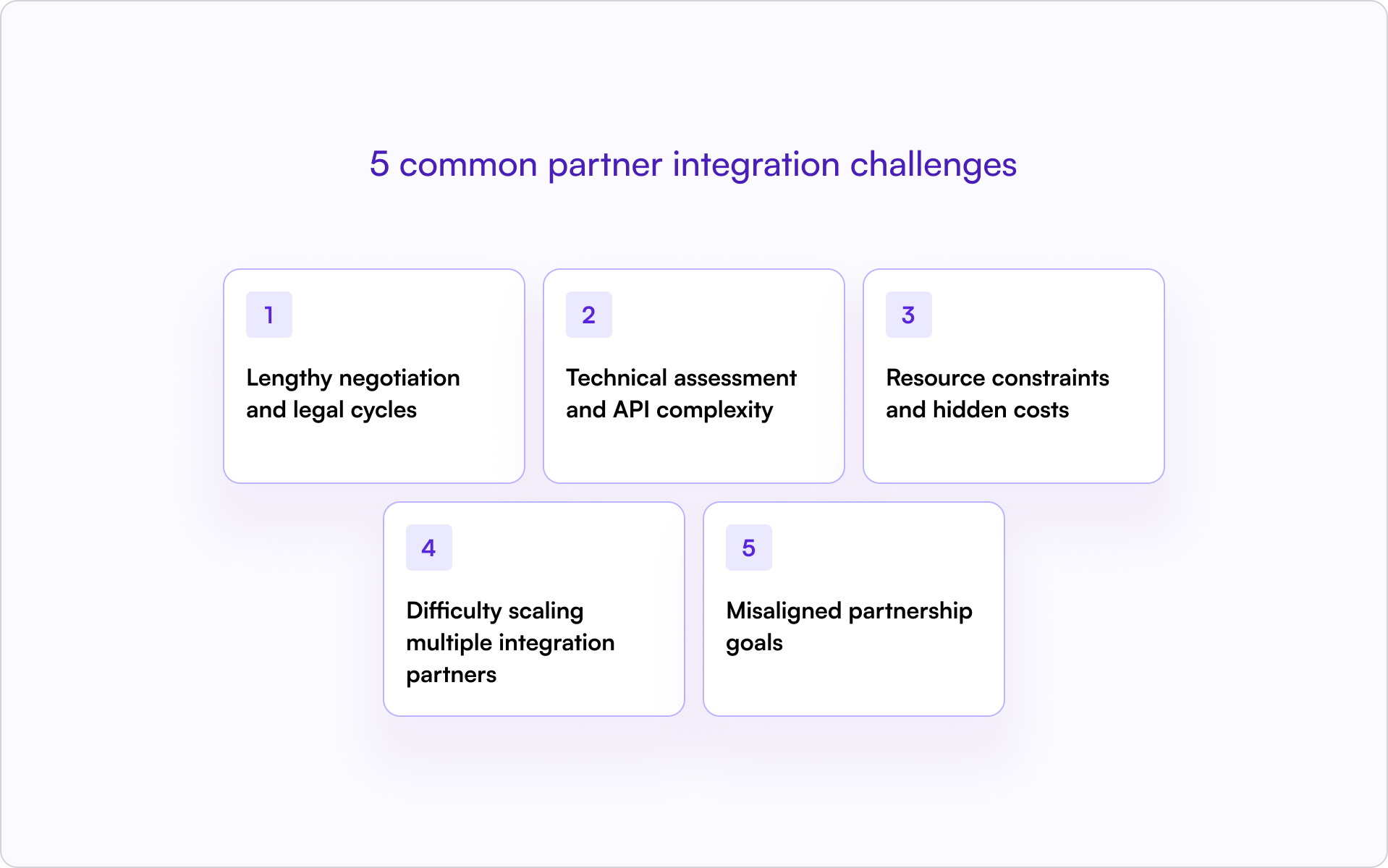
Lengthy negotiation and legal cycles
Contracts and commercial terms can stretch for weeks or months. If you need momentum, propose a phased approach — for example, a sandbox pilot with limited exposure while legal completes a full agreement.
Technical assessment and API complexity
Some APIs are great; others are brittle or under-documented. Ask for sandbox access early, bring engineering into discovery, and validate the “hard parts” (auth, rate limits, webhooks, error handling) before you commit to a timeline.
Resource constraints and hidden costs
Integrations require ongoing engineering and support. Start with a tight scope focused on the core workflow customers actually need, then expand based on adoption and revenue impact.
Difficulty scaling multiple integration partners
Every integration adds operational overhead. Standardize how you evaluate partners, document integrations, onboard partner teams, and measure success. Consistent internal tooling and processes are what make scale possible.
Misaligned partnership goals
What feels urgent to you may not be urgent to them. Align on success metrics before build starts, then revisit quarterly. If priorities drift, address it early — it’s easier to reset expectations than revive a neglected partnership.
How to track integration partnerships in your CRM
A partner integration strategy only compounds when you can see what’s working. Integrations generate data — partner-sourced deals, partner-influenced revenue, activation and adoption metrics — and if that data lives in spreadsheets, you’ll inevitably prioritize the loudest partner, not the most effective one.
At a minimum, track the following inside your CRM:
- Partner type: Clearly label integration partners versus referral, reseller, or services partners.
- Integration status: Active, in development, deprecated, or planned.
- Attribution: Sourced vs influenced, tied to the specific integration partner.
- Activity logging: Meetings, joint accounts, support escalations, and co-marketing initiatives.
The payoff is real: leadership gets accurate forecasting, RevOps can see pipeline health, and partnerships teams can make hard tradeoffs based on outcomes — not anecdotes.
Turn your partner integration strategy into repeatable revenue
A partner integration strategy takes real upfront investment: choosing the right partners, shipping the integration, aligning on terms, then maintaining and marketing it over time. But the returns compound — especially when integrations become part of customers’ daily workflows.
If you want this channel to be more than “a few integrations we launched,” treat it like a system: measure adoption, track partner-attributed pipeline in your CRM, and invest in the relationships that consistently drive outcomes.
What to do next
- List the top integration requests from customers and prospects — then identify the handful that map to your ICP and revenue goals.
- Evaluate potential partners on technical fit, business alignment, and willingness to co-invest in GTM.
- Set up CRM-based tracking so you can prove impact and prioritize the integrations that drive pipeline and retention.
If you’re building a CRM-first partner motion and want partner data to stay visible inside HubSpot or Salesforce, you can request a demo to see how Introw supports integration partnerships without relying on spreadsheets.
11 Best Partner Engagement Platforms for SaaS Partner Programs
The 11 best partner engagement tools in 2026
The right partner engagement tools help your team activate partners, keep communication consistent, and connect partner activity to real pipeline.
Here is our shortlist of platforms used by SaaS companies to manage partner engagement, partner enablement, and channel partner collaboration.
1. Introw - Best CRM-native partner engagement platform
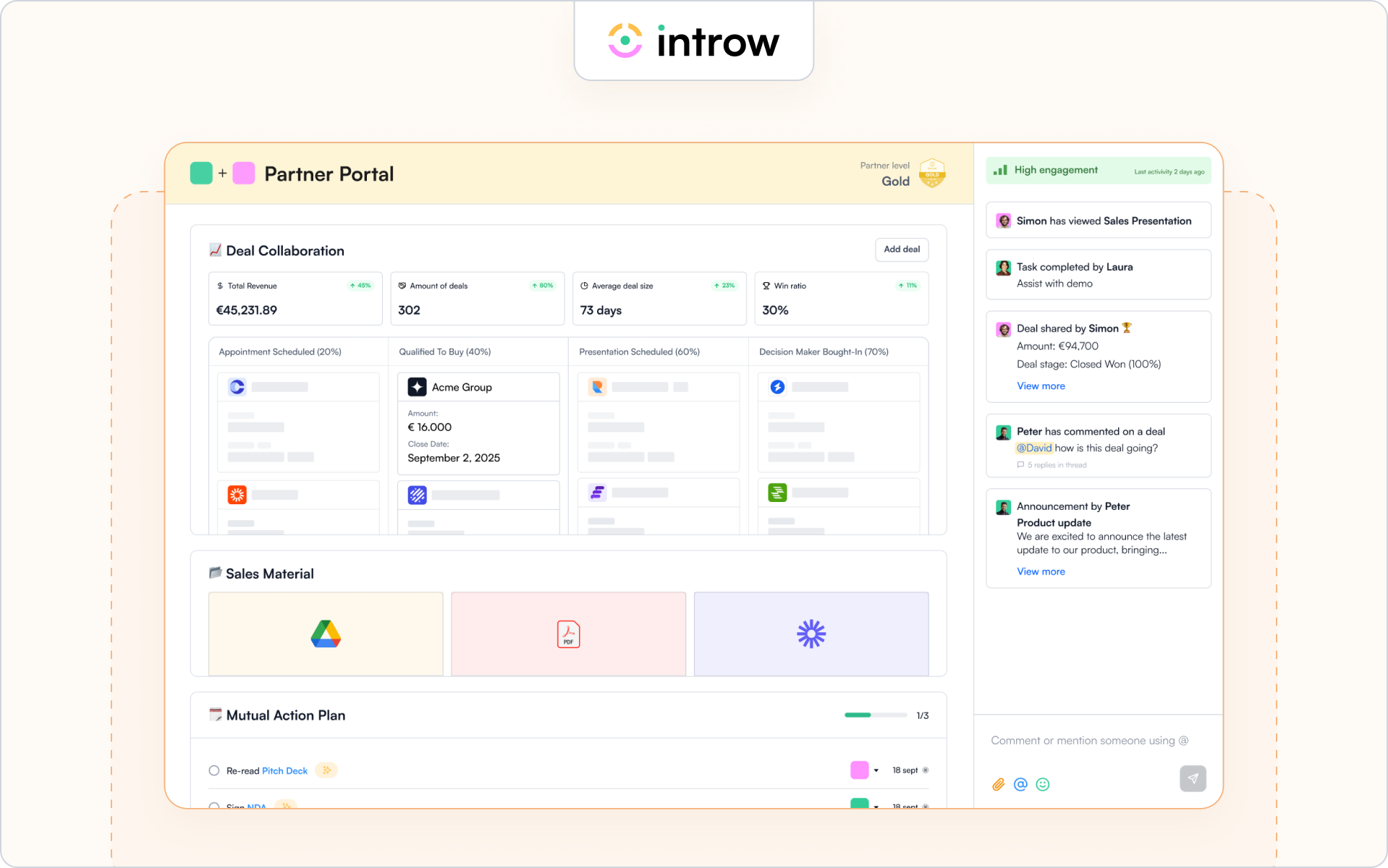
Introw is a CRM-first partner engagement platform built for SaaS companies that want partner engagement tied directly to pipeline activity.
Instead of forcing partners into a portal, Introw keeps partners up to date through email, Slack, and CRM-driven workflows while logging partner activities directly inside HubSpot or Salesforce.
Because engagement data connects to deals and revenue, your team can clearly see how partner engagement influences partner performance and sales performance. This is why many SaaS companies adopt a CRM-native approach to partner engagement rather than relying on standalone partner portals.
Teams often use Introw to manage partner communication, deal registration, partner onboarding, and channel partner enablement directly inside their CRM. Many of the workflows behind these processes are documented in Introw’s resources on partner engagement.
Best for
SaaS companies that want partner engagement tied directly to pipeline and CRM workflows.
Key engagement features
- CRM-native collaboration inside HubSpot and Salesforce
- Segmented announcements to keep partners up to date
- Engagement tracking and performance analytics
- Off-portal communication logging across email and Slack
- Deal registration and deal-based partner activity visibility
- Engagement metrics connected to partner performance and revenue
- Integrated partner portal and partner training capabilities for channel partner enablement programs
Strength
Deep CRM integration allows partner engagement data to live alongside deals, accounts, and sales process activity, making it easier for RevOps and the sales team to monitor partner activities and optimize channel partner performance.
Limitation
Companies without Salesforce or HubSpot will not benefit from the platform’s CRM-native design.
Ideal company size
Mid-market and enterprise SaaS companies running structured partner programs with multiple partner managers and active partner ecosystems.
A strong partner engagement platform should make it easier to activate partners and track their impact on the pipeline. Now let’s look at other tools used across partner ecosystems and channel partner enablement programs.
2. Impartner – Enterprise partner management platform
Impartner is a partner management platform designed for companies running large channel partner ecosystems. It focuses on structured partner onboarding, partner marketing, and automation that helps partner programs scale while keeping partners up to date.
Best for
Enterprise companies managing complex channel partner ecosystems and structured channel partner enablement programs.
Key engagement features
- Automated partner onboarding and partner training workflows
- Campaign management and marketing materials for partner marketing
- Performance analytics dashboards to monitor partner performance
Strength
Strong structure for large partner ecosystems that need standardized workflows across partner onboarding, partner enablement, and partner management.
Limitation
Engagement often depends on partners returning to a portal, which can slow down real-time partner activities and collaboration with the sales team.
Ideal company size
Enterprise organizations with global partner programs and large partner networks.
3. Channelscaler – Partner enablement and automation platform
Channelscaler is a partner platform designed to help companies scale partner revenue through PRM, partner program automation, and channel partner enablement. It focuses on partner onboarding, training, content delivery, and structured program management across partner ecosystems.
Best for
Companies that want structured partner onboarding, partner enablement, and channel partner enablement tools in one platform.
Key engagement features
- Partner onboarding, training, and personalized learning paths
- Content delivery for marketing resources and marketing materials
- Program automation and reporting to monitor partner performance
Strength
Strong fit for teams that need structured channel partner enablement and formal partner program workflows across a growing partner network.
Limitation
The platform is more program- and portal-led than lightweight, CRM-native engagement, so it may feel heavier for teams that want faster off-platform collaboration. This is an inference from its public positioning and feature structure.
Ideal company size
Mid-market and enterprise companies running structured partner programs.
4. Channeltivity – Practical PRM for growing channel teams
Channeltivity is PRM software built for companies that want practical partner management without heavy enterprise complexity. It supports partner onboarding, partner marketing coordination, and deal registration workflows across growing partner ecosystems.
Teams often use the platform to monitor partner activities, track channel partner performance, and keep partners up to date on sales strategies and partner initiatives.
Best for
Mid-market companies building structured partner programs and growing channel partner ecosystems.
Key engagement features
- Deal registration, referral tracking, and lead generation workflows
- Built-in communication tools to keep partners up to date
- Reporting dashboards that track partner performance and sales performance
Strength
Clear operational structure for partner activities and partner onboarding across growing partner networks.
Limitation
The platform focuses on partner management processes rather than deeper engagement analytics tied directly to pipeline.
Ideal company size
Mid-market organizations with developing partner ecosystems and growing channel partner programs.
5. PartnerStack – Ecosystem platform for affiliate and referral programs
PartnerStack is an ecosystem platform used by SaaS companies to recruit, manage, and reward partners across affiliate, referral, and reseller partner programs. It helps companies scale their market reach by managing partner incentives and partner performance at scale.
Many SaaS companies rely on PartnerStack to support lead generation and expand their partner network while rewarding partner productivity.
Best for
SaaS companies running affiliate, referral, or partner-led growth programs.
Key engagement features
- Automated partner onboarding and partner incentives management
- Commission tracking and reward partners workflows
- Performance analytics dashboards that track partner productivity
Strength
Strong ecosystem platform for scaling partner programs and expanding market reach.
Limitation
The platform focuses primarily on affiliate-style programs rather than deep co-selling workflows tied to CRM sales process activity.
Ideal company size
Small to mid-market SaaS companies scaling partner ecosystems and referral programs.
6. Unifyr – Enterprise ecosystem management platform
Unifyr is an ecosystem management platform designed to help enterprise companies coordinate partner engagement, partner marketing, and partner enablement across complex partner ecosystems.
It supports structured partner programs with automation, analytics, and tools designed to optimize channel performance across large partner networks.
Companies running global channel programs often use the platform to strengthen relationships with partners and monitor channel partner performance across multiple regions.
Best for
Enterprise companies managing complex global partner ecosystems.
Key engagement features
- Multi-portal partner engagement and partner management capabilities
- Campaign management and marketing resources for partner marketing
- Performance analytics that track channel partner performance
Strength
Enterprise-grade ecosystem management with strong reporting and partner marketing capabilities.
Limitation
The platform is designed for large enterprise ecosystems and may be too complex for smaller partner programs.
Ideal company size
Enterprise organizations managing large partner ecosystems and global channel partner networks.
7. Magentrix – Partner portal and collaboration platform
Magentrix is a partner portal platform built on Salesforce that helps companies manage partner onboarding, partner communication, and collaboration across partner ecosystems. It focuses on centralizing partner engagement, marketing resources, and communication tools inside a secure partner portal.
Best for
Companies running Salesforce that want structured partner portals to support channel partner enablement.
Key engagement features
- Partner portal collaboration and communication tools
- Content hubs for marketing materials and partner marketing
- Activity tracking to monitor partner activities and partner performance
Strength
Tight Salesforce integration helps the sales team monitor partner activities and support channel partner performance across deals.
Limitation
Engagement often depends on partners logging into the portal rather than collaborating through external communication channels.
Ideal company size
Mid-market and enterprise companies managing partner ecosystems on Salesforce.
8. Kiflo PRM – Lightweight partner management platform
Kiflo PRM is a partner management platform designed for SaaS companies building structured partner programs. The platform focuses on partner onboarding, deal registration, and partner engagement across growing partner networks.
It helps partner managers monitor partner activities and coordinate partner enablement programs without the complexity of heavier enterprise PRM systems.
Best for
SaaS companies launching or scaling channel partner programs.
Key engagement features
- Partner onboarding workflows and partner tiers management
- Deal registration and pipeline collaboration with the sales team
- Reporting dashboards to track partner productivity and partner performance
Strength
Lightweight partner management system that helps smaller teams organize partner activities and improve partner productivity.
Limitation
The platform is simpler than enterprise partner engagement tools and may lack deeper ecosystem automation for very large partner programs.
Ideal company size
Small to mid-market SaaS companies building early partner ecosystems.
9. WorkSpan – Ecosystem collaboration platform
WorkSpan is an ecosystem management platform designed to help companies coordinate partnerships, co-sell motions, and joint sales strategies across partner ecosystems. It focuses on collaboration between companies rather than traditional PRM portals.
The platform helps revenue teams monitor partner activities and connect partner engagement to shared business objectives.
Best for
Enterprise companies running strategic alliances, co-sell partnerships, and ecosystem programs.
Key engagement features
- Joint pipeline tracking and opportunity collaboration
- Ecosystem reporting and performance analytics
- Shared workspaces to coordinate partner activities
Strength
Strong platform for companies that want to optimize channel performance across strategic alliances and joint sales initiatives.
Limitation
It focuses more on ecosystem collaboration than traditional partner onboarding or partner enablement workflows.
Ideal company size
Enterprise companies managing strategic partner ecosystems and alliances.
10. Mindmatrix – Partner enablement and marketing platform
Mindmatrix is a partner enablement platform designed to help companies manage partner marketing, partner training, and partner engagement across global partner networks.
The platform combines partner enablement tools with marketing automation and sales content management to help partners stay aligned with company sales strategies.
Best for
Companies that want to support partner marketing and channel partner enablement at scale.
Key engagement features
- Marketing automation and marketing resources for partners
- Training modules with tailored training programs
- Incentive management and engagement analytics for partner performance
Strength
Strong support for partner marketing and marketing materials that help motivate partners and strengthen relationships.
Limitation
The platform focuses heavily on marketing automation rather than direct CRM collaboration with the sales process.
Ideal company size
Mid-market and enterprise companies managing global partner programs.
11. Salesforce PRM – Native partner management inside Salesforce
Salesforce PRM is Salesforce’s native partner relationship management solution built within Experience Cloud. It allows companies to manage partner onboarding, partner engagement, and deal collaboration directly inside the Salesforce ecosystem.
Because partner activities are connected to CRM data, revenue teams can monitor channel partner performance and track how partner engagement influences sales performance.
Best for
Organizations already running Salesforce that want partner management built directly into their CRM.
Key engagement features
- Deal registration and pipeline collaboration with the sales team
- Partner portals with content libraries and communication tools
- Reporting dashboards that track partner performance and partner satisfaction
Strength
Native CRM integration allows partner activities to connect directly to pipeline and sales performance.
Limitation
Setup and customization can require significant Salesforce administration and technical resources.
Ideal company size
Mid-market and enterprise companies operating primarily within Salesforce ecosystems.
These platforms show the different ways companies approach partner engagement. Some focus on portals and partner management. Others focus on ecosystem collaboration or partner marketing automation.
The right choice depends on how your team activates partners, supports the sales process, and monitors partner performance across your partner network.
Next, let’s look at the specific capabilities that matter most when comparing partner engagement tools.
What to compare in partner engagement tools
Once you’ve shortlisted a few partner engagement tools, the next step is evaluating how they support real partner engagement across your partner network.
The right platform should help you monitor partner activities, keep partners up to date, and connect engagement to pipeline.
Most modern partner engagement tools also act as a centralized platform that aligns partner work with the sales process.
Here are the capabilities revenue teams compare when evaluating partner engagement platforms.
1. CRM-native collaboration
Many partner engagement tools still operate outside the CRM. That makes it harder for the sales team to see partner activities during the sales process.
Look for platforms that allow partner collaboration directly around deals.
Check whether the tool can:
- Log partner activities inside Salesforce or HubSpot
- Support deal registration and opportunity collaboration
- Capture email or Slack conversations tied to deals
- Give the sales team visibility into partner engagement
CRM visibility helps teams connect partner engagement to sales performance and optimize channel performance across partner ecosystems.
Teams building structured partner programs often pair CRM collaboration with clear partner lifecycle management so engagement aligns with pipeline development.
Next, let’s look at communication capabilities.
2. Segmented announcements and messaging
Generic announcements rarely motivate partners.
Modern partner engagement tools allow partner managers to target messages based on partner tiers, market reach, or product focus.
Look for platforms that support:
- Segmentation by partner tiers or partner programs
- Targeted updates that keep partners up to date
- Communication tools that track responses and engagement
Clear messaging helps improve partner productivity and maintain alignment across B2B SaaS partnerships and partner ecosystems.
Once communication improves, the next step is measuring impact.
3. Engagement analytics and revenue visibility
Partner engagement should connect to measurable outcomes.
Strong platforms provide analytics that help teams monitor partner activities and understand how engagement affects revenue.
Look for reporting that shows:
- Active partners across your partner network
- Campaign participation and engagement trends
- Partner productivity and sales performance
- Revenue influenced by engaged partners
These insights help teams optimize channel performance and reward partners who contribute to the pipeline. Many programs support this with structured partner performance incentives.
Next, consider how tools support collaboration outside portals.
4. Off-portal engagement capabilities
Many partners stop logging into portals after partner onboarding.
Partner engagement tools should support collaboration outside the portal while still tracking engagement.
Look for tools that allow partners to:
- Respond to messages via email
- Collaborate through communication tools like Slack
- Join deal discussions without logging into a portal
- Sync conversations back to the CRM
This improves partner experience and helps partner managers maintain consistent engagement across partner ecosystems.
Finally, automation helps scale engagement.
5. Workflow automation
As partner ecosystems grow, manual partner management becomes difficult.
Partner engagement tools should automate repetitive partner activities so partner managers can focus on strategy.
Look for automation features such as:
- Deal follow-ups tied to the sales process
- Reactivation campaigns for inactive partners
- Partner tier progression triggers
- Incentive management to reward partners
Automation improves partner productivity and helps maintain consistent partner engagement across channel partner enablement programs.
Next, let’s look at how Introw approaches partner engagement at the execution layer.
How Introw powers partner engagement (execution layer)
Most partner engagement tools rely on portals.
But if engagement data never reaches the CRM, revenue teams lose visibility into how partners actually influence pipeline.
Introw is designed to solve partner engagement around deals, conversations, and partner activities that move the sales process forward.
Instead of managing partner engagement in a separate system, Introw connects partner communication, collaboration, and engagement insights directly to HubSpot and Salesforce.
Introw acts as a centralized platform where partner engagement, deal collaboration, and revenue visibility live together.
CRM-native collaboration
Partner engagement should happen where opportunities live.
Introw allows partner managers and the sales team to collaborate with partners directly around deals inside the CRM. Partner activities stay tied to accounts, opportunities, and the broader sales process.
Teams can:
- Track partner engagement alongside deals and pipeline
- Collaborate with partners during deal registration and opportunity development
- Monitor partner productivity and partner performance across partner programs
Because engagement happens inside the CRM, revenue teams can finally connect partner engagement to sales performance.
Announcements and partner segmentation
Keeping partners up to date across partner ecosystems is harder than it sounds.
Introw allows partner managers to send segmented announcements based on partner tiers, region, or product specialization. This helps channel teams communicate relevant updates without overwhelming the partner network.
Announcements often support:
- Product updates and sales strategies
- Channel partner enablement program updates
- Partner marketing initiatives and marketing resources
- Partner training and tailored training programs
Targeted communication helps partner managers motivate partners and strengthen relationships across partner ecosystems.
Off-portal engagement
Many partners stop logging into portals after partner onboarding.
Introw supports off-portal engagement so partners can respond through email or Slack while engagement data still syncs back to the CRM.
This allows teams to:
- Monitor partner activities without forcing portal logins
- Keep partners up to date through familiar communication tools
- Capture conversations tied to opportunities and deal progress
If you would like to explore the feature set in more detail, the resources on partner engagement explain how announcements, engagement insights, and communication workflows work inside the platform.
Engagement insights and revenue visibility
Partner engagement should lead to measurable outcomes.
Introw gives revenue teams visibility into how partner engagement affects channel partner performance across the pipeline.
Teams can track:
- Active partners across the partner network
- Engagement trends across partner ecosystems
- Partner productivity tied to deals and revenue
- How engagement supports lead generation and market reach
This makes it easier to optimize channel performance and reward partners who contribute to real business outcomes.
If you’re evaluating partner engagement tools, start by asking a few practical questions:
- Can we see partner engagement directly inside our CRM and sales process?
- Do we have visibility into partner activities and partner performance across our partner network?
- Can we keep partners up to date without relying on a portal?
- Are we measuring engagement in ways that actually improve channel partner performance?
If the answer to those questions is unclear, it may be time to rethink how partner engagement works in your partner programs.
Over to you
You can request a demo to see how Introw connects partner engagement, CRM collaboration, and revenue visibility in one place.
8 LMS Partner Certification Strategies That Drive Revenue Growth
Partner certification programs look great on paper. But if completion data stays trapped in your LMS while Sales and RevOps work from a CRM that knows nothing about partner competency, you’re running training theater — not a revenue program.
The difference between certification as a checkbox and certification as a growth lever comes down to one thing: whether the data connects to pipeline. Below are practical LMS partner certification strategies that tie training directly to deal registration, CRM visibility, and measurable revenue outcomes.
Why partner certification programs drive revenue growth
A partner certification program is a structured training and credentialing system, typically delivered through a learning management system, that validates whether partners actually understand your product, positioning, and sales process.
The moment certification data is visible in your CRM, it stops being “learning data” and becomes go-to-market signal: who’s qualified to sell, who should get leads, and which partners are likely to close.
In practice, certified partners tend to outperform non-certified ones because they:
- Represent your product accurately, keeping messaging consistent across channels.
- Handle objections independently, reducing escalations to your internal team.
- Move deals forward faster, because they know the process and the pitfalls.
That shows up in a few common revenue levers:
- Consistent messaging: Certified partners position your product the way you intend, protecting brand integrity across channels.
- Faster sales cycles: Partners who understand the product don’t slow deals down asking for help mid-cycle.
- Reduced channel conflict: Certification status can serve as a tiebreaker when two partners claim the same account.
- Scalable enablement: An LMS lets you train hundreds of partners without adding headcount or running live sessions for every cohort.
The trap: many teams stop at completion rates. If you can’t connect certification outcomes to pipeline and revenue, it’s hard to justify investment — and impossible to know which certifications actually matter.
8 LMS partner certification strategies that make training measurable
If you’re building a partner motion inside a startup, you don’t have time for programs that “feel” helpful. You need a system that changes partner behavior and shows up in pipeline. These strategies are designed to do exactly that.
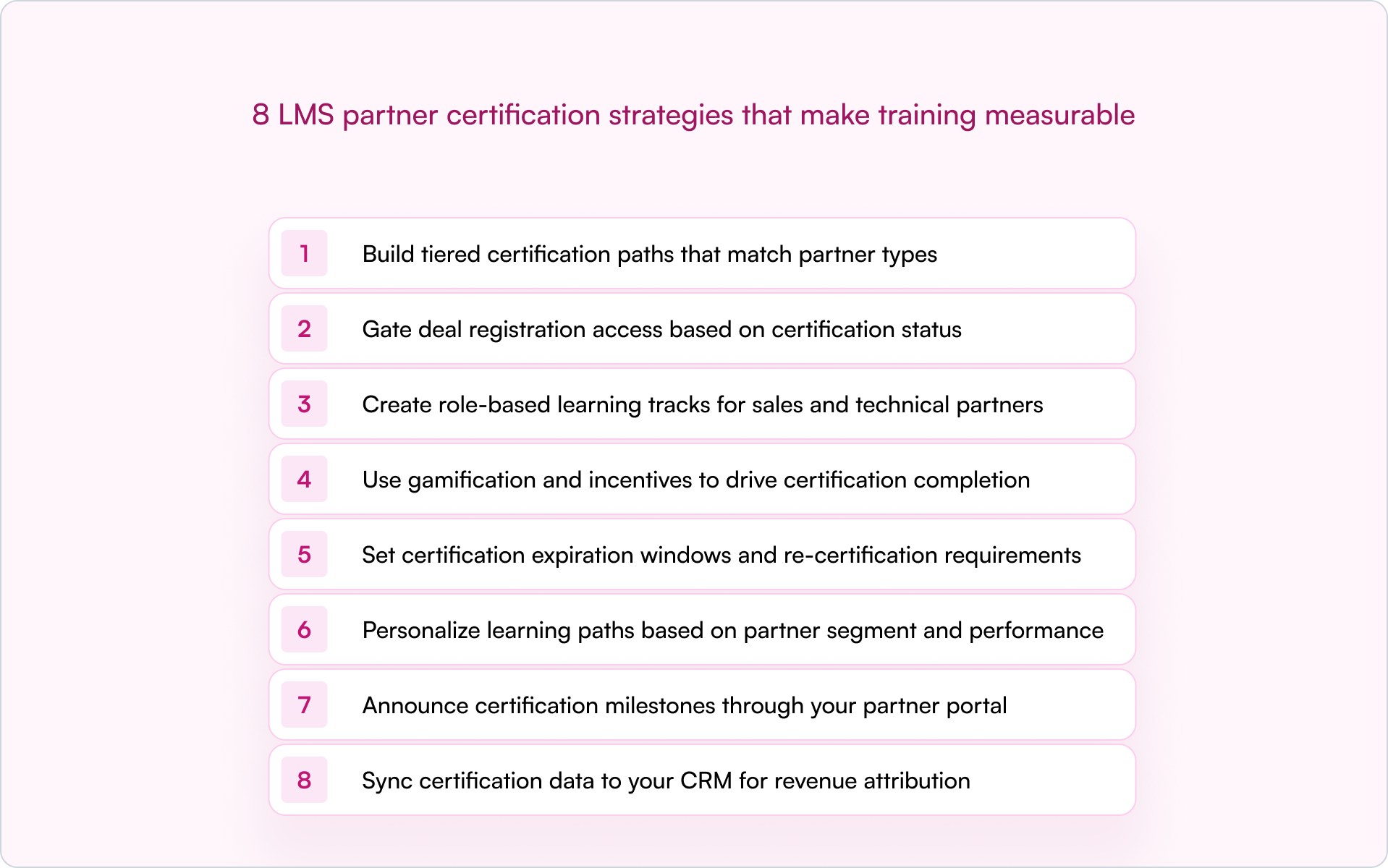
1. Build tiered certification paths that match partner types
Not every partner needs the same training. A referral partner introducing leads needs positioning basics. A reseller closing deals needs pricing, objection handling, and competitive differentiation. An implementation partner deploying your product needs technical depth.
Your certification tiers typically map to your partner program tiers, like Bronze, Silver, Gold or Authorized, Premier, Elite, with escalating requirements at each level.
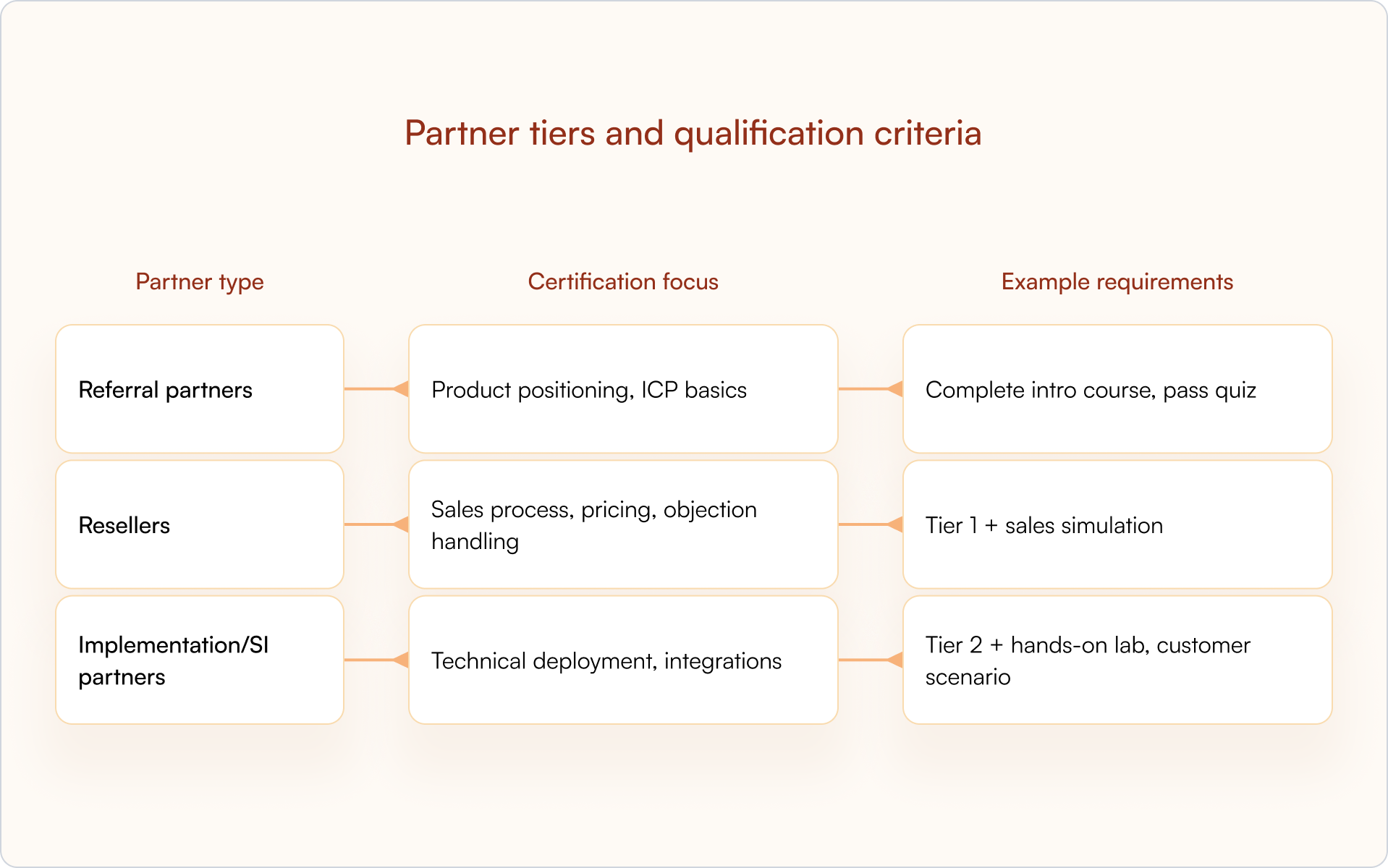
This structure keeps training relevant (which protects completion rates) and gives you a clean framework for gating access to deals, leads, or exclusive benefits based on demonstrated competency.
2. Gate deal registration access based on certification status
This is where certification becomes operational. Partners who haven’t completed the required training can’t register deals in your system, which protects deal quality and ensures only qualified partners are submitting pipeline.
The concept of “sell rights” is common in mature programs for a reason: it prevents untrained partners from creating friction in your sales process or misrepresenting your product to prospects.
A CRM-first PRM like Introw can enforce sell rights automatically by checking certification status before allowing deal registration — keeping the workflow aligned across your partner portal without manual verification.
3. Create role-based learning tracks for sales and technical partners
Within a single partner organization, different roles need different training. A partner’s sales rep needs competitive positioning and demo basics. Their solutions architect needs API documentation and implementation methodology. Their executive sponsor needs the business case for co-selling.
Role-based tracks keep training focused:
- Sales track: Product positioning, competitive differentiation, demo basics, pricing and packaging
- Technical track: Implementation methodology, API/integration training, troubleshooting
- Executive track: Partnership value prop, co-selling motions, business case development
If you want higher completion and better outcomes, this is one of the highest-ROI LMS partner certification strategies you can implement. Relevance is what keeps partners moving.
4. Use gamification and incentives to drive certification completion
Partners are busy. They’re juggling multiple vendors, their own customers, and internal priorities. Without motivation, certification often drops to the bottom of the list — even if the content is genuinely good.
Gamification, which includes digital badges, leaderboards, points, and rewards, creates visible progress and recognition that keeps partners engaged:
- Digital badges: Shareable credentials partners can display on LinkedIn
- SPIFFs: Cash or gift card bonuses for completing certifications
- Tiered benefits: Higher margins or exclusive leads for certified partners
- Leaderboards: Public recognition in the partner portal
The goal is simple: make certification feel like an investment that pays off, not compliance work.
5. Set certification expiration windows and re-certification requirements
Products evolve. Messaging changes. Compliance requirements shift. A certification earned two years ago may no longer reflect current reality — and your customers will feel that gap quickly.
Expiration windows (often 12 months, shorter for fast-moving categories) prevent competency drift. Automated reminders before expiration give partners time to re-certify without losing access to deal registration or other benefits.
Tip: Announce re-certification deadlines through your partner portal and email or Slack notifications so partners aren’t surprised when access changes.
6. Personalize learning paths based on partner segment and performance
Not all partners start from the same place. A high-performing partner who’s been selling your product for two years doesn’t need the same onboarding content as a new partner getting started.
Personalization — serving different content based on region, vertical, role, or performance — keeps training relevant. High performers can skip basics. Struggling partners get targeted reinforcement. Everyone’s time is respected.
This is also how certification becomes more than “completion.” You can track whether partners improve and which interventions correlate with higher-quality pipeline.
7. Announce certification milestones through your partner portal
Recognition reinforces behavior. When a partner earns certification, celebrate it publicly (when appropriate). It signals that certification matters and creates social proof inside the ecosystem.
Partner portal announcements, email notifications, or Slack messages highlighting achievements can motivate other partners to complete training — without you adding more meetings to your calendar.
A CRM-first partner portal can automate announcements when certification status updates, so you’re not manually tracking who earned what and when.
8. Sync certification data to your CRM for revenue attribution
This is the strategy that makes everything else measurable. Certification status belongs in HubSpot or Salesforce as a partner property — not trapped in a separate LMS where Sales, RevOps, and leadership can’t see it.
When certification data lives in your CRM, you unlock:
- Attribution: See whether certified partners close more revenue than non-certified partners
- Deal routing: Auto-assign leads to certified partners only
- Forecasting: Include certification status in pipeline reports
- Conflict resolution: Use certification as a tiebreaker when two partners claim the same deal
Introw syncs partner data directly to the CRM, so certification status is always visible to Sales, Partnerships, and RevOps — making certification ROI measurable instead of assumed.
LMS features that support partner certification programs
Not every LMS is built for external partner enablement. Internal employee training platforms often lack the controls you need to manage certifications across dozens (or hundreds) of partner organizations.
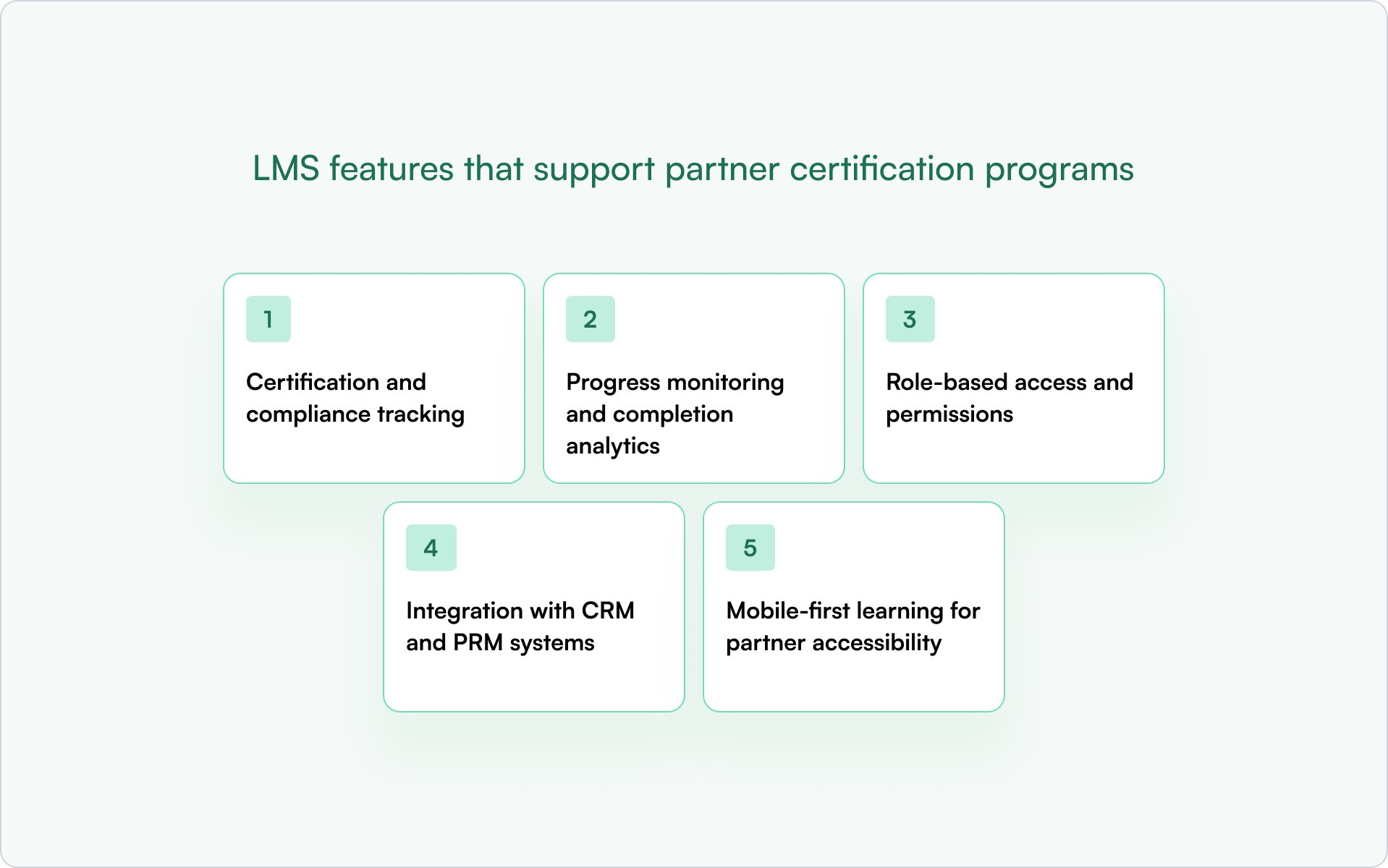
Certification and compliance tracking
Your LMS should track who completed what, when, and whether they passed. That audit trail supports compliance requirements and enables expiration and re-certification workflows.
Progress monitoring and completion analytics
Partner managers need visibility into where partners are stuck, who’s falling behind, and which courses have low completion rates — especially at scale.
Role-based access and permissions
Different partner organizations should only see content relevant to them. Admins need full access; partner users should see only their assigned tracks.
Integration with CRM and PRM systems
If certification data doesn’t sync to HubSpot or Salesforce, it’s invisible to the rest of the business. A CRM-first PRM like Introw connects partner data — including certification status — directly to your CRM.
Mobile-first learning for partner accessibility
Partners are often in the field or between meetings. Mobile-friendly delivery makes it easier to complete certification without being tied to a desk.
How to measure ROI for LMS partner certification strategies
Certification programs require investment in content creation, LMS licensing, and partner manager time. To keep momentum — and budget — you need proof.
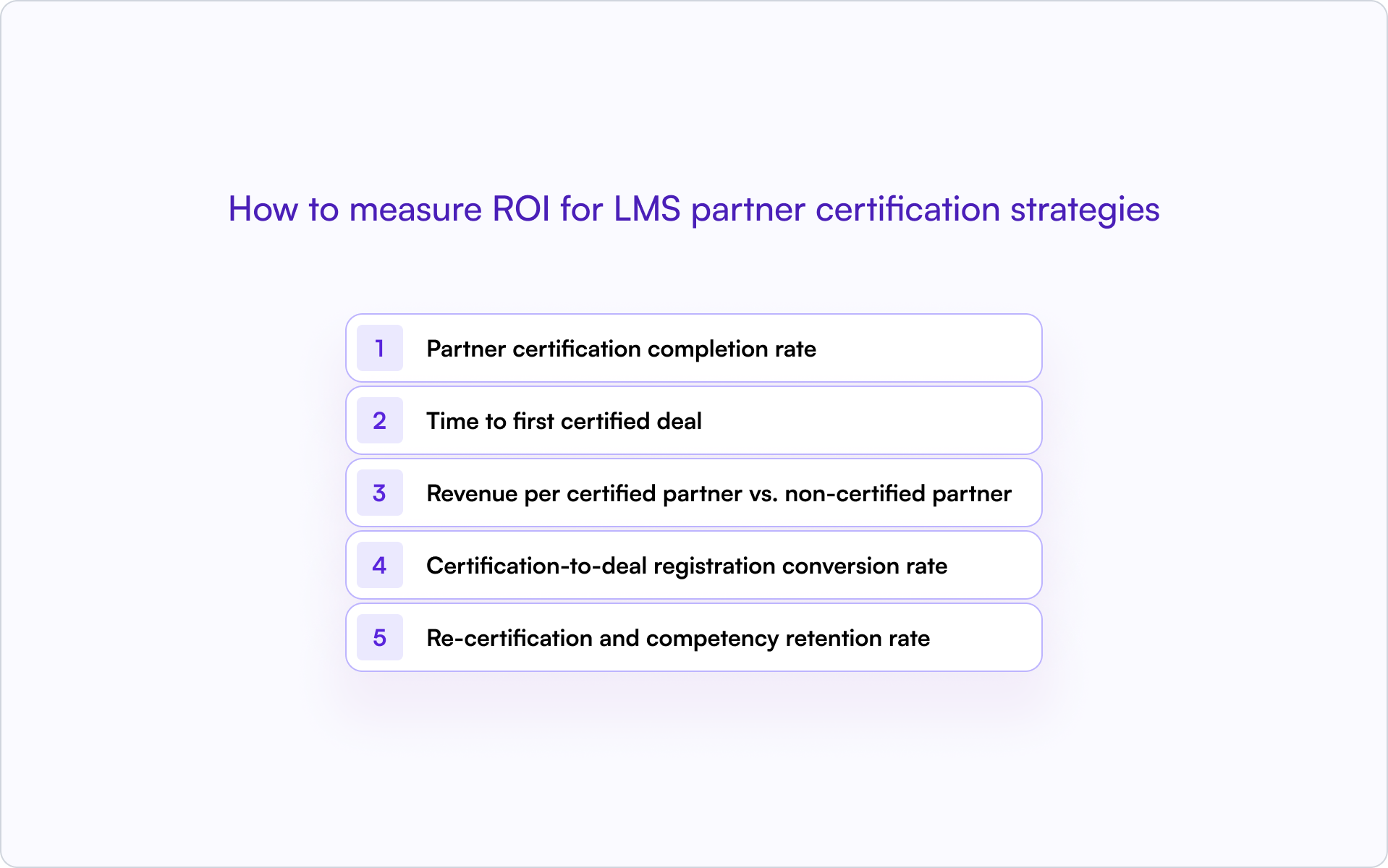
Partner certification completion rate
What percentage of onboarded partners complete certification? Low rates usually mean friction (too long, too generic, too hard) or unclear incentives.
Time to first certified deal
How long after certification does a partner register their first deal? Shorter is better — it shows certification accelerates activation, not just learning.
Revenue per certified partner vs. non-certified partner
Compare average revenue contribution. This is the core ROI proof point most founders and operators care about.
Certification-to-deal registration conversion rate
What percentage of certified partners actually register deals? Certification without activation is wasted effort — and a signal your program may be rewarding “learning” more than “selling.”
Re-certification and competency retention rate
Are partners staying current? High lapse rates suggest the re-certification experience is too burdensome or the value is not clear enough.
How to connect LMS certification data to your CRM
The mechanics of syncing LMS data to HubSpot or Salesforce determine whether certification status becomes actionable or stays siloed.
- Custom properties: Create a “Certification Status” field on the Partner or Contact object with values like Certified, Expired, In Progress, Not Started.
- Certification date fields: Track when certification was earned and when it expires.
- Automation triggers: Use certification status changes to trigger workflows — for example, notifying partner managers when a partner becomes certified or alerting when certification is expiring.
- Reporting: Build dashboards that segment partner pipeline by certification status.
Introw’s Salesforce and HubSpot integrations enable this without custom development work. Certification status flows into the CRM automatically.
Scale partner certification with a CRM-first approach
Partner certification programs only drive revenue when the data is visible and actionable in your CRM. Otherwise, you’re running a training program with no connection to pipeline, attribution, or forecasting.
A CRM-first approach delivers:
- Visibility: Sales, partnerships, and RevOps see certification status on every partner record.
- Attribution: You can prove which certifications correlate with closed revenue.
- Automation: Deal registration, lead routing, and conflict resolution can factor in certification status.
Teams that get this right spend less time chasing training completion and more time closing partner-sourced revenue.
If you’re ready to treat certification like a revenue system (not a content library), see how Introw connects partner certification data to your CRM — book a demo.
15 LearnUpon LMS Alternatives for Partner Teams in 2026 (Compared)
What is LearnUpon (and why teams look for alternatives)?
LearnUpon is a learning management system used for employee training, customer education, and external training. Many mid-market companies choose it because it's user-friendly and supports online courses, certification programs, and multiple training audiences.
A key strength is its multi-portal architecture, which lets teams run separate training environments for employees, partners, or customers.
For many organizations, that works well.
But partner teams often run into limitations when they try to connect training with pipeline activity and revenue visibility.
If the goal is simply to deliver online courses or compliance training, LearnUpon can be a strong fit.
However, if the goal is to turn partner training into measurable business outcomes, many teams begin exploring LearnUpon alternatives and modern partner training software built for partner ecosystems.
Here are the most common reasons partner teams start looking for a LearnUpon alternative.
1. Training data is separate from CRM
Training is only one part of partner enablement. Teams also need visibility into which partners complete certifications, submit deals, and influence pipeline.
Traditional learning management systems store course progress inside the LMS, while partner accounts and deal activity live in the CRM. When those systems are separate, reporting becomes difficult, and teams often rely on spreadsheets to understand whether training programs influence revenue.
2. Certification is not tied to revenue outcomes
Certification programs help partners build technical expertise and improve sales conversations. But most LMS platforms treat certifications as learning milestones rather than business signals.
You can see who completed training. It is harder to see whether certified partners generate more pipeline or close deals faster.
3. Engagement stays inside the portal
Most LMS platforms rely on a portal experience where partners log in, browse a course library, and complete training.
Employee training often works this way, but partner engagement typically happens in email, Slack, CRM workflows, and conversations with your team. When learning activity stays inside the portal, learner engagement can drop.
4. AI and automation are limited for scaling partner programs
As partner ecosystems grow, training programs become harder to manage. Teams must create courses for multiple partner tiers, maintain a growing content library, and manage certification programs across regions.
Many partner teams now want AI tools that help create courses faster and automation that supports engagement across large partner ecosystems.
None of this means LearnUpon is the wrong platform. It simply means the tool was designed primarily for employee and customer education.
If your goal is to connect partner training with certification programs, partner engagement, and revenue outcomes, it may be worth exploring LearnUpon LMS alternatives built specifically for partner teams.
The 15 Best LearnUpon LMS Alternatives for Partner Teams
If you’re evaluating LearnUpon LMS alternatives, you’re likely looking for a learning platform that supports partner training, certification programs, and external training that connects to real business outcomes.
We've curated 15 LearnUpon alternatives partner teams evaluate when they need stronger visibility, better learner engagement, and training programs that scale with their partner ecosystem.
1. Introw: Best CRM-native partner LMS for revenue teams
Best for
SaaS partner teams that want partner training, certifications, and partner collaboration connected directly to their CRM and pipeline.
Why it’s a LearnUpon LMS alternative
Most learning management systems treat training as a separate environment from sales activity. Introw connects partner training programs directly to CRM data, so partner managers can see how certifications, course completion, and partner engagement influence pipeline.
Instead of managing external training in isolation, teams can track training activity alongside partner deals and account data.
You can see how this works in Introw’s AI-powered LMS demo and learn how teams can create courses, launch certification programs, and manage training programs quickly.
Key features
- AI course builder for creating online courses faster
- One-click certification programs for partner enablement
- CRM-visible training tied to partner accounts and deals
- Bulk enrollment for onboarding large partner groups
- Off-portal engagement through email and Slack
- Deep integrations with Salesforce and HubSpot
- Revenue-linked analytics connecting training activity to pipeline
Ideal company size
Mid-market and enterprise SaaS companies with active partner programs, especially teams managing multiple partner tiers and CRM-driven partner revenue.
2. TalentLMS: Best for simple SMB training programs
Best for
Small and mid-sized companies that want a user friendly learning management system for employee training and simple external training.
Why it’s a LearnUpon LMS alternative
Teams compare TalentLMS with LearnUpon when they want a simpler LMS for managing online courses and employee training without the heavier multi-portal setup.
For more context, you can evaluate our list of Talent LMS alternatives.
Key features
- Tools to create courses and manage online courses
- Built-in course library for training content
- Support for instructor-led training and self-paced learning
- Basic reporting capabilities for tracking completion rates
Ideal company size
Small businesses and mid-sized companies that need a straightforward LMS for employee training or basic external training.
3. 360Learning: Best for collaborative internal learning

Best for
Companies that want collaborative learning and strong knowledge sharing across internal teams.
Why it’s a LearnUpon LMS alternative
360Learning appeals to companies that want collaborative learning and peer-driven course creation rather than the more structured training model used in traditional LMS platforms like LearnUpon.
Take a look at some 360Learning alternatives to evaluate what might work for your team.
Key features
- Collaborative course creation tools
- Social learning features that help engage learners
- Support for blended learning and virtual classroom training
- Built-in authoring tool for managing training content
Ideal company size
Mid-sized companies and large enterprises focused on employee training and internal knowledge sharing.
4. Absorb LMS: Best for enterprise compliance and scale
Best for
Large organizations running compliance training and large training programs across multiple audiences.
Why it’s a LearnUpon LMS alternative
Absorb LMS is often evaluated by large enterprises that need stronger compliance training, advanced reporting, and multi portal architecture for managing complex training environments.
Key features
- Multi-portal architecture for managing multiple branded portals
- Advanced reporting and analytics dashboards
- Compliance and skills training tools
- Large content library for structured training programs
Ideal company size
Large enterprises running global employee training and compliance programs.
5. Docebo: Best for AI-driven enterprise learning

Best for
Large organizations that want AI-powered learning and adaptive learning paths.
Why it’s a LearnUpon LMS alternative
Docebo attracts organizations that want AI-driven automation, adaptive learning paths, and deeper analytics across large training programs.
Key features
- AI tools that help create courses and recommend training content
- Adaptive learning paths that personalize the learning process
- Assessment tools for evaluating learner progress
- Reporting and analytics dashboards for monitoring training programs
Ideal company size
Mid-market companies and large enterprises managing complex training programs.
6. Litmos: Best for multi-audience training
Best for
Organizations delivering employee training, partner training, and customer training from one platform.
Why it’s a LearnUpon LMS alternative
Litmos is commonly evaluated by teams delivering multi audience training, including employee training, partner training, and customer training from one platform.
Key features
- Tools to enroll learners across multiple audiences
- Virtual classroom and classroom-style training support
- Certification programs and compliance training workflows
- Prebuilt content library for common training topics
Ideal company size
Mid-sized organizations and enterprises delivering training to employees, partners, and customers.
7. LearnWorlds: Best for academy-style external training

Best for
Companies building online academies for customer education or partner onboarding.
Why it’s a LearnUpon LMS alternative
LearnWorlds stands out for companies building external training academies or selling online courses, which differs from the internal training focus many LMS platforms prioritize.
Key features
- Tools for building academy-style online courses
- Ecommerce capabilities for selling training programs
- Interactive course creation tools
- Analytics dashboards for tracking completion rates
Ideal company size
Small businesses and mid-sized companies delivering customer education or partner onboarding programs.
8. Thought Industries: Best for customer education platforms

Best for
Companies delivering large customer education and external training programs.
Why it’s a LearnUpon LMS alternative
Thought Industries is designed for large customer education and external training programs, making it attractive to companies building scalable learning environments for external learners.
Key features
- Scalable customer education environments for external learners
- Tools for managing large training programs
- Ecommerce capabilities for monetizing course content
- Reporting and analytics dashboards for training activity
Ideal company size
Mid-market companies and large enterprises running global customer education or partner enablement programs.
9. WorkRamp: Best for revenue enablement training
Best for
Revenue teams that want structured training for the sales team, customer success teams, and partner enablement.
Why it’s a LearnUpon LMS alternative
WorkRamp attracts revenue teams that want training programs aligned with sales enablement, onboarding, and partner readiness rather than traditional LMS course management.
Key features
- Sales enablement training programs for the sales team
- Certification programs for partner and customer training
- Course builder for onboarding and online training
- Reporting and analytics dashboards for tracking training activity
Ideal company size
Mid-sized SaaS companies and enterprises running sales enablement and partner training programs.
10. iSpring Learn: Best for affordable mid-market LMS/
Best for
Organizations that want a user-friendly LMS with simple course creation and straightforward pricing.
Why it’s a LearnUpon LMS alternative
iSpring Learn appeals to mid-market companies that want a user friendly LMS with straightforward course creation and a lower learning curve.
Key features
- Authoring tool for creating online courses and training content
- Reporting capabilities for tracking learner progress
- Mobile learning with offline access
- Tools for employee training and external learners
Ideal company size
Small businesses and mid-sized companies running employee training and simple external training programs.
11. Cornerstone OnDemand: Best for global enterprise learning
Best for
Large enterprises running global employee development and compliance training programs.
Why it’s a LearnUpon LMS alternative
Cornerstone OnDemand is often chosen by large enterprises that need extensive customization, global compliance training, and advanced analytics for workforce development.
Key features
- Enterprise features for global learning management systems
- Advanced analytics for identifying skills gaps
- Compliance training and employee development tools
- Extensive customization for large training environments
Ideal company size
Large enterprises managing global employee training and compliance initiatives.
12. Moodle: Best for open-source flexibility
Best for
Organizations that want full control over their learning platform and have technical teams managing the system.
Why it’s a LearnUpon LMS alternative
Moodle appeals to organizations that want full control over their learning platform through open-source customization rather than a vendor-managed LMS.
Key features
- Open-source learning management system architecture
- Large ecosystem of plugins and integrations
- Support for blended learning and online training
- Flexible tools for managing course content
Ideal company size
Universities, training organizations, and companies with internal development resources.
13. Sana Learn: Best for adaptive AI learning

Best for
Organizations that want AI-driven training experiences and adaptive learning paths.
Why it’s a LearnUpon LMS alternative
Sana Learn focuses on AI-driven training programs that personalize learning paths and improve knowledge retention based on learner progress.
Key features
- Adaptive learning paths that personalize training programs
- AI tools for recommending training content
- Analytics dashboards that help identify skills gaps
- Tools designed to improve knowledge retention
Ideal company size
Mid-market companies and enterprises exploring AI-driven employee development programs.
14. Seismic Learning (Lessonly): Best for sales enablement training

Best for
Organizations focused on onboarding and training the sales team.
Why it’s a LearnUpon LMS alternative
Seismic Learning is designed for revenue teams that need structured onboarding and training programs for the sales team.
Key features
- Sales enablement training for the sales team
- Coaching workflows for revenue teams
- Certification programs for onboarding
- Reporting dashboards for tracking learner progress
Ideal company size
Mid-sized companies and enterprises running sales enablement and onboarding programs.
15. CYPHER Learning: Best for modern AI-powered LMS platforms
Best for
Organizations that want a modern learning platform with AI-powered automation.
Why it’s a LearnUpon LMS alternative
CYPHER Learning attracts organizations looking for modern LMS platforms that combine AI-powered course creation with automated learner management.
Key features
- AI tools for creating and managing course content
- Automation for managing online courses and learners
- Personalized learning paths for training programs
- Reporting and analytics dashboards
Ideal company size
Mid-sized companies and enterprises exploring modern LMS platforms with AI-driven learning tools.
Before choosing between LearnUpon and other LMS platforms, it helps to look at how these tools compare across the capabilities partner teams care about most. The table below highlights where different platforms focus, and why some teams choose solutions built specifically for partner enablement.
Comparison table: LearnUpon vs. alternatives
For partner teams, the biggest difference usually comes down to visibility and engagement. In the next section, we’ll look at the specific criteria partner managers use when evaluating LearnUpon LMS alternatives.
What to compare when evaluating LearnUpon LMS alternatives
When evaluating LearnUpon LMS alternatives, partner teams usually focus on a few capabilities that influence partner adoption and revenue impact.
CRM & revenue visibility
Partner managers need to see training activity alongside partner deals and pipeline. If certification data lives outside the CRM, it’s difficult to understand which training programs influence revenue.
That’s why many teams prioritize platforms that help them measure partner training ROI.
AI course creation capabilities
As partner ecosystems grow, training programs expand quickly. AI tools help teams create courses faster, update training content, and reduce manual work.
This is especially helpful when managing large partner onboarding programs or frequent product updates.
Certification automation
Certification programs help standardize partner readiness, but manual management quickly becomes difficult.
Automated certification paths and recertification rules make it easier to scale programs and demonstrate the channel partner certification benefits across partner ecosystems.
Partner engagement & nudging
External training only works if partners actually complete courses. Platforms that support reminders, notifications, and off-platform nudges can improve completion rates and learner engagement.
These features help partner training programs maintain momentum.
Reporting that leadership cares about
Leadership teams want to see outcomes, not just course completions. They want visibility into how training influences partner pipeline and productivity.
That’s why many teams explore platforms designed specifically as partner LMS software when evaluating alternatives.
The right LMS depends on what you expect training to achieve. If partner training needs to influence pipeline, certifications, and partner productivity, those capabilities quickly become essential evaluation criteria.
But it’s also worth noting that LearnUpon still fits many organizations well. Here's why.
When LearnUpon is still the right choice
Despite the many LearnUpon LMS alternatives available, LearnUpon still works well for many organizations.
Primarily internal HR training
LearnUpon is a strong fit for companies focused on employee training, onboarding, and internal compliance training. HR and L&D teams can use it to manage structured training programs, deliver online courses, and support employee development across departments.
No CRM reporting requirement
If your training programs do not need to connect to sales data or partner pipeline, LearnUpon’s reporting capabilities are usually sufficient. Many companies only need to track completion rates, assessment scores, and general learner progress.
Limited partner enablement complexity
Some companies only run basic partner onboarding courses rather than full partner enablement programs. In those cases, a traditional learning management system like LearnUpon may be enough to deliver simple partner training without additional automation or integrations.
However, as your partner programs scale, your training needs often change.
When it’s time to switch to a LearnUpon LMS alternative
LearnUpon works well for many training environments. But partner teams sometimes need capabilities that traditional LMS platforms don’t provide.
Use this quick checklist to evaluate whether it may be time to consider a LearnUpon LMS alternative.
You need partner revenue visibility
☐ Training data needs to connect to partner pipeline or deals
☐ Certifications should be visible alongside CRM partner records
Certification must influence pipeline
☐ Certifications determine partner tiers or deal eligibility
☐ Your team needs automated certification paths and renewals
RevOps needs better reporting
☐ Leadership asks how partner training influences revenue
☐ Reporting must combine CRM and training data
You want AI-powered content scaling
☐ Your team regularly creates or updates course content
☐ AI tools could speed up course creation
You need engagement automation
☐ Partners enroll but often don’t finish courses
☐ Automated reminders or nudges would improve completion rates
If several of these apply to your program, it may be time to consider a partner LMS built specifically for partner ecosystems.
Why Introw is the best choice
For many SaaS partner teams, the challenge is not delivering training. It is connecting training to real partner outcomes.
Traditional learning platforms focus on managing courses, tracking completion, and delivering employee training. But partner teams often need more visibility and automation across their ecosystem.
With Introw, partner training becomes part of your partner operations instead of a separate LMS environment. Certifications, training activity, and partner engagement all connect directly to your partner program workflows.
What makes Introw different
- CRM-native visibility for partner certifications and training activity
- AI tools that help teams create and scale training content quickly
- Certification automation that supports partner tiers and onboarding
- Off-platform engagement to keep partners progressing through training
- Revenue reporting that shows how training supports partner performance
If you would like to explore how partner enablement works in practice, you can review Introw’s partner training and certification resources.
For teams that want partner training programs tied to pipeline, productivity, and partner success, Introw is built specifically for that purpose.
Ready to see how Introw works?
Request a demo and explore how Introw helps partner teams turn training into measurable partner revenue.