Partner-Lernmanagement

How to Enable Distributors to Win Deals with Distributor Sales Training

Learn how to train distributors to support real deals faster with role-based enablement, reseller visibility, and practical steps you can roll out in 30 days.

5min Lesezeit
26 Apr 2026
⚡ TL;DR

Distributor sales training should help your distributors move deals forward, not just understand your product. If training does not connect to pipeline and reseller coordination, results stay limited. The strongest programs start with role-based onboarding, support early deal activity, and then add certifications as engagement grows. Tools like a structured partner LMS and scalable approaches to partner training help connect training directly to revenue outcomes.

Why distributor sales training is different from standard partner training

Distributor sales training is different because distributors do not sell the same way referral partners do. They support resellers, coordinate pipeline, and help move deals forward across multiple layers of the channel.

That changes what your training needs to cover.

Here’s where they differ:

Standard partner training Distributor sales training
Focuses on product knowledge Focuses on how deals move through the channel
Usually targets one partner contact Supports multi-contact distributor teams
Works well for simple referral motions Supports multi-tier reseller coordination
Rarely includes quotes or specs Often includes pricing context, specs, and workflow steps
Limited pipeline visibility needed Requires reseller-level pipeline visibility
Training ends after onboarding Training continues during active opportunities

Software distributors need visibility into reseller activity without full CRM access. Training should explain attribution, pipeline flow, and where distributors support deals.

Hardware distributors work across longer deal cycles with technical contacts and quotes. Their training should cover specs, territory rules, and installation readiness early.

Once training reflects how distributors actually support deals, it becomes easier to define what they need to perform effectively across software and hardware motions.

What software and hardware distributors actually need to win deals

Most distributors are not closing deals themselves. They help resellers move opportunities forward. So distributor sales training should focus on coordination, visibility, and readiness, not just product knowledge.

Here’s how software and hardware distributor needs compare:

Software distributors need Hardware distributors need
Visibility into reseller pipeline activity Visibility into deal status and territories
Attribution across distributor and reseller layers Quote collaboration and pricing alignment
Shared dashboards without CRM exposure Access to specs and technical documentation
Certifications tied to positioning and use cases Installation readiness and technical enablement
Structured collaboration across partner tiers Coordination across multi-contact deal teams

Many teams support these workflows through structured partner environments built for software distributors and hardware distributors, where visibility stays clear without opening the full CRM.

Across both motions, strong distributor sales training programs still rely on the same foundations:

  • current assets distributors can trust and reuse
  • clear rules for deal registration and ownership
  • onboarding tailored to the distribution sales team
  • visibility into downstream reseller activity
  • confidence that attribution supports revenue growth

When distributors understand how they support deals inside your distribution sales process, they engage earlier and help create more pipeline.

With those needs clear, the structure of an effective distributor sales training program becomes much easier to design.

4 Core components of an effective distributor sales training program

Strong training works when it supports real deals, not just theory. Your goal is to help distributors understand how to act inside your motion and support resellers across indirect sales channels.

This applies whether you are running IT distributor sales training, building structured sales training for distributors, or improving how you are training the distributors sales team across regions.

Here are the components that make distribution sales training improve sales performance.
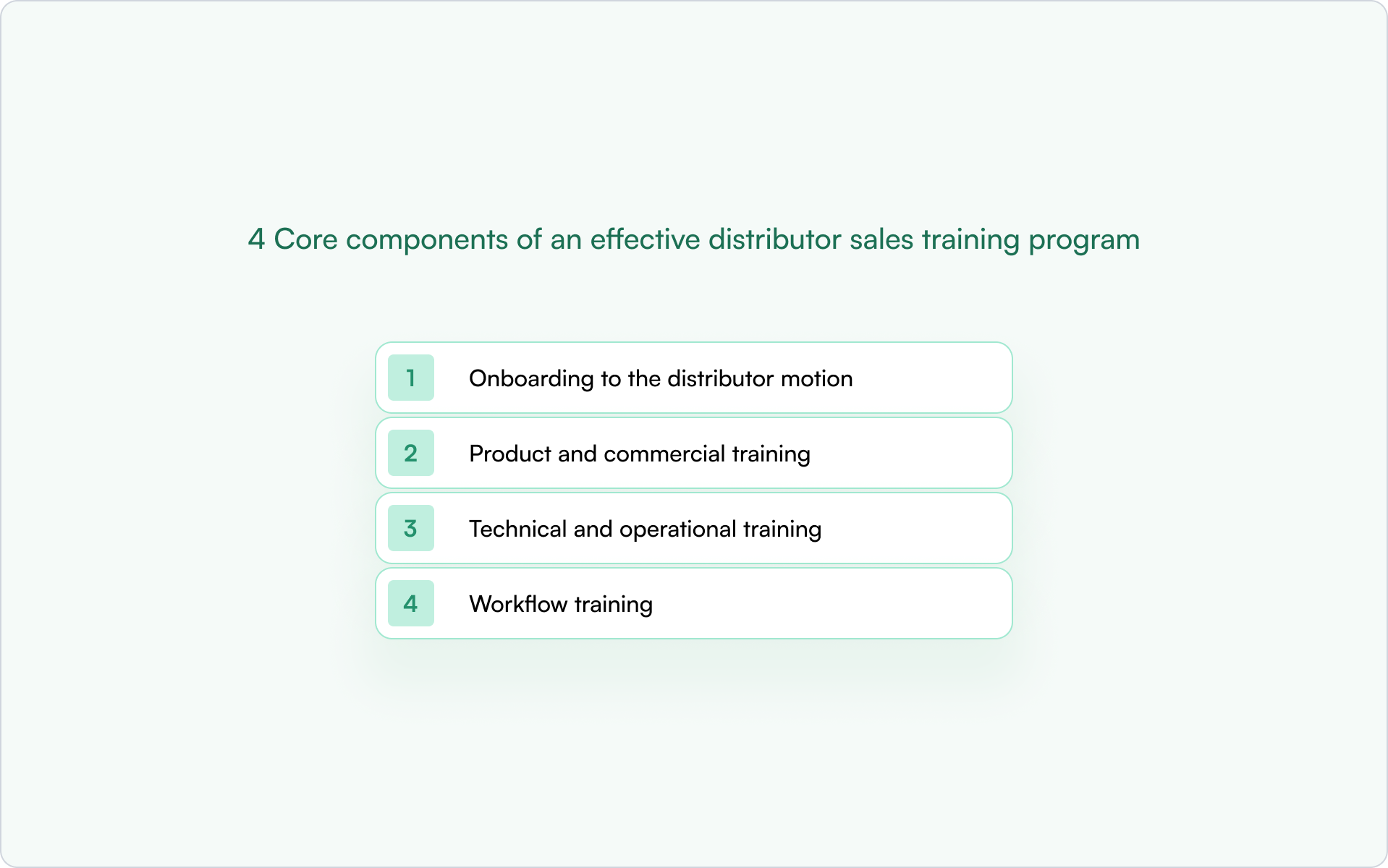
1. Onboarding to the distributor motion

Start by explaining how distributors fit into your distribution processes.

Your team should cover:

  • how distributors support external partners and resellers
  • how attribution works across the sales force
  • where distributors influence pipeline and follow-ups
  • what ownership rules affect daily operations

This helps sales reps and sales managers understand how they support customers earlier in the sales process.

Clear onboarding closes skill gaps fast and improves distributor performance. Next comes positioning and commercial readiness.

2. Product and commercial training

Generic sales training is not enough for distributors. They need positioning that fits your ecosystem and market.

Focus on:

  • buyer pain points and market trends
  • objection handling and consultative selling
  • competitor positioning
  • pricing context and sales conversation readiness
  • modern sales foundations that help distributors sell smarter

This strengthens customer relationships and helps distributors increase sales without adding friction to reseller coordination.

Commercial clarity improves selling confidence. Technical readiness comes next.

3. Technical and operational training

Distributors often support installation, implementation, quoting, or inventory management depending on your industry.

Training should include:

  • technical details needed during pre sales coordination
  • specs and documentation access
  • territory rules and stock levels awareness
  • onboarding tasks tied to training completion
  • short training videos that reinforce new skills

Structured training modules like these support stronger relationship building across multi-contact deal teams and create strong relationships with customers over time.

Operational readiness keeps deals moving. Workflow readiness makes them easier to close.

4. Workflow training

This is where many distributor training programs fall short.

Distributors need to know:

  • how deal registration works
  • how pipeline visibility supports more deals
  • how to collaborate without CRM access
  • how to support product launches
  • how to manage follow ups across partner layers

When training connects directly to workflows, your teams see better sales results and clearer performance tracking tied to business goals.

If you want certification paths that reinforce these workflows, structured guidance like LMS partner certification strategies and practical frameworks explaining the LMS benefits for channel partner certification can help you design programs that scale across markets.

But even well-designed programs can underperform if they introduce friction too early, which is where many teams run into avoidable mistakes.

Common mistakes in distributor sales training

Distributor sales training fails when it looks like generic partner enablement instead of support for real channel work.

Here are six mistakes to avoid.

1. Starting with too much training before showing value

Many teams launch long certification tracks before distributors support real opportunities. Start with positioning, deal registration basics, and early workflows. Add deeper skills later.

Structured paths help once partners are active. Guidance on how certification programs improve partner engagement shows how training supports pipeline instead of passive learning.

2. Using one training path for every role

Sales and technical contacts need different training. Commercial teams need positioning and sales techniques. Technical teams need specs and installation readiness.

Role-based training improves adoption and customer loyalty.

3. Treating distributors like referral partners

Distributors coordinate resellers, attribution, and shared pipeline visibility. Training should reflect these responsibilities, not generic partner programs.

4. Ignoring workflows like deal registration and quoting

If distributors cannot support quoting, territory rules, or reseller coordination, they cannot influence deal outcomes.

Training must match real distribution processes.

5. Overloading distributors with content instead of relevant content

Large learning libraries create friction. Start with the skills needed to support active deals, then expand later.

Resources comparing the best partner certification program software help structure certification without slowing adoption.

6. Not connecting training to pipeline visibility or performance

Distributor training should support measurable activity across resellers and deals. When it does, adoption improves quickly.

Avoiding these issues makes it much easier to build role-specific learning paths that distributors can actually use in active opportunities.

How to structure distributor sales training by role

Start by separating distributor training into role-based tracks. Most programs fail because they treat the entire distributor team the same, even though commercial, technical, and manager roles support different parts of the motion.

Step 1: Define the commercial track for distributor sales reps

Sales reps need to support resellers and move deals forward early. Focus training on positioning, ownership rules, territory clarity, and handling sales conversations during active opportunities.

The goal is simple: help reps contribute quickly instead of waiting for full certification paths.

Step 2: Build a technical track for pre-sales and implementation contacts

Technical contacts support evaluations, quoting, and delivery readiness. Their training should focus on specs, solution structure, and implementation coordination so they can answer questions without slowing deals.

Short certification paths work best here. Many teams structure these using systems like the best partner LMS software.

Step 3: Create a coordination track for distributor managers

Distributor managers oversee reseller alignment and pipeline visibility. They do not need deep product detail. They need clarity on partner progress, attribution, and shared dashboards.

A simple structure works well:

  • track reseller activity across regions
  • monitor partner goals and engagement
  • support opportunities as they move forward

Once roles are defined, the priority shifts to delivering training in a way that scales across partners and regions without adding overhead.

How to deliver distributor sales training at scale

Once your role tracks are clear, focus on delivery. Distributor sales training should be easy to launch, easy to update, and tied to real partner activity.

Start with short learning paths, not long programs. Distributors engage faster when training supports active opportunities.

Use modular learning paths

Break training into small modules by role. Commercial contacts need positioning first. Technical contacts need specs and implementation readiness. Managers need pipeline visibility and coordination guidance.

Short modules make training easier to adopt and apply immediately.

Add certifications at the right moment

Certifications work best after distributors begin supporting deals. At that stage, training reinforces confidence instead of creating friction.

Track completion by role so you know who is ready to support resellers.

Keep assets and updates in one place

Distributors should not search across emails, portals, and documents. A single workspace for materials and announcements keeps teams aligned as opportunities move forward.

Connect training to pipeline activity

Training should support deal registration, reseller coordination, and shared progress tracking. When learning connects to real channel workflows, adoption improves and programs scale naturally.

With delivery in place, the focus moves to understanding whether training is improving coordination, pipeline activity, and deal outcomes.

What to measure in distributor sales training

Distributor sales training should improve how partners support real opportunities. If your program is working, you should see changes in readiness, pipeline activity, deal quality, and revenue contribution.

Here are the metrics that matter most:

What to measure What it tells you
Onboarding completion by role Whether distributor contacts understand how they fit into your motion.
Zertifizierungsquote Which contacts are ready to support customers and resellers.
Time to first registered deal How quickly training turns into pipeline activity.
Time to first sourced opportunity Whether distributors are influencing early-stage deals.
Active distributor contacts by role Which parts of the distributor team are engaged.
Deal registration quality Whether attribution and ownership stay clean across partners.
Quote collaboration participation How often distributors support technical deal steps.
Sales cycle velocity Whether coordination across partners is improving.
Win rate by certified vs. non-certified contacts Whether training improves execution.
Attributed revenue by trained distributor cohorts How training contributes to measurable pipeline impact.

When these signals improve, your distributor sales training is supporting real-deal execution instead of passive learning.

Next, let’s look at how Introw helps teams run distributor training more effectively.

How Introw helps teams train distributors more effectively

Distributor sales training works best when it supports what your partners are already doing inside active deals. Introw connects training to pipeline activity so distributors learn in context, not in isolation.

In daily work, that changes a few important things.

  • Sales contacts can see where they support opportunities without needing full CRM access.
  • Technical teams get specs and coordination steps in one place.
  • Distributor managers gain visibility into reseller progress and attribution across regions.

With Salesforce and HubSpot integrations, training milestones appear alongside pipeline activity instead of in a separate portal. That makes it clear who is ready to support deals and where enablement is still needed.

If you want to connect distributor training to pipeline visibility, attribution, and partner collaboration, you can request a demo.

With the right structure and tools in place, rolling out distributor training can start delivering results within weeks rather than months.

A 30-day distributor training rollout plan

You do not need a full academy to start distributor sales training. A simple four-week rollout is enough to give your distributors clarity, confidence, and early pipeline impact.

Week 1: Define your motion and partner roles

Start by mapping how your distributors support deals.

Identify:

  • whether you work with software or hardware distributors
  • which contacts are commercial vs technical
  • how distributors interact with resellers
  • where deal registration and attribution happen

This ensures your training reflects real channel workflows from the beginning.

Week 2: Build the first training modules

Focus only on the training that helps distributors support opportunities early.

Create:

  • a short onboarding module explaining the distributor role
  • positioning guidance for commercial contacts
  • technical readiness content where needed
  • a simple workflow guide for deal registration and coordination

Keep this phase light so distributors can apply what they learn immediately.

Week 3: Launch with a small distributor group

Start with a pilot instead of rolling training out to everyone at once.

Enroll:

  • Distributor sales contacts
  • technical contacts supporting evaluations
  • distributor managers coordinating reseller activity

Collect feedback quickly and adjust modules before expanding further.

Week 4: Connect training to real partner activity

Now measure whether training supports execution.

Track:

  • onboarding completion by role
  • first deal registrations
  • early reseller coordination activity
  • participation in technical collaboration

At this point, you should already see distributors engaging earlier in opportunities. From here, you can expand certifications and scale the program across the broader distributor team.

FAQs

Noch Fragen? Hier findest du die häufigsten Fragen und Antworten.

Kontaktiere uns

What is distributor sales training?

Distributor sales training helps distributor teams understand how to support deals across reseller layers. It usually covers positioning, deal registration, coordination workflows, and technical readiness so distributors can contribute earlier in the sales process.

How is distributor sales training different from partner training?

Standard partner training focuses on product knowledge. Distributor sales training explains how distributors support resellers, manage attribution, and stay aligned across multi-tier pipeline activity.

What should be included in a distributor training program?

A strong program includes role-based onboarding, product positioning, technical readiness where needed, and workflow guidance for deal registration, quoting, and reseller coordination.

How do you train software distributors vs. hardware distributors?

Software distributors usually need reseller pipeline visibility and attribution clarity. Hardware distributors need additional support around specs, quoting, territory alignment, and installation readiness.

How do you measure distributor training effectiveness?

Track onboarding completion, certification rates, time to first registered deal, deal registration quality, and revenue attributed to trained distributor contacts. These show whether training improves real deal execution.


Launch your partner portal
in minutes!

Vielen Dank! Wir haben deine Anfrage erhalten!
Hoppla! Beim Absenden des Formulars ist ein Fehler aufgetreten.

Verwandte Blog-Artikel

Partner-Lernmanagement

How to Build a Partner Course Portal: Step-by-Step Guide

Ruben Bellaert
Growth
5min Lesezeit
06 May 2026
⚡ TL;DR

A partner course portal gives partners one place to learn how to work with your team, complete training, and prepare for real opportunities.

Instead of sharing courses across emails and webinars, everything lives in one secure portal with tracked progress and role-based visibility, so partners see what matters to them.

To make it effective, focus on clear course structure, persona-based access, and enrollment tied to milestones like certification or first deal activity.

What is a partner course portal?

A partner course portal is a secure place where partners sign in, access training, and complete structured courses at their own pace.

Instead of sharing files by email or running one-off webinars, your team keeps education in one portal with clear progress tracking and visibility aligned to each partner’s role.

Built for partners, not employees

Most learning systems support internal teams. A partner course portal is designed for external members like resellers, referral partners, and technical partners who need the right knowledge before working with customers.

Many teams set this up inside a dedicated partner LMS to manage course visibility, access rights, and member progress in one place while showing different learning paths to different partner personas.

More than a content library

A basic portal stores documents. A partner course portal guides partners through a learning journey that supports real partner activity over time.

That usually includes:

  • onboarding courses
  • product education
  • technical training
  • certifications
  • webinars and support material

With structured learning in place, it becomes much easier to track adoption and understand how to measure channel partner training ROI across your partner ecosystem.

A clear structure like this turns scattered education into something partners can actually follow without searching across multiple systems. Once that foundation is clear, it’s easier to see what your portal needs before you start building it.

What a good partner course portal needs

A partner course portal only works if partners can enter easily, find the right course fast, and know what to do next. When those pieces are missing, even strong education gets ignored.

Here are the core building blocks your portal should include from day one.

Secure partner access

Partners need a simple way to sign in without friction. If login feels complicated, members stop using the portal.

Most teams support access through:

  • email-based sign-in
  • password or passwordless login
  • SSO for larger partner organizations

This keeps training protected while making it easy for the right people to enter the portal when they need support or guidance.

Structured courses and learning paths

A strong partner course portal shouldn’t feel like file storage. It should guide partners toward their first meaningful activity.

That usually means organizing courses by:

  • partner role
  • onboarding phase
  • certification track
  • product knowledge level

When partners can see what to learn first and what comes next, they move faster toward readiness. Many teams use dedicated partner LMS software to keep course structure clear as their ecosystem grows.

Certifications that show readiness

Certifications give partners a clear signal that they’re prepared to support customers. They also help your team set expectations for selling rights, onboarding milestones, or solution delivery readiness.

Simple certification paths often work best when introduced gradually and tied to real partner activity. Partner certification strategies can help you design milestones that support adoption without slowing partners down early.

Segmented visibility by partner type

Not every partner should see the same education. A good portal lets you control course access based on:

  • partner tier
  • role
  • region
  • language
  • lifecycle phase

This keeps training relevant and reduces noise, so partners see what matters for their role and stage. It also supports different experiences across referral, reseller, and technical partner journeys.

Progress tracking and reminders

Partners should always know where they are in their learning journey.

Your team should be able to check:

  • who enrolled
  • who completed courses
  • who earned certifications
  • where members dropped off

That visibility makes it much easier to improve adoption and understand what’s working across your partner ecosystem.

Once these pieces are in place, building the portal becomes much more straightforward.

So before you create your first course, who exactly are you building the portal for, and what do you want them to achieve first?

Step 1: Define the audience and training goal

Before you build anything inside your partner course portal, take a step back and decide who the training is for and what they should be able to do after finishing it. This sounds simple, but it’s the step most teams skip.

When the audience isn’t clear, the portal turns into a mix of courses that nobody follows from start to finish.

Start with partner type

Different partners need different education. A reseller doesn’t need the same course as a referral partner. A technical partner doesn’t need the same journey as a marketing partner.

Most teams structure training around groups like:

Partnertyp What they usually need to learn
Referral-Partner How to identify opportunities and submit deals.
Reseller Sales positioning, pricing, and deal workflows.
Implementierungspartner Setup guidance and delivery readiness.
Technology partners Integration knowledge and product alignment.

Each group should see only the courses that help them move forward in their role.

Then define the partner role

Inside each partner type, roles matter just as much. Even within the same partner account, sales, technical, and leadership contacts should not see the same learning experience.

Rolle Training focus
Sales contacts Positioning, messaging, deal registration.
Technical contacts Setup, integrations, troubleshooting.
Customer-facing teams Support workflows and handoff steps.
Leadership contacts Program structure and expectations.

When role-based visibility is clear early, your portal stays simple as it grows and supports different experiences across partner personas.

Connect training to a real milestone

Every course should move partners toward something specific. Otherwise, completion rates stay low.

Common milestones include:

  • finishing onboarding
  • submitting the first deal
  • joining co-selling activity
  • earning certification
  • preparing to support customers

Structured learning improves adoption and makes certification progress easier to track across your ecosystem.

Aligning courses with a broader partner training journey also helps partners know what to do first and what comes next.

With the audience and goal defined, you can start shaping the learning experience partners see when they enter your portal.

Step 2: Design the portal structure around the partner journey

Once you know who your partners are and what they need to achieve, the next step is shaping what they see when they enter your partner course portal. A clear structure helps members find the right course quickly and keep moving forward.

Think of the portal like a guided path, not a storage space.

Start with the entry experience

The first screen partners see should answer one question right away: what should I do first? It should also answer what’s in it for them, so partners can enter the portal and immediately see the next step, the value of completing it, and what unlocks after that.

Most teams organize their homepage around:

  • onboarding courses
  • certification paths
  • product education
  • technical training
  • recorded webinars

This makes it easy for members to log in, check their next step, and continue learning without searching through folders. Many teams also organize technical docs, marketing assets, and battle cards into persona-specific asset hubs so partners can quickly find what they need without extra navigation.

Companies also manage this structure inside a dedicated partner LMS, where courses stay aligned with partner roles, personas, and lifecycle stages.

Organize training by journey stage

Partners don’t all start in the same place. Some are brand new. Others are ready to sell. Some are already supporting customers.

A simple structure usually follows stages like:

Journey stage What partners should see
Getting started Onboarding overview and program basics.
Learning the product Positioning and feature knowledge.
Selling with confidence Deal process and qualification steps.
Delivering value Implementation and support guidance.

This helps partners move forward step by step instead of guessing what comes next.

Keep training connected to real partner activity

Training works best when it sits close to the actions partners already take.

For example:

  • onboarding courses before submitting the first deal
  • certification before co-selling access
  • technical training before implementation work
  • product updates shared through webinars inside the portal

Some teams also structure their portal so course visibility adjusts automatically based on role, region, persona, or lifecycle stage using systems connected through a HubSpot integration. This keeps access simple as your partner ecosystem grows.

When the structure reflects how partners actually work, the portal feels easier to follow from the first login. With that foundation in place, it’s much simpler to decide which courses should come first.

Step 3: Build the first courses

Once your structure is clear, it’s time to add your first courses. Start small. A partner course portal works best when members can move through a few focused lessons instead of working through too much education at once.

Most teams begin with a simple core set.

Start with the essentials

Your first courses should help partners understand how to work with your team and start engaging in real opportunities quickly.

A strong starting set usually includes:

  • partner program overview
  • product basics
  • sales positioning
  • deal registration steps
  • certification path introduction

These courses give members the knowledge they need before moving into active deal collaboration.

Keep lessons short and modular

Short lessons are easier to complete and easier to update later. Instead of building one long course, break content into smaller modules partners can finish quickly.

For example:

Course Suggested lesson structure
Product overview Key features, use cases, customer fit.
Sales training Messaging, qualification, next steps.
Deal process Registration steps, approvals, timelines.

This makes it easier for partners to check progress, return later, and continue learning without friction.

Use quizzes where readiness matters

Quizzes help confirm that partners understand important steps before moving forward. They’re especially useful before certification milestones or selling access.

Many teams also connect quizzes to broader certification paths using structured approaches like these partner certification strategies, which help reinforce learning across the partner journey.

Starting with a small set of practical courses keeps your portal clear and usable from day one. Once those courses are in place, the next step is deciding which ones should lead to certification.

Step 4: Add certifications and completion logic

Certifications turn a partner course portal from simple education into something partners take seriously. When members know they’ll earn proof of completion, they’re more likely to log in, finish lessons, and move forward.

They also help your team confirm who’s ready to work with customers and participate in real partner activity.

Choose which courses should lead to certification

Not every course needs a certificate. Focus on the ones tied to real partner responsibilities.

Common examples include:

  • onboarding completion
  • product readiness
  • sales positioning
  • technical setup training

These checkpoints make it easier to see which members are prepared before they enter customer conversations or support projects.

Use certifications to control access and rights

Certifications aren’t just recognition. They help define what partners can do next.

For example, your team can connect completion to:

  • permission to register deals
  • access to advanced education tracks
  • eligibility for co-selling
  • expanded partner program rights

Many teams introduce certifications gradually so partners can move into real opportunities early and continue learning as they progress.

If you’re planning a structured rollout, tools with a built-in Salesforce integration make it easier to track completion across partner contacts without managing updates manually.

Make completion visible and easy to track

Partners should always know what they’ve finished and what comes next. A simple dashboard inside the portal helps members check progress after they sign in with their email, reset a password if needed, and return to continue learning.

Your team should also be able to see:

  • who enrolled
  • who completed courses
  • who still needs support
  • who is ready for the next stage

This keeps education aligned with real partner activity instead of guessing who’s prepared.

Once certifications are in place, the next step is deciding which partners should see which courses in the first place.

Step 5: Set visibility and enrollment rules

Once your courses and certifications are ready, the next step is deciding who can see what inside your partner course portal. This is what keeps education relevant instead of overwhelming.

When members log in, they should only enter the courses that match their role and responsibilities. That makes the learning journey feel clear from the start.

Control course access by partner attributes

Not every partner needs the same training. Visibility rules help your team give the right education to the right members at the right time.

Most portals segment access using:

  • partner type
  • partner tier
  • region or language
  • lifecycle phase
  • certification status

This keeps advanced courses hidden until partners are ready and reduces noise when new members enter the portal for the first time.

Clear visibility rules also help maintain program structure as your ecosystem grows alongside the rest of your partner relationship management software.

Choose the right enrollment method

Enrollment decides how members get access to courses after they sign in.

Common options include:

  • manual enrollment for small partner groups
  • bulk enrollment during rollout
  • automatic enrollment based on role or region
  • certification-triggered enrollment into advanced tracks

Automatic enrollment helps partners move between program stages without extra support and keeps learning aligned with real partner activity.

In more advanced portals, courses, assets, and program steps can also unlock automatically as partners complete milestones like onboarding tasks or deal registration, creating a guided journey without manual updates.

Some teams also connect enrollment to structured certification paths using modern partner certification software, which helps education stay aligned with readiness milestones.

With visibility and enrollment rules in place, your portal stays organized as more members join. The next step is rolling it out and making sure partners start using it.

Step 6: Launch, enroll partners, and track adoption

Once your partner course portal is ready, the goal is simple. Help members enter quickly, understand what to learn first, and start engaging without confusion.

A smooth launch makes a big difference in whether partners actually log in and complete their education.

Many teams start with a minimal portal that surfaces deal visibility, reports, and a small set of core courses first, then expand education as partners begin engaging in real opportunities.

Invite members with a clear first step

When partners receive their invitation, they should immediately know how to enter the portal and what to do next.

A strong rollout usually includes:

  • a welcome email with login instructions
  • a simple way to set or reset a password
  • one clearly recommended first course
  • a short explanation of why the training matters

This removes friction and makes it easier for members to return later without needing extra support.

Roll out training in small groups if needed

If your ecosystem is large, invite partners in stages instead of all at once. This helps your team answer questions faster and improve the experience before expanding access.

Many teams begin with:

  • new partners in onboarding
  • active resellers preparing for certification
  • technical contacts supporting customers

Structured certification rollouts like these often improve completion rates over time, especially when paired with guidance from programs designed to improve partner engagement with certification programs.

Track how members use the portal after launch

After partners enter the portal, tracking activity helps your team understand what’s working.

Start by checking:

  • who logged in
  • which courses members completed
  • where partners stopped learning
  • who earned certifications

This makes it easier to adjust course structure and strengthen adoption using proven approaches like the LMS benefits for channel partner certification.

A thoughtful rollout helps partners feel confident from their first login. Once the portal is live, it becomes much easier to avoid the common mistakes teams run into when building partner training environments.

Common mistakes when building a partner course portal

Most partner course portals don’t fail because of the platform. They fail because members can’t tell what to do first.

Here are the mistakes that slow adoption most.

Adding too much education too early

Uploading every webinar and document at once makes it harder for members to start.

Begin with:

  • onboarding basics
  • product overview
  • sales positioning
  • certification path entry points

You can expand later as partners move into real opportunities.

Building one experience for every partner

Referral partners, resellers, and technical teams need different education. Segmented visibility helps members enter the right learning path from the first login and supports different experiences across partner roles.

Skipping certifications

Without certifications, it’s harder to confirm readiness. Even simple certificates create structure and improve completion when they’re connected to real partner activity.

Treating the portal like a document library

A partner course portal should guide a journey, not store files.

That means:

  • clear course order
  • structured milestones
  • visible progress tracking
  • defined completion goals

Launching without enrollment logic

If members don’t know what to take first, they often stop early. Automatic enrollment based on role, region, or certification stage keeps learning clear without manual work.

Many teams moving away from standalone tools explore structured options like these LearnUpon LMS alternatives to simplify partner education as their ecosystem grows.

Avoiding these mistakes keeps your portal easier to manage and easier for partners to use from day one.

With the structure in place, it helps to see how teams build and manage a partner course portal faster inside a single environment.

How Introw helps teams build partner course portals faster

Many teams try to build a partner course portal by combining separate tools for courses, certifications, access control, and tracking. That setup works early on, but it gets harder to manage as partner programs expand across roles, personas, and regions.

Introw LMS brings portal structure, education, certifications, and partner access together in one place so your team can launch quickly without stitching systems together.

Instead of starting from scratch, your team can create structured learning experiences based on partner role, lifecycle stage, or persona, while keeping visibility aligned with real partner activity inside the CRM.

Many teams begin with CRM-based visibility and deal context first, then layer courses and certifications afterward so the portal can go live quickly using data they already have.

Members log in and immediately see what they should learn first, what they can access next, and when they’re ready to move forward without searching across tabs or tools.

Because courses, certificates, and visibility rules stay connected, your team can:

  • assign training by partner tier, role, or persona
  • enroll members automatically as they progress
  • issue certificates as milestones are completed
  • adjust access rights as partners move into new program stages

Visibility can also update automatically using CRM attributes like certification status, geography, pipeline access, or lifecycle stage.

Teams moving away from fragmented learning tools often explore structured platforms like these 360Learning alternatives to keep partner education aligned as their programs grow.

When training, access, and certifications live inside the same partner environment, your portal becomes easier to launch and far easier to maintain.

And once the system is simple for your team, it becomes much easier for partners to log in, learn what matters, and move into real opportunities with confidence.

Over to you

A strong partner course portal gives your partners a clear place to enter, learn what matters first, and move toward their first real opportunities with confidence.

When courses, access, and progress tracking are structured from the start, training stays aligned with partner roles and becomes much easier to manage as your program grows.

Three simple next steps to get started:

  • choose which partner roles need training first
  • build a small set of core onboarding and product courses
  • set visibility rules so members only see what applies to them

Starting small helps partners engage earlier and continue learning as they move into active deal collaboration.

If you want to see how teams set this up inside a single partner environment connected to their CRM, request a demo to get started.

Partner-Lernmanagement

8 LMS Partner Certification Strategies That Drive Revenue Growth

Wouter Moyaert
Produkt
5min Lesezeit
13 Mar 2026
⚡ TL;DR

The most effective LMS partner certification strategies do not stop at course completion. They connect certification status directly to pipeline and revenue in your CRM, so training becomes a measurable go-to-market signal rather than isolated learning data. High-performing programmes gate important workflows such as deal registration based on certification, use tiered and role-based learning paths to keep training relevant for referral, reseller, and implementation partners, and treat certification as part of revenue operations rather than enablement alone. To prove ROI, teams should track metrics in the CRM such as revenue per certified partner, certification-to-deal conversion, and time to first certified deal.

Partner certification programs look great on paper. But if completion data stays trapped in your LMS while Sales and RevOps work from a CRM that knows nothing about partner competency, you’re running training theater — not a revenue program.

The difference between certification as a checkbox and certification as a growth lever comes down to one thing: whether the data connects to pipeline. Below are practical LMS partner certification strategies that tie training directly to deal registration, CRM visibility, and measurable revenue outcomes.

Why partner certification programs drive revenue growth

A partner certification program is a structured training and credentialing system, typically delivered through a learning management system, that validates whether partners actually understand your product, positioning, and sales process.

The moment certification data is visible in your CRM, it stops being “learning data” and becomes go-to-market signal: who’s qualified to sell, who should get leads, and which partners are likely to close.

In practice, certified partners tend to outperform non-certified ones because they:

  • Represent your product accurately, keeping messaging consistent across channels.
  • Handle objections independently, reducing escalations to your internal team.
  • Move deals forward faster, because they know the process and the pitfalls.

That shows up in a few common revenue levers:

  • Consistent messaging: Certified partners position your product the way you intend, protecting brand integrity across channels.
  • Faster sales cycles: Partners who understand the product don’t slow deals down asking for help mid-cycle.
  • Reduced channel conflict: Certification status can serve as a tiebreaker when two partners claim the same account.
  • Scalable enablement: An LMS lets you train hundreds of partners without adding headcount or running live sessions for every cohort.

The trap: many teams stop at completion rates. If you can’t connect certification outcomes to pipeline and revenue, it’s hard to justify investment — and impossible to know which certifications actually matter.

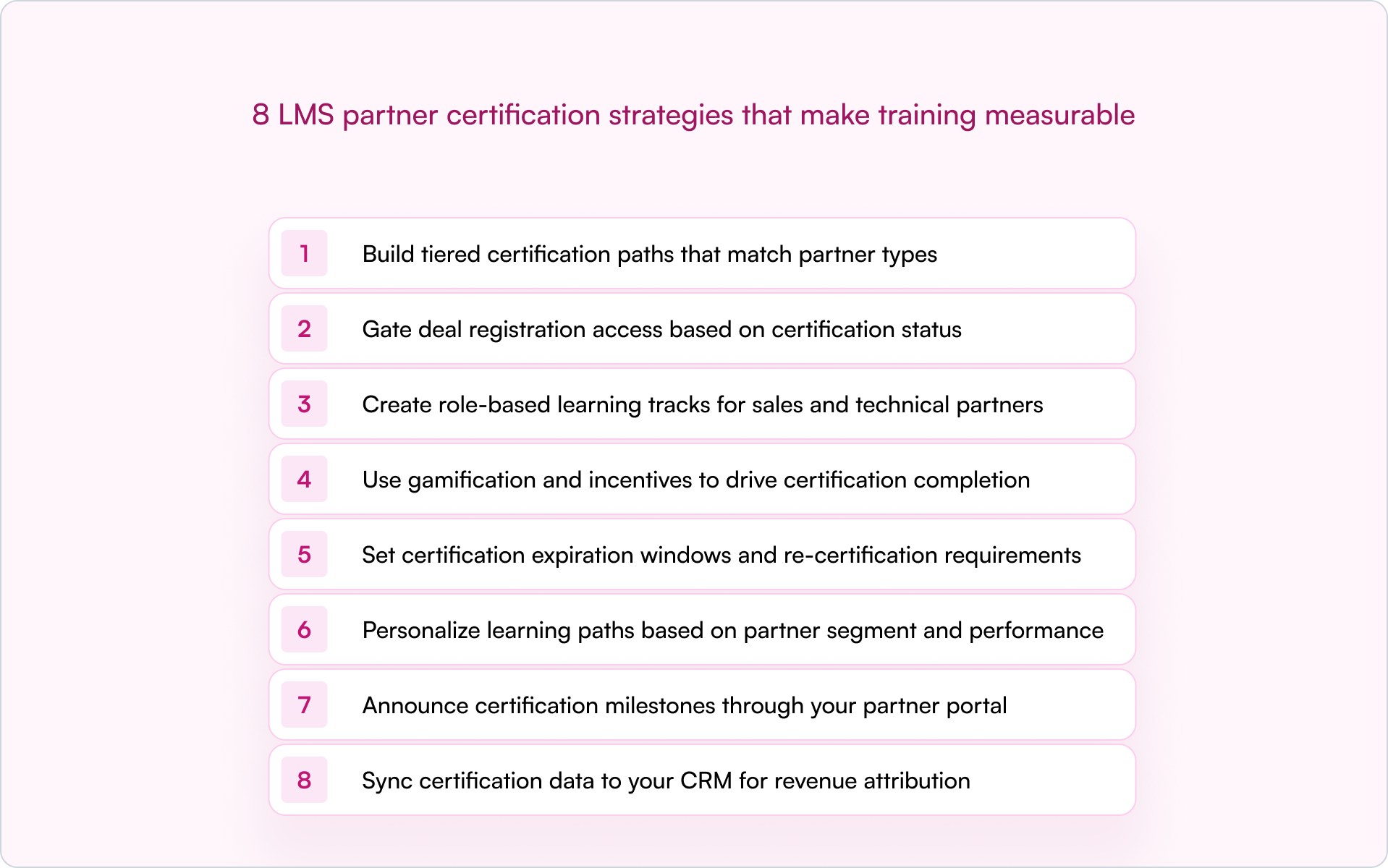
8 LMS partner certification strategies that make training measurable

If you’re building a partner motion inside a startup, you don’t have time for programs that “feel” helpful. You need a system that changes partner behavior and shows up in pipeline. These strategies are designed to do exactly that.

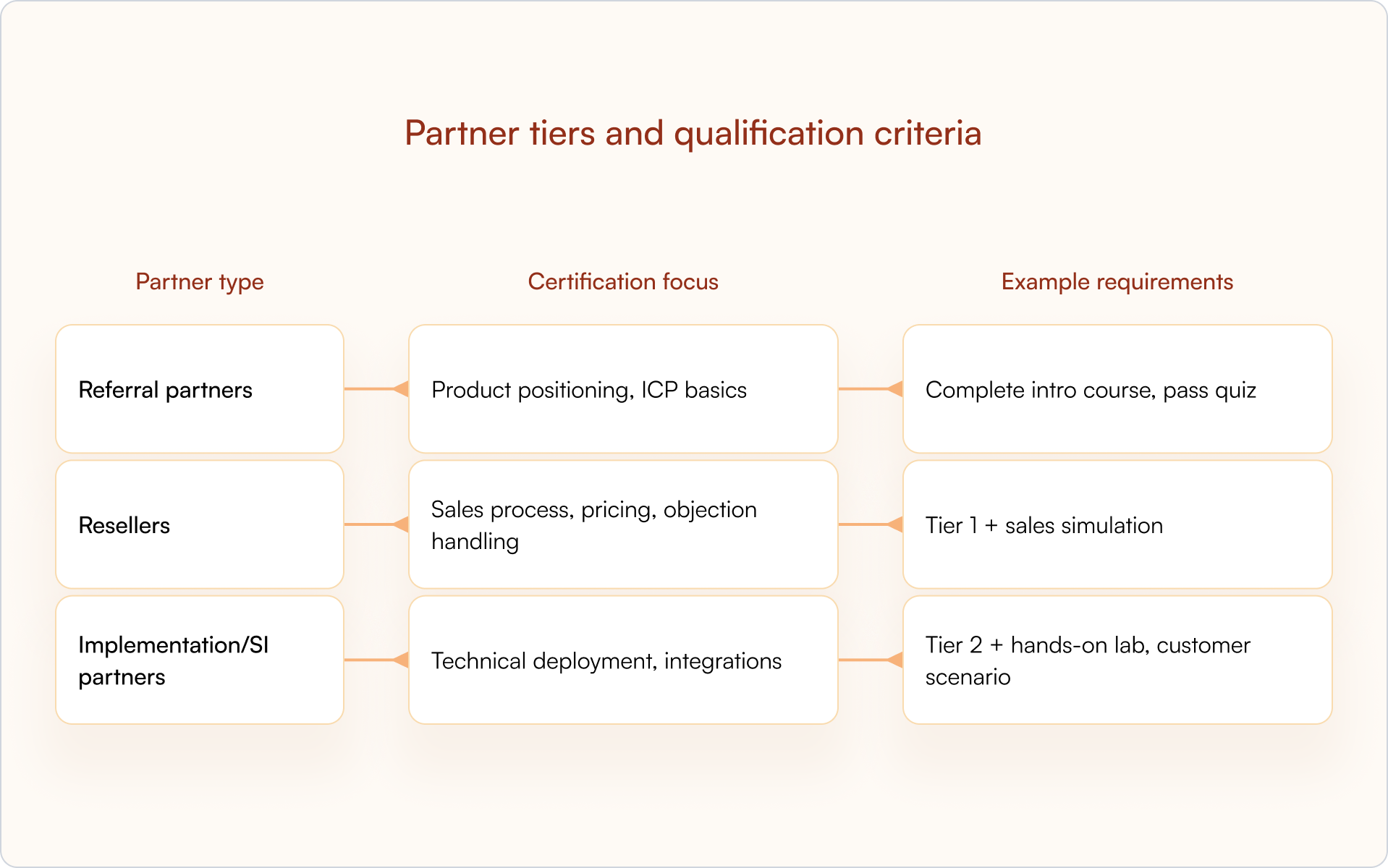
1. Build tiered certification paths that match partner types

Not every partner needs the same training. A referral partner introducing leads needs positioning basics. A reseller closing deals needs pricing, objection handling, and competitive differentiation. An implementation partner deploying your product needs technical depth.

Your certification tiers typically map to your partner program tiers, like Bronze, Silver, Gold or Authorized, Premier, Elite, with escalating requirements at each level.

Partnertyp Certification focus Example requirements
Referral-Partner Product positioning, ICP basics Complete intro course, pass quiz
Reseller Sales process, pricing, objection handling Tier 1 + sales simulation
Implementation/SI partners Technical deployment, integrations Tier 2 + hands-on lab, customer scenario

This structure keeps training relevant (which protects completion rates) and gives you a clean framework for gating access to deals, leads, or exclusive benefits based on demonstrated competency.

2. Gate deal registration access based on certification status

This is where certification becomes operational. Partners who haven’t completed the required training can’t register deals in your system, which protects deal quality and ensures only qualified partners are submitting pipeline.

The concept of “sell rights” is common in mature programs for a reason: it prevents untrained partners from creating friction in your sales process or misrepresenting your product to prospects.

A CRM-first PRM like Introw can enforce sell rights automatically by checking certification status before allowing deal registration — keeping the workflow aligned across your partner portal without manual verification.

3. Create role-based learning tracks for sales and technical partners

Within a single partner organization, different roles need different training. A partner’s sales rep needs competitive positioning and demo basics. Their solutions architect needs API documentation and implementation methodology. Their executive sponsor needs the business case for co-selling.

Role-based tracks keep training focused:

  • Sales track: Product positioning, competitive differentiation, demo basics, pricing and packaging
  • Technical track: Implementation methodology, API/integration training, troubleshooting
  • Executive track: Partnership value prop, co-selling motions, business case development

If you want higher completion and better outcomes, this is one of the highest-ROI LMS partner certification strategies you can implement. Relevance is what keeps partners moving.

4. Use gamification and incentives to drive certification completion

Partners are busy. They’re juggling multiple vendors, their own customers, and internal priorities. Without motivation, certification often drops to the bottom of the list — even if the content is genuinely good.

Gamification, which includes digital badges, leaderboards, points, and rewards, creates visible progress and recognition that keeps partners engaged:

  • Digital badges: Shareable credentials partners can display on LinkedIn
  • SPIFFs: Cash or gift card bonuses for completing certifications
  • Tiered benefits: Higher margins or exclusive leads for certified partners
  • Leaderboards: Public recognition in the partner portal

The goal is simple: make certification feel like an investment that pays off, not compliance work.

5. Set certification expiration windows and re-certification requirements

Products evolve. Messaging changes. Compliance requirements shift. A certification earned two years ago may no longer reflect current reality — and your customers will feel that gap quickly.

Expiration windows (often 12 months, shorter for fast-moving categories) prevent competency drift. Automated reminders before expiration give partners time to re-certify without losing access to deal registration or other benefits.

Tip: Announce re-certification deadlines through your partner portal and email or Slack notifications so partners aren’t surprised when access changes.

6. Personalize learning paths based on partner segment and performance

Not all partners start from the same place. A high-performing partner who’s been selling your product for two years doesn’t need the same onboarding content as a new partner getting started.

Personalization — serving different content based on region, vertical, role, or performance — keeps training relevant. High performers can skip basics. Struggling partners get targeted reinforcement. Everyone’s time is respected.

This is also how certification becomes more than “completion.” You can track whether partners improve and which interventions correlate with higher-quality pipeline.

7. Announce certification milestones through your partner portal

Recognition reinforces behavior. When a partner earns certification, celebrate it publicly (when appropriate). It signals that certification matters and creates social proof inside the ecosystem.

Partner portal announcements, email notifications, or Slack messages highlighting achievements can motivate other partners to complete training — without you adding more meetings to your calendar.

A CRM-first partner portal can automate announcements when certification status updates, so you’re not manually tracking who earned what and when.

8. Sync certification data to your CRM for revenue attribution

This is the strategy that makes everything else measurable. Certification status belongs in HubSpot or Salesforce as a partner property — not trapped in a separate LMS where Sales, RevOps, and leadership can’t see it.

When certification data lives in your CRM, you unlock:

  • Attribution: See whether certified partners close more revenue than non-certified partners
  • Deal routing: Auto-assign leads to certified partners only
  • Forecasting: Include certification status in pipeline reports
  • Conflict resolution: Use certification as a tiebreaker when two partners claim the same deal

Introw syncs partner data directly to the CRM, so certification status is always visible to Sales, Partnerships, and RevOps — making certification ROI measurable instead of assumed.

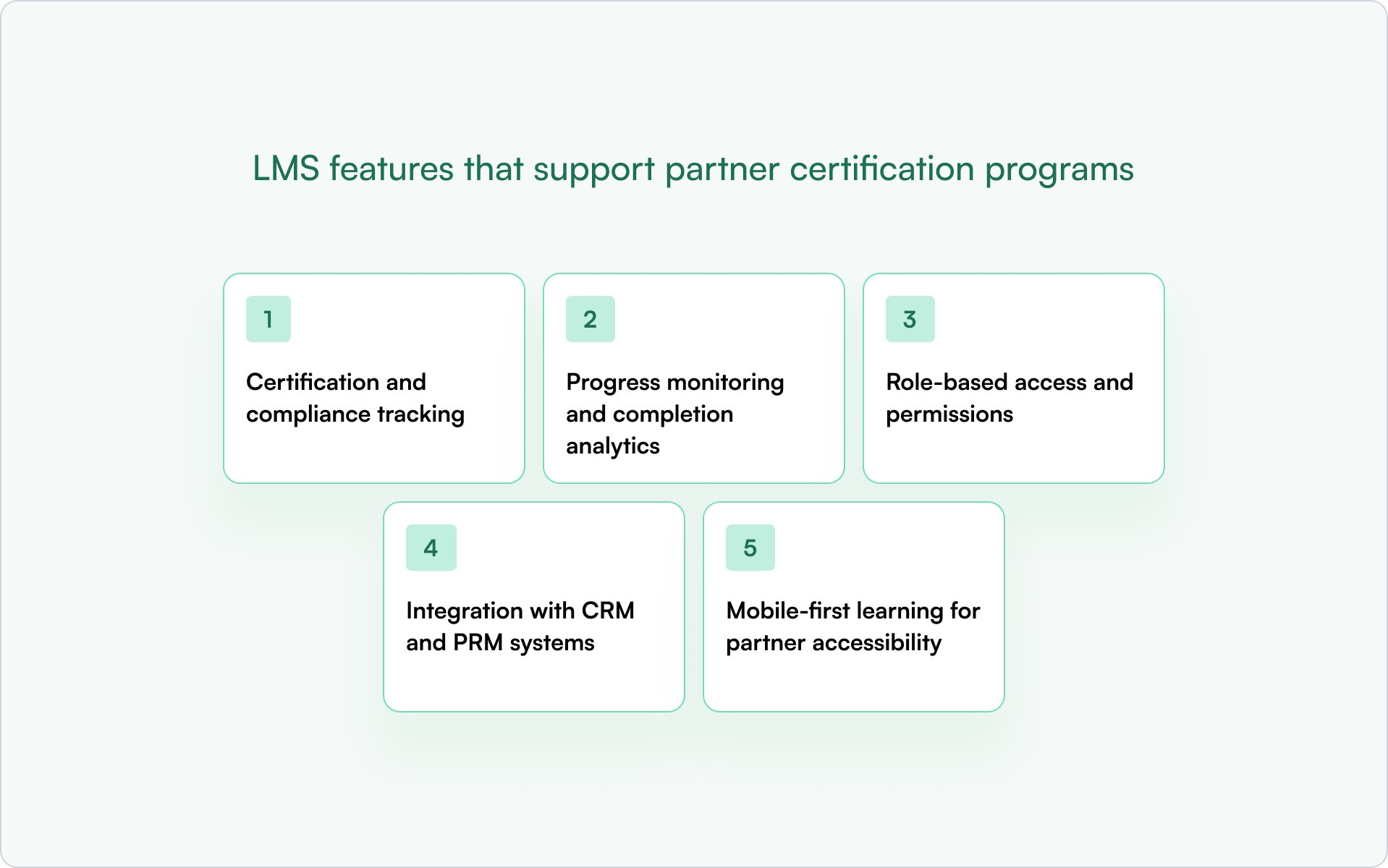
LMS features that support partner certification programs

Not every LMS is built for external partner enablement. Internal employee training platforms often lack the controls you need to manage certifications across dozens (or hundreds) of partner organizations.

Certification and compliance tracking

Your LMS should track who completed what, when, and whether they passed. That audit trail supports compliance requirements and enables expiration and re-certification workflows.

Progress monitoring and completion analytics

Partner managers need visibility into where partners are stuck, who’s falling behind, and which courses have low completion rates — especially at scale.

Rollenbasierter Zugriff und Berechtigungen

Different partner organizations should only see content relevant to them. Admins need full access; partner users should see only their assigned tracks.

Integration mit CRM- und PRM-Systemen

If certification data doesn’t sync to HubSpot or Salesforce, it’s invisible to the rest of the business. A CRM-first PRM like Introw connects partner data — including certification status — directly to your CRM.

Mobile-first learning for partner accessibility

Partners are often in the field or between meetings. Mobile-friendly delivery makes it easier to complete certification without being tied to a desk.

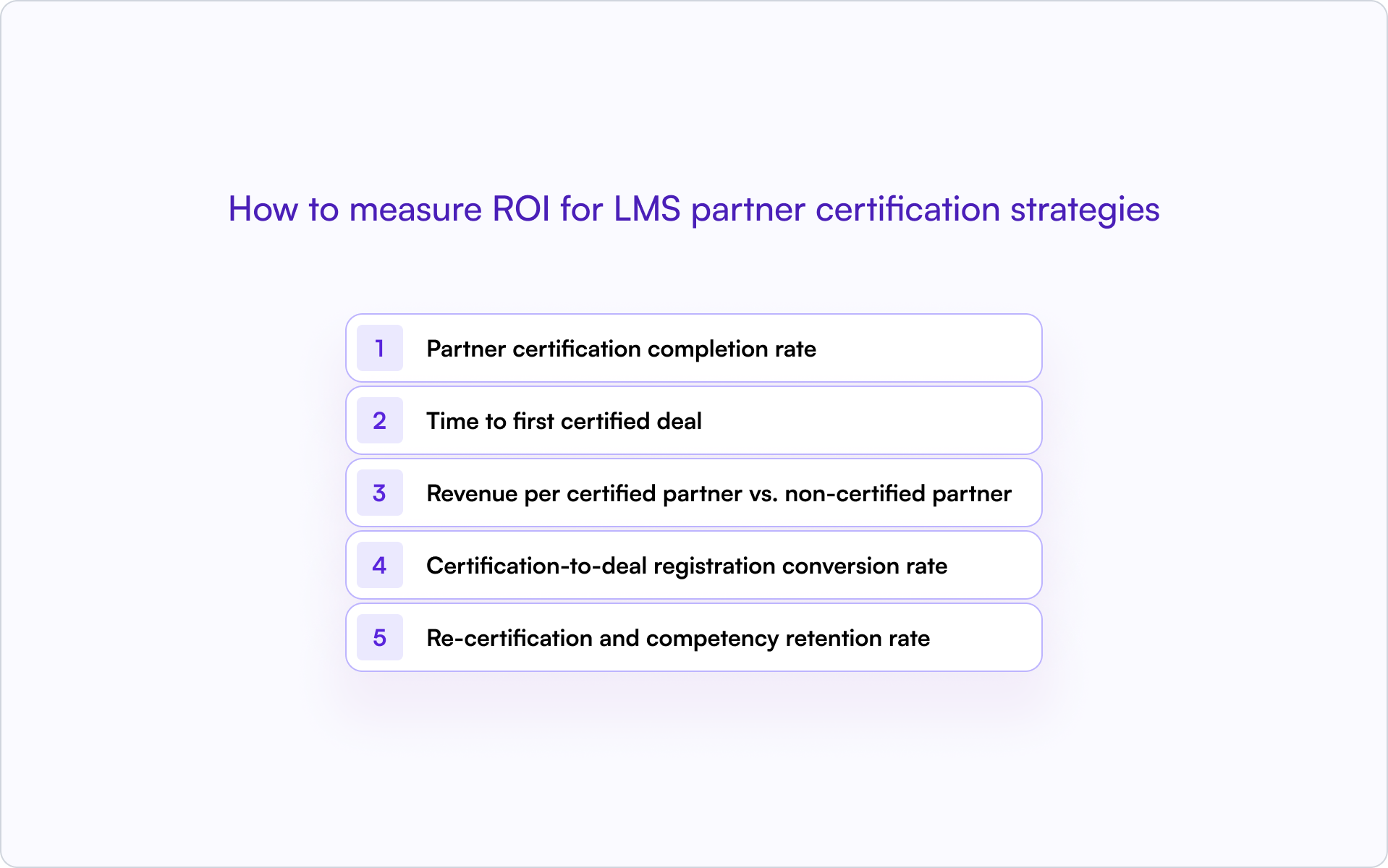
How to measure ROI for LMS partner certification strategies

Certification programs require investment in content creation, LMS licensing, and partner manager time. To keep momentum — and budget — you need proof.

Partner certification completion rate

What percentage of onboarded partners complete certification? Low rates usually mean friction (too long, too generic, too hard) or unclear incentives.

Time to first certified deal

How long after certification does a partner register their first deal? Shorter is better — it shows certification accelerates activation, not just learning.

Revenue per certified partner vs. non-certified partner

Compare average revenue contribution. This is the core ROI proof point most founders and operators care about.

Certification-to-deal registration conversion rate

What percentage of certified partners actually register deals? Certification without activation is wasted effort — and a signal your program may be rewarding “learning” more than “selling.”

Re-certification and competency retention rate

Are partners staying current? High lapse rates suggest the re-certification experience is too burdensome or the value is not clear enough.

How to connect LMS certification data to your CRM

The mechanics of syncing LMS data to HubSpot or Salesforce determine whether certification status becomes actionable or stays siloed.

  1. Custom properties: Create a “Certification Status” field on the Partner or Contact object with values like Certified, Expired, In Progress, Not Started.
  2. Certification date fields: Track when certification was earned and when it expires.
  3. Automation triggers: Use certification status changes to trigger workflows — for example, notifying partner managers when a partner becomes certified or alerting when certification is expiring.
  4. Reporting: Build dashboards that segment partner pipeline by certification status.

Introw’s Salesforce and HubSpot integrations enable this without custom development work. Certification status flows into the CRM automatically.

Scale partner certification with a CRM-first approach

Partner certification programs only drive revenue when the data is visible and actionable in your CRM. Otherwise, you’re running a training program with no connection to pipeline, attribution, or forecasting.

A CRM-first approach delivers:

  • Visibility: Sales, partnerships, and RevOps see certification status on every partner record.
  • Attribution: You can prove which certifications correlate with closed revenue.
  • Automation: Deal registration, lead routing, and conflict resolution can factor in certification status.

Teams that get this right spend less time chasing training completion and more time closing partner-sourced revenue.

If you’re ready to treat certification like a revenue system (not a content library), see how Introw connects partner certification data to your CRM — book a demo.

Partner-Lernmanagement

15 LearnUpon LMS Alternatives for Partner Teams in 2026 (Compared)

Adèle Coolens
Marketing & Partnerschaften
5min Lesezeit
12 Mar 2026
⚡ TL;DR

Looking for LearnUpon LMS alternatives built for partner teams? LearnUpon works well for employee training and internal programs, but many SaaS companies struggle to connect partner training and external training to revenue. Platforms like Introw combine a CRM-native Partner LMS with certification programs and partner engagement tools so teams can track training activity and measure partner outcomes.

What is LearnUpon (and why teams look for alternatives)?

LearnUpon is a learning management system used for employee training, customer education, and external training. Many mid-market companies choose it because it's user-friendly and supports online courses, certification programs, and multiple training audiences.

A key strength is its multi-portal architecture, which lets teams run separate training environments for employees, partners, or customers.

For many organizations, that works well.

But partner teams often run into limitations when they try to connect training with pipeline activity and revenue visibility.

If the goal is simply to deliver online courses or compliance training, LearnUpon can be a strong fit.

However, if the goal is to turn partner training into measurable business outcomes, many teams begin exploring LearnUpon alternatives and modern partner training software built for partner ecosystems.

Here are the most common reasons partner teams start looking for a LearnUpon alternative.

1. Training data is separate from CRM

Training is only one part of partner enablement. Teams also need visibility into which partners complete certifications, submit deals, and influence pipeline.

Traditional learning management systems store course progress inside the LMS, while partner accounts and deal activity live in the CRM. When those systems are separate, reporting becomes difficult, and teams often rely on spreadsheets to understand whether training programs influence revenue.

2. Certification is not tied to revenue outcomes

Certification programs help partners build technical expertise and improve sales conversations. But most LMS platforms treat certifications as learning milestones rather than business signals.

You can see who completed training. It is harder to see whether certified partners generate more pipeline or close deals faster.

3. Engagement stays inside the portal

Most LMS platforms rely on a portal experience where partners log in, browse a course library, and complete training.

Employee training often works this way, but partner engagement typically happens in email, Slack, CRM workflows, and conversations with your team. When learning activity stays inside the portal, learner engagement can drop.

4. AI and automation are limited for scaling partner programs

As partner ecosystems grow, training programs become harder to manage. Teams must create courses for multiple partner tiers, maintain a growing content library, and manage certification programs across regions.

Many partner teams now want AI tools that help create courses faster and automation that supports engagement across large partner ecosystems.

None of this means LearnUpon is the wrong platform. It simply means the tool was designed primarily for employee and customer education.

If your goal is to connect partner training with certification programs, partner engagement, and revenue outcomes, it may be worth exploring LearnUpon LMS alternatives built specifically for partner teams.

The 15 Best LearnUpon LMS Alternatives for Partner Teams

If you’re evaluating LearnUpon LMS alternatives, you’re likely looking for a learning platform that supports partner training, certification programs, and external training that connects to real business outcomes.

We've curated 15 LearnUpon alternatives partner teams evaluate when they need stronger visibility, better learner engagement, and training programs that scale with their partner ecosystem.

1. Introw: Best CRM-native partner LMS for revenue teams

Am besten geeignet für

SaaS partner teams that want partner training, certifications, and partner collaboration connected directly to their CRM and pipeline.

Why it’s a LearnUpon LMS alternative

Most learning management systems treat training as a separate environment from sales activity. Introw connects partner training programs directly to CRM data, so partner managers can see how certifications, course completion, and partner engagement influence pipeline.

Instead of managing external training in isolation, teams can track training activity alongside partner deals and account data.

You can see how this works in Introw’s AI-powered LMS demo and learn how teams can create courses, launch certification programs, and manage training programs quickly.

Wichtigste Merkmale

  • AI course builder for creating online courses faster
  • One-click certification programs for partner enablement
  • CRM-visible training tied to partner accounts and deals
  • Bulk enrollment for onboarding large partner groups
  • Off-portal engagement through email and Slack
  • Deep integrations with Salesforce and HubSpot
  • Revenue-linked analytics connecting training activity to pipeline
Pros Limitations
CRM visibility connects partner training with revenue outcomes Not designed primarily for internal employee training
Built specifically for external training and partner ecosystems Companies focused only on employee development may prefer traditional LMS tools
AI-powered course creation speeds up training program setup Requires CRM-driven partner workflows to unlock full value
Off-portal engagement improves learner participation

Ideal company size

Mid-market and enterprise SaaS companies with active partner programs, especially teams managing multiple partner tiers and CRM-driven partner revenue.

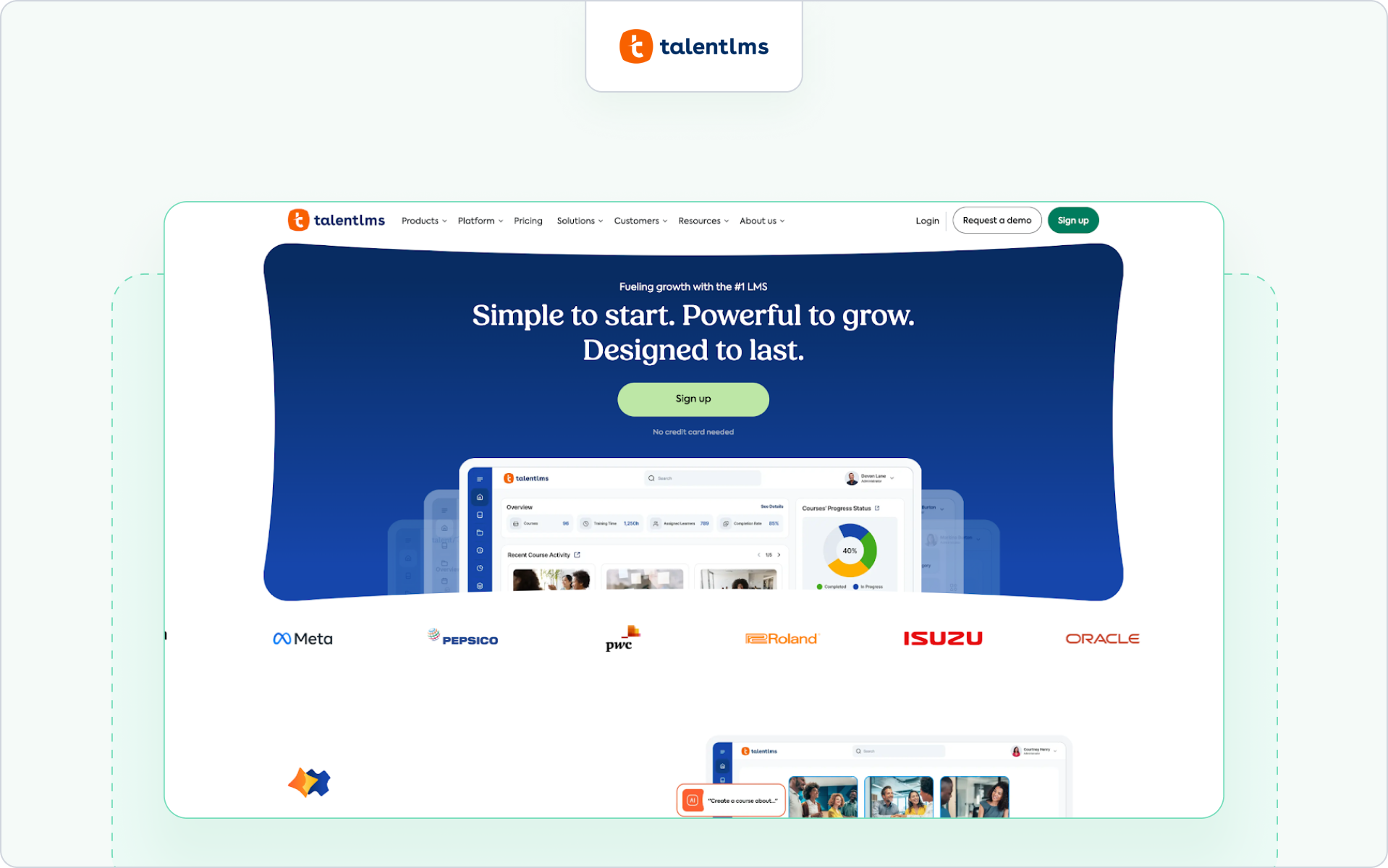
2. TalentLMS: Best for simple SMB training programs

Am besten geeignet für

Small and mid-sized companies that want a user friendly learning management system for employee training and simple external training.

Why it’s a LearnUpon LMS alternative

Teams compare TalentLMS with LearnUpon when they want a simpler LMS for managing online courses and employee training without the heavier multi-portal setup.

For more context, you can evaluate our list of Talent LMS alternatives.

Wichtigste Merkmale

  • Tools to create courses and manage online courses
  • Built-in course library for training content
  • Support for instructor-led training and self-paced learning
  • Basic reporting capabilities for tracking completion rates
Pros Limitations
Easy to set up and use Limited advanced features for complex partner ecosystems
Good fit for smaller training programs Reporting and analytics are basic
Works well for employee training and simple external training Less suited for revenue-linked partner training

Ideal company size

Small businesses and mid-sized companies that need a straightforward LMS for employee training or basic external training.

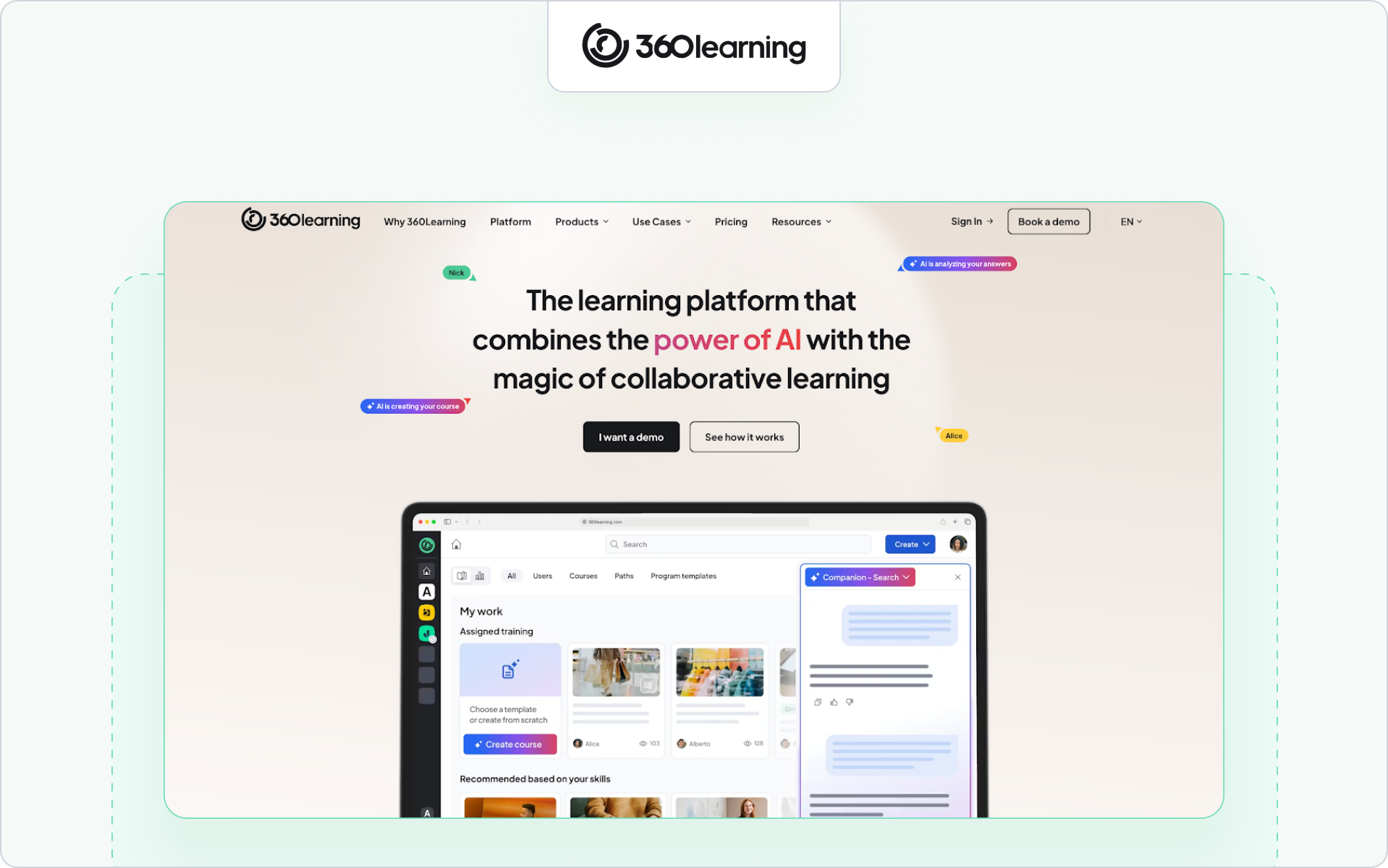
3. 360Learning: Best for collaborative internal learning

Am besten geeignet für

Companies that want collaborative learning and strong knowledge sharing across internal teams.

Why it’s a LearnUpon LMS alternative

360Learning appeals to companies that want collaborative learning and peer-driven course creation rather than the more structured training model used in traditional LMS platforms like LearnUpon.

Take a look at some 360Learning alternatives to evaluate what might work for your team.

Wichtigste Merkmale

  • Collaborative course creation tools
  • Social learning features that help engage learners
  • Support for blended learning and virtual classroom training
  • Built-in authoring tool for managing training content
Pros Limitations
Strong collaborative learning model Primarily built for employee training
Encourages internal knowledge sharing Less focused on partner training ecosystems
Helps teams update training content quickly Limited revenue visibility for partner programs

Ideal company size

Mid-sized companies and large enterprises focused on employee training and internal knowledge sharing.

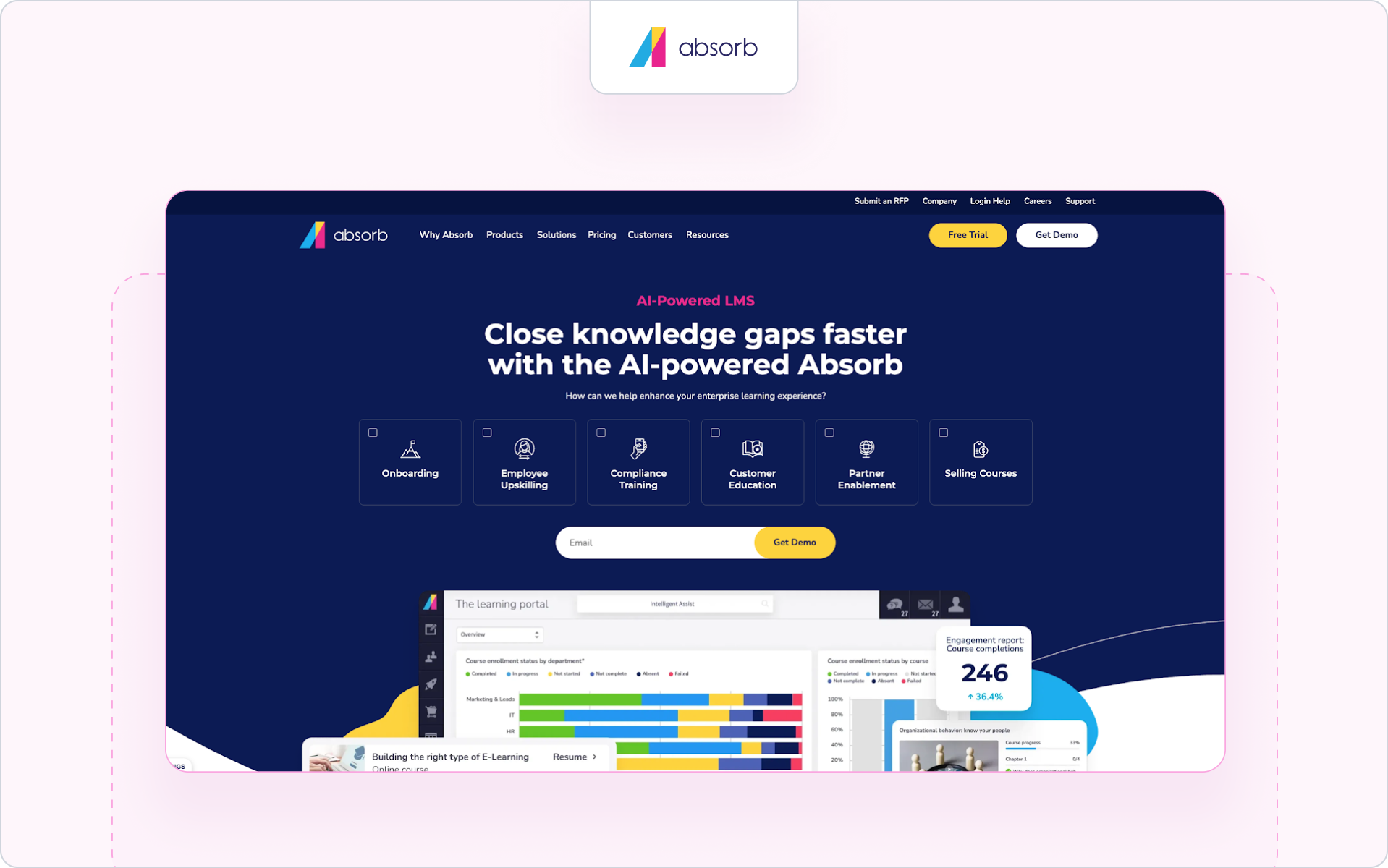
4. Absorb LMS: Best for enterprise compliance and scale

Am besten geeignet für

Large organizations running compliance training and large training programs across multiple audiences.

Why it’s a LearnUpon LMS alternative

Absorb LMS is often evaluated by large enterprises that need stronger compliance training, advanced reporting, and multi portal architecture for managing complex training environments.

Wichtigste Merkmale

  • Multi-portal architecture for managing multiple branded portals
  • Erweiterte Berichts- und Analyse-Dashboards
  • Compliance and skills training tools
  • Large content library for structured training programs
Pros Limitations
Strong enterprise features for large training environments Can require technical expertise to manage
Good compliance training capabilities Higher setup complexity
Advanced reporting capabilities Often more complex than mid-market teams need

Ideal company size

Large enterprises running global employee training and compliance programs.

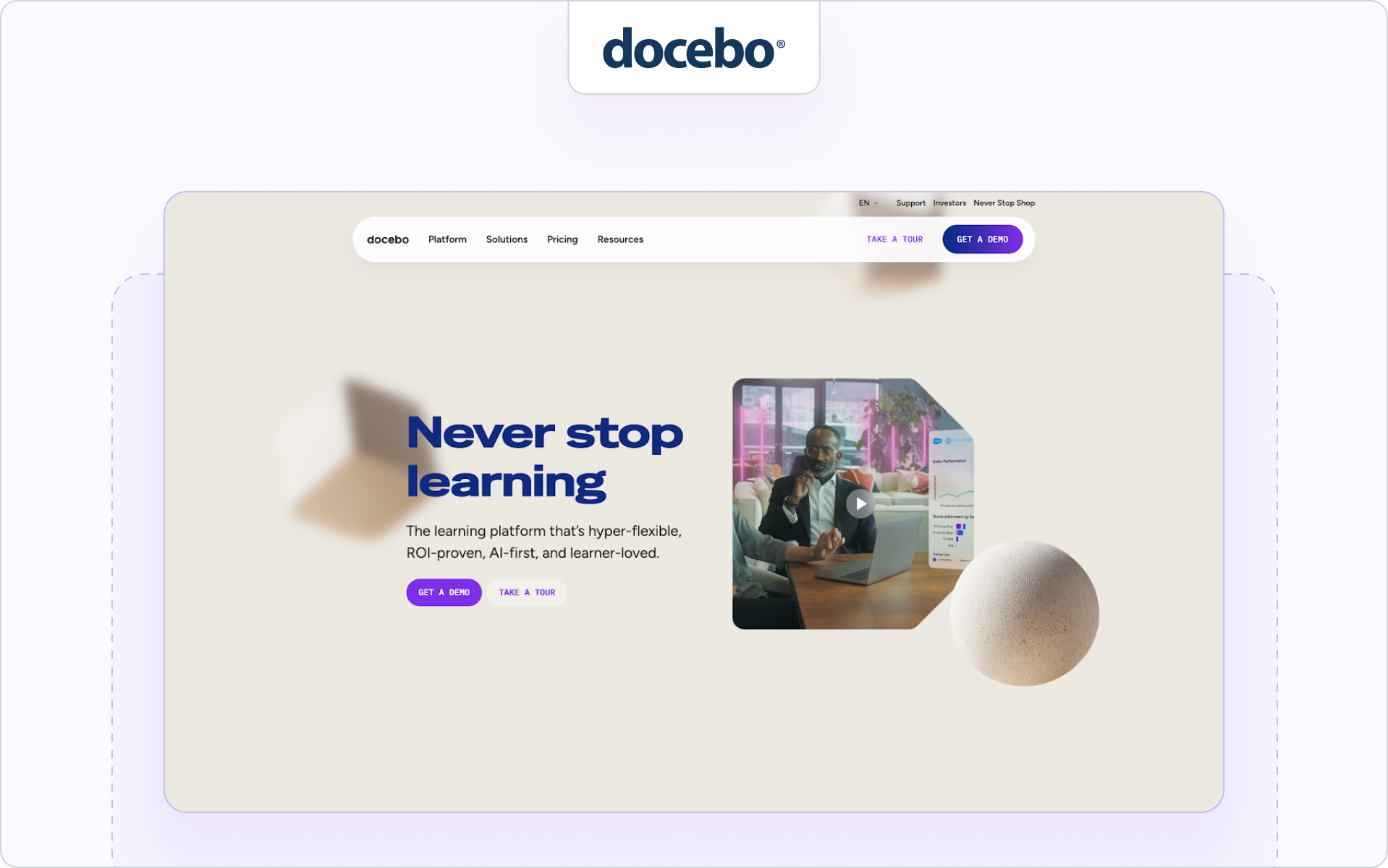
5. Docebo: Best for AI-driven enterprise learning

Am besten geeignet für

Large organizations that want AI-powered learning and adaptive learning paths.

Why it’s a LearnUpon LMS alternative

Docebo attracts organizations that want AI-driven automation, adaptive learning paths, and deeper analytics across large training programs.

Wichtigste Merkmale

  • AI tools that help create courses and recommend training content
  • Adaptive learning paths that personalize the learning process
  • Assessment tools for evaluating learner progress
  • Reporting and analytics dashboards for monitoring training programs
Pros Limitations
AI-powered learning capabilities Implementation can be complex
Scales well for large enterprises Requires technical expertise to configure
Supports employee training and customer education Often more than smaller teams need

Ideal company size

Mid-market companies and large enterprises managing complex training programs.

6. Litmos: Best for multi-audience training

Am besten geeignet für

Organizations delivering employee training, partner training, and customer training from one platform.

Why it’s a LearnUpon LMS alternative

Litmos is commonly evaluated by teams delivering multi audience training, including employee training, partner training, and customer training from one platform.

Wichtigste Merkmale

  • Tools to enroll learners across multiple audiences
  • Virtual classroom and classroom-style training support
  • Certification programs and compliance training workflows
  • Prebuilt content library for common training topics
Pros Limitations
Designed for multi-audience training Interface feels dated compared with newer platforms
Strong compliance training support Limited partner revenue visibility
Built-in course library speeds onboarding Customization options are limited

Ideal company size

Mid-sized organizations and enterprises delivering training to employees, partners, and customers.

7. LearnWorlds: Best for academy-style external training

Am besten geeignet für

Companies building online academies for customer education or partner onboarding.

Why it’s a LearnUpon LMS alternative

LearnWorlds stands out for companies building external training academies or selling online courses, which differs from the internal training focus many LMS platforms prioritize.

Wichtigste Merkmale

  • Tools for building academy-style online courses
  • Ecommerce capabilities for selling training programs
  • Interactive course creation tools
  • Analytics dashboards for tracking completion rates
Pros Limitations
Good platform for branded training academies Not designed for partner revenue tracking
Flexible tools for managing online courses Enterprise reporting capabilities are limited
Interactive learning features Integration capabilities are narrower

Ideal company size

Small businesses and mid-sized companies delivering customer education or partner onboarding programs.

8. Thought Industries: Best for customer education platforms

Am besten geeignet für

Companies delivering large customer education and external training programs.

Why it’s a LearnUpon LMS alternative

Thought Industries is designed for large customer education and external training programs, making it attractive to companies building scalable learning environments for external learners.

Wichtigste Merkmale

  • Scalable customer education environments for external learners
  • Tools for managing large training programs
  • Ecommerce capabilities for monetizing course content
  • Reporting and analytics dashboards for training activity
Pros Limitations
Strong platform for customer education Implementation can require technical expertise
Supports large external training programs Higher cost compared with many LMS tools
Flexible course management capabilities Admin complexity can be higher

Ideal company size

Mid-market companies and large enterprises running global customer education or partner enablement programs.

9. WorkRamp: Best for revenue enablement training

Am besten geeignet für

Revenue teams that want structured training for the sales team, customer success teams, and partner enablement.

Why it’s a LearnUpon LMS alternative

WorkRamp attracts revenue teams that want training programs aligned with sales enablement, onboarding, and partner readiness rather than traditional LMS course management.

Wichtigste Merkmale

  • Sales enablement training programs for the sales team
  • Certification programs for partner and customer training
  • Course builder for onboarding and online training
  • Reporting and analytics dashboards for tracking training activity
Pros Limitations
Designed for revenue and enablement teams Less focused on compliance training
Combines employee training and customer education Limited customization compared with enterprise LMS tools
Good onboarding workflows for the sales team Not purpose-built for partner ecosystems

Ideal company size

Mid-sized SaaS companies and enterprises running sales enablement and partner training programs.

10. iSpring Learn: Best for affordable mid-market LMS/

Am besten geeignet für

Organizations that want a user-friendly LMS with simple course creation and straightforward pricing.

Why it’s a LearnUpon LMS alternative

iSpring Learn appeals to mid-market companies that want a user friendly LMS with straightforward course creation and a lower learning curve.

Wichtigste Merkmale

  • Authoring tool for creating online courses and training content
  • Reporting capabilities for tracking learner progress
  • Mobile learning with offline access
  • Tools for employee training and external learners
Pros Limitations
Easy to use and quick to deploy Limited advanced analytics
Good option for mid-market employee development Fewer enterprise features
Straightforward course creation tools Less suited for large partner ecosystems

Ideal company size

Small businesses and mid-sized companies running employee training and simple external training programs.

11. Cornerstone OnDemand: Best for global enterprise learning

Am besten geeignet für

Large enterprises running global employee development and compliance training programs.

Why it’s a LearnUpon LMS alternative

Cornerstone OnDemand is often chosen by large enterprises that need extensive customization, global compliance training, and advanced analytics for workforce development.

Wichtigste Merkmale

  • Enterprise features for global learning management systems
  • Advanced analytics for identifying skills gaps
  • Compliance training and employee development tools
  • Extensive customization for large training environments
Pros Limitations
Built for large enterprises Complex implementation
Strong analytics for workforce training Requires significant admin resources
Broad support for employee development programs Often too heavy for partner-focused training

Ideal company size

Large enterprises managing global employee training and compliance initiatives.

12. Moodle: Best for open-source flexibility

Am besten geeignet für

Organizations that want full control over their learning platform and have technical teams managing the system.

Why it’s a LearnUpon LMS alternative

Moodle appeals to organizations that want full control over their learning platform through open-source customization rather than a vendor-managed LMS.

Wichtigste Merkmale

  • Open-source learning management system architecture
  • Large ecosystem of plugins and integrations
  • Support for blended learning and online training
  • Flexible tools for managing course content
Pros Limitations
Highly customizable Requires technical expertise
No vendor lock-in Interface can feel outdated
Large global user community Hosting and maintenance required

Ideal company size

Universities, training organizations, and companies with internal development resources.

13. Sana Learn: Best for adaptive AI learning

Am besten geeignet für

Organizations that want AI-driven training experiences and adaptive learning paths.

Why it’s a LearnUpon LMS alternative

Sana Learn focuses on AI-driven training programs that personalize learning paths and improve knowledge retention based on learner progress.

Wichtigste Merkmale

  • Adaptive learning paths that personalize training programs
  • AI tools for recommending training content
  • Analytics dashboards that help identify skills gaps
  • Tools designed to improve knowledge retention
Pros Limitations
Strong AI-driven learning experience Smaller ecosystem than traditional LMS platforms
Personalized learning paths for learners Still growing compared with larger vendors
Focus on improving knowledge retention Implementation may require AI-focused strategy

Ideal company size

Mid-market companies and enterprises exploring AI-driven employee development programs.

14. Seismic Learning (Lessonly): Best for sales enablement training

Am besten geeignet für

Organizations focused on onboarding and training the sales team.

Why it’s a LearnUpon LMS alternative

Seismic Learning is designed for revenue teams that need structured onboarding and training programs for the sales team.

Wichtigste Merkmale

  • Sales enablement training for the sales team
  • Coaching workflows for revenue teams
  • Certification programs for onboarding
  • Reporting dashboards for tracking learner progress
Pros Limitations
Strong focus on sales enablement Limited broader LMS functionality
Good onboarding workflows Not designed for large multi-audience training
Helps standardize revenue team training Limited compliance training features

Ideal company size

Mid-sized companies and enterprises running sales enablement and onboarding programs.

15. CYPHER Learning: Best for modern AI-powered LMS platforms

Am besten geeignet für

Organizations that want a modern learning platform with AI-powered automation.

Why it’s a LearnUpon LMS alternative

CYPHER Learning attracts organizations looking for modern LMS platforms that combine AI-powered course creation with automated learner management.

Wichtigste Merkmale

  • AI tools for creating and managing course content
  • Automation for managing online courses and learners
  • Personalized learning paths for training programs
  • Reporting and analytics dashboards
Pros Limitations
Modern interface and AI automation Smaller market presence
Strong course creation tools Enterprise integrations are still evolving
Supports multiple training audiences Advanced features are still expanding

Ideal company size

Mid-sized companies and enterprises exploring modern LMS platforms with AI-driven learning tools.

Before choosing between LearnUpon and other LMS platforms, it helps to look at how these tools compare across the capabilities partner teams care about most. The table below highlights where different platforms focus, and why some teams choose solutions built specifically for partner enablement.

Comparison table: LearnUpon vs. alternatives

Platform Built for Partner Training CRM-Integration AI Course Builder Certification Off-Portal Engagement Revenue Visibility
Introw Yes Native Salesforce & HubSpot Yes Yes Yes Yes
LearnUpon Partial Limited No Yes No No
TalentLMS Partial Limited No Yes No No
360Learning No Limited No Yes No No
Absorb LMS Partial Limited No Yes No No
Docebo Partial Limited Yes Yes No Limited
Litmos Partial Limited No Yes No No
LearnWorlds Partial Limited Limited Yes No No
Thought Industries Partial Limited Limited Yes No Limited
WorkRamp Partial Limited No Yes No Limited
iSpring Learn Partial Limited No Yes No No
Cornerstone No Limited Limited Yes No No
Moodle No Custom No Custom No No
Sana Labs Partial Limited Yes Yes No Limited
CYPHER Learning Partial Limited Yes Yes No Limited

For partner teams, the biggest difference usually comes down to visibility and engagement. In the next section, we’ll look at the specific criteria partner managers use when evaluating LearnUpon LMS alternatives.

What to compare when evaluating LearnUpon LMS alternatives

When evaluating LearnUpon LMS alternatives, partner teams usually focus on a few capabilities that influence partner adoption and revenue impact.

CRM & revenue visibility

Partner managers need to see training activity alongside partner deals and pipeline. If certification data lives outside the CRM, it’s difficult to understand which training programs influence revenue.

That’s why many teams prioritize platforms that help them measure partner training ROI.

AI course creation capabilities

As partner ecosystems grow, training programs expand quickly. AI tools help teams create courses faster, update training content, and reduce manual work.

This is especially helpful when managing large partner onboarding programs or frequent product updates.

Certification automation

Certification programs help standardize partner readiness, but manual management quickly becomes difficult.

Automated certification paths and recertification rules make it easier to scale programs and demonstrate the channel partner certification benefits across partner ecosystems.

Partner engagement & nudging

External training only works if partners actually complete courses. Platforms that support reminders, notifications, and off-platform nudges can improve completion rates and learner engagement.

These features help partner training programs maintain momentum.

Reporting that leadership cares about

Leadership teams want to see outcomes, not just course completions. They want visibility into how training influences partner pipeline and productivity.

That’s why many teams explore platforms designed specifically as partner LMS software when evaluating alternatives.

The right LMS depends on what you expect training to achieve. If partner training needs to influence pipeline, certifications, and partner productivity, those capabilities quickly become essential evaluation criteria.

But it’s also worth noting that LearnUpon still fits many organizations well. Here's why.

When LearnUpon is still the right choice

Despite the many LearnUpon LMS alternatives available, LearnUpon still works well for many organizations.

Primarily internal HR training

LearnUpon is a strong fit for companies focused on employee training, onboarding, and internal compliance training. HR and L&D teams can use it to manage structured training programs, deliver online courses, and support employee development across departments.

No CRM reporting requirement

If your training programs do not need to connect to sales data or partner pipeline, LearnUpon’s reporting capabilities are usually sufficient. Many companies only need to track completion rates, assessment scores, and general learner progress.

Limited partner enablement complexity

Some companies only run basic partner onboarding courses rather than full partner enablement programs. In those cases, a traditional learning management system like LearnUpon may be enough to deliver simple partner training without additional automation or integrations.

However, as your partner programs scale, your training needs often change.

When it’s time to switch to a LearnUpon LMS alternative

LearnUpon works well for many training environments. But partner teams sometimes need capabilities that traditional LMS platforms don’t provide.

Use this quick checklist to evaluate whether it may be time to consider a LearnUpon LMS alternative.

You need partner revenue visibility

☐ Training data needs to connect to partner pipeline or deals

☐ Certifications should be visible alongside CRM partner records

Certification must influence pipeline

☐ Certifications determine partner tiers or deal eligibility

☐ Your team needs automated certification paths and renewals

RevOps needs better reporting

☐ Leadership asks how partner training influences revenue

☐ Reporting must combine CRM and training data

You want AI-powered content scaling

☐ Your team regularly creates or updates course content

☐ AI tools could speed up course creation

You need engagement automation

☐ Partners enroll but often don’t finish courses

☐ Automated reminders or nudges would improve completion rates

If several of these apply to your program, it may be time to consider a partner LMS built specifically for partner ecosystems.

Why Introw is the best choice

For many SaaS partner teams, the challenge is not delivering training. It is connecting training to real partner outcomes.

Traditional learning platforms focus on managing courses, tracking completion, and delivering employee training. But partner teams often need more visibility and automation across their ecosystem.

With Introw, partner training becomes part of your partner operations instead of a separate LMS environment. Certifications, training activity, and partner engagement all connect directly to your partner program workflows.

What makes Introw different

  • CRM-native visibility for partner certifications and training activity
  • AI tools that help teams create and scale training content quickly
  • Certification automation that supports partner tiers and onboarding
  • Off-platform engagement to keep partners progressing through training
  • Revenue reporting that shows how training supports partner performance

If you would like to explore how partner enablement works in practice, you can review Introw’s partner training and certification resources.

For teams that want partner training programs tied to pipeline, productivity, and partner success, Introw is built specifically for that purpose.

Ready to see how Introw works?

Request a demo and explore how Introw helps partner teams turn training into measurable partner revenue.