

Partner performance is how you measure and evaluate a partner’s contribution to your revenue goals — including leads, sales, retention, and deal influence. If you’re building a partner program inside a startup, it’s also the difference between “partners feel promising” and “partners are a predictable growth channel.”
Most channel leaders know they should track partner performance. Fewer know what to measure, where to track it, or how to turn the data into decisions that improve outcomes. This guide walks through the metrics, CRM setup, and operating practices that make partner performance measurable — and improvable.
What is partner performance?
Partner performance refers to how you measure and evaluate a partner’s contribution to your broader go-to-market goals. It’s not just “how many leads did they send?” It’s their impact on sales outcomes (pipeline and revenue), customer retention, conversion rates, and the real influence they have on deals.
A useful mental model is to treat partners like an extension of your revenue team. You wouldn’t manage an AE purely on “emails sent,” so you shouldn’t manage a partner purely on “leads submitted.”
- What it measures: leads, sales, retention, deal conversions, engagement, and enablement activity
- Why it’s more than lead counts: a partner who registers ten leads that never close is performing differently than one who registers three that all convert.
- How it’s measured in practice: combine leading indicators (training completion, portal activity) with lagging indicators (pipeline, closed revenue) so you can both coach partners and forecast outcomes.
This distinction matters because programs that only track top-of-funnel activity often over-invest in partners who generate noise, and under-invest in the partners who actually drive revenue.
Why partner performance analysis matters for revenue teams
If you can’t measure partner contribution, you can’t manage it. And if you can’t manage it, you definitely can’t forecast it.
Partner performance analysis is what turns a partner program from a cost center into a revenue function. It aligns partners with your internal teams, reduces attribution debates, and gives leadership a clear story about what the channel is producing.
- Alignment: ensures partners and internal teams share the same objectives
- Value demonstration: proves partner contribution beyond lead volume — critical for budget conversations
- Optimization: identifies underperformers and top contributors so you can allocate resources smarter
- Forecasting: enables accurate revenue predictions when data lives in the CRM instead of spreadsheets
Practically, teams that treat performance analysis as optional end up firefighting: chasing updates, debating credit, and trying to scale on messy data. Teams that treat it as foundational spend more time growing revenue and less time untangling process.
12 Partner performance metrics and KPIs to track
To measure partner performance effectively, you track the right metrics and Key Performance Indicators (KPIs).
When you set targets, use a SMART lens (Specific, Measurable, Achievable, Relevant, Time-bound). “Improve engagement” is vague. “Increase deal registration volume by 20% in Q2” is measurable and operational.
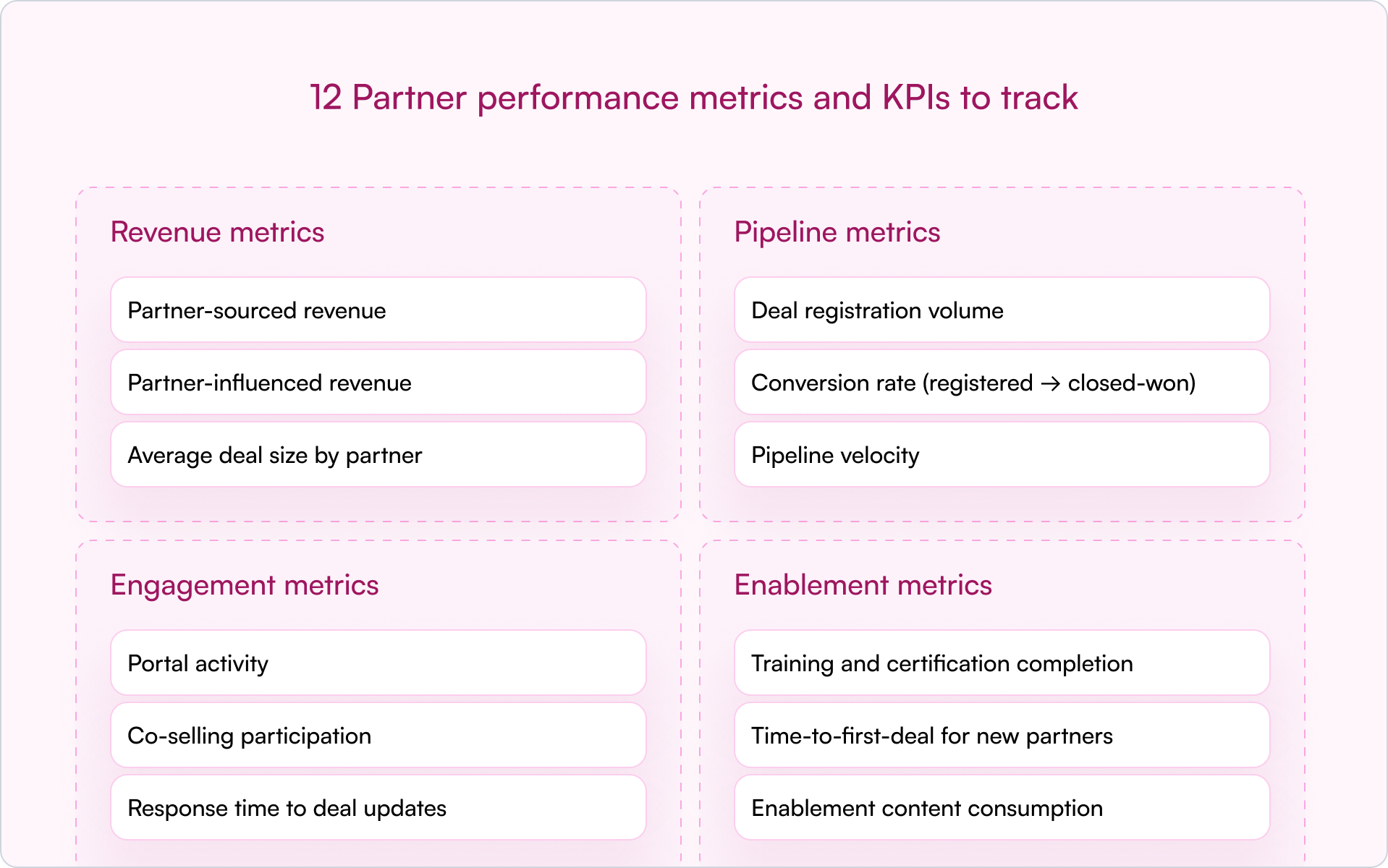
Revenue metrics
Revenue metrics tie partner activity directly to financial outcomes:
- Partner-sourced revenue: revenue from deals the partner originated and brought to you
- Partner-influenced revenue: revenue from deals the partner helped close but didn’t originate
- Average deal size by partner: identifies which partners bring larger, more strategic opportunities
In early-stage companies, sourced vs. influenced is where things often get messy. Define both up front. Otherwise, you’ll burn cycles debating credit instead of building pipeline.
Pipeline metrics
Pipeline metrics show the health and velocity of your partner funnel:
- Deal registration volume: how many deals partners are submitting
- Conversion rate (registered → closed-won): a quality signal behind the volume
- Pipeline velocity: time from registration to close — slow velocity often signals enablement gaps or deal complexity
Engagement metrics
Engagement metrics help you see whether partners are truly active:
- Portal activity: logins, content views, resource downloads
- Co-selling participation: joint calls, shared opportunities, collaboration frequency
- Response time to deal updates: how quickly partners respond on active deals
Engagement is often the earliest warning signal. If a partner stops showing up — fewer logins, slower responses, no co-selling — performance usually drops next.
Enablement metrics
Enablement metrics are leading indicators of future partner performance:
- Training and certification completion: are partners equipped to sell and implement?
- Time-to-first-deal for new partners: how long until they register their first real opportunity?
- Enablement content consumption: what materials are they actually using?
When a partner underperforms, enablement is often the first place to look. Low output isn’t always low effort — it can be low support.
How to track partner performance in your CRM
Tracking partner performance directly in your CRM is the most effective approach. A CRM-first model keeps partner data in one central location so Sales, Partnerships, and RevOps can work from the same source of truth.
Traditional PRM software often lives in a separate platform. That separation creates predictable problems: siloed data, messy attribution, and reporting that requires manual cleanup. A CRM-first approach avoids that by keeping partner workflows and reporting where your revenue team already operates.
Essential fields for partner attribution
Accurate tracking starts with clean data. To attribute deals and revenue properly, your CRM needs consistent partner fields and definitions.
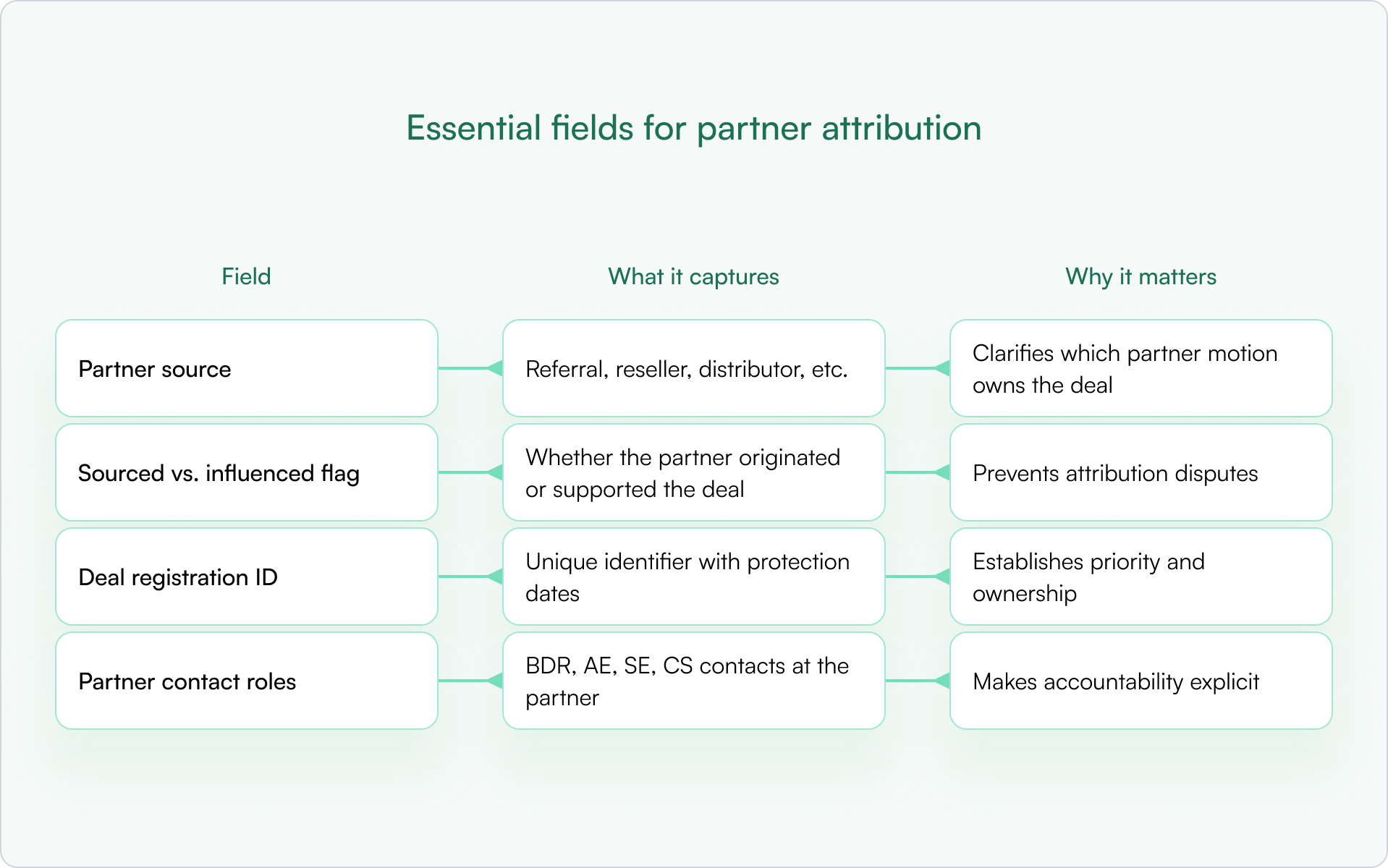
Without these basics, you’ll spend more time debating ownership than closing deals — and your reporting won’t be trusted.
Dashboards and reports every channel leader needs
Once the fields are in place, build dashboards that answer “what’s happening?” in under 60 seconds:
- Revenue by partner (sourced vs. influenced): who’s actually driving outcomes?
- Pipeline by partner tier: are top-tier partners outperforming?
- Deal registration approval and conversion rates: where are deals getting stuck?
- Engagement trends over time: is activity increasing or declining?
Automation for real-time partner performance visibility
Automation is how you scale partner performance tracking without adding headcount. Automated workflows can sync deal updates, alert you on stale deals, and surface underperforming partners early.
CRM-first PRMs like Introw support this inside HubSpot or Salesforce, keeping partner data up-to-date without relying on a disconnected portal. The alternative — manual spreadsheet updates — breaks as soon as you go beyond a handful of partners.
How to improve partner performance in 5 steps
Improving partner performance is an ongoing operating rhythm, not a one-time fix. The goal is to build a system where expectations are clear, data is shared, and interventions happen early — before a quarter is already lost.
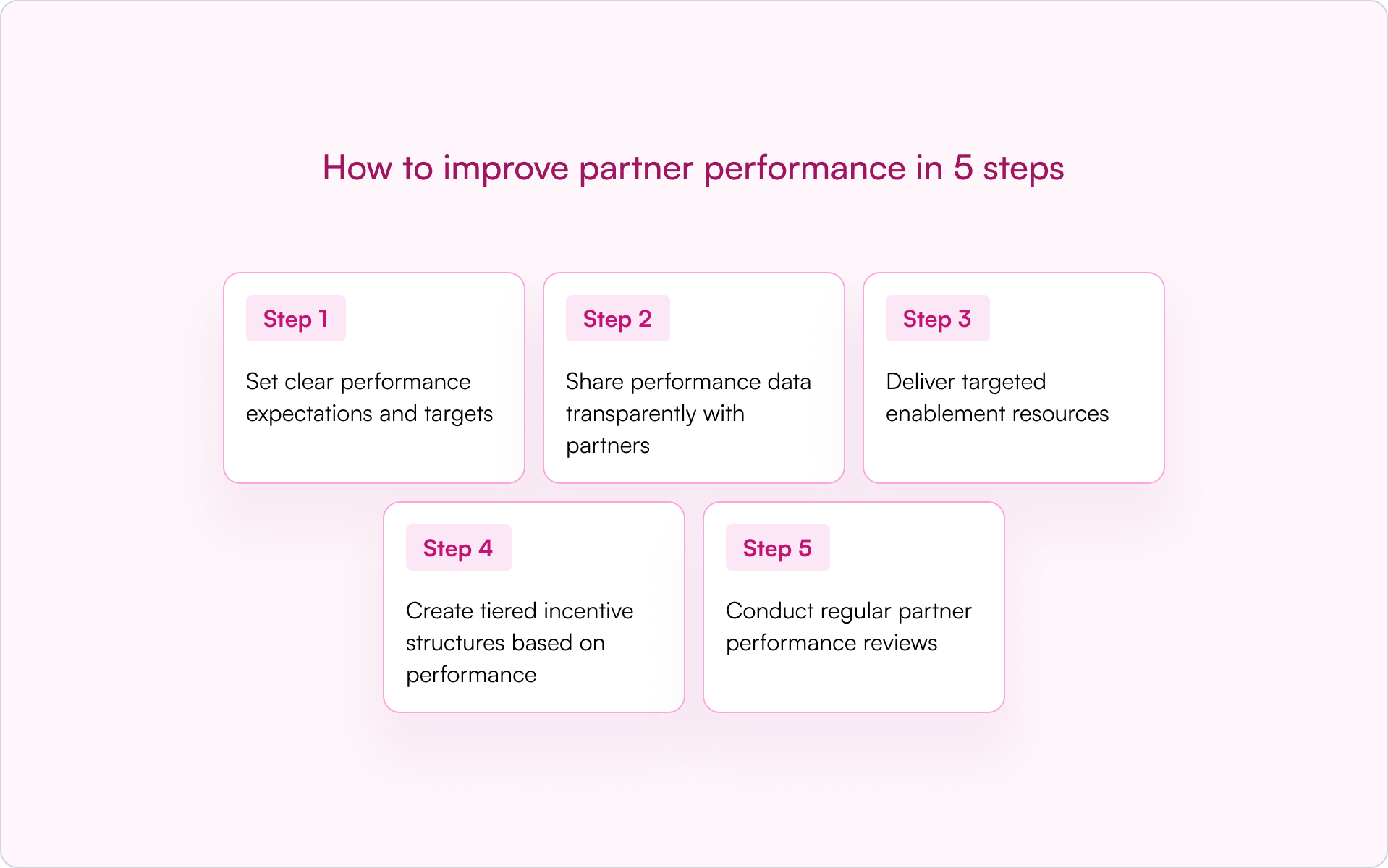
1) Set clear performance expectations and targets
Partners perform better when “good” is defined. Use SMART goals and write them down — in your partner agreement, onboarding plan, or QBR template. Targets can be revenue-based, pipeline-based, or activity-based depending on partner maturity.
Ambiguity creates friction. Clarity creates accountability.
2) Share performance data transparently with partners
If you want partners to behave like a revenue channel, show them the score. Give partners visibility into their pipeline, deal status, and next actions so they don’t rely on ad hoc status checks.
Modern tools like Introw support shared pipeline views so partners can see impact without needing a portal login or full CRM access.
3) Deliver targeted enablement resources
Underperformance is often a capability gap, not a motivation gap. Use enablement metrics to pinpoint what’s missing: product training, competitive positioning, discovery questions, or implementation readiness.
Don’t assume low performance means low effort. Sometimes it means low support.
4) Create tiered incentive structures based on performance
Tiered programs (Bronze, Silver, Gold) are a powerful way to motivate partners. They reward top performers with better benefits and give others a clear path to level up.
Partner scoring — a systematic method for ranking partners based on a combination of performance data — can power tiering. The criteria should be transparent so partners know exactly how to advance.
5) Conduct regular partner performance reviews
Build a cadence: QBRs for strategic alignment and monthly (or biweekly) pipeline reviews for active partners. Reviews work best when guided by CRM data, not gut feel.
Come prepared with trends, specific stuck deals, and a short action plan. That turns the meeting from a status update into a growth lever.
4 Common partner performance management challenges
If you’re searching for better partner performance, you’re usually running into a few predictable bottlenecks. The good news is that most are process and data problems — and those are fixable.
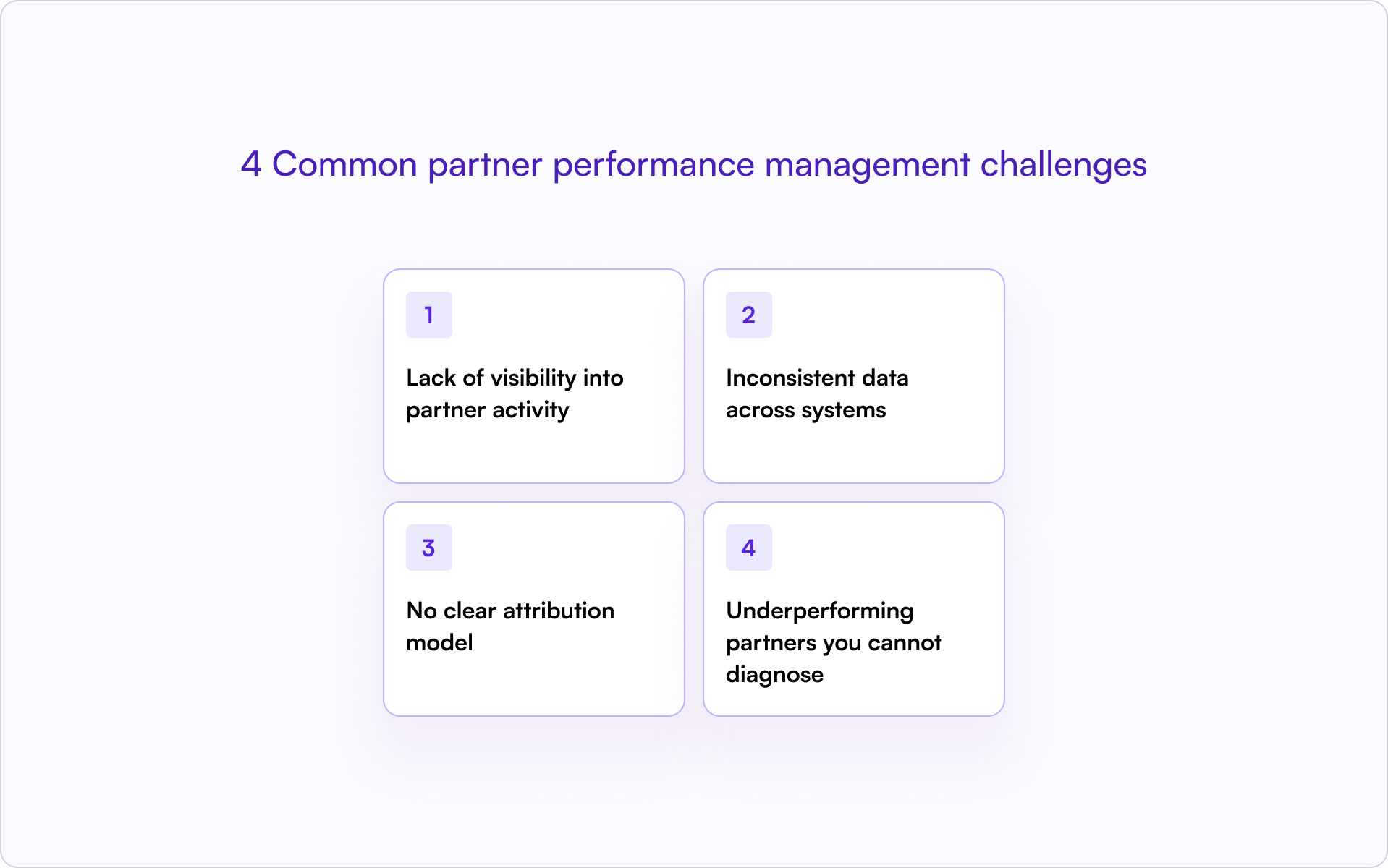
Lack of visibility into partner activity
When partner data lives in spreadsheets or disconnected portals, you’re effectively operating blind. You can’t see deal progress in real time, which makes forecasting unreliable and prevents early intervention.
Inconsistent data across systems
Duplicate records, missing fields, and mismatched lifecycle stages break reporting. The bigger issue is trust: once teams stop trusting the data, they stop using it — and your partner program becomes “feelings-based” again.
No clear attribution model
Without a documented attribution model, it’s difficult to credit partners fairly — especially for influenced deals. Ambiguity leads to disputes that damage partner relationships and slow deal cycles.
Underperforming partners you cannot diagnose
Without performance metrics, you’ll know a partner is struggling but not why. Is it lack of training? Poor lead quality? No internal champion? Low activity? Data turns vague concern into a clear plan.
How to scale partner performance tracking without manual work with Introw
As your program grows, manual tracking breaks. Spreadsheets become time-consuming, error-prone, and outdated — exactly when you need real-time visibility the most.
The solution is to adopt CRM-first PRM software. With this approach, partner data stays inside your core CRM (HubSpot or Salesforce), partners can collaborate without separate logins, and partner performance metrics update automatically.
That gives you a scalable operating system for partner performance — one source of truth, clean attribution, and reporting your revenue leaders can actually trust.
For example, Introw’s Dashboard section allows you to define the metrics that matter most to your partners by pulling data directly from your CRM. You can select which pipeline to use (for example, Sales Pipeline or Renewal Pipeline), decide which attributed deals to include, such as Partner-Sourced Deals or Reseller Deals, and choose which property to use for aggregated data (such as Deal Amount, MRR, or Contract Value). This flexibility provides clear, real-time insights into your partnership performance.
.png)
Introw shows the following default metrics.
- Total Revenue: All deals with this partner that are marked in your CRM as closed won
- Weighed pipeline : All deals with this partner that are neither closed won nor closed lost.
- Number of deals: Total value of all deals closed won with this partner.
- Total deals: All deals registered including closed won.
- Average deal size: Total value of all deals (incl. closed lost) divided by the amount of deals.
- Average sales cycle: The average 'days to close' for all closed won deals in your CRM, showing the average time between Create Date and Close Date.
- Revenue over time
Conclusion: partner performance is a system, not a spreadsheet
The fastest way to improve partner performance is to stop treating it like a vague relationship metric and start treating it like a revenue discipline. Define what “performance” means, track it inside your CRM, and build a cadence to review and improve it.
When you do, partners stop being an unpredictable side bet and start becoming a channel you can scale with confidence.
Subtle next step: If you want partner performance visibility without spreadsheets or a disconnected portal, see how Introw helps channel leaders track partner performance inside their CRM. Book a demo.
Still curious? Here are some quick answers to help clear things up
A solid baseline is quarterly business reviews (QBRs) for strategy and alignment, plus monthly pipeline check-ins for active partners. Your ideal cadence depends on deal velocity and partner tier — high-volume partners often justify more frequent touchpoints.
Partner-sourced revenue comes from deals the partner originated and brought to you. Partner-influenced revenue comes from deals the partner helped advance or close but did not originate. Both matter, but they require clear definitions and consistent CRM fields to avoid attribution disputes.
If you’re early, prioritize KPIs that prove motion and signal future revenue: deal registration volume, registered-to-closed conversion rate, time-to-first-deal, and partner-sourced pipeline. You can add deeper engagement and influence reporting once the basics are reliable.
For new partners, start with activity-based targets like training completion, registering a first deal, co-selling on a set number of opportunities, or hitting engagement milestones. Revenue targets are more fair once you have a baseline and the partner has ramped.
Yes. Modern CRM-first PRM platforms can give partners secure access to shared pipeline views and performance dashboards without giving full CRM seats. That transparency improves engagement, reduces manual status updates, and keeps deals moving.






Are you already an active Introw partner?
Book a demo with one of our partner program experts, or explore Introw on your own time.