
Partner Management

Top 12 Partner Collaboration Platform Options: What to Compare (Plus a Shortlist)

Compare 12 partner collaboration platform options built for real CRM-native collaboration. Reduce channel conflict and speed up shared deal execution.

5 min. read
16 Feb 2026
⚡ TL;DR

A true partner collaboration platform isn’t just another portal. It gives you partner-safe record sharing inside Salesforce or HubSpot, off-portal collaboration through email and Slack that writes back to your CRM, assigned next steps, governed data access, and clear audit trails across vendors and partners. Use our guidelines to choose a solution that shortens deal cycles, keeps outcomes visible in your CRM, and helps you prevent channel conflict without forcing partners into yet another login.

Partner Collaboration ≠ “Another PRM Tab”

Most partner relationship management software promises better partner relationship management, but your real goal isn’t to manage tabs or dashboards. You want deals to move faster, protect partner revenue, and catch channel conflict before it hits your CRM.

The friction shows up in small ways.

Your sales team works inside Salesforce or HubSpot, while channel partner updates sit in separate partner portals. Then, someone ends up reconciling partner data just to understand deal flow.

Where collaboration breaks down

  1. Deal registration doesn’t write back cleanly to your CRM
  2. Lead distribution lacks visibility for your sales team
  3. Manual data entry keeps systems loosely aligned
  4. Email and Slack updates never connect to partner performance
  5. Channel conflict surfaces too late

Across reseller programs, referral programs, and tech partners, these gaps make partner onboarding heavier than it should be.

What real collaboration looks like

A true partner collaboration platform keeps everything anchored in your CRM integration. Shared records update in real time. Conversations write back automatically. You can see deal flow and partner performance without exporting data.

If collaboration lives inside your CRM, you need a clear way to test whether a platform actually supports that. Not in theory. In practice.

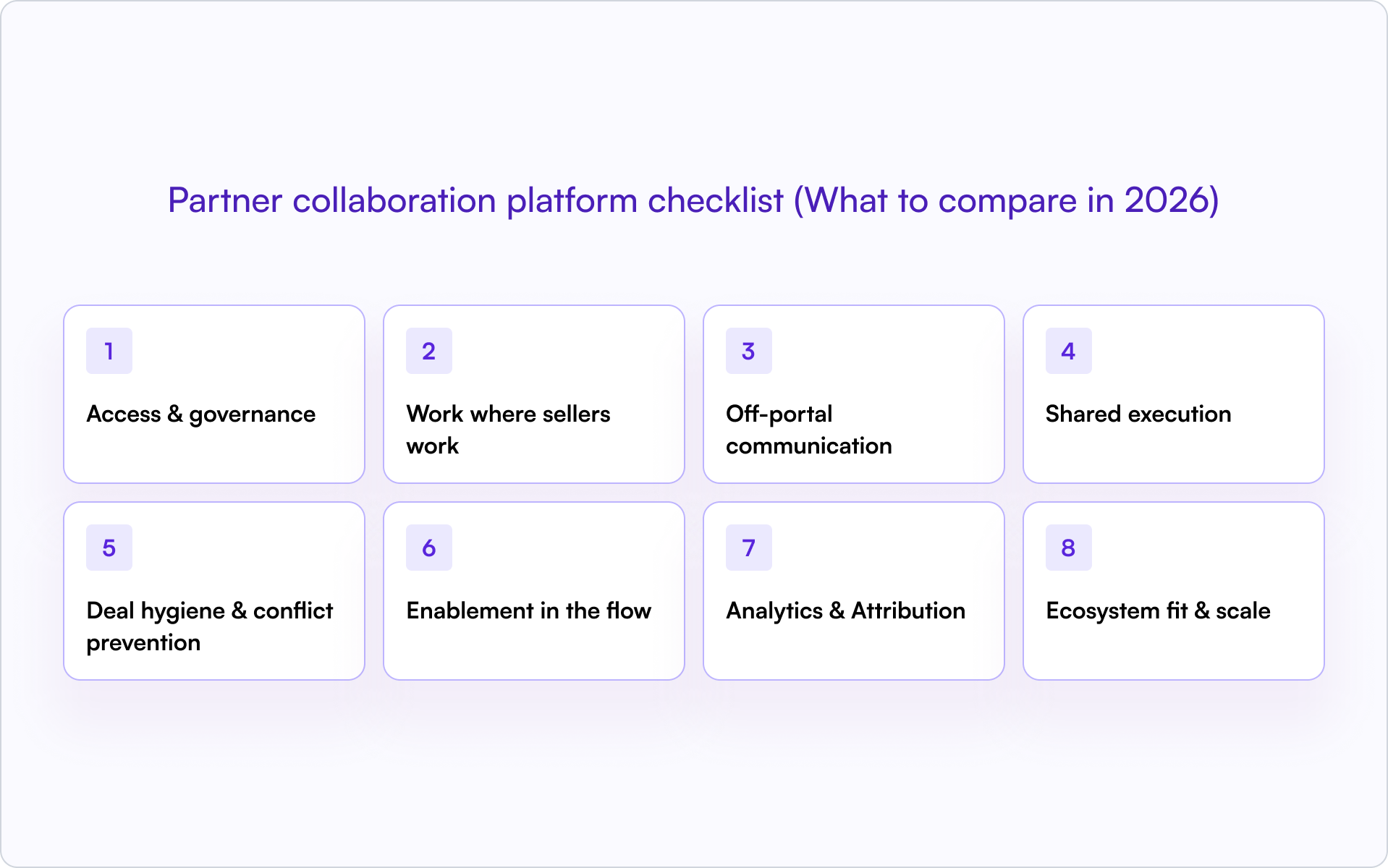
Partner collaboration platform checklist (What to compare in 2026)

When evaluating a partner collaboration platform, don’t get distracted by feature lists. Focus on what protects your CRM, improves deal flow, and keeps partner relationships aligned across the entire partner lifecycle.

Use this checklist to compare partner collaboration tools and the top PRM platforms for partner collaboration in 2026.

Area What to Look For
1. Access & Governance SSO/SAML, partner identity and role mapping, field and record-level safelists, time-boxed links, watermarking or redaction, full audit logs to protect partner data
2. Work Where Sellers Work Salesforce PRM or HubSpot side-panel collaboration, controlled view and edit access, @mentions, tasks, and two-way sync with your CRM integration, so your sales team never leaves their workflow
3. Off-Portal Communication Email and Slack threads attached to opportunities or accounts, reply-by-email, routing by role or territory, and digest modes that support real partner engagement
4. Shared Execution Assigned next steps with owners and due dates, mutual action plans, SLA timers, playbooks for reseller programs and referral programs, and version control for shared files
5. Deal Hygiene & Conflict Prevention Clean deal registration, duplicate detection, conflict flags, deal protection windows, and escalation paths that help prevent channel conflict before it hits your CRM
6. Enablement in the Flow Training and certification status visible in context, stage-based content recommendations, and direct access to your partner LMS, so partner onboarding happens inside the deal
7. Analytics & Attribution Track touches to stage movement, measure partner performance and revenue contribution, and connect collaboration activity to real performance tracking
8. Ecosystem Fit & Scale APIs and webhooks, support for complex partner ecosystems, admin guardrails, multi-brand support, and dynamic partner portals that scale without a steep learning curve

Strong partner management depends on choosing PRM software that keeps collaboration inside your CRM instead of pushing it into disconnected partner portals.

If you’re evaluating partner relationship management software or comparing CRM alignment, the right CRM for partner management should make collaboration visible inside your existing systems, not outside them.

Once you’ve pressure-tested the criteria, the real question is simple: which partner collaboration platforms can actually check these boxes?
Partner collaboration platform shortlist

Not every PRM platform is built for real collaboration. This shortlist focuses on partner collaboration platforms that keep deal flow visible, reduce channel conflict, and support structured execution across the entire partner lifecycle.

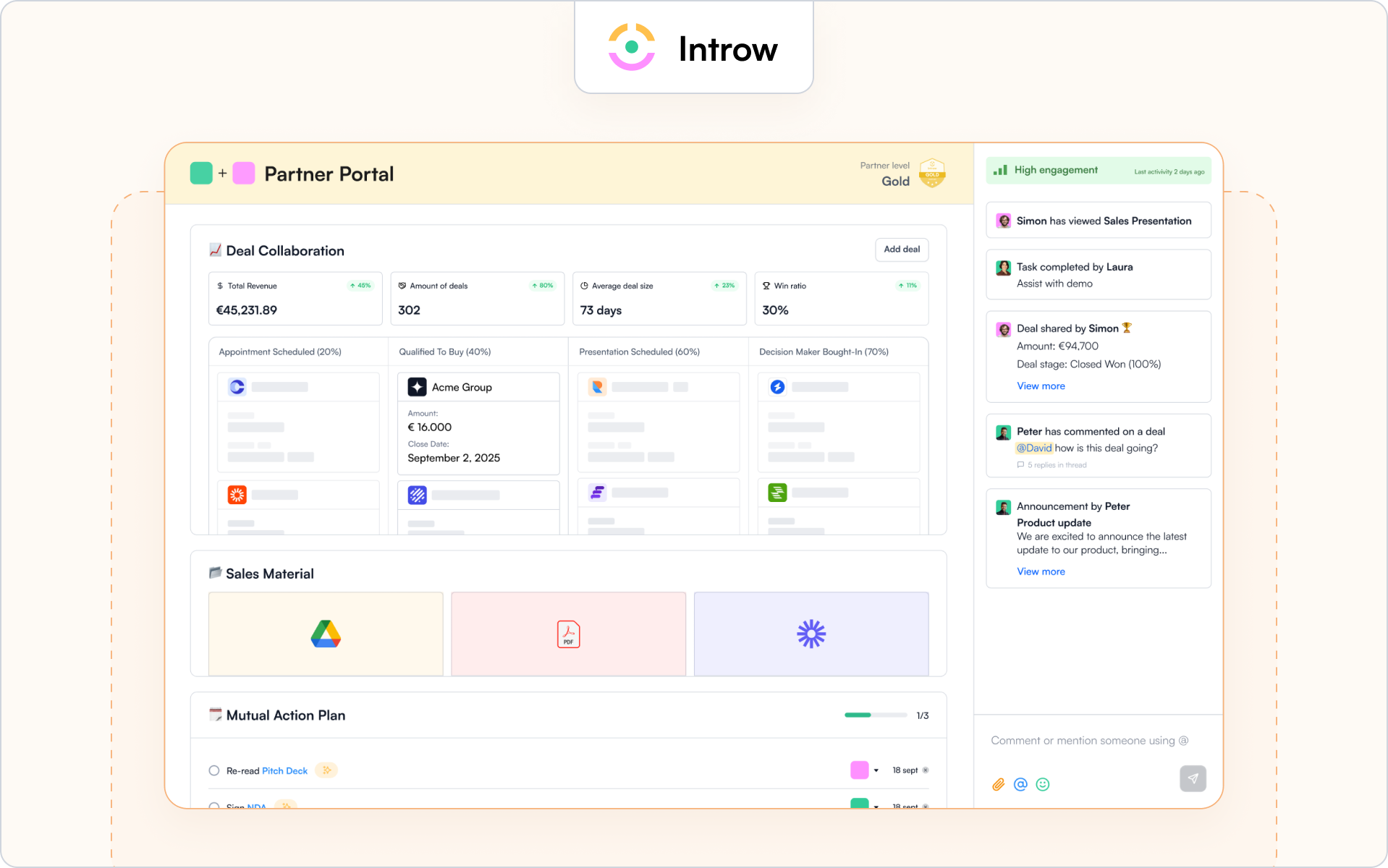
1) Introw – CRM-native collaboration for modern partner programs
Who it’s for

Introw is built for SaaS companies running reseller programs, referral programs, and strategic partnerships that need collaboration tied directly to pipeline. It’s a strong fit for revenue teams that live inside CRM and don’t want another disconnected PRM software layer.

If your sales team works in Salesforce or HubSpot and your partner management motion depends on shared deal context, this is designed for you.

Why it stands out

Introw is a partner collaboration platform that keeps shared work anchored inside your CRM instead of pushing it into isolated partner portals. Collaboration happens where sellers already work, with native Salesforce integration and HubSpot integration.

That means partner engagement, deal registration, and shared execution stay connected to real deal flow. No duplicate systems. No manual data entry just to understand what your channel partner is doing.

It also gives you governed visibility. Different partner types see only what they should, which helps prevent channel conflict before it escalates.

Key collaboration features

  1. CRM-first collaboration with field-level visibility controls and full audit logs.
  2. Off-portal email and Slack threads that attach to opportunities and write back automatically.
  3. Partner-safe pipeline views and structured deal registration workflows to reduce channel conflict.
  4. Shared execution tools, such as assigned next steps and action tracking tied directly to the opportunity.
  5. A configurable partner portal that supports dynamic partner portals without breaking CRM alignment.

Where it may not fit

If you’re only looking for basic partner portals to host marketing materials or need a lightweight free plan for simple referral programs, this may feel more robust than you need.

Introw is built for teams that want collaboration, governance, and CRM integration working together as a unified system.

Request a demo to see how collaboration works directly inside your CRM.

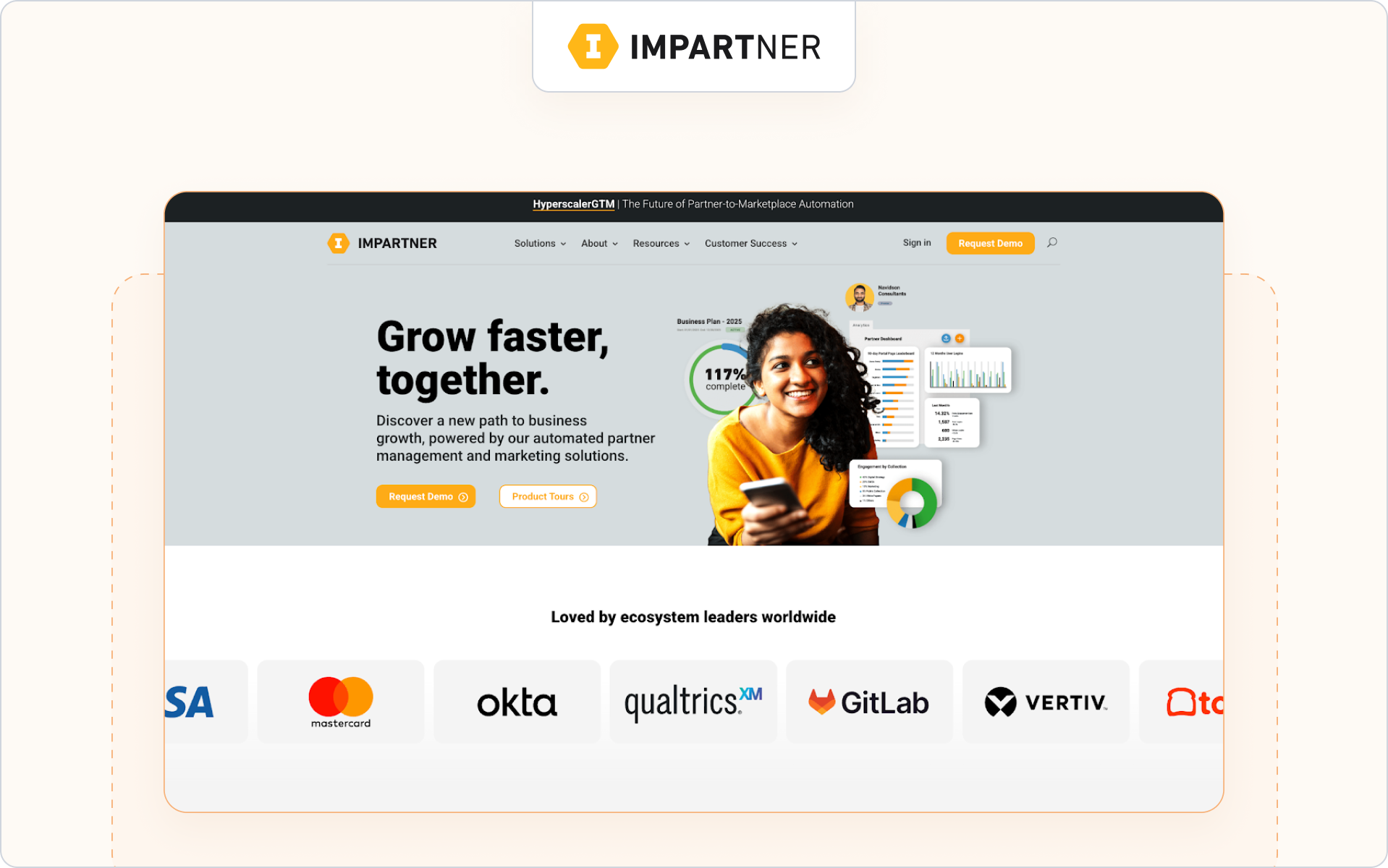
2) Impartner: PRM suite with collaboration spaces at enterprise scale
Who it’s for

Teams evaluating Impartner are typically enterprise brands and SaaS companies running structured partner programs across multiple partner types and regions.

Why it stands out

Impartner is a full partner relationship management PRM suite built for governance-heavy environments. It combines partner portals, deal registration, lead distribution, and marketing automation across the entire partner lifecycle.

Key collaboration features

  1. Configurable partner portals with workflow-based deal registration.
  2. Structured collaboration spaces and task tracking.
  3. Performance tracking and reporting across channel programs.

Where it may not fit

For teams prioritizing CRM-first collaboration embedded directly in deal flow, it can feel portal-centric and introduce a steep learning curve.

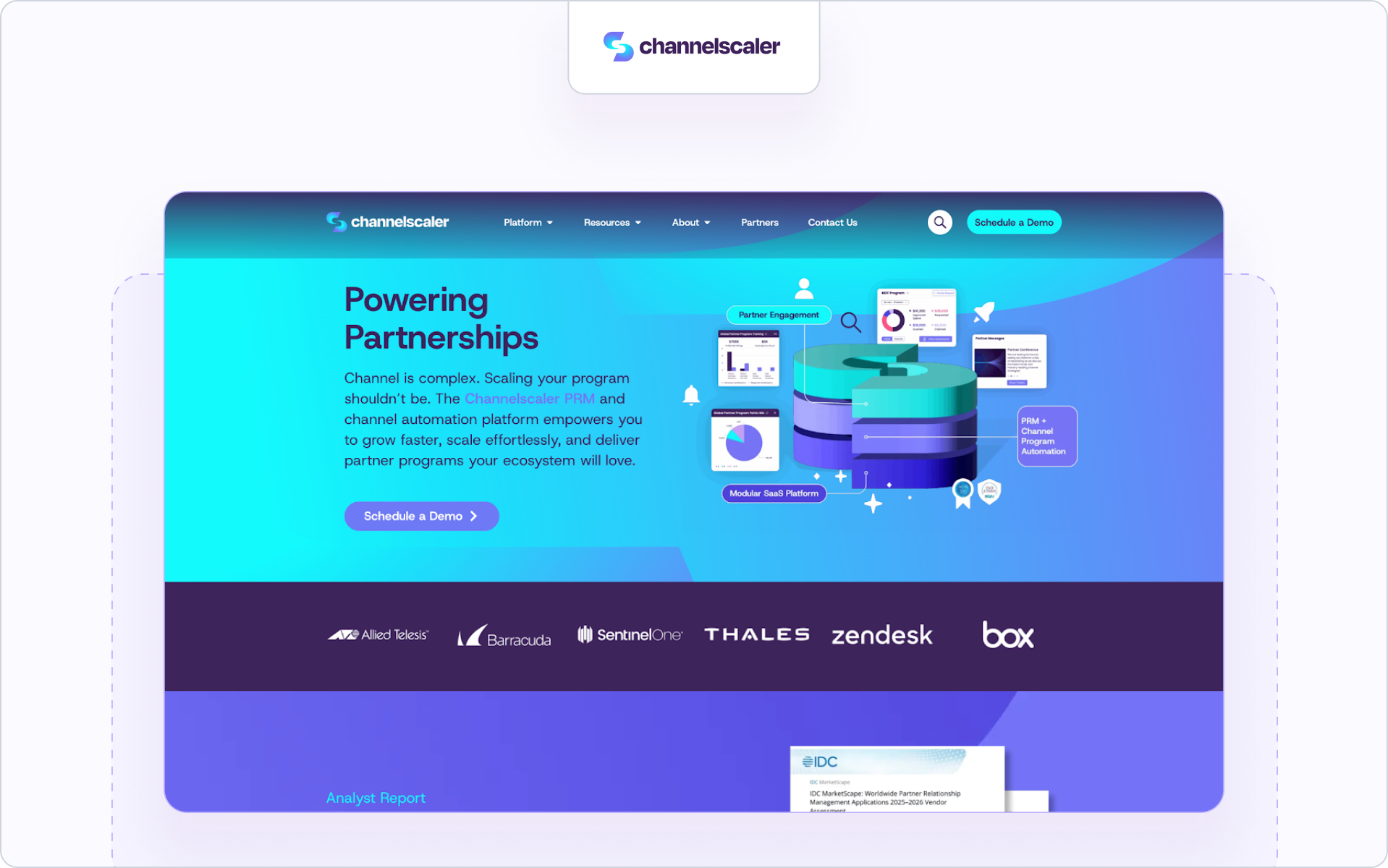
3) Channelscaler: enterprise partner operations and enablement platform
Who it’s for

Teams evaluating Channelscaler are typically enterprise SaaS companies running structured partner programs across reseller programs and channel partnerships.

Why it stands out

Channelscaler combines partner relationship management, partner onboarding, and marketing execution inside a governance-focused PRM software environment built for complex partner ecosystems.

Key collaboration features

  1. Configurable partner portals with structured deal registration and lead distribution.
  2. Partner onboarding workflows tied to channel programs.
  3. Performance tracking dashboards across the entire partner lifecycle.

Where it may not fit

If your priority is CRM-native collaboration embedded directly inside opportunity records, it may feel portal-driven rather than collaboration-first.

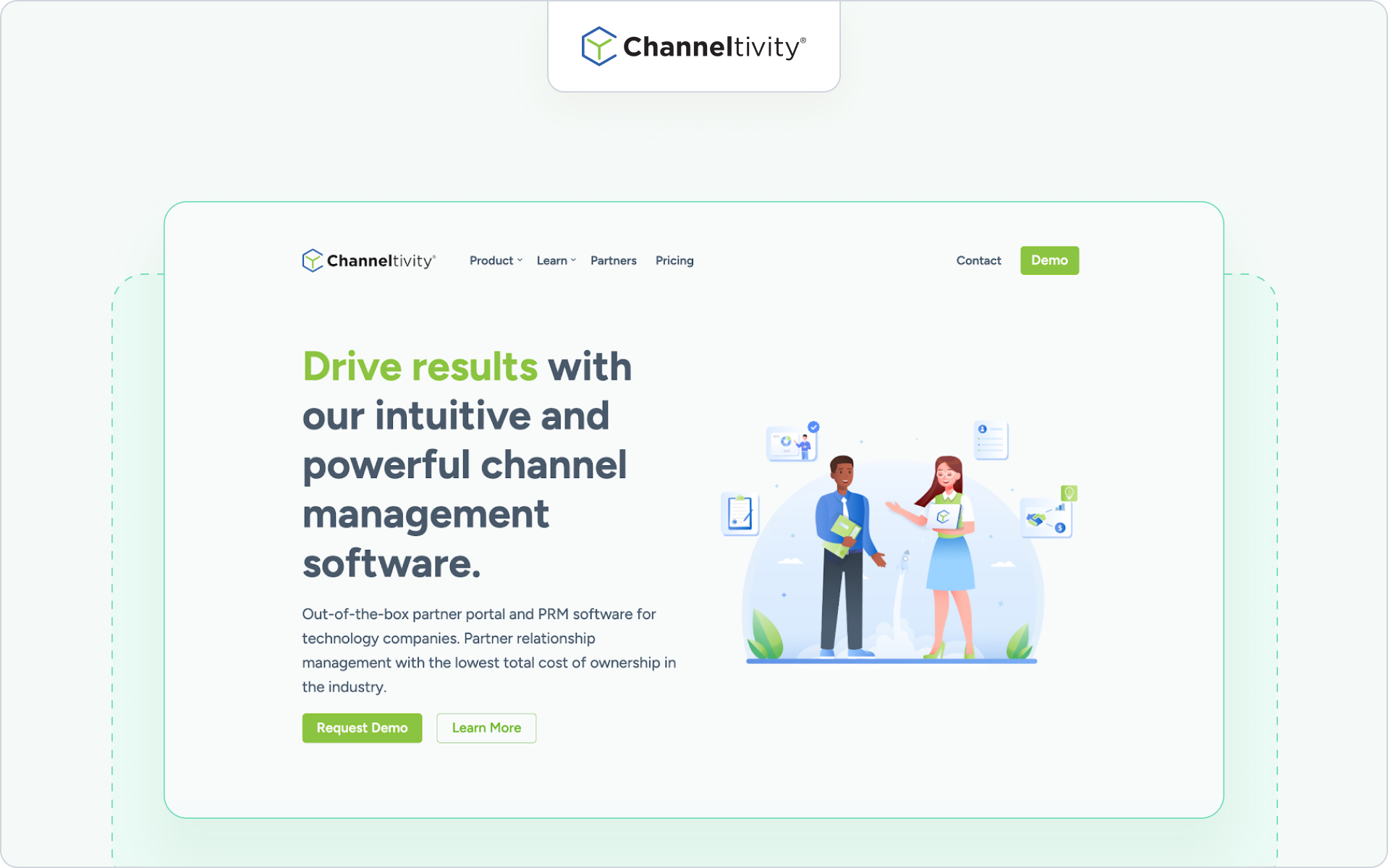
4) Channeltivity: lightweight collaboration for mid-market
Who it’s for

Teams exploring Channeltivity are often mid-market SaaS companies running structured reseller programs without enterprise complexity.

Why it stands out

Channeltivity focuses on practical partner management, clean deal registration, and accessible partner portals that support day-to-day collaboration.

Key collaboration features

  1. Structured deal registration and lead distribution workflows.
  2. Task management and communication inside partner portals.
  3. Reporting dashboards for partner performance and revenue contribution.

Where it may not fit

For complex partner ecosystems or layered strategic partnerships, collaboration depth and governance controls may be limited.

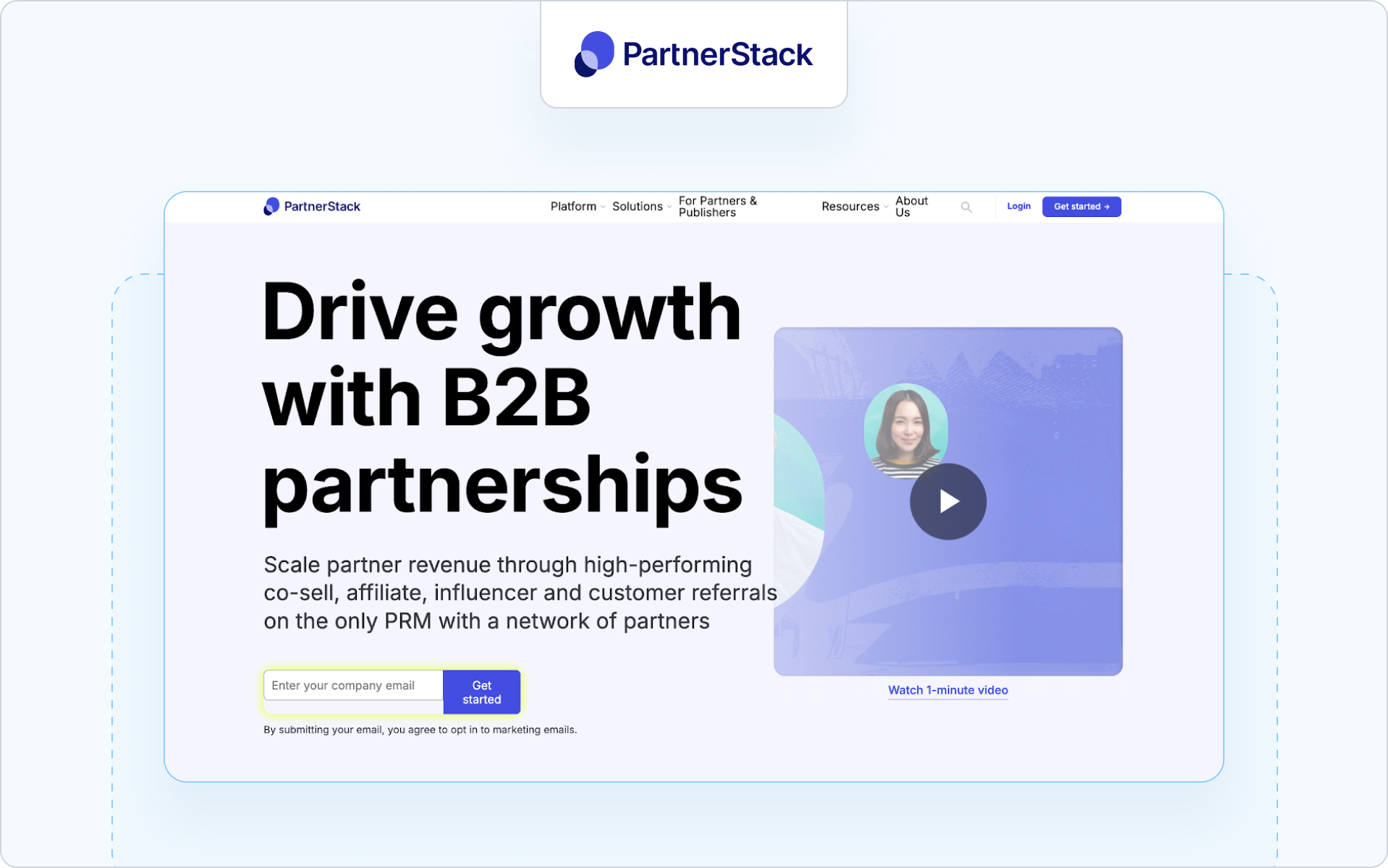
5) PartnerStack: marketplace-driven collaboration for affiliates and resellers
Who it’s for

Companies evaluating PartnerStack are typically SaaS companies scaling referral programs and reseller programs through marketplace-based partner discovery.

Why it stands out

PartnerStack combines partner management with marketplace infrastructure. It supports automated onboarding, automated marketing campaigns, and partner revenue tracking.

Key collaboration features

  1. Marketplace-based partner discovery and onboarding.
  2. Deal tracking and attribution for referral programs.
  3. Performance tracking tied to revenue contribution.

Where it may not fit

If your priority is structured co-sell collaboration embedded inside CRM deal flow, it may feel acquisition-focused rather than collaboration-first.

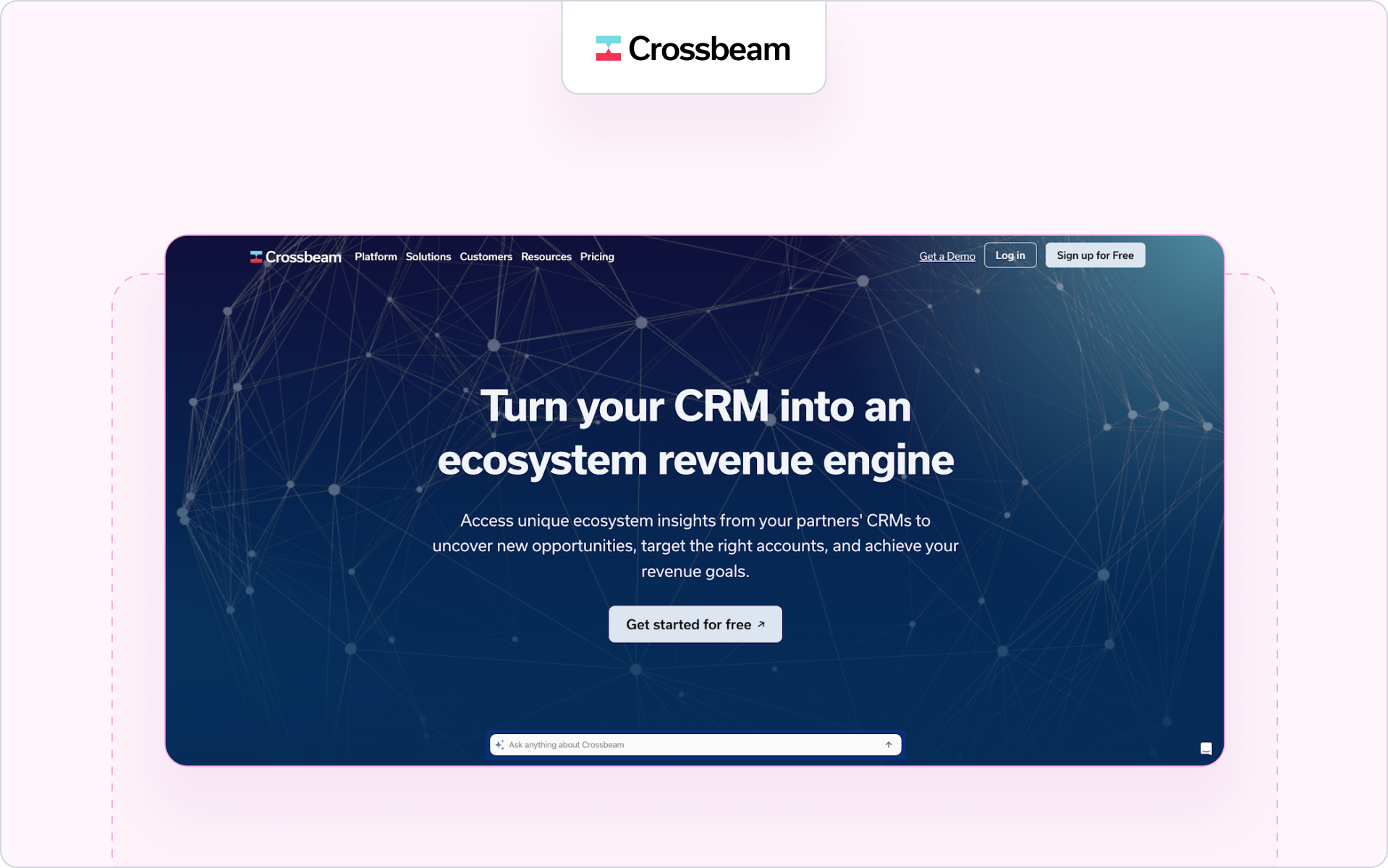
6) Crossbeam: account mapping plus partner rooms
Who it’s for

Teams considering Crossbeam are SaaS companies focused on account mapping and strategic partnerships with tech partners.

Why it stands out

Crossbeam strengthens partner discovery by securely comparing partner data. It’s strong at the discovery → collaboration transition before formal deal registration.

Key collaboration features

  1. Secure account mapping between business partners.
  2. Partner rooms for shared visibility and early-stage coordination.
  3. CRM integration to push insights back to the sales team.

Where it may not fit

It is not full partner relationship management software. It complements PRM platforms rather than replacing deal registration or partner portals.

7) PartnerTap: account mapping and co-sell collaboration
Who it’s for

Companies considering PartnerTap are typically SaaS companies and tech partners focused on account mapping and co-sell collaboration across strategic partnerships.

Why it stands out

PartnerTap centers collaboration around secure partner data sharing and shared visibility into deal flow before formal deal registration.

Key collaboration features

  1. Secure account mapping across business partners.
  2. Shared pipeline visibility for co-sell motions.
  3. CRM integration to sync collaboration insights to the sales team.

Where it may not fit

It complements PRM platforms but does not replace full partner relationship management software for channel management or partner portals.

8) Unifyr: channel marketing and partner operations platform
Who it’s for

Companies evaluating Unifyr are typically enterprise SaaS companies and tech companies running distributed channel programs with strong marketing execution requirements.

Why it stands out

Unifyr, formerly Zift Solutions, combines partner relationship management, through channel marketing automation, and campaign execution inside a unified platform. It is built for organizations managing structured reseller programs and large partner ecosystems.

Key collaboration features

  1. Through channel marketing automation and campaign distribution across partner portals.
  2. Structured deal registration and lead distribution workflows.
  3. Performance tracking dashboards tied to partner engagement and revenue contribution.

Where it may not fit

If your priority is CRM-first collaboration embedded directly inside deal objects, it may feel more marketing-centric than collaboration-native.

9) Slack with Salesforce or HubSpot apps: flexible “bring your own” collaboration
Who it’s for

Teams combining Slack with Salesforce PRM or HubSpot are usually SaaS companies wanting flexible collaboration tools tied loosely to CRM integration.

Why it stands out

This approach keeps conversations in Slack while pinning threads or notifications to CRM records. It can reduce manual data entry if configured well.

Key collaboration features

  1. Channel-based collaboration across internal and external teams.
  2. CRM notifications and updates pushed into Slack.
  3. Flexible routing across partner types and territories.

Where it may not fit

It requires strong governance to prevent channel conflict and data drift. It is not a unified platform or full PRM software solution.

10) Notion with CRM sync: mutual plans and shared hubs
Who it’s for

Teams using Notion with CRM sync are typically modern SaaS companies wanting lightweight collaboration for mutual action plans.

Why it stands out

Notion can serve as a shared workspace for file hubs, execution plans, and documentation across partner relationships.

Key collaboration features

  1. Mutual action plan templates.
  2. Shared file and documentation hubs.
  3. CRM sync for visibility into deal flow.

Where it may not fit

It requires governance wrappers to prevent channel conflict and lacks built-in deal registration or structured partner management.

11) Monday.com with PRM templates: task-based partner workspaces
Who it’s for

Teams adapting Monday.com for partner programs are usually mid-market SaaS companies needing task tracking and dashboards.

Why it stands out

Monday.com offers flexible boards that support partner onboarding, shared tasks, and light partner management.

Key collaboration features

  1. Task boards for deal flow and partner onboarding.
  2. Dashboards for performance metrics.
  3. Integrations with CRM systems.

Where it may not fit

It is not purpose-built PRM software and may require manual data entry to maintain partner data alignment.

12) Gainsight Customer Communities: external community-led collaboration
Who it’s for

Organizations using Gainsight Customer Communities are typically enterprise brands focused on post-sale collaboration with active partners.

Why it stands out

It supports structured communities for partner engagement and shared resources across complex partner ecosystems.

Key collaboration features

  1. Community-based collaboration for active partners.
  2. Content sharing and discussion threads.
  3. Reporting dashboards for engagement metrics.

Where it may not fit

It is less sales-centric and does not replace PRM platforms for deal registration, lead distribution, or CRM-native co-sell execution.

If you want, next we can trim further by tightening repetitive phrasing across tools while preserving keyword density.Summary

A long feature list doesn’t guarantee better collaboration.

The question now isn’t which platform has the most features. It’s which one actually improves how your sales team and your channel partner work together.

How to implement partner collaboration in 30–45 days

You don’t need a six-month rollout. You need structure, ownership, and clear guardrails. Here’s a practical way to stand up partner collaboration across your partner programs in 30–45 days.
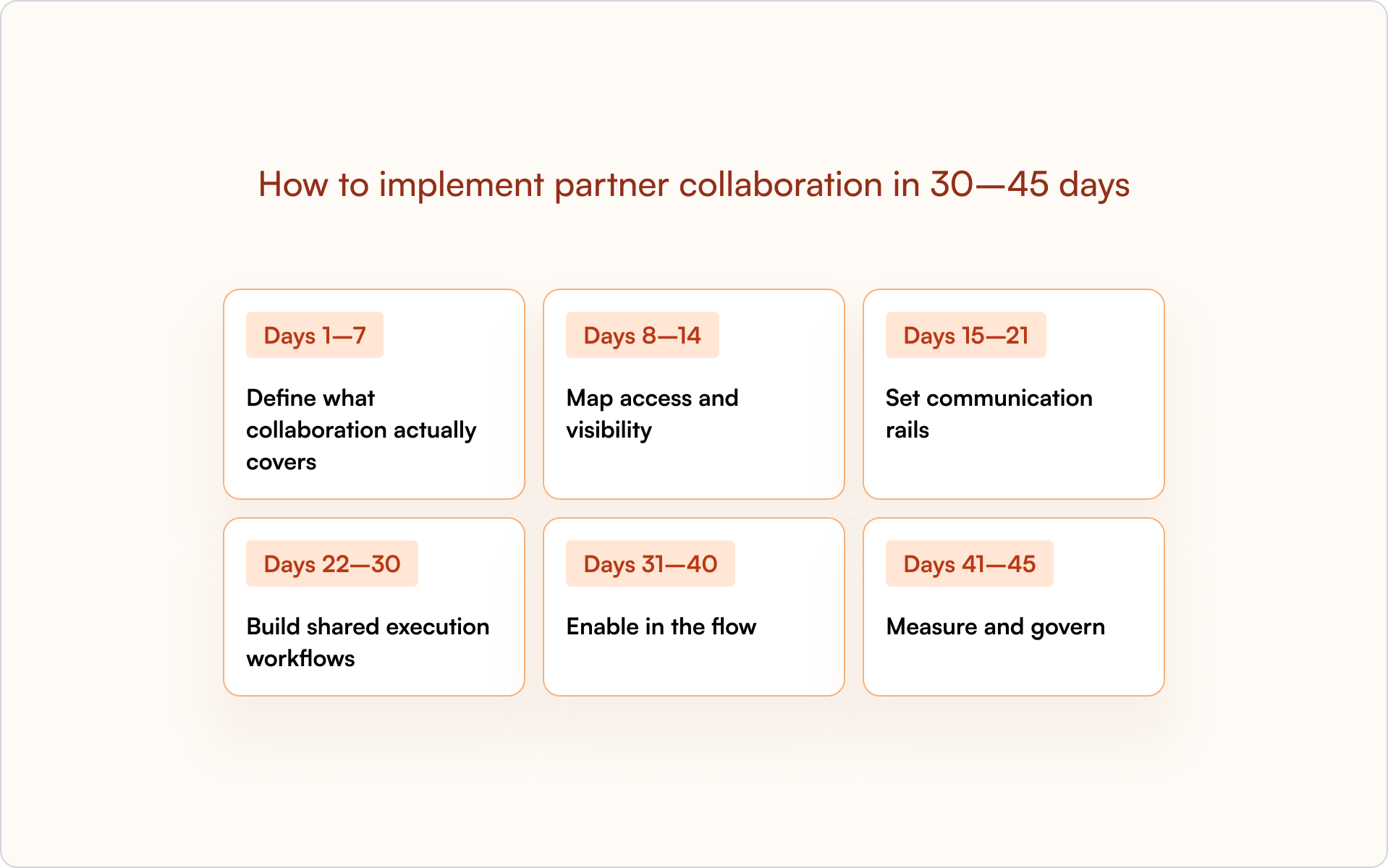
Days 1–7: define what collaboration actually covers

Start by defining the collaboration objects inside your CRM.

  • Decide which objects partners can collaborate on: opportunities, accounts, renewals, and expansions.
  • Clarify how deal registration connects to those objects.
  • Align on how this supports the entire partner lifecycle, not just new deals.

If this step is vague, partner relationships will stay vague.

Days 8–14: map access and visibility

Next, design access before inviting partners in.

  • Map fields, sections, and roles by partner type.
  • Define what each channel partner, tech partner, or reseller can see and edit.
  • Set time-bound links and expiration rules to protect partner data.

The goal is simple: prevent channel conflict before it happens.

Days 15–21: set communication rails

Now decide how communication works.

  • Define Slack and email collaboration channels tied to opportunities.
  • Enable reply-by-email so off-portal updates write back to your CRM.
  • Set routing rules by territory or role so the right partners are looped in.

This removes manual data entry and keeps deal flow visible to your sales team.

Days 22–30: build shared execution workflows

Collaboration without structure creates noise. Add shared execution.

  • Create mutual action plan templates for source, co-sell, and renewal motions.
  • Assign next steps with owners and due dates.
  • Align SLAs across partner programs and reseller programs.

This is where collaboration turns into measurable partner performance.

Days 31–40: enable in the flow

Support partners without pushing them into separate portals.

  • Surface certification status inside the deal context.
  • Recommend content and marketing materials by stage.
  • Make it easy for new partners to complete onboarding without leaving the workflow.

This increases partner engagement and partner adoption.

Days 41–45: measure and govern

Finally, make collaboration measurable and auditable.

  • Build dashboards for touches, time-to-stage movement, and win rate.
  • Track channel conflict rate and revenue contribution across partner types.
  • Review audit logs and refresh safelists quarterly.

When collaboration is visible, governed, and tied to performance tracking, it becomes part of your partner management discipline, not just another tool.

Remember: Structure first. Tools second.

That’s exactly the kind of collaboration Introw was built to support.

Why Introw for partner collaboration

Most PRM platforms add structure. Introw focuses on how work actually moves between your sales team and your channel partner.

It is built around one idea: a partner collaboration platform should live inside your CRM, not around it. That’s what separates partner relationship management PRM in theory from collaboration in practice.
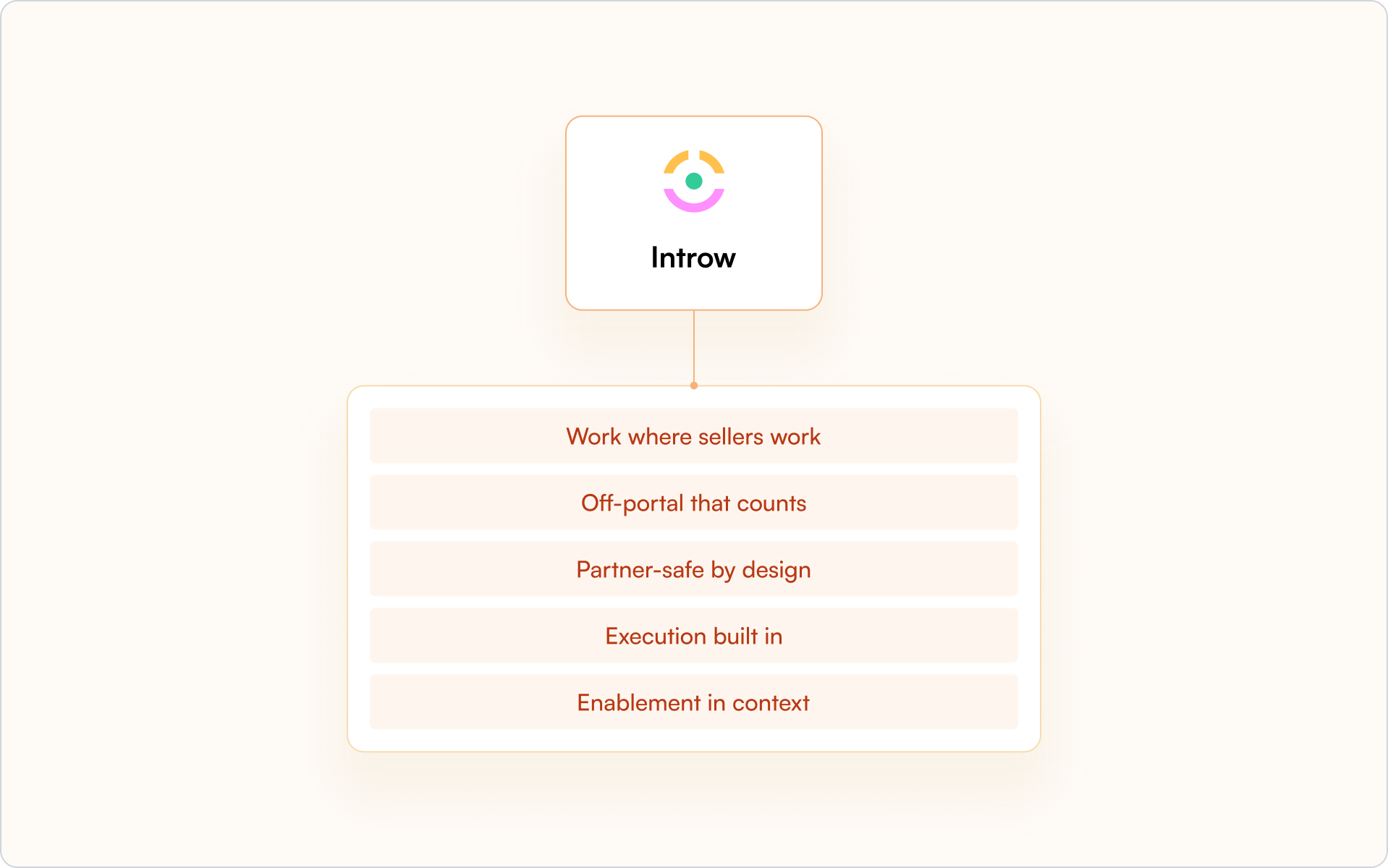
Work where sellers work

Introw runs natively inside Salesforce and HubSpot through its Salesforce and HubSpot integration. Collaboration lives in the side panel of the opportunity or account, not in a separate portal.

Your sales team does not switch tools. Your tech partners do not lose context. Deal flow stays visible across the entire partner lifecycle.

Off-portal that counts

Partners reply by email or Slack, and the conversation attaches directly to the right opportunity. No copy-paste. No manual data entry.

Every update writes back to your CRM, so partner data, deal registration activity, and shared execution stay connected.

Partner-safe by design

Introw uses field-level safelists, role mapping, time-bound links, and full audit trails. Each partner type sees only what they should.

That protects partner relationships and helps prevent channel conflict across complex partner ecosystems.

Execution built in

Collaboration is not just conversation. Introw supports assigned tasks, mutual action plans, conflict flags, and surfaced deal and lead registration context inside the thread.

Instead of adding another feature-rich platform to manage, collaboration becomes part of your channel programs and partnership programs.

Enablement in context

Training and certification status from your partner LMS can surface directly in the deal view. Content recommendations appear based on the stage.

Partner onboarding and partner engagement happen inside the flow of work, not in disconnected partner portals.

Your next steps

  1. Map where collaboration currently breaks down between your sales team and your partners.
  2. Identify which partner types need governed visibility and which fields must stay protected.
  3. Decide whether your current PRM software truly supports collaboration inside your CRM.

If not, you are likely evaluating the best PRM software based on features instead of execution.

Request a demo to see a 10-minute collaboration flow inside Salesforce or HubSpot.

Further reading

If you are refining your broader partner strategy, explore some of our other guides:

FAQs

Still curious? Here are some quick answers to help clear things up.

Contact us

Do I need a PRM to collaborate with partners?

No. You need structured collaboration inside your CRM. When reviewing top PRM platforms to improve partner collaboration or top PRM platforms for partner collaboration in 2026, focus on CRM-native execution, not just partner portals.

How do I keep email and Slack outside the portal but still logged to CRM?

Use a partner collaboration platform that auto-attaches email and Slack replies to the correct opportunity or account. That keeps conversations off-portal while everything writes back to your CRM.

What’s the fastest proof of value?

Pilot one motion, such as co-sell. Measure touches, stage movement, and win rate within 30–45 days.

How do I prevent oversharing but keep velocity?

Use role-based access, field-level safelists, and time-bound links. Each partner type sees only what they need.

How do I show collaboration → revenue in Salesforce or HubSpot?

Track deal registration activity, stage movement, and revenue contribution inside your CRM. Tie collaboration directly to partner performance.

Launch your partner portal
in minutes!

Thank you! Your submission has been received!
Oops! Something went wrong while submitting the form.

Related blog articles

Partner Management

12 Best Partner Portal Software Platforms: Features, Fit, and Gaps

Wouter Moyaert
Product
5 min. read
20 Feb 2026
⚡ TL;DR

Partner portal software wins or loses on adoption. In 2026, prioritize SSO, white-label branding, granular access controls, trackable content, announcements via email and Slack, embedded LMS and certifications, frictionless deal registration, partner-safe pipeline views, and native Salesforce or HubSpot attribution. Our shortlist of the best partner portal software, with Introw ranked #1 for SaaS partner programs that care about CRM integrity and real pipeline visibility.

What is a partner portal, and why and when do you need one

A partner portal is a secure space where your partners access the tools, data, training, and marketing materials they need to sell with you.

Modern partner portal software connects deal registration, partner onboarding, partner marketing, and CRM visibility in one platform so your team can manage relationships and revenue without spreadsheets.

Why and when you need one

You need a partner portal when your partner program starts influencing real sales. If your team is manually updating deals, your resellers need controlled access to pipeline data, or you cannot clearly tie partner engagement to revenue, manual processes will slow your business down.

The right partner portal software gives your partners access to relevant deals and support while keeping Salesforce or HubSpot as the single source of truth. That balance is what drives adoption, visibility, and scalable channel growth.

So what separates average partner portal software from the best partner portal software for your business?

It comes down to adoption, CRM alignment, and how well the portal supports your partners in real selling situations.

The Shortlist: Best Partner Portal Software (2026)

Here's our shortlist of partner portal software platforms worth comparing in 2026, starting with the option built specifically for SaaS channel programs.

1. Introw partner portal

Best for

SaaS partner programs that care about adoption, CRM trust, and measurable revenue impact.

Why it’s a fit for portals

The Introw partner portal is built specifically for external partner use. It gives your partners controlled access to deals, leads, marketing materials, and training while keeping your CRM as the single source of truth.

Unlike traditional partner relationship management software that operates beside your CRM, Introw works inside it. Your partner portal reflects real Salesforce or HubSpot data with permission-based visibility. Your business data stays protected, and your partners see only what is relevant to them.

If adoption is your priority, this matters. Partners can engage through email and Slack without constantly logging in. When they reply by email, activity is logged automatically, so your team sees partner activities without chasing updates.

You can explore the full experience on Introw’s partner portal.

Highlights

Introw focuses on the practical elements that drive partner experience and revenue clarity. The portal connects your partner program directly to your CRM so you can manage deals, engagement, and performance in one platform.

  • White-label branding and SSO so the portal reflects your brand
  • Granular access controls for channel partners, resellers, and distributors
  • Real-time deal registration and partner-safe pipeline views via our Salesforce integration or HubSpot integration
  • Embedded Partner LMS for partner onboarding, certifications, recert windows, and AI-powered course creation

Because the portal is CRM-native, your sales team and internal teams do not need to reconcile data across disconnected tools. You get better reporting, clearer attribution, and visibility into how partners sell and influence deals.

If you want the broader category view, this guide to the best PRM software is a helpful companion.

Considerations

Introw is not designed as a heavy enterprise suite with complex incentive engines or layered distributor rebate structures. It focuses on adoption, clean CRM alignment, co-selling workflows, and partner enablement for SaaS channel programs.

If your channel programs rely heavily on advanced incentive modeling or carrier-style rule complexity, you should validate fit carefully.

Pricing note

Introw is structured to support external partner access without charging for casual logins. If you want to see how it works inside your CRM, you can request a demo.

2. Impartner

Best for

Enterprise companies running large, multi-tier channel programs across regions and partner types.

Why it’s a fit for portals

Impartner is a long-standing partner relationship management software provider with a robust portal module. Its partner portal is designed to support complex channel programs, including distributors, resellers, and global alliances.

The platform emphasizes structured governance, automation, and scale. If your portal sits inside a broader enterprise PRM strategy, Impartner is often on the shortlist.

Highlights

  • Configurable portal with role-based access and SSO
  • Built-in deal registration workflows and approval routing
  • Program management tools for tiers, incentives, and partner performance

Considerations

Impartner’s depth can mean a heavier setup and ongoing administration. If fast partner adoption and lightweight workflows are your priority, validate how complex the experience feels for your partners.

Pricing note

Enterprise pricing. Typically requires direct consultation.

3. Channeltivity

Best for

Mid-market companies that want a clean partner portal combined with core PRM functionality.

Why it’s a fit for portals

Channeltivity positions its portal as a structured, self-service environment for channel partners. It supports deal registration, content access, training, and partner communication within a straightforward interface.

If you want partner portal software that balances functionality and usability without heavy enterprise overhead, this is a practical option.

Highlights

  • Branded partner portal with permission-based access
  • Deal registration and lead distribution workflows
  • Resource libraries and training modules

Considerations

If your business relies heavily on advanced partner marketing automation or distributor-level complexity, validate how far the portal can scale with your channel strategy.

Pricing note

Public tiered pricing is available on their website.

4. Magentrix

Best for

Salesforce-centric teams that want a flexible, community-style partner portal.

Why it’s a fit for portals

Magentrix offers partner portal software that integrates closely with Salesforce and can leverage Experience Cloud foundations. It combines portal capabilities with structured partner relationship management features.

If your business is deeply invested in Salesforce and you want strong layout customization, Magentrix can be a strong fit.

Highlights

  • Salesforce-integrated deal and account visibility
  • Customizable portal layouts and dashboards
  • Training and onboarding modules

Considerations

Portal experience and reporting depth may depend on your internal Salesforce configuration capacity. Admin resources matter here.

Pricing note

Pricing is structured in tiers and typically requires consultation.

5. Salesforce PRM (Experience Cloud)

Best for

Organizations that want their partner portal fully embedded in the Salesforce infrastructure.

Why it’s a fit for portals

Salesforce PRM is built on Experience Cloud and allows you to create a partner portal directly inside your CRM environment. For Salesforce-first companies, this offers deep control over data access, workflows, and reporting.

This approach works well if your internal teams are comfortable managing Salesforce configurations and you want your partner portal tightly aligned with sales operations.

Highlights

  • Direct CRM data access with granular role-based permissions
  • Native deal registration and lead sharing
  • Custom dashboards and reporting tied to sales performance

Considerations

Implementation and maintenance can be resource-intensive. If you want a fast-to-launch partner portal with minimal configuration, this route may require more internal support.

Pricing note

Pricing is typically per partner user license and varies by edition. Consultation with Salesforce is required for exact figures.

6. ZINFI

Best for

Organizations that want a full PRM suite with structured partner lifecycle management and global channel programs.

Why it’s a fit for portals

ZINFI positions its Unified Channel Management platform as an end-to-end partner relationship management solution. Its partner portal sits inside a broader system that supports complex channel programs across regions and industries.

If your partner portal is one layer inside a larger partner tech stack, ZINFI is often evaluated.

Highlights

  • Structured deal registration and partner onboarding workflows
  • Built-in learning management and certification modules
  • Channel marketing automation with analytics for partner performance

Considerations

Because ZINFI is a comprehensive platform, portal experience and speed of rollout may depend on how much configuration your internal team can support.

Pricing note

Pricing is typically customized based on modules and scale.

7. Unifyr

Best for

Vendors and distributors that prioritize through-channel marketing automation alongside their partner portal.

Why it’s a fit for portals

Unifyr combines PRM functionality with through-channel marketing automation. The partner portal is designed to support structured partner communication, campaign distribution, and co-branded marketing assets across large distributor networks.

This makes it a frequent contender for the best partner portal software for technology distributors that need marketing reach across multiple partners.

Highlights

  • Integrated portal with deal registration and partner marketing workflows
  • Campaign distribution and co-branded marketing assets
  • Built-in learning and enablement features

Considerations

If your priority is CRM-native pipeline visibility and streamlined co-selling, validate how tightly reporting and attribution connect to your CRM.

Pricing note

Pricing is typically available upon request.

8. Mindmatrix (Bridge)

Best for

Companies that want a portal focused on sales enablement and partner marketing activation.

Why it’s a fit for portals

Mindmatrix blends partner portal functionality with marketing automation and enablement tools. The portal becomes a structured hub where partners access marketing materials, training, and sales content in one platform.

If your focus is driving partner engagement through marketing tools and guided selling workflows, this approach can fit well.

Highlights

  • Resource hubs with trackable marketing materials
  • Training and coaching modules
  • Campaign and content distribution to help partners sell

Considerations

If your business requires deep CRM alignment for deal visibility and better reporting tied directly to revenue, confirm how data sync is handled.

Pricing note

Pricing varies by configuration and partner scale.

9. PartnerStack

Best for

Companies running partner-led growth programs across affiliates, agencies, and SaaS resellers.

Why it’s a fit for portals

PartnerStack is less a traditional reseller portal and more a partner ecosystem platform focused on acquisition and performance tracking. It supports programs where incentives, referrals, and partner performance measurement drive growth.

If your channel programs revolve around partner recruitment and performance marketing rather than structured reseller co-selling, this model may align.

Highlights

  • Marketplace-style partner recruitment and onboarding
  • Automated tracking of referrals and conversions
  • Incentive and payout management

Considerations

If you need structured deal registration, CRM-aligned pipeline access, and deep collaboration between partners and your sales team, validate fit carefully.

Pricing note

Pricing is typically customized based on program structure.

10. Channext

Best for

Vendors that prioritize partner marketing and campaign distribution across resellers and distributors.

Why it’s a fit for portals

Channext focuses heavily on partner marketing automation. Its portal-like environment enables partners to quickly find and activate marketing materials, campaigns, and co-branded marketing assets.

If your channel strategy is built around helping partners sell through ready-to-use marketing tools, Channext can act as a partner portal automation software layer focused on activation rather than deep CRM workflows.

Highlights

  • Campaign distribution across resellers and distributors
  • Central hub where partners access marketing materials
  • Analytics tied to engagement and marketing performance

Considerations

If your business needs advanced deal registration, structured co-selling, or deep CRM-based collaboration, confirm how well Channext connects to your broader partner tech stack.

Pricing note

Pricing is typically provided upon request.

11. Kiflo

Best for

SMB SaaS companies launching or formalizing their first structured partner program.

Why it’s a fit for portals

Kiflo positions itself as a lightweight partner relationship management platform with built-in portal capabilities. It is designed to help smaller companies manage partnerships, track leads, and support partner onboarding without heavy enterprise overhead.

If you are building your first formal partner portal software solution and want a simpler approach to register deals and manage relationships, Kiflo may fit.

Highlights

  • Straightforward deal registration and lead tracking
  • Basic partner onboarding and training tools
  • Dashboard views to help your team manage partner activities

Considerations

As your partner ecosystem grows, you may need more advanced CRM-native controls, partner communication automation, and deeper reporting to scale revenue across a larger industry footprint.

Pricing note

Tiered pricing is available, typically aligned to partner count and feature depth.

Main takeaways

The best partner portal software depends on your business model and how your partners sell.

  • If you run complex channel programs with layered incentives, enterprise platforms may fit.
  • If your focus is partner marketing activation, choose a portal built around campaigns and content distribution.
  • If adoption, CRM alignment, and clean deal visibility matter most, prioritize software that keeps your CRM as the single source of truth.

Above all, choose a partner portal your partners will actually use. Adoption drives engagement. Engagement drives revenue.

Choosing your partner portal software is step one; getting partners to use it is step two.

A structured rollout is what turns a portal into real adoption, deal registration, and measurable revenue impact. Here is our practical 30–60 day implementation playbook you can execute.

Implementation playbook: launch a portal partners actually use (30–60 days)

Treat your partner portal software rollout like a structured launch. Here is a practical 30–60-day framework you can follow.

Timeline Focus What to do
Days 1–7 Scope and align Define roles, tiers, and SSO groups. Set certification and recert rules. Assign ownership across channel managers, marketing, and internal teams.
Days 8–14 Structure Organize the portal by role, product, or region. Create collections by partner type. Make it easy for partners to quickly find relevant content.
Days 15–25 Migrate Upload marketing materials with tags and version control. Assign owners. Set expiries. Remove outdated assets.
Days 26–35 Enable and activate Publish training and certifications. Bulk enroll cohorts. Surface deal registration so partners can register deals and support co-selling.
Days 36–45 Engage Schedule announcements via email or Slack. Launch campaigns with clear next steps. Set reminders for certifications and partner activities.
Days 46–60 Measure and iterate Connect the portal to Salesforce or HubSpot as your single source of truth. Track adoption, partner performance, and pipeline impact. Gather feedback and refine your partner program.

If you want to validate your CRM setup before launch, this guide to the top partner management CRM can help you align reporting, deal visibility, and revenue tracking.

A structured rollout increases adoption. Adoption drives engagement. Engagement drives revenue.

If this framework feels heavy, it usually means your portal and your CRM are not aligned.

The right partner portal software reduces complexity instead of adding to it. It makes deal registration, partner onboarding, and CRM visibility part of one connected workflow.

Here’s how Introw approaches that model in practice.

Why Introw is a top pick for partner portals (quick proof)

You’ve seen the landscape. Now here’s the difference. Introw is built around one idea: adoption drives revenue.

Adoption-first design

Your partners do not need another login. Announcements go out via email or Slack. Partners can reply by email, and their activity is logged automatically. Engagement happens where they already work.

Enablement built in

Create training in minutes with the AI course builder. Issue one-click certificates. Bulk enroll cohorts. Set recert windows. Partner onboarding and partner enablement live inside the portal, not in disconnected tools.

Revenue visibility

Completions, certifications, and content influence write back into Salesforce or HubSpot. Your CRM stays the single source of truth. Your sales team and internal teams see real partner impact.

Partner-safe execution

Surface deal registration clearly. Let partners register deals and collaborate through shared pipeline views with field-level safelists and SSO controls.

What you can do next

  • Audit your current portal against the 30–60 day playbook
  • Identify where adoption breaks down
  • Decide whether your current partner portal software supports CRM-native visibility

If you want to learn how to enable your partners, request a demo today.

Because in the end, the best partner portal software is the one your partners actually use.

Partner Management

12 Partner Relationship Management Best Practices for 2026

Peter Vermeulen
Staff Engineer
5 min. read
13 Feb 2026
⚡ TL;DR

PRM is the system of processes and workflows that runs your partner programme — from onboarding and deal registration to ongoing engagement. In 2026, the highest-leverage PRM moves are keeping partner data CRM-first, building self-serve partner experiences, and using automation to remove operational drag. Strong deal registration paired with clear rules of engagement reduces channel conflict and protects partner trust. Measure what matters — pipeline, conversion, and engagement — then iterate quarterly so your programme scales beyond the first 20 partners.

Partner programs often stall not because of bad partners, but because your internal processes are scattered. Onboarding lives in one place, deal registration in another, and communication happens wherever someone remembers to send an email.

The teams that scale partner revenue treat PRM as an operational discipline, not a collection of disconnected tools. Below are 12 partner relationship management best practices that keep partner data clean, partners engaged, and pipeline visible — without adding complexity.

What is partner relationship management?

Partner relationship management (PRM) focuses on building trust, enabling partners through technology, and driving mutual profitability. PRM includes structured onboarding, consistent communication, deal registration workflows, and performance tracking — all designed to improve collaboration between your company and your channel partners.

PRM sits alongside your CRM but serves a different purpose. While CRM tracks your direct relationships with customers, PRM tracks your relationships with the resellers, referral partners, distributors, and implementation partners who sell on your behalf.

What PRM typically covers

  • Partner onboarding: Getting new partners trained and ready to sell your product
  • Deal and lead registration: Tracking partner-sourced opportunities and protecting them from conflict
  • Enablement: Providing sales materials, training, and ongoing support
  • Performance tracking: Measuring each partner’s contribution to pipeline and revenue
  • Communication: Keeping partners informed, engaged, and aligned with your goals

When onboarding, registration, enablement, tracking, and communication work together, partner programs become measurable and operationally tight — not a side project running on spreadsheets.

Key components of partner relationship management

Before diving into partner relationship management best practices, it helps to name the building blocks of any partner program. The components below form the foundation that PRM software supports at scale.

Each component addresses a specific operational gap. The best practices below show how to implement each one effectively — and how to keep it founder-friendly: simple, measurable, and scalable.

12 partner relationship management best practices to grow your program

1. Build a structured partner onboarding program

Partners who complete onboarding quickly tend to sell faster. Yet many programs leave new partners to figure things out on their own, which leads to slow ramp times and early disengagement.

A structured onboarding program gives every partner the same foundation: a welcome sequence, product training, certification paths, and defined milestones so partners know exactly what “ready to sell” looks like.

Key onboarding elements

  • Welcome kit: Program overview, key contacts, and first steps
  • Product training: Core features, use cases, and competitive positioning
  • Sales certification: Ensures partners can represent your product accurately
  • Defined milestones: Clear checkpoints that signal readiness

Self-serve onboarding works better than scheduled calls for most partners. Partners can move at their own pace without waiting on your team’s availability.

2. Provide on-demand training and enablement resources

Onboarding gets partners started. Ongoing enablement keeps them sharp.

Partners juggle multiple vendor relationships. The vendors who make it easy to find answers and stay current usually earn more mindshare. That means battle cards, demo scripts, objection handling, and pricing documentation — all accessible without emailing a partner manager.

Resources that drive engagement

  • Battle cards: Competitive comparisons partners can reference mid-conversation
  • Demo environments: Sandbox access so partners can show the product themselves
  • Pricing and packaging guides: Clear documentation to avoid quoting errors
  • Case studies: Customer stories partners can share with prospects

If a partner has to ask for basic information, you’ve added friction that slows deals.

3. Integrate your PRM directly with your CRM

When PRM lives outside the CRM, partner pipeline becomes invisible to sales and RevOps. Forecasting suffers. Attribution breaks. And you end up with two systems that don’t agree on what’s happening.

CRM-first PRM solves this by keeping partner data inside HubSpot or Salesforce, where your revenue team already works.

Benefits of native CRM integration

  • Single source of truth: No duplicate records or conflicting data
  • Pipeline visibility: Sales and partner teams see the same deals
  • Accurate attribution: Partner-sourced revenue is trackable for comp and planning
  • Automated workflows: Deal registration triggers can route approvals and alerts inside the CRM

If your PRM creates a separate database, you’re building a visibility gap that grows with every new partner.

4. Implement deal and lead registration workflows

Deal registration is how partners claim an opportunity and receive protection from conflict. Without deal registration, you’re left resolving disputes after the fact, which damages trust and slows deals.

A good registration workflow includes required fields, approval SLAs, protection windows, and clear expiration rules. Partners know what to submit, how long they’re protected, and what happens if a deal stalls.

Workflow elements to define

  • Required fields: Company name, contact info, estimated deal size, expected close date
  • Approval SLA: How quickly you commit to approving or declining registrations
  • Protection window: How long the partner has exclusivity on the deal
  • Expiration and extension rules: What happens when protection expires or deals go quiet

When registration is fast and fair, partners participate. When registration is slow or opaque, partners stop submitting — and you lose visibility into partner-sourced pipeline.

5. Create a self-service partner portal

A partner portal gives partners a single destination for resources, deal registration, deal status, and communication with your team. Done well, it reduces the back-and-forth that bogs down partner managers.

The key is reducing friction, not adding it. Partners don’t want to email someone for basic information or log into multiple systems to check on a deal.

Portal capabilities that matter

  • Resource library: Training materials, sales collateral, product docs
  • Deal registration forms: Submit and track opportunities
  • Pipeline visibility: Partners see status updates on their deals
  • Announcements: Policy changes, new resources, program updates

A portal that’s hard to access or navigate will be ignored. One that’s fast and useful becomes the default way partners engage with your program.

6. Establish consistent partner communication channels

Partners disengage when they don’t hear from you. And when partners are surprised by policy changes, trust erodes quickly.

Consistent communication means defining what you share, how often, and through which channels. Email, Slack, and portal announcements all work. The key is predictability.

Communication types to establish

  • Program announcements: Policy changes, new incentives, product launches
  • Pipeline updates: Deal status changes, approval decisions, expiring protections
  • Enablement broadcasts: New training, updated collateral, competitive intel
  • QBR invitations: Quarterly reviews for strategic partners

Partners manage multiple vendor relationships. The vendors who communicate clearly and consistently tend to stay top of mind.

7. Design incentive programs that motivate partners

Incentives shape behavior. If you want partners to bring new logos, incentivize new business. If you want partners to expand accounts, reward upsells.

The most effective incentive programs are simple to understand and easy to claim. Complexity kills participation.

Incentive type Best for Example
Commission Ongoing revenue share Percentage of deal value
SPIFF Short-term behavior change Bonus for deals closed this quarter
Tier benefits Rewarding top performers Better margins, dedicated support
MDF Co-marketing investment Funds for partner-led campaigns

Align incentives with your program goals. And make sure partners can actually track their progress. Hidden or delayed payouts undermine trust.

8. Track partner performance with real-time analytics

You can’t improve what you can’t measure. Partner performance tracking gives you visibility into who’s contributing, who’s stalling, and where to focus your attention.

Dashboards that live in or sync to your CRM make tracking easier. Partner managers don’t want to pull manual reports just to understand what’s happening.

Key metrics to track

  • Deal registration volume: How many opportunities partners are submitting
  • Pipeline value: Total value of partner-sourced deals in progress
  • Conversion rate: Percentage of registered deals that close
  • Partner engagement: Portal logins, training completions, resource downloads

Real-time visibility helps you spot problems early and double down on what’s working.

9. Automate routine partner operations

Partner managers often spend too much time on tasks that could be automated: registration approvals, status notifications, expiration reminders, welcome sequences.

Automation reduces manual work and ensures nothing falls through the cracks. It also makes it possible to scale your program without proportionally scaling headcount.

Automation opportunities

  • Registration routing: Auto-assign approvals based on deal size or territory
  • Status notifications: Alert partners when deals move stages
  • Expiration reminders: Warn partners before protection windows close
  • Onboarding sequences: Trigger welcome emails and training assignments automatically

The goal isn’t to remove the human element. The goal is to free up partner managers for relationship-building instead of administrative tasks.

10. Prevent channel conflict with clear rules of engagement

Channel conflict happens when partners compete with each other, or with your direct sales team, for the same deal. Channel conflict is one of the fastest ways to damage partner trust.

Prevention starts with clear rules: territory definitions, deal registration policies, and escalation paths. When everyone knows the rules upfront, disputes become rare.

Conflict prevention elements

  • Territory and segment rules: Who can sell to which accounts
  • First-to-register protection: Registered deals get exclusivity
  • Direct vs. partner prioritization: When direct sales can engage partner accounts
  • Escalation process: How to resolve disputes when conflicts occur

Practical tip: Publish your rules of engagement in your partner portal so partners can reference them anytime, not just when a dispute arises.

Ambiguity creates conflict. Clarity prevents it.

11. Give partners pipeline visibility without login friction

Partners disengage when they can’t see what’s happening with their deals. But requiring portal logins for every update creates friction that slows engagement.

The solution is off-portal collaboration. Partners can receive updates via email and respond without logging into a separate system. Partner replies sync back to your CRM automatically.

Visibility approaches that reduce friction

  • Shared pipeline views: Partners see their deals and current status
  • Email notifications: Automatic alerts for stage changes and approvals
  • Reply-by-email: Partners respond to updates without portal login
  • Property-level controls: Show partners relevant fields without exposing sensitive data

Visibility keeps partners motivated. Friction kills momentum.

12. Continuously evaluate and optimize your partner program

Partner programs require iteration. What works at 20 partners often breaks at 100. Reviewing performance quarterly, gathering partner feedback, and adjusting based on results keeps your program healthy as it scales.

Optimization activities to build into your cadence

  • Quarterly business reviews: Deep-dive with strategic partners on performance and roadblocks
  • Partner feedback surveys: Understand what’s working and what’s frustrating
  • Incentive analysis: Check if incentives are driving desired behavior
  • Process audits: Identify bottlenecks in onboarding, registration, and support

The best partner programs treat optimization as ongoing work, not a one-time project.

How PRM software supports partner relationship management best practices

PRM software operationalizes the best practices above. The right platform integrates with your CRM, reduces manual work, and gives partners a professional experience that keeps them engaged.

How software capabilities map to these best practices

  • Partner portal: Centralizes onboarding, resources, and deal registration (practices 1, 2, 5)
  • Deal registration workflows: Automates submissions, approvals, and protection tracking (practice 4)
  • CRM integration: Keeps partner data in Salesforce or HubSpot (practice 3)
  • Announcements and notifications: Streamlines communication (practice 6)
  • Analytics dashboards: Tracks performance in real time (practice 8)
  • Off-portal collaboration: Lets partners engage via email without logins (practice 11)

Introw is built on a CRM-first approach. Partner data stays inside HubSpot or Salesforce, partners can engage without managing another login, and your team gets real-time visibility into partner-sourced pipeline.

Get a demo to see how Introw helps partner teams put partner relationship management best practices into action.

Conclusion: keep PRM simple, measurable, and CRM-first

If you’re building a partner motion as a founder, the biggest unlock is treating PRM like revenue infrastructure. Start with clean data in your CRM, make partner participation easy (self-serve + low-friction collaboration), and automate the operational noise.

Do that, and your partner program stops being “extra pipeline” and becomes a predictable channel you can actually forecast.

Partner Management

8 KPIs for Measuring Partner Enablement Program Success in 2026

Janis De Sutter
Software Engineer
5 min. read
11 Feb 2026
⚡ TL;DR

Partner enablement KPIs are leading indicators — they help you forecast revenue performance before the quarter closes. The eight that matter are partner-sourced revenue, deal registration volume, time to first deal, onboarding completion rate, training and certification completion, content adoption rate, partner portal engagement, and partner satisfaction score. To make these metrics actionable, track enablement and revenue in the same system (HubSpot or Salesforce) so you don’t end up with “activity metrics” that never connect to pipeline. Then use a CRM dashboard to spot friction early — and intervene before partners stall or churn.

Most partner teams can tell you how many partners completed training last quarter. Far fewer can tell you whether that training led to a single closed deal.

That gap between enablement activity and revenue impact is where partner programs lose credibility with leadership. The right KPIs for measuring partner enablement program success bridge it by connecting what partners learn and use to what they actually sell.

Below are eight partner enablement KPIs that tie training, content adoption, and portal engagement to partner-sourced revenue — plus practical ways to track them inside your CRM so you can defend budget, scale what works, and cut what doesn’t.

Why partner enablement KPIs matter for revenue growth

Partner enablement refers to the training, content, and resources you provide so partners can sell your product effectively. In practice, the KPIs for measuring partner enablement program success should cover three areas:

  • Engagement (Are partners actually showing up and using what you provide?)
  • Readiness (Do they understand your positioning well enough to sell?)
  • Revenue outcomes (Is any of this translating to pipeline and closed-won deals?)

The reason most teams struggle to prove ROI is simple: enablement data lives in disconnected systems. Training completions sit in an LMS. Deal activity lives in the CRM. Content views and downloads live in a portal or file-sharing tool. When leadership asks, “What did we get for this?” you’re stuck stitching together screenshots and spreadsheets.

When you connect enablement effort to closed revenue, you stop guessing. You can see which onboarding steps correlate with partners reaching their first deal, which training tracks shorten the sales cycle, and which content assets show up in deals that actually close.

Partner enablement KPIs vs. channel partner performance metrics

Before you pick metrics, be clear on what you’re measuring. A lot of partner programs fail because they report only “readiness” metrics (like training completion) without tying them to performance (like revenue).

Category What it measures Example metrics
Partner enablement KPIs Readiness and capability Onboarding completion, training completion, content adoption
Channel partner performance metrics Revenue outcomes Partner-sourced revenue, deal size, win rate

Think of enablement KPIs as leading indicators. If training completion drops, you’ll often see deal velocity slow a quarter later. If content adoption spikes after a product launch, pipeline usually follows.

The goal is to track both categories side by side so you can answer the questions founders and execs actually care about:

  • Do certified partners close bigger deals?
  • Which onboarding steps predict first-deal success?
  • Where are partners getting stuck — and what’s the revenue impact?

Eight KPIs for measuring partner enablement program success (the ones that actually map to revenue)

Each KPI below is designed to connect enablement investment to outcomes. If a metric can’t influence a decision (what to fix, what to double down on, what to stop), it doesn’t belong on your dashboard.

1) Partner-sourced revenue

Partner-sourced revenue is the total revenue from deals your partners originated and closed. This is the cleanest proof that enablement isn’t just “busywork.”

Why it matters: It validates that partner training, content, and support translate into closed-won results — not just activity.

How to track it: To measure it, tag deals with a partner source field in HubSpot or Salesforce. Segment by partner tier, region, or motion to see where enablement is working and where it isn’t.

2) Deal registration volume

Deal registration volume is the number of deals partners register over a given period. It’s a strong signal of partner confidence and program clarity.

Why it matters: Enabled partners who understand your positioning and process tend to register more deals — and earlier in their sales motion.

How to track it: Track registrations per partner and segment by tier, region, or partner manager. A sudden drop in registrations from a previously active partner often indicates friction in your enablement or deal reg process, potentially signaling channel conflict.

3) Time to first deal

Time to first deal measures the days from partner onboarding completion to their first closed-won deal. If you want a single KPI that reflects “partner ramp speed,” it’s this one.

Why it matters: A long ramp time usually means your onboarding is too theoretical, too long, or missing the real-world steps partners need to sell.

How to track it: Store an onboarding completion date on the partner record, then compare it to the first closed-won date on partner-associated opportunities. Track median time (not just average) to avoid outliers distorting the story.

4) Onboarding completion rate

Onboarding completion rate is the percentage of new partners who finish your onboarding program. Low completion is rarely a “partner problem” — it’s typically a relevance or friction problem.

Why it matters: If partners don’t complete onboarding, they won’t know how to position, qualify, register, or co-sell — and your pipeline will show it later.

How to track it: Track completion status per partner and identify where drop-off occurs. If most partners abandon onboarding at the same step, that step is the bottleneck — rewrite it, shorten it, or make it more hands-on.

5) Training and certification completion

Training and certification completion measures the percentage of partners who complete required training or earn certifications. In many programs, certification is the “permission to sell” signal.

Why it matters: Certified partners tend to position more accurately, handle objections better, and require less support per deal.

How to track it: Sync LMS or training platform data to partner records in your CRM. That connection lets you correlate certification status with win rate, cycle length, and average deal size — not just completions.

6) Content adoption rate

Content adoption rate tracks how frequently partners access sales collateral, pitch decks, and marketing assets. If content exists but isn’t used, it’s not enablement — it’s clutter.

Why it matters: Content adoption tells you what partners actually use in the field — and what you should stop spending time on.

How to track it: Track downloads, views, and shares inside your partner portal. Low adoption on a specific asset is a signal to update it, reposition it, or retire it.

7) Partner portal engagement

Partner portal engagement includes login frequency, session duration, and pages viewed. It’s an imperfect metric, but still useful when you interpret it correctly.

Why it matters: Engaged partners stay informed on messaging, launches, and plays — and they tend to bring you into deals earlier.

How to track it: Tie portal analytics to partner account records in your CRM. Low portal engagement may signal login friction. Partners who can collaborate without logging in — via email or Slack — often stay more active than partners who face a login wall every time.

8) Partner satisfaction score

Partner satisfaction score is a survey-based metric capturing partner experience with your program. This is your early warning system — partners usually disengage before they churn.

Why it matters: Dissatisfied partners deprioritize you in favor of vendors who make it easier to sell.

How to track it: Run NPS or CSAT surveys at key milestones: post-onboarding, quarterly, and after major program changes. Declining scores point to specific fixes — unclear rules of engagement, slow deal support, messy content, or weak enablement.

How to track partner enablement and performance metrics in your CRM

If you’re building a partner motion in 2026, your CRM can’t be optional. Tracking KPIs inside HubSpot or Salesforce gives Sales, Partnerships, and RevOps real-time visibility into the same truth — and removes the “whose spreadsheet is right?” debate during QBRs.

Required fields for partner attribution

Your CRM data model determines what you can measure. Without the right fields, you’ll be stuck with manual reconciliation and fuzzy attribution.

  • Partner source: Sourced vs. influenced
  • Partner account: Link to partner company record
  • Deal registration ID: Ties opportunity to registration
  • Partner tier: Segment partner performance metrics by tier
  • Certification status: Correlate training to outcomes

Connecting enablement data to deal records

Link training completion and certification status to the partner record, then roll up to opportunities. This is how you answer executive-level questions with data:

  • Do certified partners close bigger deals?
  • Which training modules correlate with faster deal cycles?
  • Does onboarding completion predict partner-sourced pipeline within 90 days?

The connection between enablement and outcomes is where most programs fall short. If your LMS and CRM don’t talk to each other, you’ll keep measuring activity without understanding impact.

Automating partner enablement reports

Manual spreadsheet pulls are slow, error-prone, and out of date by the time anyone reads them. CRM-native reporting keeps data fresh and reduces partner ops overhead.

What to automate weekly:

  • Expiring deal registrations and stalled registered opportunities
  • Training completion trends by tier and cohort
  • Partner-sourced pipeline by stage and expected close date

Automating both partner enablement KPIs and partner performance metrics helps you spend QBR time on decisions — not on attribution debates.

How to build a partner enablement dashboard (that leadership will actually trust)

A dashboard is only useful if it lives where your team already works. The best dashboards sit inside the CRM so leadership sees partner data alongside direct sales.

Include these dashboard components:

  • Enablement health: onboarding completion, training completion, content adoption
  • Activity signals: portal logins, deal registrations, content downloads
  • Revenue correlation: partner-sourced revenue by enablement stage (new, trained, certified)
  • Trends: month-over-month changes to spot issues early

When enablement and revenue show up in the same view, you can quickly see which partners are ramping and which are stalling. That visibility makes it easier to intervene early — before a partner disengages entirely.

Turn partner enablement data into repeatable revenue

Measuring KPIs for measuring partner enablement program success isn’t about producing more reports. It’s about building a partner motion that scales — with clear signals for what to fix, what to standardize, and where to invest.

When you track enablement metrics, deal registrations, and partner activity inside your CRM, you get real-time visibility without chasing partners for updates. You can see which training programs correlate with faster deal cycles, which content partners actually use, and which onboarding steps predict long-term engagement.

A CRM-first PRM like Introw keeps all of this in HubSpot or Salesforce, so your team and your partners work from the same source of truth.

Subtle next step: If you’re already tracking deals in HubSpot or Salesforce, start by adding the attribution fields above and building a simple dashboard. You’ll learn more in two weeks of clean data than in a quarter of portal “engagement” guesses.

Ready to track partner enablement KPIs inside your CRM? Get a demo.