Marketing Development Fund (MDF) Software
Introw is a headless PRM platform that lets you create marketing development funds, assign them to channel partners, approve co-marketing campaigns, and attach revenue to prove ROI. All inside your partner portal and synced two-way with your CRM.
%20Management.avif)











%25201.svg)
Managing marketing development funds in spreadsheets and email threads leaves you with no approval workflow, no partner self-service, and no audit trail. Funds get lost in threads, partners can't see their balances, and you can't prove what any campaign returned.

The fix is dedicated MDF software: one place to create funds, run approvals, and tie spend to revenue. Introw does this CRM-native and every request, approval, and linked deal syncs two-way to Salesforce or HubSpot, so ROI is proven automatically.
Run your MDF program end to end in Introw

Partners see their available MDF balance the moment it changes.
Submit, review, and approve MDF right inside Introw’s portal, with no spreadsheets or email threads.
You simply link approved campaigns to real deals and revenue, and every connection syncs to your CRM for a closed-loop view of what each campaign returned.
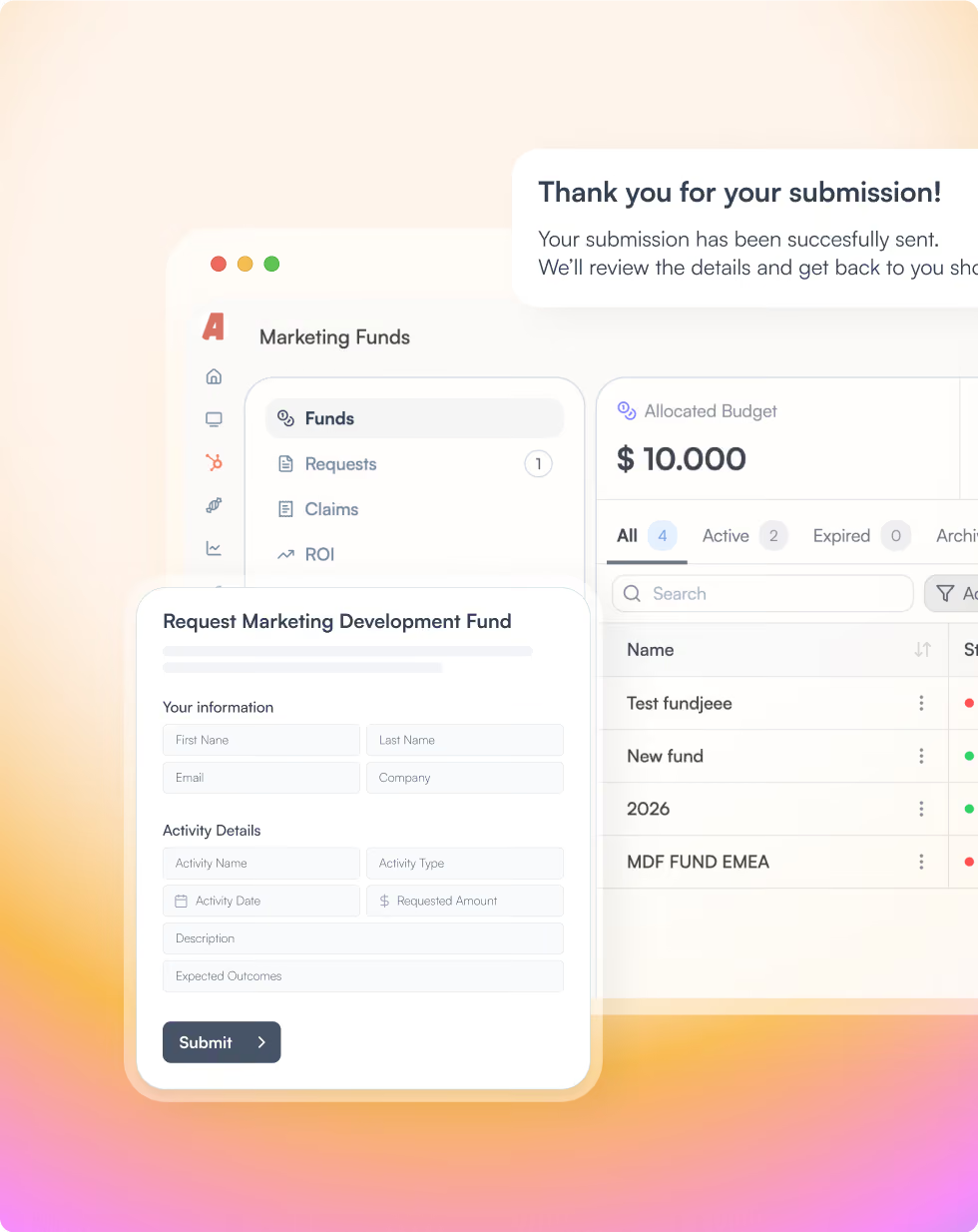
From MDF request to proven ROI with Introw
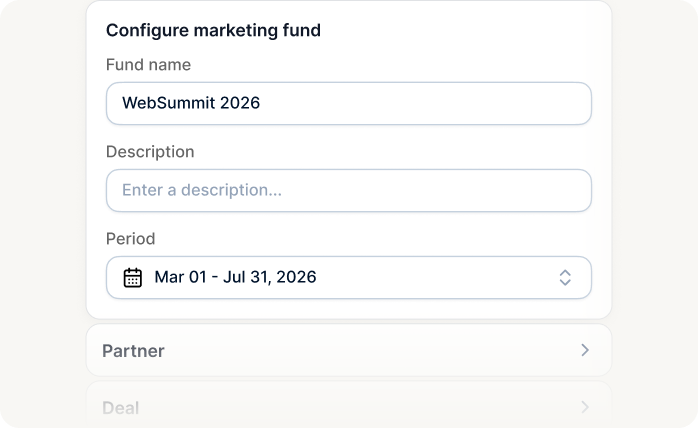
Create a fund and assign it to partners
Set up your MDF fund in minutes with Introw. Choose a fixed amount, set a total budget cap, and split funds per partner segment or tier. Once created, assign the fund directly to the partners who should have access.
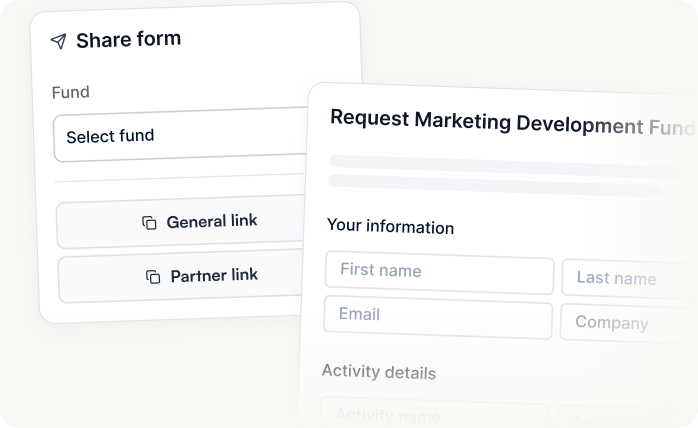
Let partners request approval for campaigns
Partners submit approval requests directly through the portal. Introw maps every request to your CRM automatically, the partner is attached, and default statuses keep every submission in the same consistent workflow. No manual data entry on your side.
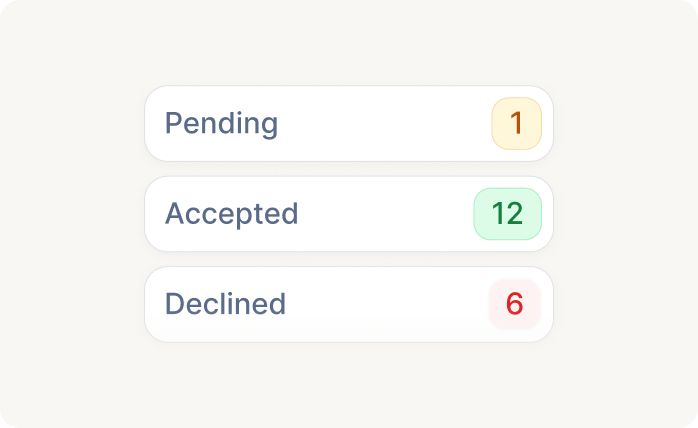
Review, approve, or decline with control
When a request comes in, your team can review it, add notes, and approve or decline, with full context. Set default statuses (e.g., always starts as "Submitted") so every request flows through a consistent process your ops and finance teams can audit.

Give partners full budget visibility
Partners see their total MDF budget, how much they've consumed, and what's still available, right inside the portal. No more emailing your team to check balances or wondering if funds are still there.

Collaborate on campaigns with partners
Partners and internal teams can share notes, add context, and move campaigns forward together, all tracked in the CRM. No more searching through email threads to find the latest campaign plan.

Attach revenue to prove ROI
Partners can link approved campaigns to actual deals and leads, so you can measure exactly how much revenue each campaign generated. See an MDF request of €8K that returned €130K in pipeline? That's an ROI of 16x, and it's all visible in the portal.
MDF automation that scales with your program

Full audit trail
Introw stores every request, approval, note, and linked deal automatically, so finance and ops get the traceability they need without anyone building it manually.

Closed-loop attribution
You can connect MDF spend directly to pipeline and revenue. No more guessing which campaigns worked, let the CRM data prove it.

Partner self-service
Partners can check their budget, submit approval requests, and track status without emailing your team. That means fewer admin cycles and faster campaign launches.

Scalable process
Whether you manage MDF for 10 partners or 500, the workflow stays the same. Consistent statuses, automated field mapping, and CRM sync on every request.
Built for every role on your partner revenue team
Let us show you how we roll

Channel Partner Manager

Pipeline visibility
Deal registration
Partner updates
Tiering
Conflict resolution

CRO
Revenue generation and attribution
Forecasting
Pipeline quality
Channel leverage
Accountability

RevOps
CRM data health
Automation
Governance
Reporting consistency
Routing logic

Partner Marketing Manager
Campaigns
Co-marketing assets
Engagement tracking
Lead and revenue generation
Marketing development fund (MDF) platform FAQs
MDF management software is a tool that lets vendors create marketing development funds, allocate them to channel partners, run approval workflows for co-marketing campaigns, and tie the spend back to revenue. It replaces the spreadsheets and email threads most MDF programs start with. Introw provides MDF management inside a CRM-native PRM platform, so funds, approvals, and ROI all sync two-way with Salesforce or HubSpot.
MDF software replaces spreadsheets and email threads with one auditable workflow, so approvals move faster, partners get real-time visibility into their balances, and finance and ops get a full audit trail. Its defining benefit is closed-loop ROI: because spend is linked to real deals, you can prove exactly what each campaign returned instead of guessing. In Introw, these benefits run inside your partner portal and sync two-way with Salesforce or HubSpot, so partners self-serve and your team stops chasing balances by email.
Key features of MDF management software include fund creation with budget caps and per-segment or per-tier allocation, campaign approval workflows, real-time budget visibility for partners, campaign collaboration, and revenue attribution that links spend to closed deals. Mature platforms add a full audit trail and automatic CRM sync so every request stays traceable. Introw covers all of these inside your partner portal, maps each request to Salesforce or HubSpot automatically, and uses default statuses to keep every submission in a consistent workflow.
Partners create a campaign request directly inside the portal and submit it for approval. Every field is mapped to your CRM automatically, the partner is attached, and default statuses keep each request in a consistent workflow. Your team reviews and approves from the CRM or Introw dashboard.
Yes. Partners get a real-time overview of their total MDF budget, including what's available, what's been consumed, and what's pending approval, directly in their portal experience.
Yes. The overview only shows the partner's own approved MDF campaigns, so revenue is always attributed to the right activity. Partners can't see other partners' campaigns or unapproved requests.
Spreadsheets have no approval workflows, no partner self-service, no audit trail, and no way to connect spend to revenue. Introw gives you all of that, plus real-time CRM sync and a portal experience that partners actually use.
Are you already an active Introw partner?
Book a demo with one of our partner program experts, or explore Introw on your own time.