


What are Claude skills and MCP (and why partnerships)?
You’ve probably seen people talking about Claude skills, Claude code skills, and MCP servers over the last few months.
They’re everywhere. Teams are building them for GitHub, Slack, Figma, Jira, and dozens of other tools. Partnerships happen to be one of the best places to use them.
What are Claude skills?
Think of a Claude skill as a reusable playbook.
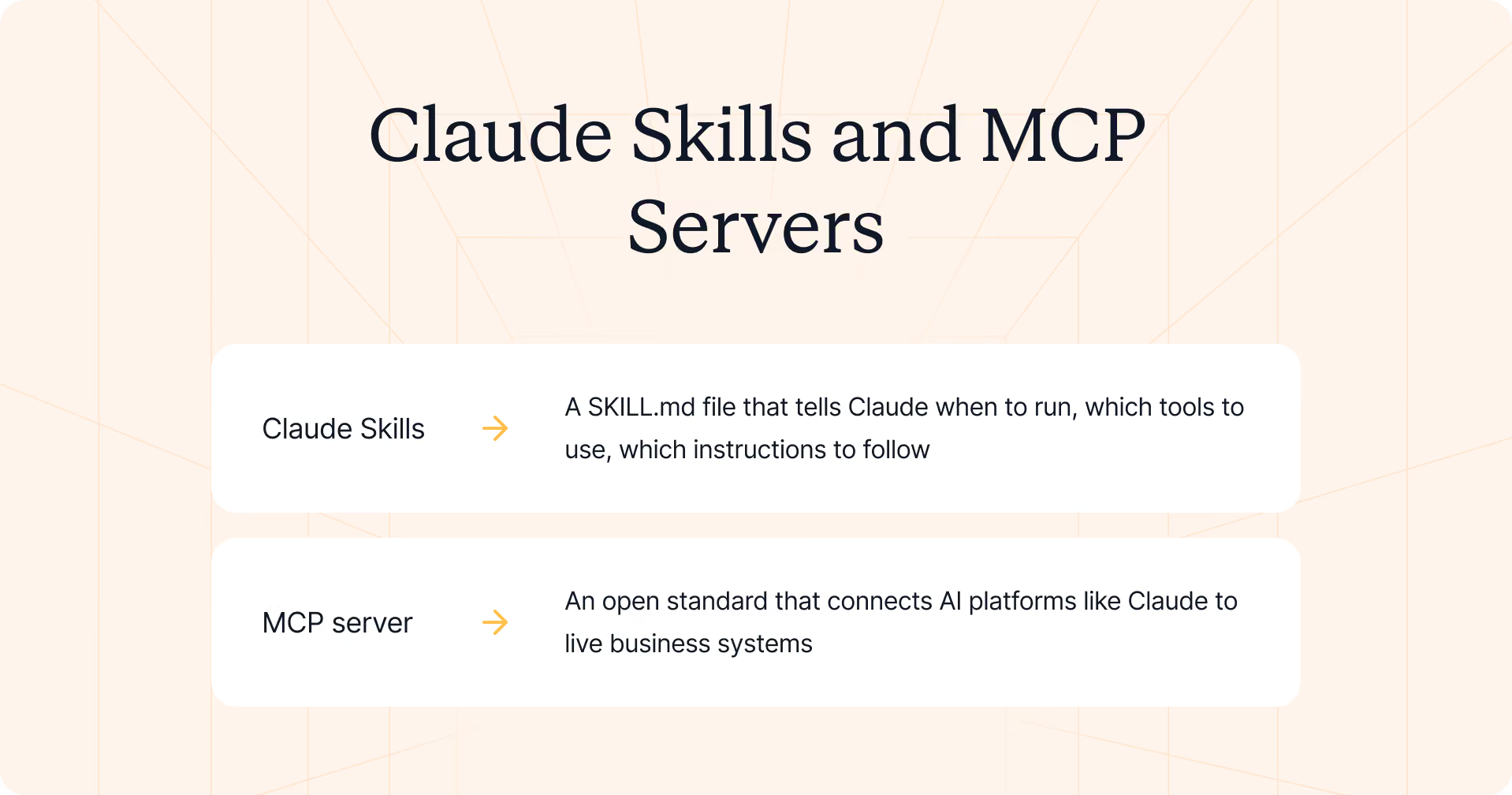
A Claude skill is a SKILL.md file that tells Claude when to run, which tools to use, which instructions to follow, and which rules to respect. Once you add it to your skill folder, Claude automatically uses it when your request matches the task. You don’t need to write code; you simply ask.
For example:
- “Prep a QBR for my top partner.”
- “Who needs activation this week?”
- “Find partners that overlap with this account.”
What is an MCP server?
A Model Context Protocol (MCP) server is an open standard that connects AI platforms like Claude to live business systems.
Instead of relying on static documents, Claude can securely access your CRM, Slack, email, and other external tools through MCP connections. It can gather context, search data, and prepare actions while your team stays in control of approvals and CRM updates.
Why are Claude skills a good fit for partner teams?
Partner work is full of repeatable workflows.
Your team onboards partners, prepares QBRs, registers deals, launches campaigns, tracks certifications, and reviews partner performance. Those are specialized tasks that follow the same process every week.
That’s precisely what Claude skills are built for.
Introw runs a secure partnership MCP server, or PRM MCP server, that exposes your partner program to Claude, ChatGPT, and other MCP clients. It also ships a library of 31 skills for both the channel team and partners.
How a partner skill works
Every skill in this catalog follows the same structure. Once you understand one, you understand them all.
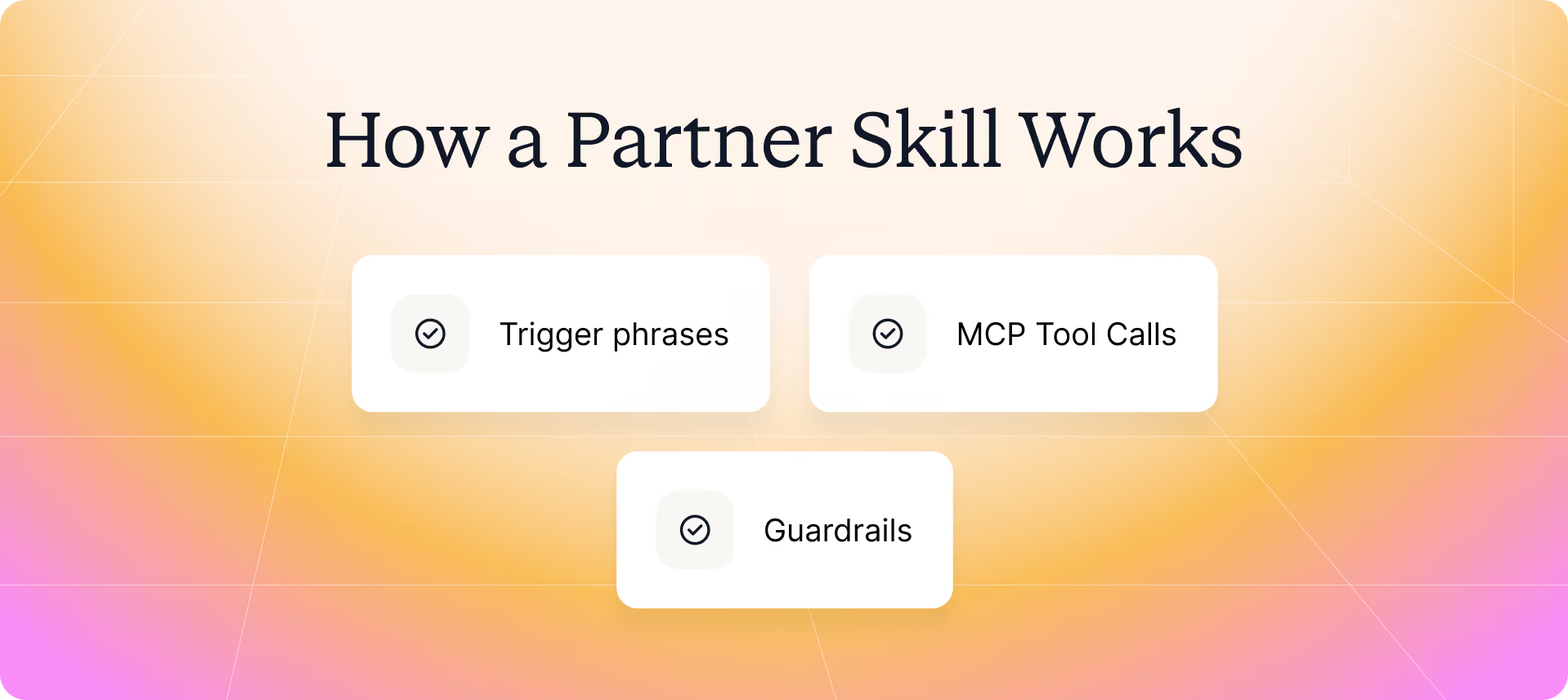
1. Trigger phrases
A skill starts with a plain-language request.
You don’t need a specific command or prompt template. You simply ask Claude what you want to do.
For example:
- “Activate the network.”
- “Prep a QBR for my top partner.”
- “Review partners ready for tier promotion.”
When the task matches the skill, Claude executes it automatically.
2. MCP tool calls
Behind the scenes, the skill makes the right MCP tool calls for you.
Using the MCP, Claude can work across Introw, Crossbeam, your CRM, Slack, email, and other external tools without you switching between systems. Because the MCP connections use live data, you’re working with what’s happening now, not yesterday’s spreadsheet.
Every skill in the Skill Library is built on top of the Introw MCP server, so Claude has the context it needs to complete specific tasks.
3. Guardrails
Skills don’t make blind changes.
Every CRM write stays human-in-the-loop, with built-in rules for territory ownership, approval workflows, and data-sharing scope. Claude prepares the work. Your team decides what gets committed.
Vendor skills and partner skills
The library includes two types of agent skills.
Works wherever Claude works
These aren’t tied to a partner portal.
Once you complete the one-time setup to connect Claude or connect ChatGPT, the same custom skills are available wherever you work, including Claude, ChatGPT, Slack, Microsoft Teams, or directly inside your CRM.
How Claude decides which skill to run
You don’t have to tell Claude which skill to use. You simply describe what you want to accomplish.
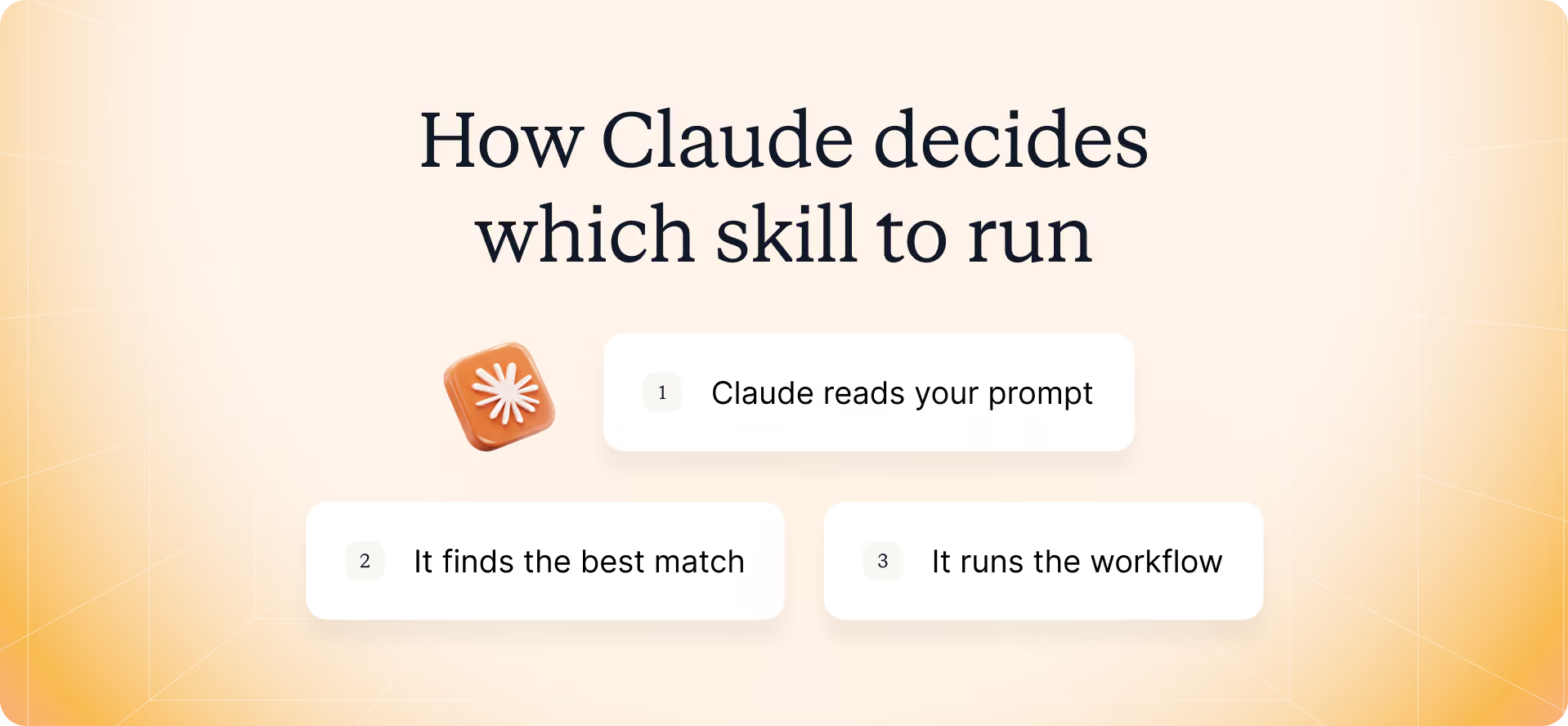
When your prompt matches a skill’s description, Claude loads the right SKILL.md file and follows its built-in instructions.
Here’s what happens behind the scenes:
- Claude reads your prompt.
For example: “Prep a QBR for BrightPath.” - It finds the best match.
Claude compares your request to the trigger phrases and description in each skill file until it finds the workflow that matches. - It loads only that skill.
Instead of loading every skill, Claude pulls in the relevant procedural knowledge, custom instructions, tools, and resources. This approach, called progressive disclosure, keeps the context focused and avoids an oversized system prompt. - It runs the workflow.
Through the Model Context Protocol, Claude accesses the right data sources, executes the workflow, and prepares any CRM updates for your review.
The result is a faster, more reliable experience. You don’t need to write code, build custom skills, or remember dozens of commands. You just describe the task, and Claude handles the rest.
If you're building your own Claude Code skills, advanced features such as Plan Mode, the $ARGUMENTS placeholder, /skill-name commands, and shell command execution let you structure requests, pass dynamic inputs, and bring live context into a workflow.
Introw already includes these patterns in its ready-to-run Skill Library, so most teams can start immediately without building their own.
Now let’s look at those 31 skills, organized by the partner lifecycle.
The 31 Claude skills for partner teams
The Introw Skill Library includes 31 Claude skills, 17 for vendor teams, and 14 for partners.
These agentic partner skills cover the entire partner lifecycle, from recruiting new partners to preparing QBRs and monitoring ecosystem performance.
If you're looking for Claude skills for partner managers, this library was built for exactly that.
Acquire and segment
► Partner acquisition: Find the partners most likely to grow your ecosystem instead of relying on guesswork.
#1 Strategic Partner Acquisition: ABM Orchestrator (Vendor)
The Strategic Partner Acquisition: ABM Orchestrator combines revenue signals and CRM data to find lookalike, high-performing partners, then prioritizes the best accounts for targeted recruitment.
Get more insights in our Partner Acquisition doc.
► Partner segmentation: Make tiering and co-sell decisions using live data instead of manual reviews.
#2 Tier Promotion Batch Review (Vendor)
The Tier Promotion Batch Review reviews your entire partner base in one pass and recommends data-driven tier promotions or demotions based on revenue, certifications, and overall performance.
#3 Crossbeam Co-Sell Partner Finder (Vendor)
The Crossbeam Co-Sell Partner Finder combines account-overlap insights from the Crossbeam integration with your CRM to recommend the best partners for each co-sell opportunity.
Onboard and activate
► Onboarding: Help every new partner get productive faster without creating the same onboarding plan from scratch every time.
#4 Personalized Onboarding Orchestrator from Transcripts (Vendor)
The Personalized Onboarding Orchestrator from Transcripts turns kickoff calls and partnership transcripts into a personalized onboarding plan with the right tasks, milestones, and next steps from day one.
#5 Cross-Vendor Onboarding Tracker (Partner)
The Cross-Vendor Onboarding Tracker gives partners one place to track onboarding across every vendor, including open tasks, milestones, and time-to-first-deal.
#6 Onboarding Prioritizer (Partner)
The Onboarding Prioritizer helps partners decide what to do first by prioritizing onboarding tasks based on commitment dates, business impact, and time-to-value.
► Activation: Keep partners engaged with the right actions at the right time instead of waiting for activity to slow down.
#7 Activate the Network with Personalized Campaigns (Vendor)
The Activate the Network with Personalized Campaigns audits your partner network, identifies stalled partners, and creates personalized activation campaigns tied to each partner's goals.
Our overview of Partner Activation can help give more context.
#8 Renewal & Expansion Coordinator (Partner)
The Renewal & Expansion Coordinator brings renewal dates, expansion opportunities, and at-risk accounts together in one view, helping partners grow customer relationships across every vendor they work with.
Enable and communicate
► Training: Help partners learn from real opportunities instead of generic training materials.
#9 Micro-Courses from Closed-Lost Patterns (Vendor)
The Micro-Courses from Closed-Lost Patterns find patterns in closed-lost partner deals and create targeted micro-courses so partners learn from real outcomes instead of generic training.
#10 Cross-Vendor Certification Tracker (Partner)
The Cross-Vendor Certification Tracker tracks required, optional, and expiring certifications across every vendor, so partners always know which certifications unlock new opportunities and which need renewing.
► Enablement support: Give partners answers when they need them and uncover the content that's still missing.
#11 Support Content Gap Detector (Vendor)
The Support Content Gap Detector reviews recurring partner questions, identifies gaps in your documentation, and recommends the next guides, FAQs, or resources your enablement team should create.
#12 Partner Helpdesk (Partner)
The Partner Helpdesk answers product, pricing, configuration, enablement, and compliance questions, and lets partners complete approved self-service actions without waiting for support.
► Campaigns and announcements: Keep every partner informed without manually creating every update.
#13 Content Radar & Distribution (Vendor)
The Content Radar & Distribution monitors blogs, release notes, LinkedIn, and industry news, then creates targeted partner communications from the most relevant updates.
#14 Cross-Vendor Content & Activity Calendar (Partner)
The Cross-Vendor Content & Activity Calendar brings product launches, webinars, MDF programs, campaigns, and other activities from every vendor into a single calendar, so nothing gets missed.
Through-channel marketing
Turn approved marketing assets into campaigns partners can launch in minutes with through-channel marketing skills.
#15 Co-branded Collateral Generator (Vendor)
The Co-branded Collateral Generator creates fully co-branded sales and marketing assets for every partner, ready to publish or download in multiple formats.
#16 Co-brand My Collateral (Partner)
The Co-brand My Collateral lets partners apply their branding to approved vendor templates and download customer-ready collateral in the format they need.
#17 Campaign Kit Builder (Vendor)
The Campaign Kit Builder packages messaging, positioning, email templates, and campaign assets into complete campaign kits that partners and their AI agents can launch.
#18 Drip Campaign from Assets (Partner)
The Drip Campaign from Assets turns vendor campaign assets into a scheduled, co-branded drip campaign with partner attribution, ready to run in your preferred email platform.
Transact and govern
► Deal registration: Keep deals moving without chasing inboxes, spreadsheets, or status updates.
#19 Email Deal Registration Watcher (Vendor)
The Email Deal Registration Watcher scans Gmail or Outlook, extracts the required details, validates each submission, and creates registered deals in your CRM automatically.
#20 Pipeline Partner-Influence Scout (Vendor)
The Pipeline Partner-Influence Scout searches your CRM for partner influence that’s easy to miss, helping your team bring the right partners into the right opportunities.
See Deal Intelligence and Deal Registration for more insights.
#21 Pipeline Partner-Influence Companion (Partner)
The Pipeline Partner-Influence Companion shows partners where they have the strongest influence, using customer relationships, industry expertise, and shared account context to prioritize the right deals.
#22 Prospect-to-Vendor Fit Finder (Partner)
The Prospect-to-Vendor Fit Finder matches new prospects to the best-fit vendor based on technology stack, industry, customer profile, and business fit.
#23 Cross-Vendor Registration Status Tracker (Partner)
The Cross-Vendor Registration Status Tracker tracks every deal registration across vendors in one place, including approvals, conflicts, protection windows, and pending actions.
Coach and review
► Deal coaching: Whether you’re leading partnerships or sales, these workflows turn past wins into better decisions. They work just as well as Claude skills for partner managers as they do as Claude skills for sales.
#24 Deal Coach from Similar Wins (Vendor)
The Deal Coach from Similar Wins finds similar won deals and creates tailored coaching with recommended next steps, competitive guidance, and proven tactics.
#25 Deal War Room (Partner)
The Deal War Room brings stage guidance, similar wins, battle cards, and deal strategy into one workspace before the next customer conversation.
► QBRs and meeting prep: Spend less time building QBRs and more time having better partner conversations.
#26 QBR Preparation: Single-Partner & Book-Wide Coverage (Vendor)
QBR Preparation creates complete reviews for one partner or your entire portfolio using live CRM and partner data.
#27 QBR Recording → Portal Updates + Follow-Up (Vendor)
QBR Recording → Portal Updates + Follow-Up turns a meeting recording into structured updates, follow-up tasks, mutual action plans, and CRM-ready actions.
#28 Pre-QBR Self-Prep (Partner)
Pre-QBR Self-Prep gives partners a complete view of performance, pipeline, goals, certifications, and discussion points before every QBR.
Measure and optimize
► Commissions and incentives
Help partners understand which actions have the biggest financial impact.
#29 Incentive Maximizer (Partner)
The Incentive Maximizer shows partners how to maximize commissions, reach bonus tiers faster, and unlock higher incentive payouts using live program data.
► Ecosystem performance: Spot trends early instead of waiting until they become bigger problems.
#30 Weekly Channel Slack Digest (Vendor)
The Weekly Channel Slack Digest summarizes wins, registrations, approvals, at-risk partners, and KPI changes, so your team starts the week with the right context.
#31 Ecosystem Anomaly Detector (Vendor)
The Ecosystem Anomaly Detector flags unusual behavior, performance changes, and emerging risks before they affect partner performance.
You don’t need all 31 skills on day one. Start with the workflows that take up the most time, then expand your library as your partner program grows.
Vendor skills vs. partner skills
The 31 Claude skills are split into two groups because they solve two different problems. Vendor skills help you run a partner program. Partner skills help your partners work more efficiently across every vendor they support.
Most PRMs only optimize the vendor’s experience. Introw also optimizes the partner’s.
Partners rarely work with just one vendor. They juggle many, and every extra portal or workflow slows them down. That’s why most partner skills are cross-vendor, giving partners one assistant instead of one assistant per vendor.
Whether you use Claude, Claude Code, or another AI platform, the same Claude Code skills run from a reusable skill file with built-in skill instructions, custom instructions, and specialized knowledge. Through the MCP and secure MCP connections, Claude works with live CRM data and external tools instead of static documents.
Partners remember the vendors that make their jobs easier. Good partner skills do exactly that.
How to start using partner skills
Getting started doesn’t mean deploying all 31 Claude skills at once.
There isn’t a dedicated Claude skills marketplace for partnerships yet, so Introw provides a ready-to-run library of workflows you can use immediately instead of building everything yourself.
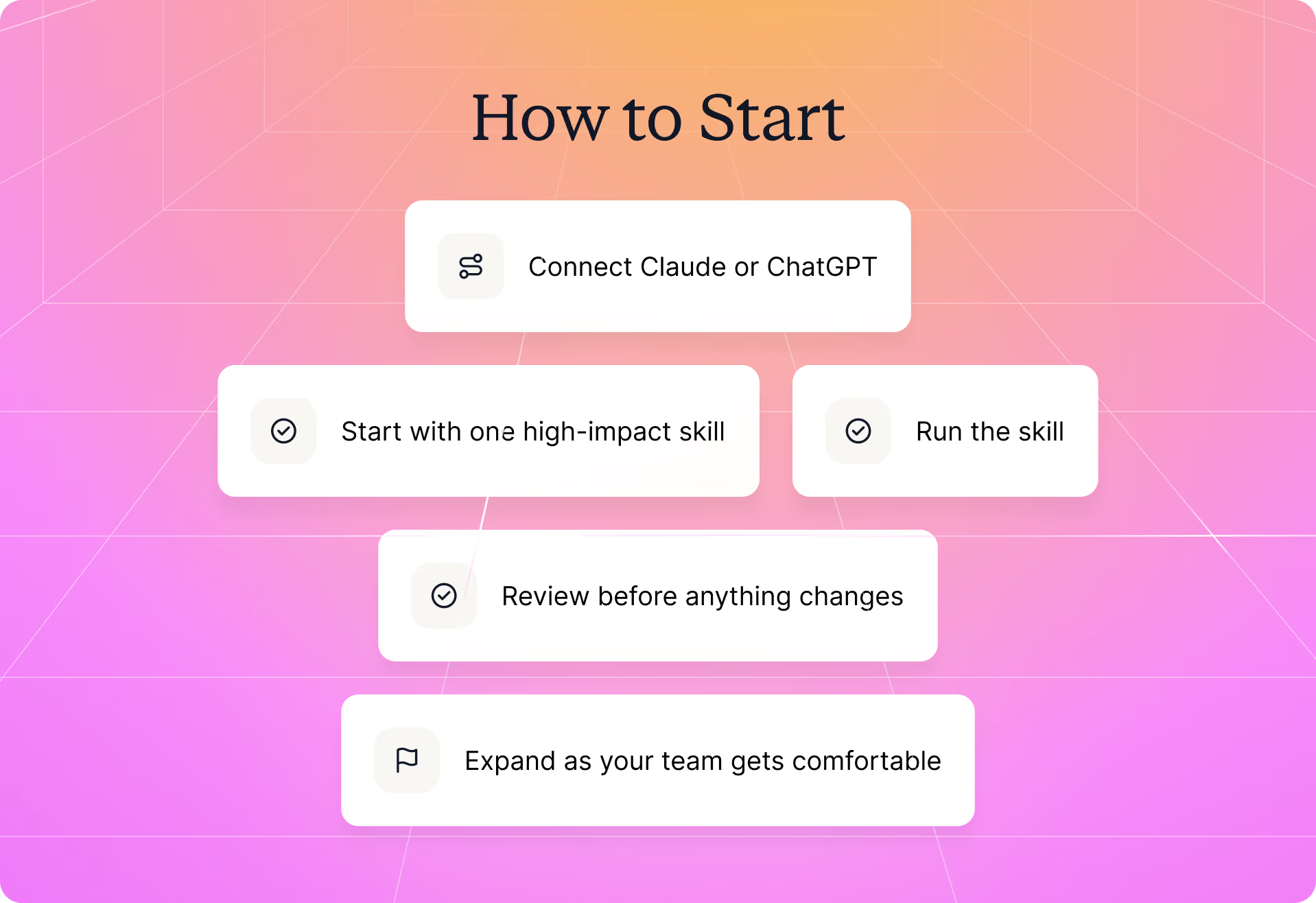
1. Connect Claude or ChatGPT
Complete the one-time setup to connect Claude or connect ChatGPT. Introw’s implementation of the Model Context Protocol gives your AI assistant secure access to the right data sources and external tools through MCP connections.
2. Start with one high-impact skill
If you’re on the vendor side, start with QBR Preparation or Activate the Network with Personalized Campaigns. If you’re a partner, Partner Helpdesk and Cross-Vendor Registration Status Tracker are great first skills because they solve high-frequency, everyday workflows.
3. Run the skill
Drop the skill file into your skill folder at .claude/skills/, or simply run the same workflow in plain language through your MCP connection. You don’t need to create skills yourself or be a Claude Code expert to use them.
4. Review before anything changes
Claude assembles the analysis, but you stay in control. CRM writes, territory rules, and data-sharing permissions always require approval before anything is committed.
5. Expand as your team gets comfortable
Once one workflow becomes part of your routine, add another. Browse the full Skill Library and gradually build a collection of Claude Code skills that match the way your team already works.
How Introw powers claude skills for partnerships
You don't need to build your own AI workflows from scratch. Introw provides the infrastructure, guardrails, and a partner management MCP platform with ready-to-run Claude skills, so your team can automate real work instead of building custom skills first.
A secure Model Context Protocol (MCP) server for your partner program
The best Claude Code skills are only as useful as the data behind them.
Introw runs a secure, OAuth-protected implementation of the Model Context Protocol, an open standard that gives Claude, ChatGPT, and other AI platforms controlled access to your partner program through secure MCP servers.
Instead of searching portals and spreadsheets, Claude works with live CRM records, Crossbeam, Slack, email, and other external tools while respecting each user's permissions.
That means your team spends less time gathering information and more time helping partners close deals.
See how it works in Introw's AI Agent.
31 Claude Code skills, ready when you are
You don't have to create custom skills before you can start.
Introw includes all 31 Claude skills in this guide: 17 vendor skills and 14 partner skills. Each skill file includes trigger phrases, skill instructions, tool calls, and built-in guardrails, so you can add it to your workflow or run the same play with a plain-language prompt.
Whether it's your first skill or your fifteenth, the Skill Library makes it easy to discover new workflows as your team grows.
Built for real work, not demos
AI is only useful if you trust it with everyday work.
Every skill includes human approval for CRM updates, territory checks, and data-sharing rules. Because Introw is CRM-native, every workflow reads from and writes back to HubSpot or Salesforce, keeping your CRM as the single source of truth.
Your team gets faster workflows without giving up control.
Part of a bigger operating model for partner skills
These Claude skills aren't isolated automations. They're part of Introw's headless partner platform, where AI assistants work directly with your partner program instead of through a traditional portal.
Instead of moving between portals, spreadsheets, and disconnected tools, your team works from one AI assistant connected to live business data. That's the idea behind headless partnerships. To see where this approach is heading next, explore more AI in partnerships use cases.
If you're ready to spend less time on repetitive partner work, here's what you can do next:
- Learn how the AI Agent works.
- Explore the Skill Library to see the available workflows.
- Book a demo to see everything running against your partner program.
Still curious? Here are some quick answers to help clear things up
Claude Code skills are reusable SKILL.md files that tell Claude how to complete a specific workflow. Each skill includes trigger phrases, tool calls, and built-in guardrails, so Claude executes specialized tasks from a plain-language prompt instead of relying on custom instructions every time.
The Model Context Protocol is an open standard that lets MCP servers expose business systems to AI assistants. Instead of relying on static documents, Claude or ChatGPT can securely access live CRM data, Slack, email, and other external tools to complete relevant workflows.
Connect Claude or ChatGPT to your partner platform through the Model Context Protocol, then ask it to complete a workflow in plain language. Whether the task is QBR preparation, partner activation, or deal registration, the right Claude Code skills are available whenever your prompt matches the workflow.
Introw currently provides 31 Claude skills: 17 vendor skills for channel teams and 14 partner skills for partners working across multiple vendor programs. These agent skills cover the full partner lifecycle, from acquisition to ecosystem performance.
Vendor skills help channel teams recruit, onboard, enable, coach, and manage their entire ecosystem. Partner skills are designed for partners themselves and provide one assistant for onboarding, certifications, pipeline, registrations, incentives, and other cross-vendor workflows.




Are you already an active Introw partner?
Book a demo with one of our partner program experts, or explore Introw on your own time.