
Partner account mapping is the process of comparing your CRM accounts with a partner's to find the customers, open opportunities, and target accounts you share. You then use that overlap to co-sell, ask for warm intros, expand shared customers, and generate new pipeline.
Finding the overlap is the easy part. Most teams produce a list of shared accounts, and the list dies in a spreadsheet nobody opens.
This guide is for partner managers, alliance leads, and RevOps. It shows how to find the overlap with a partner and turn it into registered, attributed pipeline in HubSpot or Salesforce.
What is partner account mapping?
Partner account mapping is a secure comparison of two companies' account lists to see which customers, open opportunities, and target accounts they have in common. Neither side hands over its full database. Each side sees only the matches, at the level of detail the other agrees to share.
The list isn't the point. The decisions it makes possible are.
It helps you decide:
- Where to sell together: which open opportunities a partner can help you win.
- Where to ask for a warm intro: which of your target accounts a partner already knows.
- Where to build or promote an integration: which shared customers would benefit from the two products working together.
- Which accounts to protect: which customer relationships depend on a partner.
Partner account mapping vs. sales account mapping
Search for "account mapping," and you'll find two practices sharing one name.
Sales account mapping charts the people inside one target organization. It shows who is involved in the decision making process, how much influence each person has, and which relevant departments, such as finance, IT, and procurement, need to sign off. Partner account mapping compares accounts across two businesses.
| Sales account mapping | Partner account mapping | |
|---|---|---|
| What's compared | Stakeholders inside one target account | Account lists across two businesses |
| Data source | Your CRM contacts, LinkedIn, call notes | Your records and your partner's records |
| Who uses it | Account executives and account managers | Partner managers, alliance leads, RevOps, and sales |
| Typical output | An org chart with roles and influence | An overlap list or matrix of shared accounts |
| Main goal | Multi-thread a complex sale | Find accounts to sell into, expand, or protect together |
The two work best together. Partner mapping tells you a partner knows Acme. Sales mapping tells you who at Acme to ask them about.
What is a partner account?
A partner account is a company record in your CRM that represents a partner, such as a reseller, referral partner, co-sell partner, technology partner, or implementation partner, rather than a customer or prospect. It holds the partner's type, tier, owner, and the opportunities attributed to it.
One business can be both a partner and a customer. A consultancy might refer opportunities to you and also pay for your product, which is why you need to categorize partner accounts before you map anything.
Why partner account mapping matters
A partner who already has the relationship changes the odds on an opportunity. Across businesses on the Crossbeam network, the average lift in win rate when partners are involved in deals is 11.7%. Mapping is how you find the accounts where that lift, and the revenue growth that comes with it, is available. The benefits show up in five places.
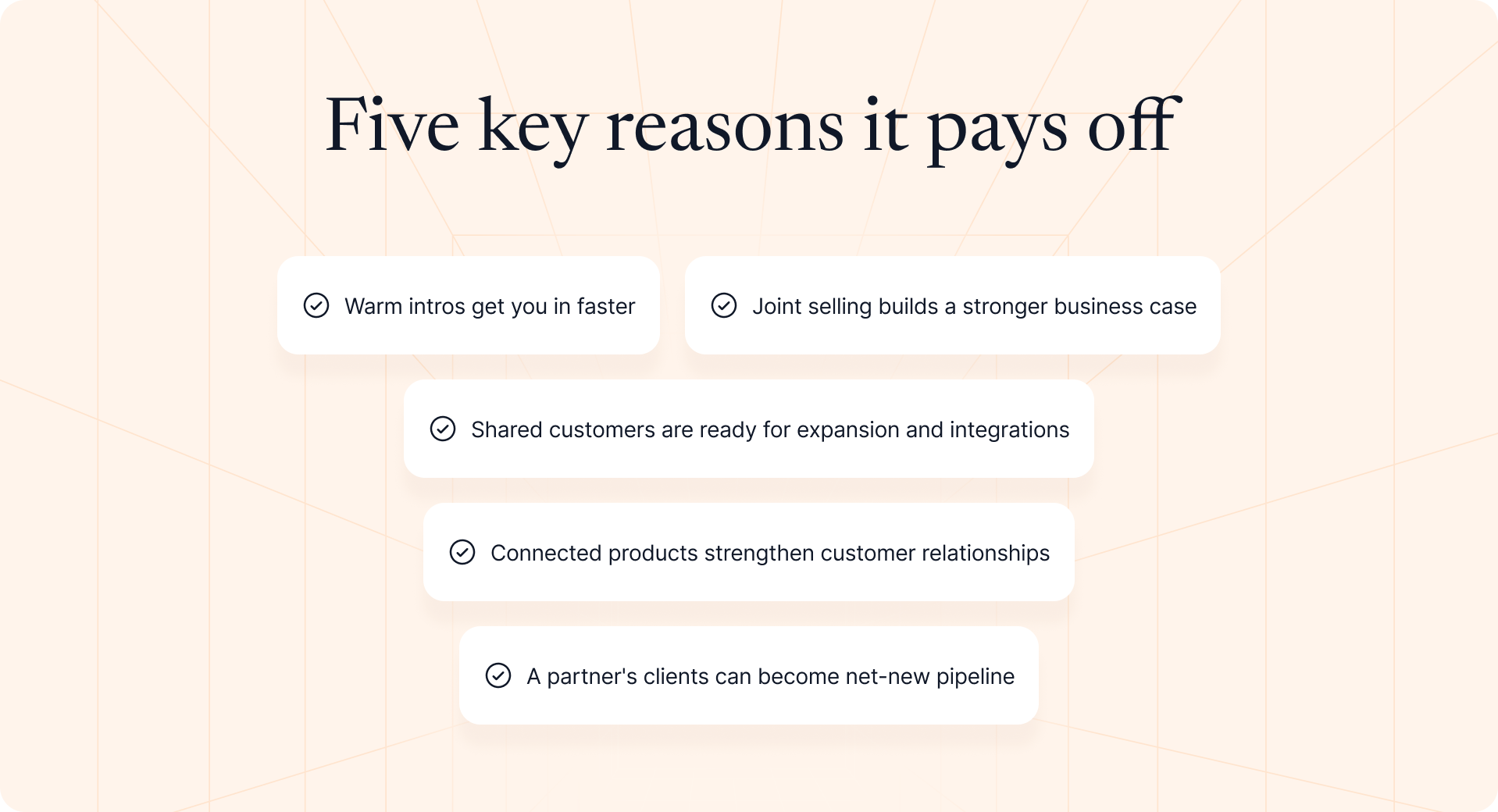
Warm intros get you in faster
Example: Your SDR has emailed the VP of Finance at Acme four times without a reply. Your payroll partner has worked with her for three years. Relationships like that can't be replicated by another sequence step, and one intro from the partner books the meeting.
Joint selling builds a stronger business case
When you and a partner both sell into the same account, the buyer can hear one joint plan instead of two pitches. An HR platform and a payroll provider can propose combined solutions with one integration and one timeline, which lowers the buyer's risk and strengthens both vendors' case.
Shared customers are ready for expansion and integrations
Example: You share 140 customers with a technology partner, but only 30 use your integration. The other 110 are your next adoption campaign, and the partner has every reason to help run it as a joint marketing effort.
Connected products strengthen customer relationships
A client who has connected your product to the tools they rely on has more reasons to stay, and more to undo if they leave. Mapping shows customer success which shared accounts are connected and which aren't, so they know where to focus.
A partner's clients can become net-new pipeline
Some of the most valuable accounts don't overlap at all. If a partner shares its full client list, the ones that fit your ideal customer profile and aren't in your system yet are greenfield accounts with a warm path in. It's the core idea behind nearbound marketing.
How account mapping with partners works
An overlap is an account that exists in both systems. A match on its own tells you very little. Its value comes from the status on each side: is the account a customer, an open opportunity, or a target for you, and for the partner?
Populations
Populations are the groups of accounts each side puts into the comparison, usually defined by filters in each system: for example, customers, open opportunities, and target accounts. An account only appears as an overlap if it sits in a shared population on both sides.
The overlap matrix
The overlap matrix puts your populations on one axis and your partner's on the other. Each cell shows how many accounts fall into that combination.
| Your side ↓ / Partner's side → | Partner customers | Partner open opportunities | Partner targets |
|---|---|---|---|
| Your customers | 140 | 22 | 65 |
| Your open opportunities | 38 | 12 | 41 |
| Your target accounts | 210 | 18 | 390 |
(These numbers are illustrative, not a benchmark.)
The 38 in "your open opportunities × partner customers" is usually the most valuable cell: live opportunities where the partner already has the relationship. The 390 in the bottom-right cell is the biggest number and the least useful one, because neither of you has a relationship there yet.
The biggest cell is rarely the best one.
What each side can see
Each side controls what it shares, usually per population and per partner:
- Hidden: the partner can't see the population.
- Counts only: the partner sees how many accounts overlap, but not which ones.
- Account details: the partner sees the overlapping accounts, typically name and website.
If a partner shares only counts, you'll know 38 of your open opportunities overlap with their clients, but not which 38. Getting the names means asking the partner to share more.
Expect your counts and your partner's to differ. Matching tools report results from each side's own data, so duplicate accounts in one system are counted separately.
Before you map: categorize your partner accounts in the CRM
Mapping exposes data hygiene problems fast. If your own records can't tell a partner from a customer, the overlap you share won't either.
Separate partners from customers (and handle accounts that are both)
Flag partners one consistent way, such as a partner type property on the company record in HubSpot or a partner field on the account in Salesforce. Don't create a second record to represent the partner side of a business.
Dual-role accounts need extra care. Salesforce's standard account type field holds one value, so a business can't be both "Customer" and "Partner" there. Keep the customer status where it lives, and add a separate partner flag alongside it.
Duplicates break more than mapping:
- Overlap counts inflate: the same business is matched twice.
- Context splits: the partner relationship sits on one record and the opportunity on the other.
- Attribution misfires: partner credit attaches to the "partner" copy while revenue closes on the "customer" copy.
Define the populations you'll compare
| Population | Typical definition | Why include it |
|---|---|---|
| Customers | Accounts with an active contract | Expansion, integrations, and joint retention |
| Open opportunities | Accounts with an open opportunity past an agreed stage | Warm intros and joint selling |
| Target or ABM accounts | Accounts on your named target list | Partner-sourced intros |
| Churned customers | Accounts whose contract ended in the last 12 to 24 months | Win-back through a partner who stayed |
Write the criteria down and use them for every partner. If "open opportunity" means any open opportunity for one partner and a qualified one for another, the overlaps stop being comparable.
Decide what you'll share with each partner
- Counts only: for exploring new partnerships.
- Account names: for active partners you'll run intros or joint selling motions with.
- Opportunity details such as stage or owner: for strategic partners with an agreed plan and a written data-sharing agreement.
Share the minimum the play needs. A partner who will introduce you to their clients needs to know which of your open opportunities overlap. They don't need your amounts. Check your partner agreements and privacy obligations before sharing anything at the account level.
How to map accounts with a partner in 6 steps

1. Pick the partner and the goal
Start with one strategic partner and one objective: new pipeline, expansion, or retention. The goal decides which populations matter. Pipeline points you at open opportunities and target accounts; retention points you at shared customers.
2. Prepare your data
Dedupe your accounts and make sure every record has a clean website domain, usually the strongest matching key. Confirm each population filter returns the accounts you expect. An hour of cleanup saves weeks of arguing over counts.
3. Run the match
For one or two partners, each side can export the agreed population and match on domain in a spreadsheet, but agree first on who sees what, because a spreadsheet swap shares full lists. Beyond that, a dedicated tool keeps populations updated automatically and lets each side control what it shares.
4. Categorize the overlaps
Group matches by status on each side: customer, open opportunity, or target. Each combination calls for a different play.
5. Prioritize
Rank by overlap type, recency, opportunity value, and partner fit. A partner's current client that matches your €80,000 open opportunity comes before last quarter's target match.
6. Agree on plays and rules of engagement
Before anyone reaches out, decide who owns each account, who is involved on each side, who makes the first move, and how the partner gets credited. A 30-minute call now is cheaper than a channel conflict later.
What to look for in account mapping software or a partner ecosystem platform
Once you map with more than a couple of partners, spreadsheets stop working. Dedicated account mapping software, often sold as a partner ecosystem platform, runs the matching for you and keeps it current.
When you compare options, check:
- Connectors to your system of record: native sync with HubSpot or Salesforce, so populations update without exports.
- Sharing controls: settings per partner and per population, from counts only to full account details.
- Partner coverage: how many of your existing partners already use the platform, because mapping only works when both sides are connected.
- Freshness: how often overlap data refreshes, and whether changes trigger alerts.
- Security: independent security certifications and clear data handling terms your legal team can review.
- Insights and exports: reporting on overlap and win rates, plus a way to push overlap into the tools your sales teams already use.
A partner ecosystem platform tells you where the overlap is. It doesn't run registration, attribution, or commissions, so plan how that overlap will reach the rest of your partner program.
Overlap categories and the play for each
The status on each side tells you which motion to run.
| Your side | Partner's side | What it means | Recommended play |
|---|---|---|---|
| Customer | Customer | Shared customer | Integration, expansion, or joint retention |
| Open opportunity | Customer | The partner has the relationship | Warm intro or joint selling |
| Open opportunity | Open opportunity | You're both selling | Joint business case and coordinated outreach |
| Target account | Customer | The partner can open the door | Partner-sourced intro or referral |
| Not in your system | Customer | Net-new account | Greenfield pipeline or joint marketing campaign |
| Customer | Target | You can help the partner | Reciprocal intro to build goodwill |
The last row matters more than it looks. A partner who gets intros from you is far more likely to make intros for you.
Prioritize by warmth, then value. A partner's current client is warmer than their lapsed lead, and an overlap that appeared last week beats one that has sat for months. Among the warm overlaps, rank by what the account is worth to you.
Turning overlap into revenue: from list to pipeline
Mapping produces a list. Revenue needs a workflow. This is where most programs stall: the overlap is found, discussed in a meeting, and never touched again.
Check rules of engagement and channel conflict first
Before acting, check who already owns the account. Is there an open registration from another partner? Is the account on your direct team's named-account list?
Overlap doesn't override existing registrations or named-account rules. If a reseller has already registered an opportunity at Acme, a co-sell partner's relationship there is useful context, not a new claim. Skipping this check is how mapping creates channel conflict instead of pipeline.
Map the stakeholders and plan personalized engagement strategies
This is where partner mapping and sales mapping meet. Once you know a partner has the relationship, ask them to help you identify who's involved in the decision making process inside the organization, and gather what they know before your first call:
- The people: the economic buyer, the champion, the relevant departments that will review the purchase, and who has relationships with whom. In enterprise accounts, that can be a dozen people.
- The pain points: what the account is struggling with today, in the partner's words.
- The priorities: which projects have budget and attention this quarter.
Partner context like this gives your rep real leverage in the first conversation. Use it to plan personalized engagement strategies for each stakeholder, and make sure your records reflect what the partner told you, so the next rep doesn't start from zero.
Register and attribute the opportunity in your CRM
Every partner-influenced opportunity that comes out of mapping should be registered and attributed to the partner on the record, marked as partner-sourced or partner-influenced.
Without attribution:
- Reporting undercounts the program: mapping looks like it produced nothing.
- Commissions turn into disputes: nobody can prove who brought what.
- Partners stop sharing: they never see credit for their intros.
Partner attribution is what turns "the partner helped" into a number your CRO will accept.
Sell together on a shared opportunity
Good joint selling is one opportunity with two teams on it, not two teams keeping separate notes.
- Shared visibility: both sides see the same stage, close date, and next step.
- Clear owners: every task has a name and a date, on both sides.
- Steady communication: updates where both sides can see them, not forwarded email chains.
Keep overlap next to the opportunity, not in a spreadsheet
Overlap data loses value the moment it leaves the place where reps work. A quarterly export goes stale as accounts change status, and reps don't open a separate tool mid-sale. Nobody can act on overlap effectively if they have to go looking for it.
Use one test: if a rep opens the Acme opportunity tomorrow, will they see that a partner has the relationship? If not, the overlap isn't doing its job yet.
Measure what it produced
| Metric | What it tells you |
|---|---|
| Partner-sourced pipeline | Overlap opportunities the partner originated |
| Partner-influenced pipeline | Overlap opportunities the partner helped move forward |
| Win rate: overlap vs. direct | Whether partner involvement changes outcomes |
| Deal size: overlap vs. direct | Whether joint opportunities are bigger |
| Sales cycle: overlap vs. direct | Whether warm paths close faster |
Compare overlap opportunities with similar direct ones in the same segment. A shorter sales cycle on mid-market accounts says more than a few enterprise wins, which can make any partner look like a hero.
Common partner account mapping mistakes
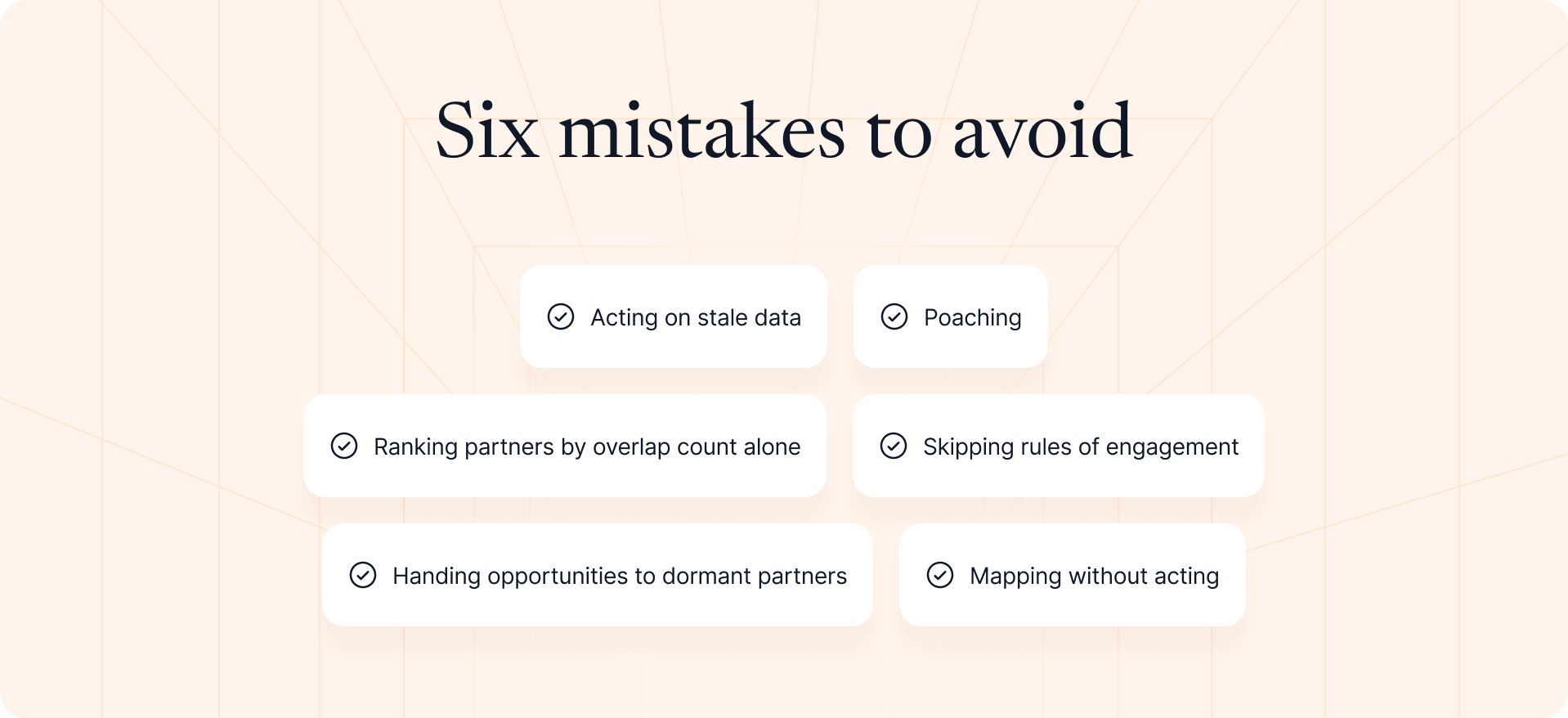
Acting on stale data
Target accounts become clients, opportunities close, and contacts move on. The fix: re-check any overlap older than about 30 days before you reach out.
Poaching
An account that is another partner's client is context, not a takeover signal. Treating it as one damages relationships on both sides. The fix: respect the ownership already in place and use the overlap to inform the sale, not reassign it.
Ranking partners by overlap count alone
A partner with 400 overlaps sounds better than one with 60. It often isn't. The fix: weigh fit alongside volume. Fewer overlaps in your core vertical, plus a record of similar enterprise wins, usually beat many weak matches.
Skipping rules of engagement
Without agreed ownership, every promising overlap becomes a negotiation. The fix: agree in writing on who leads, who supports, and how credit is split before the first intro request.
Handing opportunities to dormant partners
A partner with the perfect overlap who hasn't engaged in three months isn't ready for a live sale. The fix: re-engage them first, then bring them the account. Partner activation comes before handoff.
Mapping without acting
This is the most common failure: lists are reviewed in a QBR and never turned into intros, registrations, or joint selling. The fix: give every prioritized overlap an owner, a play, and a date.
How Introw facilitates partner account mapping
Mapping tools tell you who to work with. Introw runs the program you build around it.
Introw doesn't calculate overlap, and it doesn't replace an account mapping tool. It's the layer that brings overlap next to the opportunity and turns it into registered, attributed, co-sold pipeline in HubSpot or Salesforce.
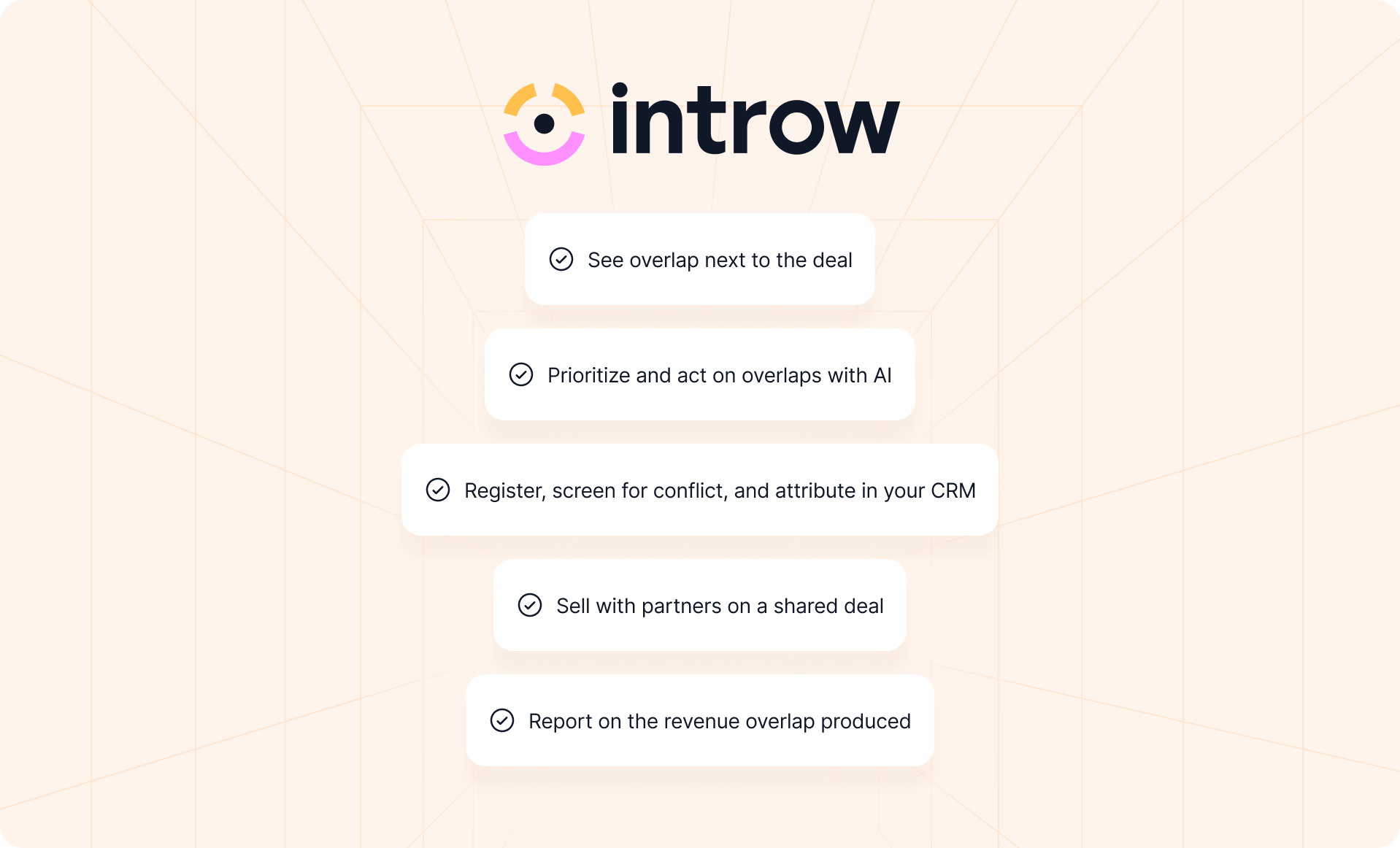
See overlap next to the deal
Introw's Crossbeam integration surfaces shared customers and prospects with each partner inside Introw's collaboration views, matched on the account. Your team sees the overlap where it already works with partners, not in a second tab.
Prioritize and act on overlaps with AI
The Crossbeam Co-Sell Partner Finder skill combines Crossbeam overlap data with Introw partner performance insights: engagement, prior similar wins, and tier or certification eligibility. It scores partner-account fit, drafts partner intro requests, and pre-fills registrations for your approval.
It follows the same rules as this guide. It flags overlaps older than 30 days, checks existing registrations, surfaces conflicts instead of acting on them, and waits for human approval on the first batch. You can run it from Claude, ChatGPT, Slack, Teams, or your CRM through Introw's MCP server. It's one of many agentic workflows behind Introw's AI agent.
Register, screen for conflict, and attribute in your CRM
Partners register opportunities from the portal or off-portal, including Slack, Teams, Claude, and email. Introw checks each registration against existing pipeline for channel conflict, applies your approval rules, and writes an attributed deal into HubSpot or Salesforce. Learn more about deal and lead registration.
Sell with partners on a shared deal
With shared pipelines, partners collaborate on the live record without a seat in your system: comments, files, tasks, and only the fields you allow them to see or edit. Your reps stay where they already work.
Several partners can be attributed on one opportunity, so the technology partner who made the intro and the reseller who closes it each keep their credit.
Report on the revenue overlap produced
Introw reporting computes partner-attached pipeline and revenue from live CRM data. Overlap plays are measured in the same model your sales team already uses, so nobody spends the QBR debating whose numbers are right, and the growth from your partnerships is visible to the whole business.
Account mapping tells you where the opportunity is. The program around it decides whether that opportunity becomes revenue.
Ready to turn overlap into registered, attributed pipeline? Start free and connect HubSpot or Salesforce. No credit card, no time limit.
Still curious? Here are some quick answers to help clear things up
A partner account is a company record in your CRM that represents a partner, such as a reseller, referral, co-sell, technology, or implementation partner, rather than a customer or prospect. The same business can be both, so flag the partner role on the existing record instead of creating a duplicate.
Map continuously if your tool supports it, and at least monthly if you're comparing lists manually. Always refresh the overlap before a QBR or joint planning session, because account statuses change faster than most teams expect.
You can share overlap counts only, account names and websites, or opportunity details such as stage and owner. Choose the level per partner and per population, and share only what the play you want to run requires.
Partner or alliance managers usually own the mapping and the partner relationship. RevOps supports data quality and population definitions, and sales acts on the prioritized overlaps.
A spreadsheet comparison works for one or two partners, as long as both sides agree on what they share. Beyond that, account mapping software or a partner ecosystem platform is needed for security, automatic updates, and controlled data sharing at scale.




See AI-Native PRM in Action
Book a demo with one of our partner program experts, or explore Introw on your own time.